
kendo-angular
 kendo-angular copied to clipboard
 telerik
[Grid] Inconsistent behavior when dynamically changing the `sticky` input property
Describe the bug
When the sticky input property of <kendo-grid-column> is changed dynamically, some visual defects appear:
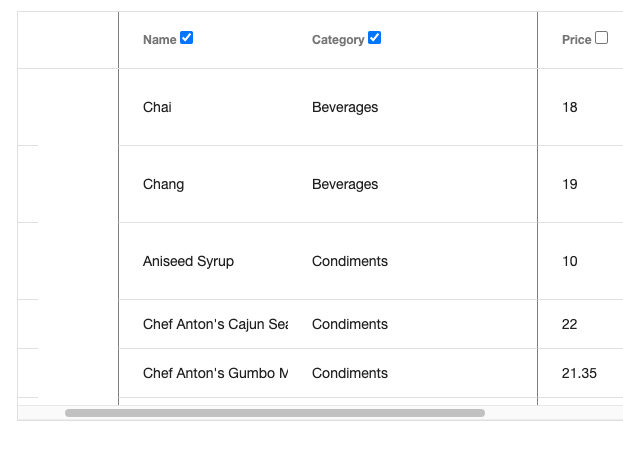
- Unnecessary empty space (column holder)
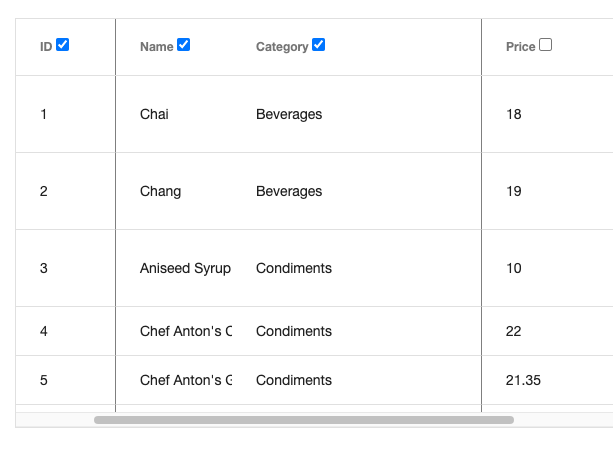
- Column is not sticked
To Reproduce https://stackblitz.com/edit/grid-dynamic-sticky-columns-5nbjcf
Steps to reproduce the behavior:
-
Stick "ID" column
-
Stick "Category" column
-
Stick "Name" column
-
Try to scroll Result: "Name" column is not sticked.
-
Unstick "ID" column
-
Try to scroll
Result: Empty space appear on the left of the "Name" column
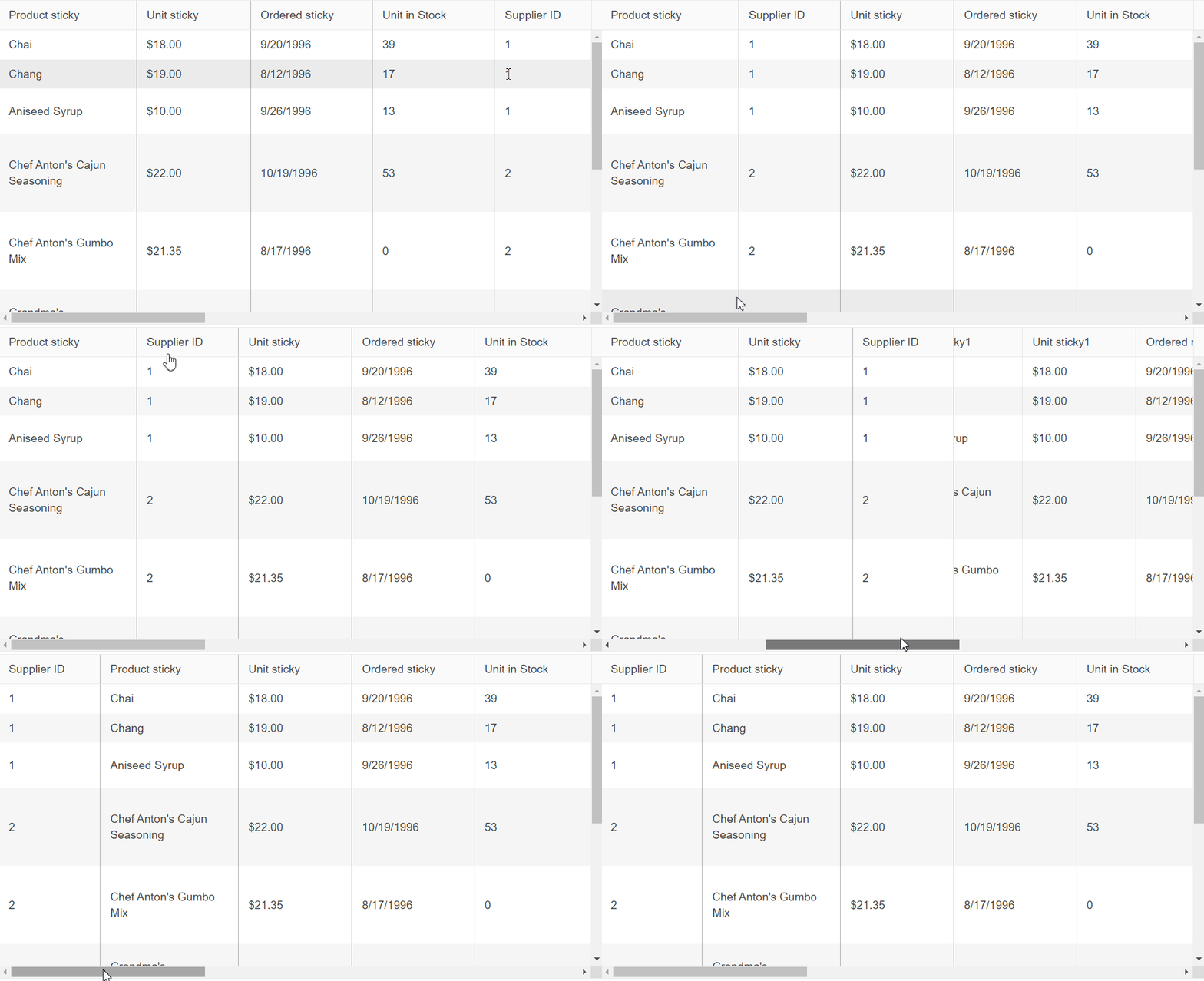
Second example - https://stackblitz.com/edit/angular-qy7trz-61zgaw?file=src%2Fapp%2Fapp.component.ts
- Move supplier id to the first or second column position where the sticky functionality isn't being applied. If the column is moved to the third column then it works.
Expected behavior Columns should be sticked properly.
Screenshots

Also reported in this forum thread https://www.telerik.com/forums/column-kendo-grid-sticky-property-does-not-change-dynamically
Steps to reproduce the same issue with dynamically generated columns:
https://stackblitz.com/edit/angular-hjbr9g-6qdttz?file=src%2Fapp%2Fapp.component.ts
ProductID is sticky initially
- Make the ProductName sticky through the button below the Grid
- Make the CategoryName column sticky again with the respective button
- Try scrolling the Grid horizontally and see how the sticky state of all three columns isn't persisted.


