

 tectiv3
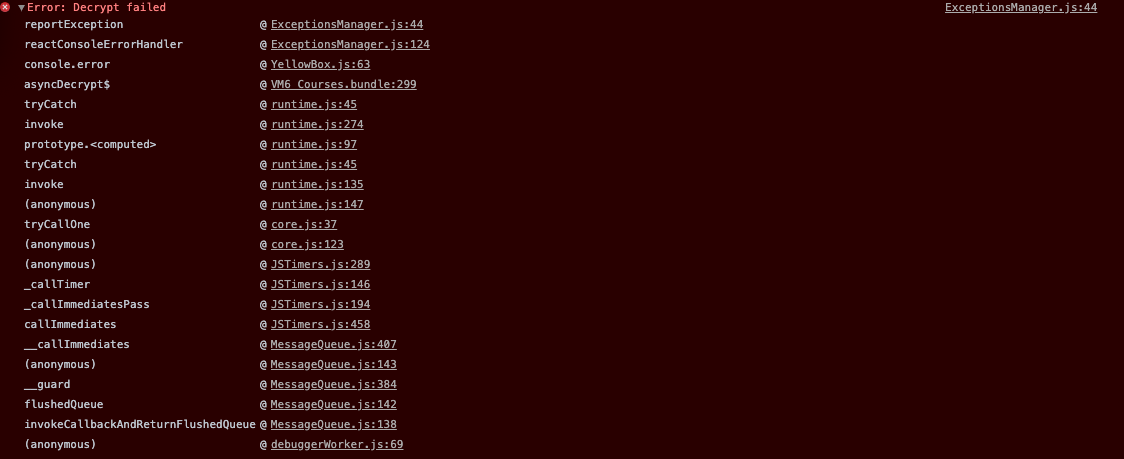
Decryption always fails.
Im using the example from the README. Encryption works without issues.
Decryption always fails.
Im using RNFS to read a File, then passing the base64 encoded contents to the decrypt function. Console information arent really revealing (to me)


This is how it was used by me: https://github.com/tectiv3/amanothi/blob/master/src/Storage.js#L229 and this is how it is being used by Standard Notes: https://github.com/standardnotes/mobile/blob/master/src/lib/sfjs/sfjs.js

Same for me. When I log the error I have this:
03-23 12:44:09.708 4645 4801 I ReactNativeJS:[Error: bad base-64] 03-23 12:44:09.711 4645 4801 I ReactNativeJS: [Error: bad base-64]
and sometimes :
[Error: error:1e000065:Cipher functions:OPENSSL_internal:BAD_DECRYPT]

Don't forget to save iv used for encrypting, you'll need it for decryption. Also you should check HMAC to make sure data isn't corrupted. Look for examples by following the links I posted above.
I solved my problem by following the examples provided by tectiv3. Thanks!
Hello,
are there some constraints regarding the keys and iv?
For example, I can use keys and ivs like these let Akey = "cece3a7dc9cf86aae926fd2ee520a06e5a5b616fa9e381de53600121e8aff095" let Aiv = "4e58cafb7b6ccbbef797c2761b233a58"
But If I change a the key to test, encryption works like normal. But the decryption fails with those parameters. let Akey = "test" let Aiv = "4e58cafb7b6ccbbef797c2761b233a58"
I'm using to encrypt const encrypted = await NativeModules.Aes.encrypt(data, Akey, Aiv)
I'm using to decrypt: const decrypted = await NativeModules.Aes.decrypt(data, Akey, Aiv)
But it still throws me the error that I posted initially.
Yes,
If I create a key like so: await NativeModules.Aes.pbkdf2(ref, startTime.toString(), 1000, 256)
I need to make sure that the last value, is at least 256. Otherwise the decryption process fails for me.
Yes,
If I create a key like so: await NativeModules.Aes.pbkdf2(ref, startTime.toString(), 1000, 256)
I need to make sure that the last value, is at least 256. Otherwise the decryption process fails for me.
I agree with the > 256 length idea. I copied code directly from readme.md and it consistently fails if length was set to 128. When set to 256, it works. Please someone look into this.

yes, you need to derive a key from your password phrase
I don't think this is the point the other user was hinting at. The issue was with the length argument. When set to 256, things work fine. When set to, for example, 128, decrytion fails (encryption always works). You can even try with the readme.md sample code. Behaves very consistenly.