
tailscale
 tailscale copied to clipboard
 tailscale
Tagged device UI still shows the user who created the node
What is the issue?
Here is the configuration:
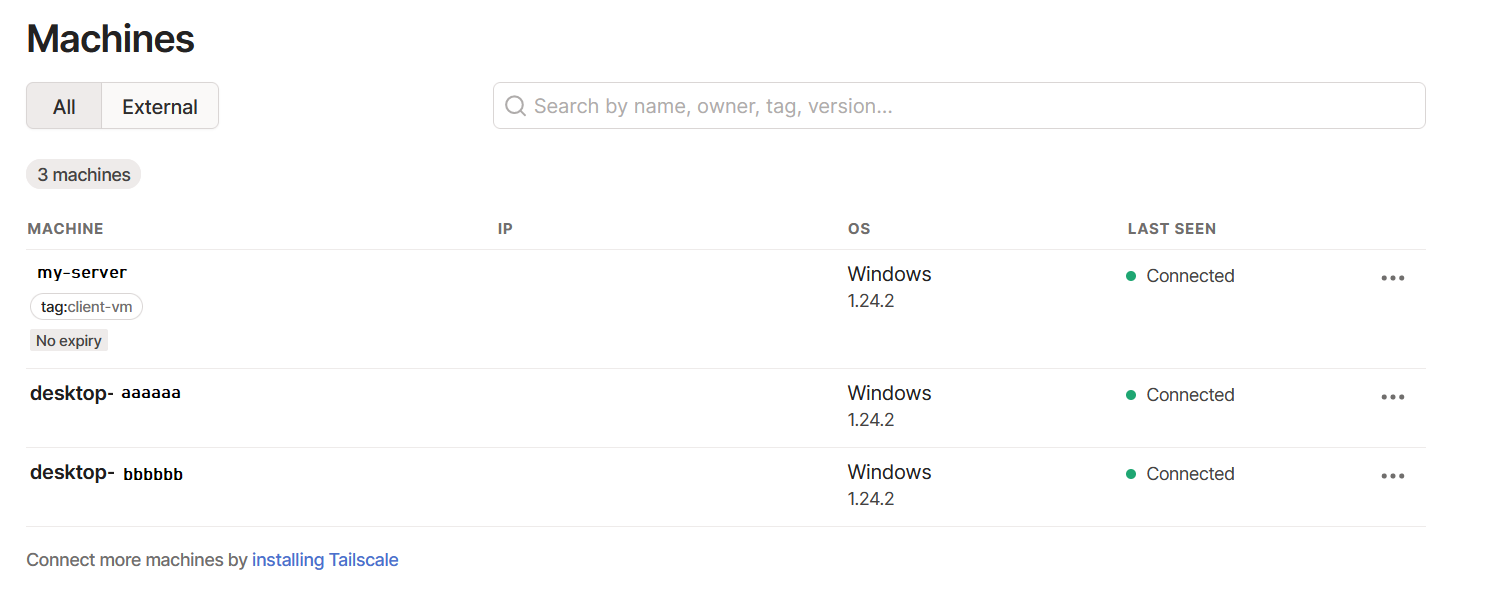 The two
 desktop- machines belong to the user [email protected].
When RDP into my-server, in the Taskbar we see this:
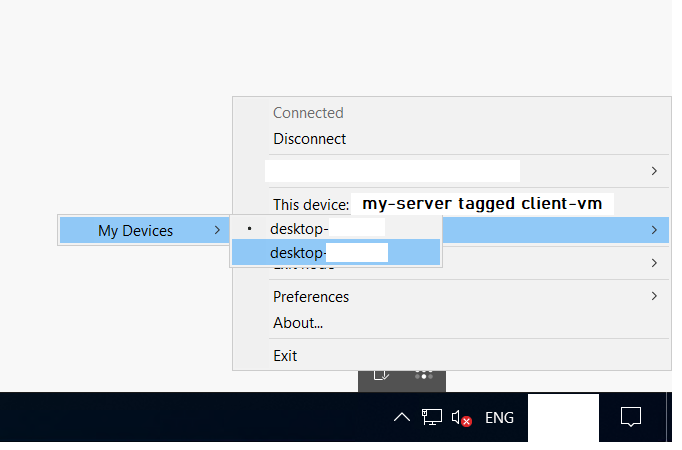
This is the ACL I'm using:
// Example/default ACLs for unrestricted connections.
{
  // Declare static groups of users beyond those in the identity service.
  "groups": {
    "group:dc-admins": [ "[email protected]" ],
  },
  // Tags
  "tagOwners": {
    "tag:client-vm": ["[email protected]"],
  },
  // Access control lists.
  "acls": [
    // All employees can access their own devices (i.e. mobile phones)
    { "action": "accept", "src": ["autogroup:members"], "dst": ["autogroup:self:*"] },

    // DC-Admins can access the client VMs
    { "action": "accept", "src": ["group:dc-admins"], "dst": ["tag:client-vm:*"] },
  ]
}
My expectation is that the server is tagged, ACLs are deny-by-default, and therefore I should need an ACL line to give access from client-vm back to the users' machines. But the machine is inheriting the users' permissions from [email protected] and hence able to see their devices included in the group autogroup:self.
I consider this to be quite a serious security issue as the server could be used as a bastion to access i.e. the users' personal phones or other devices on a Tailscale network that they may not have realised were included in the ACL.
Steps to reproduce
No response
Are there any recent changes that introduced the issue?
No response
OS
Windows, Other
OS version
Pro, Server Standard 2022
Tailscale version
1.24.2
Bug report
BUG-9e73d5909f38f1088789709ad7287d617350da7421db67d847081940bad86f99-20220506024959Z-b90acd5cffd19254

But the machine is inheriting the users' permissions from [email protected] and hence able to see their devices included in the group autogroup:self.
Devices appear in each others' netmap if either is allowed to make connections to the other, in either direction. They have to be informed of each others' node keys in order to allow Wireguard to work.
Can client-vm actually make a connection back to the user's machines?

Do you think that it is a valid test if I remote into the other node on a different network, and then attempt to connect back to the same workstation over tailscale?
I have tested the above scenario, and assuming that I tested correctly, I believe that the server can not successfully establish the connection.
However, this weird duplication in the menu on the workstation occurred each time the server tries to connect back.
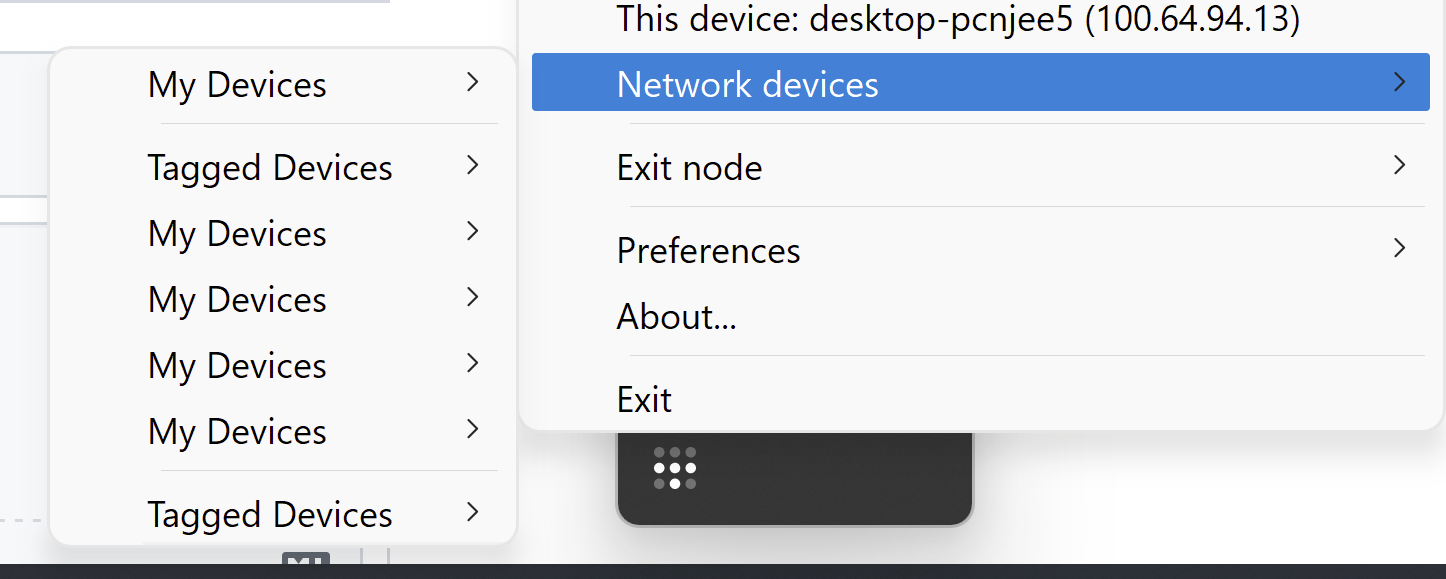
"Tagged devices can see devices from the user who generated their access key via autogroup:self"
There is a feature called netmap trimming which will remove nodes from each other's netmaps if neither is allowed to connect to the other in any way. If one can connect to the other, in either direction, both nodes' netmaps will have an entry for the other.
The Network Devices list includes everything in the netmap, even if you won't be able to complete an outgoing connection to that other node due to ACLs and can only receive incoming connections from them. This was a deliberate choice: if the node can connect to you, you should be able to see them. There shouldn't be invisible nodes which can connect to yours.
So: Tagged devices can see any user who can connect to them, not just the user who originally created the node.
As you note, the implementation of the display of the Network Devices isn't perfect and shouldn't have multiple "My Devices" entries.
Thanks Denton, I apologize for jumping to the wrong conclusion. We have been using Tailscale for less than a week now.
Perhaps it would be nice if there was a separate menu item for devices that can access this node? To me, when I see a device appear in My Devices, it communicates to me that these are devices added by my account (i.e. MY devices), not just devices that are on my network.
Two things I guess add to this confusion:
-
Tagged devices show under Users if you go into the User panel, click on a DC admin, then go 'View devices', and it will show devices that they added (I think that's how this works?), but this includes all the tagged devices as well. In this case, does 'My devices' mean devices that this user can access, or does it mean devices that they own/added?
-
On the server itself, it shows the users' name in the taskbar, which gives the impression that the tag server is actually authenticated as that user somehow, and that makes us super nervous. Seeing as tags operate the way they are documented (i.e. after you tag a server, it doesn't belong to any user), it would be a lot more consistent if the taskbar menu didn't show the user that originally authenticated that node anymore.
On point 1 about the Users panel, this is being discussed on an internal bug https://github.com/tailscale/corp/issues/5043 (which you won't be able to see but is trundling along toward a conclusion).
I'll re-purpose this issue to be whether a tagged node should show its creator in its UI.
I was just encountering this "issue" while trying out Tailscale. I was wondering why my device (that has no outgoing permissions whatsoever), is still showing all my other devices in the network.
I would prefer not to see the devices that I have no permission to access anyway. Maybe alternatively as an option on the client?
If the device has no ability to contact any other node, and no node can contact it, then it shouldn't appear in the Devices list and shouldn't see the other devices.
If it appears in the devices list, that implies there is an ACL somewhere which either allows it to make an outgoing connection or allows the other device to connect to it. If connectivity is completely blocked in both directions then it would be suppressed.

@DentonGentry It is exactly as you described. I have a device that has no allowed outgoing but a lot of incoming connections.
I know it makes sense from a technical perspective but from a usability one, I would prefer not to see the devices I'm not allowed to access. It's just a visual nitpick. The ACL is functioning correctly and I can't access the listed devices. It just feels odd to have them listed on the client when its forbidden from accessing them.
@maisem I think I do, if that is the default. I didn't play with it yet though :).
Thanks for Tailscale btw, it's awesome!
I know it makes sense from a technical perspective but from a usability one, I would prefer not to see the devices I'm not allowed to access.
I'm not saying this from a technical perspective.
I'm saying that we made the product decision that nodes which can connect to yours be visible. That there will not be invisible devices allowed to make connections to this device.
I understand the feature request, but to set expectations: it is unlikely that we will provide a way to suppress nodes from the device list which are allowed to connect.
In my use case this is pretty rough. We have contractors who have temporary access to the machine, remote or physically on site. Currently, these contractors have access to, what amounts to, a list of every person internally who has access to that machine as well as their ip.
This product would be a lot more compelling if we could disable that. This might be the only thing that disqualifies the platform for us.
