

 syncfusion
How to capture the selected date in the SfCalendar calendar?

Hi mdmota,
# Regarding How to capture the selected date in the SfCalendar calendar? You can achieve your requirement by using the onSelectionChanged callback in the Flutter Event Calendar. The onSelectionChanged callback is triggered when the controller selected date is changed. In this example, the selected details can be shown in the Alert dialog window We have prepared the sample, and please find the attached sample for the same.
Please find the output for the same,
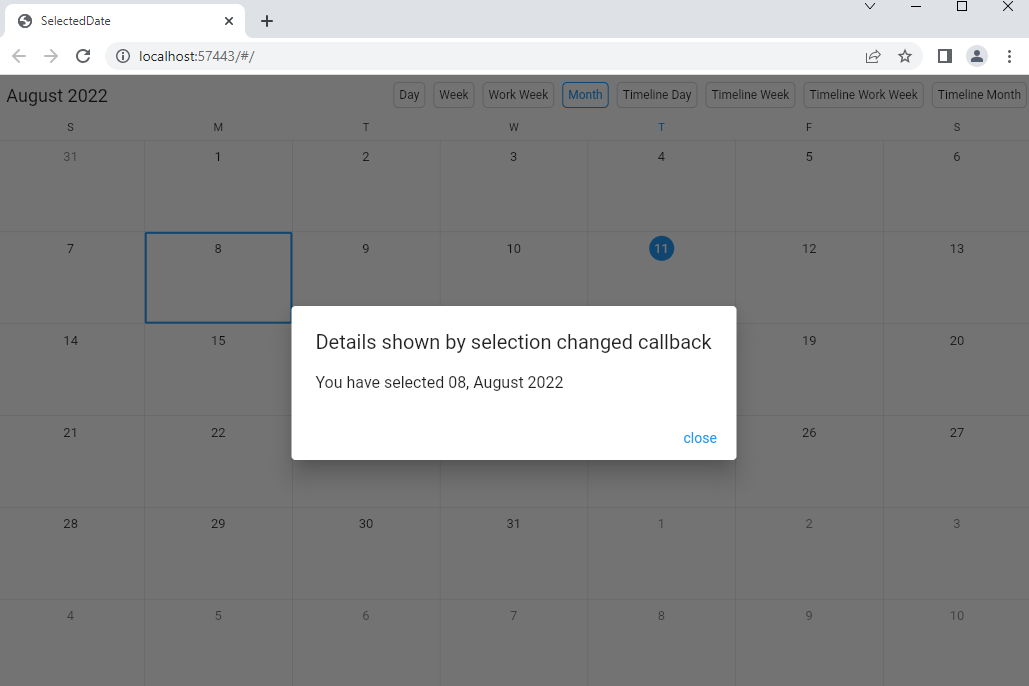
We hope that this helps you. Please let us know if you need further assistance.
Regards, Muniappan S calendar_selecteddate.zip

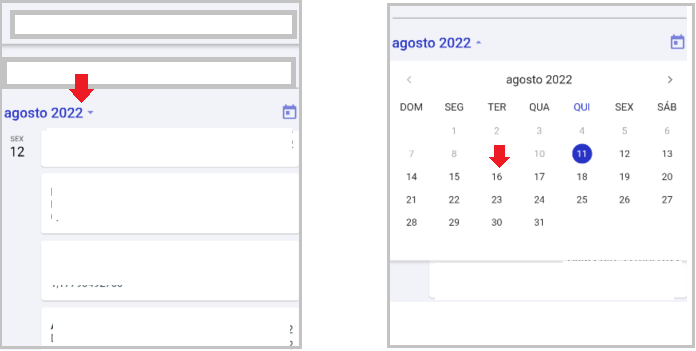
The onSelectionChanged event only fires when I click on Agosto 2022 to open the calendar (image 1).
When I click on the day of the month (image 2) onSelectionChanged is not fired.
Hi mdmota,
# Regarding When I click on the day of the month (image 2) onSelectionChanged is not fired. The date picker is used to navigate different calendar views in Flutter Calendar, and it is mainly used for navigation purposes. Hence the selection changed event does not trigger and it is expected behavior.
Please refer to our UG documentation to know more details about the date picker, https://help.syncfusion.com/flutter/calendar/date-navigations#show-date-picker
#Regarding The onSelectionChanged event only fires when I click on Agosto 2022 to open the calendar As per the implementation, the SelectionChanged event will not be triggered when tapping the date picker button and day of the month. As per the instruction we have followed to check the reported issue and we are unable to replicate the issue from our end. We have updated the sample, please find the attached sample,
Additional information SfCalendar version: 20.2.43
Please check our sample and let us know if you still facing the same issue. if not, please modify the sample based on your scenario and revert us back with more details. It will be helpful for us to check on it and provide you with the solution at the earliest.
We hope that this helps you. Please let us know if you need further assistance.
Regards, Muniappan S selecteddate.zip
how do i capture the selected date in datepicker?
would it be this? https://www.syncfusion.com/kb/12115/how-to-programmatically-select-the-dates-in-the-flutter-calendar
Hi mdmota,
Regarding how do I capture the selected date in datepicker? As we said in the previous update, the date picker is only used for navigation purposes in the Flutter Calendar. The Selection changed event will not trigger while selecting the date from the date picker and it is the expected behavior of the calendar.
Regarding would it be this? In this KB, we have set the first date of visible dates as the selected date every month. The onViewChanged callback triggers when the current view of the calendar changes, that is view swiped to previous /next view, calendar view switched to another calendar view.
Regards, Muniappan S