
language-tools
 language-tools copied to clipboard
 sveltejs
Slot props for named slots should be available in the default slot
Describe the bug
When using the let:row directive in a parent component (+page.svelte) with nested slots, a compile error occurs. The goal is to make the row variable accessible in a nested component (LinkButton) within the parent component.
Reproduction
Create a parent component (+page.svelte) with a nested UserTable component. Inside the UserTable component, create a TableRow component. Inside the TableRow component, create a TableCell component. Use the let:row directive in the +page.svelte component and pass it through a slot to the nested LinkButton component. Observe the compile error related to the let:row directive in +page.svelte.
Expected behaviour
The row variable should be accessible within the nested LinkButton component in +page.svelte without any compile errors related to the let:row directive.
System Info
- OS: Windows 11 22621.1555
- IDE: Webstorm
Which package is the issue about?
svelte-check
Additional Information, eg. Screenshots
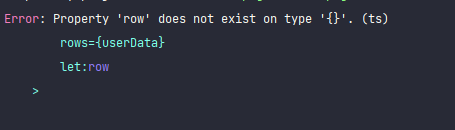 +page.svelte
    <UserTable
        headers={headers}
        rows={userData}
        let:row
    >
      <LinkButton slot="changePassword" title="change password" link={`/user/${row.id}/change-password`} />
    </UserTable>
UserTable.svelte
  {#if Array.isArray(rows)}
    {#each rows as row}
      <TableRow rowData={row} >
        <slot name="changePassword" slot="changePassword" {row} />
      </TableRow>
    {/each}
  {:else}
    <TableRow rowData={rows} >
      <slot name="changePassword" slot="changePassword" {rows} />
    </TableRow>
  {/if}
TableRow.svelte
<tr on:click={(event) => handleClick(event, rowData.id)}>
    {#each Object.keys(rowData) as key}
      <TableCell content={getCellValue(key)}/>
    {/each}
    <td>
      <slot name="changePassword"/>
    </td>
</tr>

Mhm I'm honestly unsure if we should really fix this. This feels like a correct error, I'm not even sure if there ever was a concious decision to make this valid. It's also really easy to fix (and arguably more correct that way) - move let:row to the named slot.

@dummdidumm Thank you for answer. What I'm trying to say is that if I remove let:row from +page.svelte, compiler won't be able to resolve the row variable that exists within the link attribute of the LinkButton.
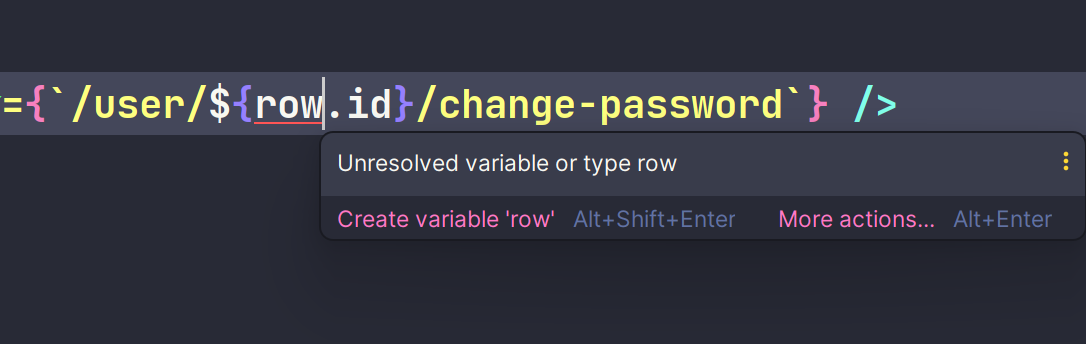
Move let:row to the slot and at will be:
    <UserTable
        headers={headers}
        rows={userData}
        let:row
    >
      <LinkButton slot="changePassword" let:row  title="change password" link={`/user/${row.id}/change-password`} />
    </UserTable>