language-tools
 language-tools copied to clipboard
 sveltejs
weird syntax hilight
Describe the bug
Syntax hilight gets weird in some case when import a ts file
Reproduction
I can't make specific reproduction of this case... it's in random moments
Expected behaviour
Normal syntax hilight, i gess?
System Info
- OS: Windows
- IDE: VSCode
Which package is the issue about?
Svelte for VS Code extension
Additional Information, eg. Screenshots
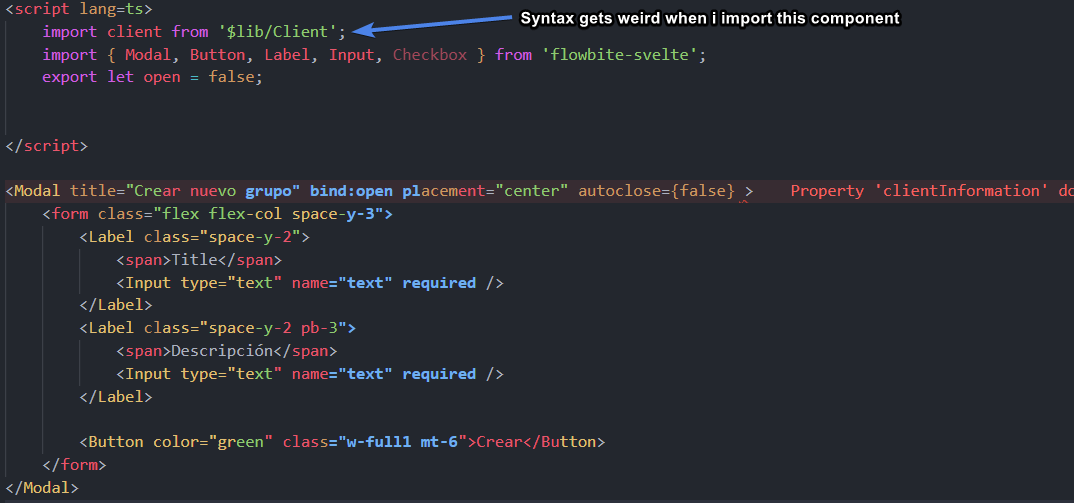


Does this only happen in a specific file? Looks like something is wrong with source mapping to the generated code under the hood. We'll still need a reproducible to work on it. What do mean by "random moment"? Does it only happen during editing and it wouldn't persist if you restart the editor?
If it persists after you restart the editor. Can you copy the file to a new project and see if it still happens? Also, we'll need something we can copy and paste instead of just a screenshot.
@JoDo-dev @falco467 Is this what you're seeing?

Does the error disappear after restart? I want to know if it's related to how we update the file content stored in the memory. Also, please try removing some code to find a minimal reproduction. In text form, not a screenshot. We need more information to be able to help you.
This may be related to the semantic token highlight being too slow to apply. I've noticed this behavior a few times before where you write new code and for a brief time the highlighting is wrong, as if the tokens apply to the set range and VS Code isn't smart enough to move them with the word boundaries.

Test case @jasonlyu123 @dummdidumm
Steps:
- Download this repo
- open with VSCode
- open:
src\routes\+layout.svelteandsrc\components\layout\Header.svelte - install dependencies
npm run dev- Rename
Header.sveltetoheader.svelteand save all - edit any html part of header.svelte
- The syntax will be wrong
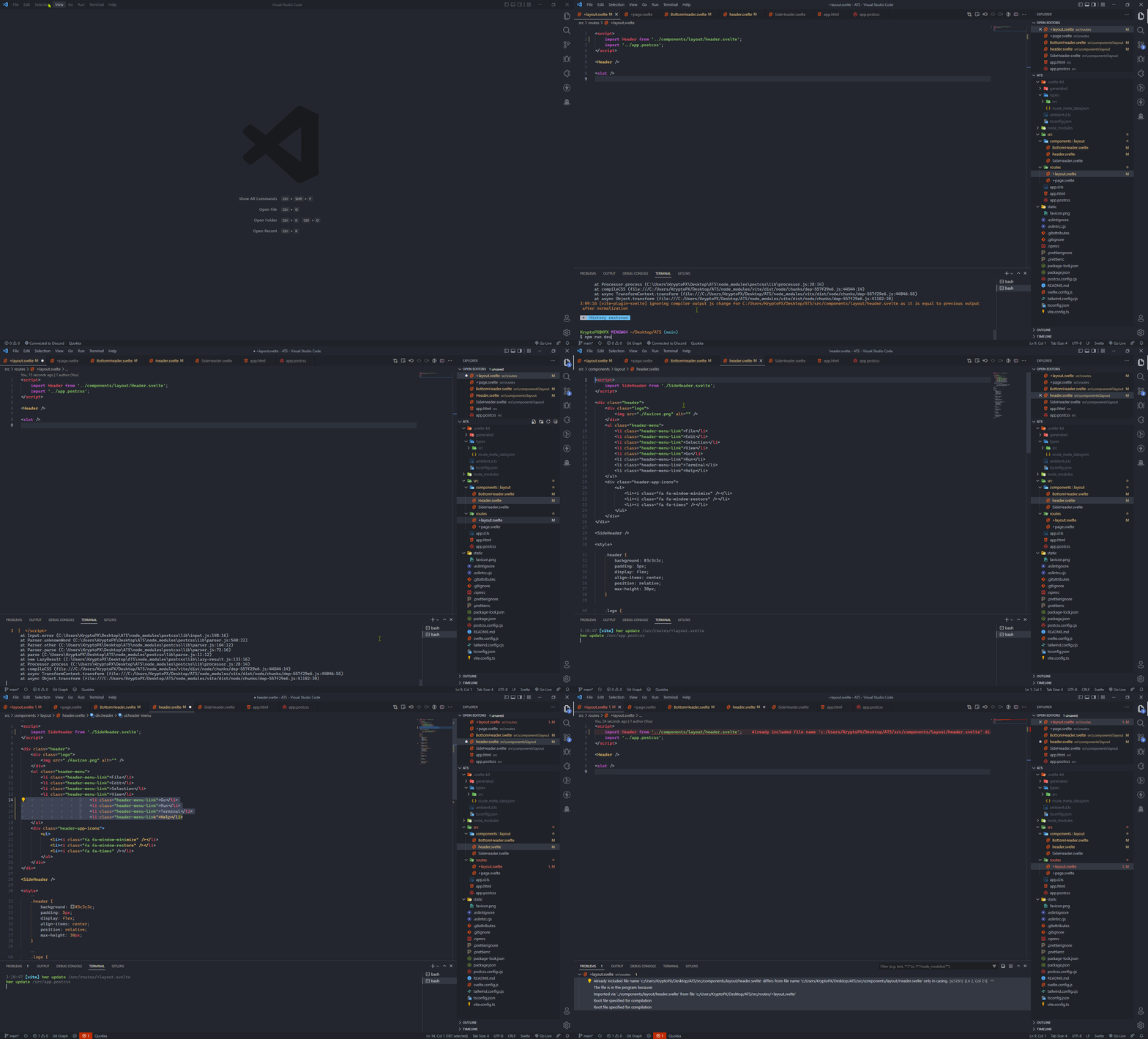
PD: I'm @KryptoPX but using other account

Thanks for the effort! I can reproduce it now. It seems like the problem is that after the file is renamed. VSCode is still using the old casing. But TypeScript (internally called by us) uses the new casing. So there's a text sync mismatch.
Edit: The reproduction step is a little bit more complex than your steps. You can see that in your screenshot you rename it twice. I'll update the step if I find the exact step to reproduce it. But I at least got to debug it once.
Reproduction steps:
- open both
+layout.svelteandHeader.svelte. - focus the tab on
+layout.svelteand restart the editor (reload window command also works). i.e. When the editor started.Header.svelteshouldn't be focused but it should be in the background tabs. - rename
Header.sveltetoheader.svelteand then focus theheader.sveltetab. - edit header.svelte
Sounds to me that VSCode reuses the same text document object in a case-insensitive file system. But it could probably be fixed on our side. Also, I think this might be the same issue as #1329 or at least some of the commenters.
I was going to create a new issue, but perhaps what I found can be fixed here as well. BTW, I am willing to help with a PR, but I could use some guidance. Never worked syntax highlighting before.
Please check the picture below. The second script tag is not correctly highlighted.
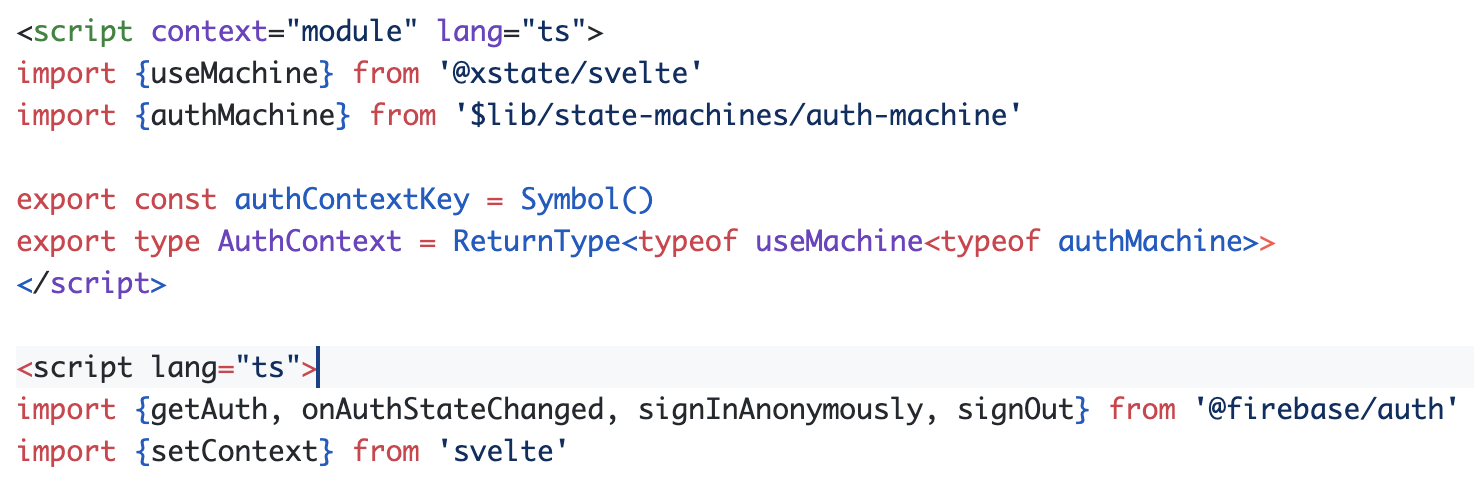
If the attribute lang="ts" is removed from the second script tag, then the syntax highlighting works again.
Perhaps it should work like this by design, with a single usage of lang="ts" at the top, meaning that all other script tags will be preprocessed by TypeScript. But I found it to be weird.
Perhaps this is not actually a problem with the syntax highlighting at all. So I will look for a way to add an explanation about it in the docs.

Sounds like a bug. Can you provide a copy -pasteable snippet that reproduces this?
Sure thing, @dummdidumm.
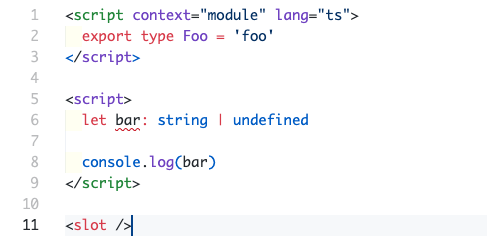
<script context="module" lang="ts">
  export const foo = 'foo' // this is alright, you can add it or remove it
  export type Foo = 'foo' // adding an "export type" here does the trick.
</script>

<script lang="ts">
  let bar = 'bar'
</script>

<slot />
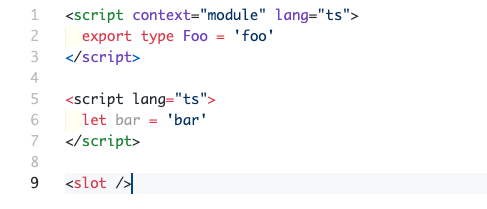
I need to rectify what I said before. Removing lang="ts" from the second script does not fix the problem. The highlighting is still weird and Svelte complains about using a preprocessor.
@dummdidumm