
sublime_merge
 sublime_merge copied to clipboard
 sublimehq
Updater cannot update properly
Version info
- OS: Windows 10
- Build: 1118
Description
Auto updater not working
Steps to reproduce
Steps to reproduce the behavior:
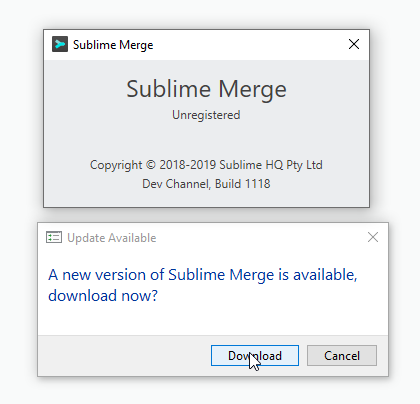
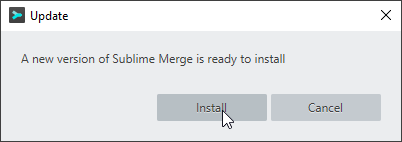
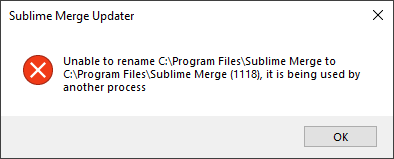
Expected behavior
Update properly

Download the installer from https://www.sublimemerge.com/ can install properly
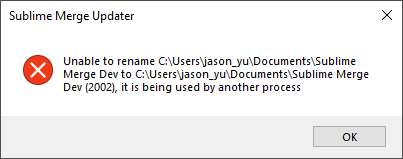
Same happened here with update from 2059, doing the manual update as well. There was a stuck process which did not show up tied to the user applications in the task manager. After killing that the manual installer worked.

It is still an issue when updating to 2077. I did not try executing Sublime as Administrator though.
Applying manual update
I just found the updated files were on the folder (Windows)
%LocalAppData%\Sublime Merge\Update
Then close the instance of Sublime and copy all of the files from that folder into the installation root folder from Sublime (confirm overwrite of ~450 files) and Voilà! I even got the prompt with the change-log once opened the next time.
