
sublime_merge
 sublime_merge copied to clipboard
 sublimehq
Submodule commit hash not updated on initialization
Version info
- OS: Windows 10
- Build: 2079
Description
Submodule commit hash is left as "0000..." in location bar after initialization of submodule. Information is not updated until Sublime Merge is restarted.
Steps to reproduce
Steps to reproduce the behavior:
- Clone repository with one or more submodules
- Initialize submodule
Expected behavior
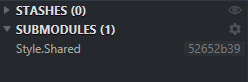
After initializing the submodule the commit hash in the location bar should be updated to match the commit that is checked out in the submodule.
Screenshots
Submodule after clone of repo.
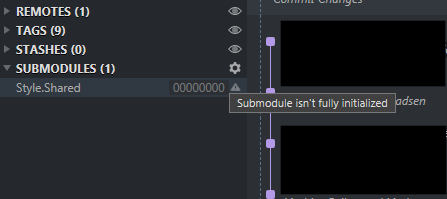
Result of initialize command.

Submodule after initialize command.

Submodule after reboot of Sublime Merge.

Hi @Jelb,
Thanks for reporting this issue - we've identified the cause of the issue and a fix will be added to the next build.
Kind regards, - Dylan from Sublime HQ

Hi @Jelb,
Just a quick update that this has been resolved in Sublime Merge build 2080 (development build) and will be available in the next stable build.
Kind regards, - Dylan from Sublime HQ