
sublime_merge
 sublime_merge copied to clipboard
 sublimehq
Git Output.sublime-settings not applied for 3rd-party themes
Version info
- OS: Windows 11
- Build: 2078
Description
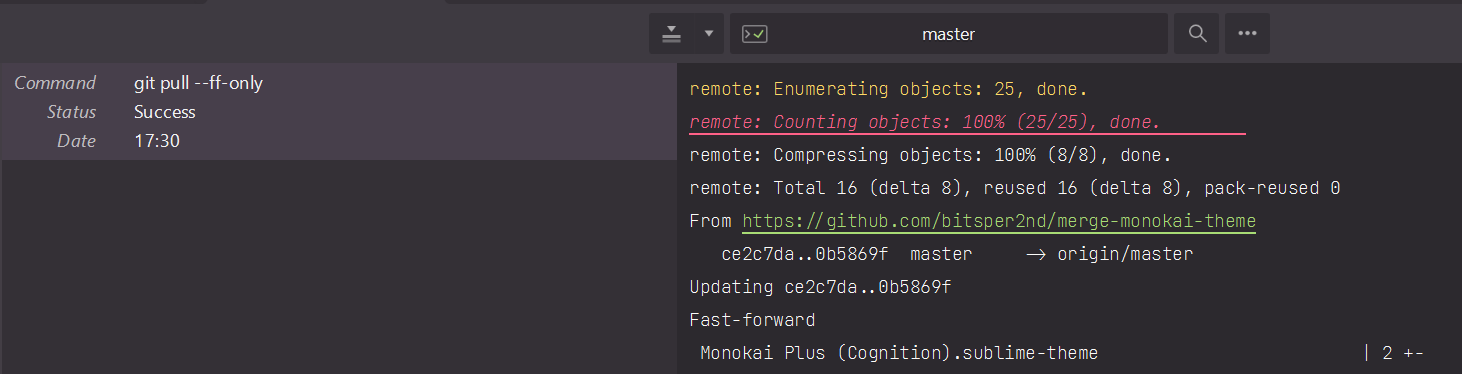
Git output widget uses wrong syntax definition in 3rd-party themes.
Sublime Merge doesn't respect Git Output - <Theme Name>.sublime-settings for 3rd-party themes. It rather uses Git Commit Message - <Theme Name>.sublime-settings.
As a result the git output widget uses whatever git commit message syntax is used, which is Packages/Git Formats/Git Commit Message in Monokai Plus.
Steps to reproduce
Steps to reproduce the behavior:
- Open SM...
- Clone Monokai Plus repository to Packages/Theme - Monokai
- Add a Packages/Theme - Monokai/Plus - Monokai/Round/Git Output - Monokai Plus.sublime-settings with following content
{ "syntax": "Packages/Text/Plain text.tmLanguage", } - Activate Monokai Plus by editing Preferences.sublime-settings
"theme": "Monokai Plus.sublime-theme",
Expected behavior
Git output panel should use plain text syntax.
Screenshots

Hi @deathaxe,
Thanks for reporting this issue - we've identified the cause of the issue and it will be fixed in the next build.
Cheers, - Dylan from Sublime HQ
