
sublime_merge
 sublime_merge copied to clipboard
 sublimehq
Show commit messages in "Squash?" popup
Problem description
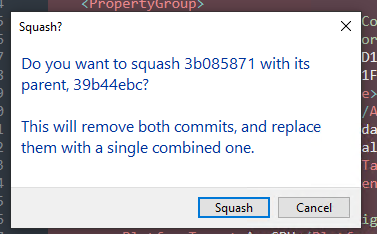
When squashing a commit with its parent, the dialog that pops up shows me the commit hashes so I can double check that it's correct, but I almost never know the commit hashes and the popup is modal so I can't click on the UI to check that the hash is correct.
Preferred solution
The "Squash?" popup should also show the commit messages (first line only is fine), so it's easy to double check. that the correct commits will be squashed.
When doing an interactive rebase from the command line, you always get the hash and first line of the commit messages, so you can tell which commits you're editing.
Alternatives
If you want to be super fancy, you could add some UI to this popup that shows the commit graph, and highlights which commits will be changed.
