

 sublimehq
Extraneous vertical space added in commit editor
Version info
- OS: Windows 10
- Build: 2074
Description
Sometimes, when I'm composing a commit message and I minimise the Sublime Merge window, the commit message editor has added a number of new lines beneath the commit message text.
If I do anything that causes the commit message area to be redrawn (e.g. clicking inside it to reposition the mouse cursor), the extra lines get removed.
Screenshots


I've found a very similar bug that I think might be the same thing, but easier to reproduce. Again, there's a big gap at the top of the rightmost pane.
- Select "Blame..." from the Command Palette
- Pick a file
- In the code viewer, hover over one of the commit summaries on the left hand side and click on a commit ID
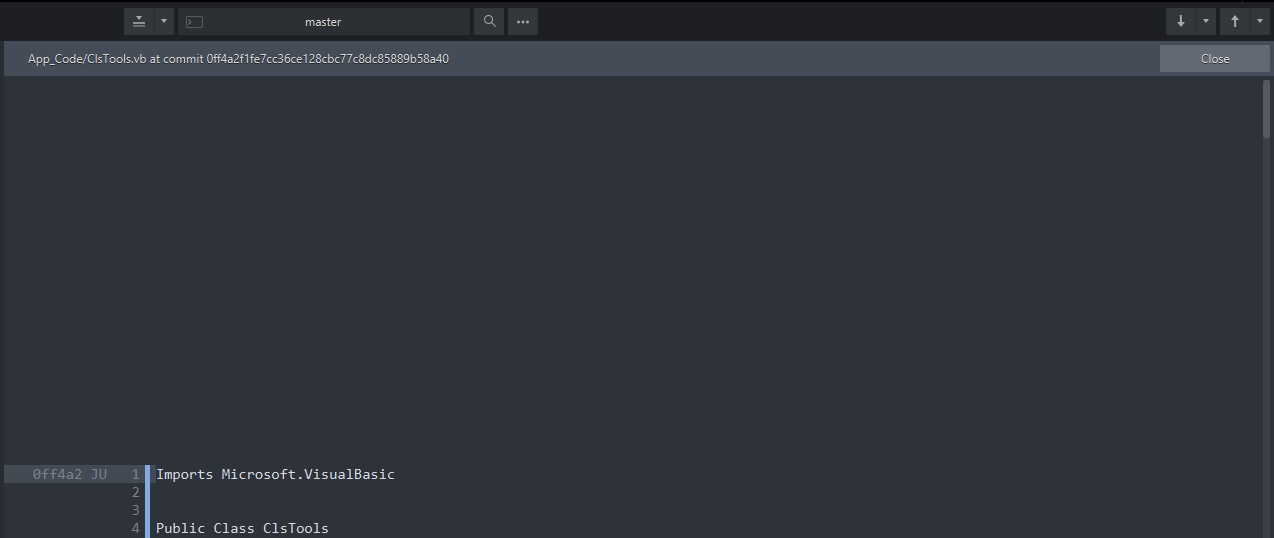
You might need to do this a few times to trigger the bug, but it's pretty easy to reproduce for me.
The number of extra lines seems to be related to the number of characters in the commit message i.e. an extra line for every character; but there seems to be a cut-off point where no extra lines get added.