
sublime_merge
 sublime_merge copied to clipboard
 sublimehq
Can't resolve conflict if remote file was deleted
Version info
- OS: Windows 10
- Build: 1072
Description
I have a repository which I am working on at 2 PCs. As a result the local master branches move on separately sometimes. I pushed changes from PC1 to a global remote which contains a deleted file I_FORCE.SPF. The master on PC2 contains the same file but with changes made locally. After pull --rebase at PC2 it displays the I_FORCE.SPF as conflicting. So far so good.
The issue now is: I can't resolve the conflict by deleting the local file.
Steps to reproduce
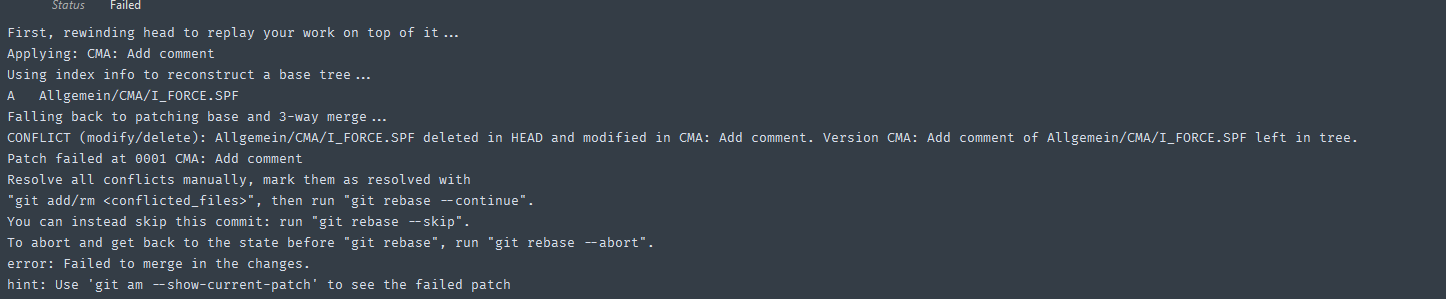
Right after rebasing the error the git command panel shows the conflict:
The conflicting file is displayed as "new file":

I can't resolve by deleting but only by opening the 3-way diff
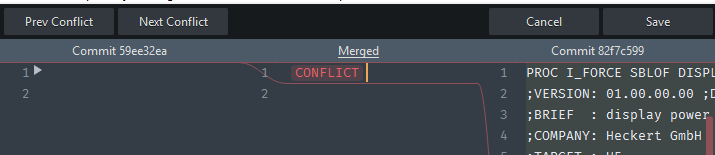
Selecting the left "empty" content and hit save button
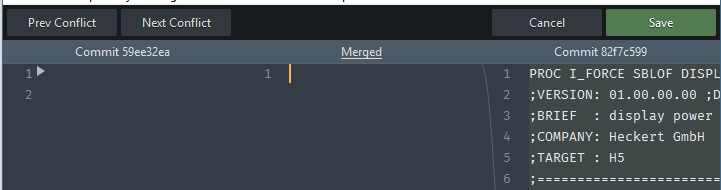
The result is an empty new file in the working tree, ready to be staged
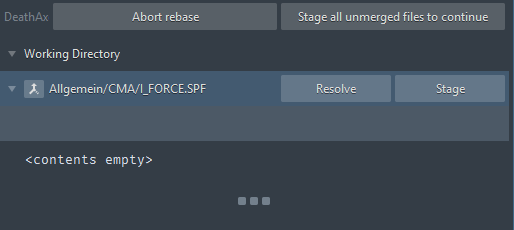
No way to resolve by deleting my local changes.
Expected behavior
If a file does not exist in the remote repo, or resolving a conflict via 3-way-diff results in an empty file, this file should be deleted.
GitExtensions asks me to "keep my local changes" or "resolve by deleting my local changes" in such situations.


+1 Same issue here. Resolving the conflict of a deleted file, leads to a non-deleted empty file. Also probably a separate issue but related, selecting Resolve Ours or Resolve Theirs leads to the same outcome (the file is not deleted and the changes from the other commit are used).

I have had the reverse, where the local file has been deleted. On the three way diff selecting the empty pane and clicking Save and Stage triggers a popup displaying the message: "Unable to save ~/path/to/directory: No such file or directory". However all other operations on the repository still work.

