
vscode-spell-checker
 vscode-spell-checker copied to clipboard
 streetsidesoftware
diagnosticLevel can't be overwritten for a specific file
Hello,
I have these settings for CSpell :
"cSpell.diagnosticLevel": "Error",
    "cSpell.overrides": [
        {
            "language": "fr",
            "filename": "**/*_fr.yaml",
            "diagnosticLevel": "Hint" // Warning here
        }
    ],
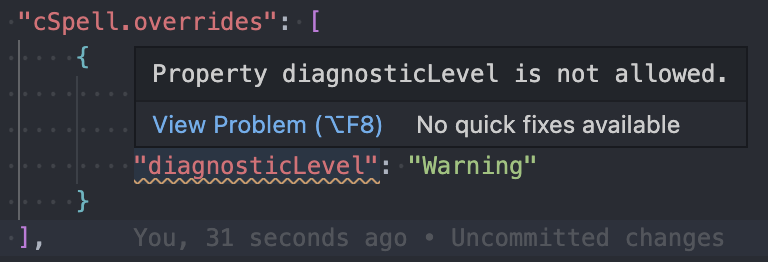
I can overwrite "language" and "filename", but not "diagnosticLevel". If I do this, VS Code displays this warning :
Property diagnosticLevel is not allowed
This VS Code warning has no reason to be here, because everything is working well on my project (I have a diagnosticLevel of type "Error" on all my files except for the one that I overrides)

@icodeyou,
It is not currently supported to use overrides to set diagnosticLevel.
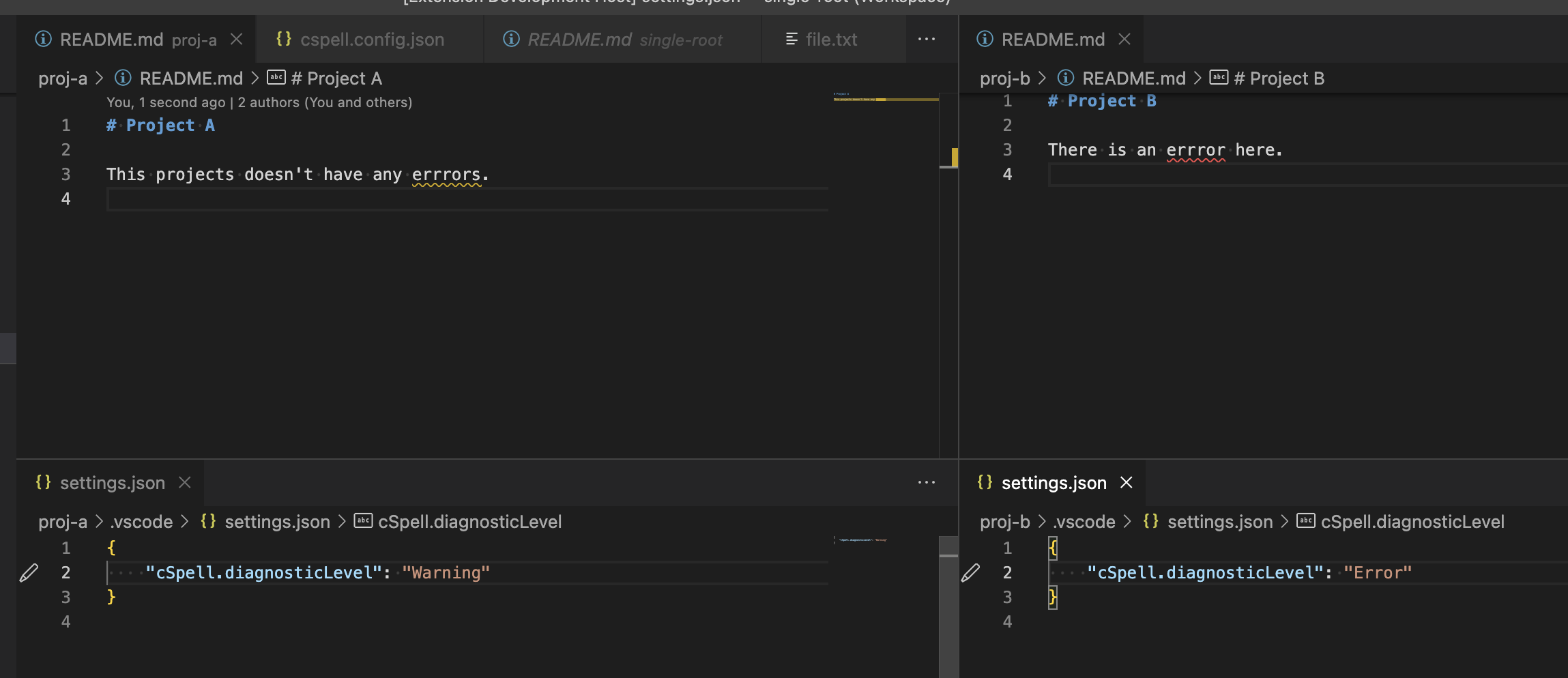
You can use a Multi-Root Workspace.

A Multi-Root workspace is not a solution for me because I want to apply this to all files **/*_fr.yaml as I wrote in the code above.
I don't understand why you say that it is not supported, because the solution is working on my computer. It clearly overrides the property "diagnosticLevel"
I don't understand why there is a warning if it is working.