
dokuwiki-plugin-dw2pdf
 dokuwiki-plugin-dw2pdf copied to clipboard
 splitbrain
Indentation bug when using lists
Hello,
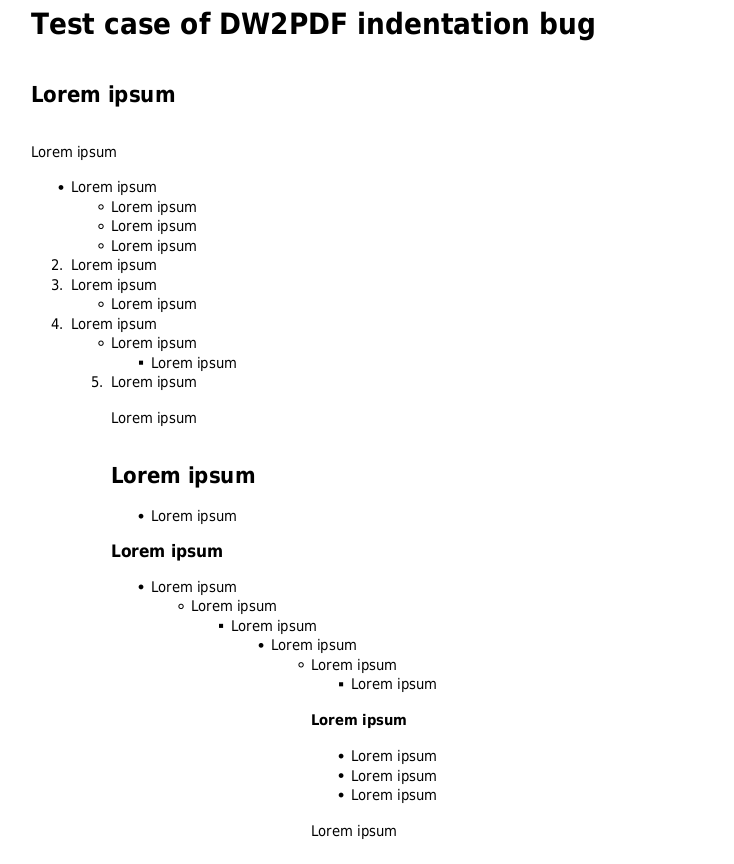
I have the following issue: when lists are used on a DokuWiki page, the corresponding DW2PDF export seems to mess up the indents. Apparently, the parser/renderer only de-dents the last level of the list, and continues at that level for all following content. For all lists with >2 levels, that means the entire content gets shifted to the right. The effect accumulates throughout the entire page.
I'm also noticing a random switch from unordered items (bullets) to ordered items (digits).
Please see the test case below.
EDIT 2020-09-16: The issue may be related to use of Extended Syntax Plugin, see https://github.com/splitbrain/dokuwiki-plugin-dw2pdf/issues/394#issuecomment-693624380. Thank you to @simon-r-white for investigating. I did not have a chance to confirm as I do not administer the particular DW installation anymore.
Debug info: DokuWiki version: 2018-04-22a "Greebo" DW2PDF version: 2020-01-16-0-gfd01148 Server OS: Ubuntu Server 16.04 PHP version: 7.0.33-0ubuntu0.16.04.12 mb_string extension: available
Test case source:
====== Test case of DW2PDF indentation bug ======

===== Lorem ipsum =====

Lorem ipsum

  * Lorem ipsum
    * Lorem ipsum
  * Lorem ipsum

Lorem ipsum

===== Lorem ipsum =====

  * Lorem ipsum

==== Lorem ipsum ====

  * Lorem ipsum
    * Lorem ipsum
      * Lorem ipsum
        * Lorem ipsum
          * Lorem ipsum
            * Lorem ipsum

=== Lorem ipsum ===

  * Lorem ipsum
  * Lorem ipsum
  * Lorem ipsum

Lorem ipsum
Test case - DW2PDF export:
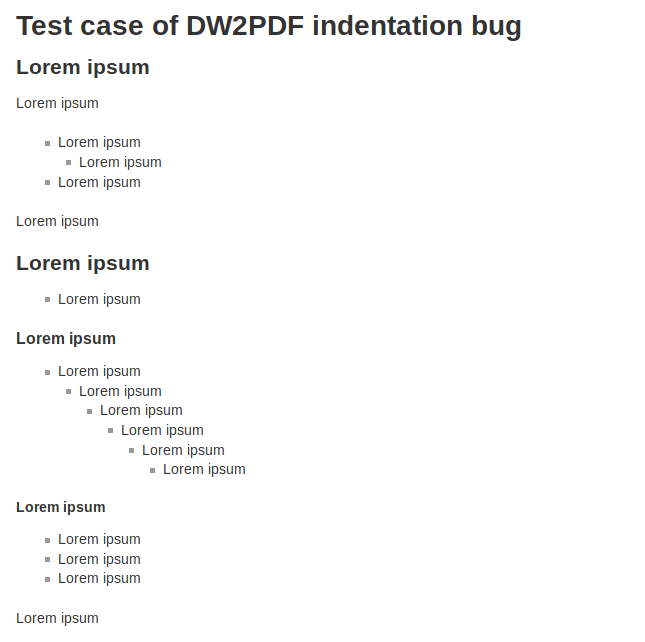
Test case - HTML render (Firefox 75)


@Klap-in after looking into this a bit more, I think I've found one cause of the problem - an incompatibility with the Extended List Syntax Plugin.
After disabling that plugin this problem goes away.
Thank you Simon, that may very well be it. We also used said plugin. I'll mention it in the OP.
So I guess the Extended List Syntax plugin should improve the html of the list? Maybe &debughtml=html option can be used to inspect the html, and see if its tags are consistently closed. The mpdf-library is a bit picky and has limited support for corner cases. I changes needs, please open an issue in the tracker of that plugin.