
wp-rest-blocks
 wp-rest-blocks copied to clipboard
 spacedmonkey
WP 5.9.1 Gutenberg Error
Following this issue : https://github.com/spacedmonkey/wp-rest-blocks/issues/31
Gutenberg is not working well when the plugin is activated, there is some JS errors and the blocks are not loading at all within Gutenberg. This post here have some blocks and content but they are not loading :

The same post when deactivating the plugin :

Can you help ?

As a temporary workaround, I installed the "Free Soul Deactivate Plugins" plugin and I deactivated the WP Rest Blocks plugin when editing posts / using Gutenberg : https://wordpress.org/support/topic/deactivate-plugins-on-editor-gutenberg/
It's fixing the block editor, but I still have to check if the blocks are correctly queried through the API.
I developed a similar solution as this and placed it among my other tools in k1sul1/k1kit. I also used blocks as the field name, because that made sense. Now, 3 years later after I wrote my code, WP update has broken it.
I replaced the field name with blockData if WP >= 5.9 and the issue is gone.
Running @ 5.9.1
The thing I don't get about this; why was my custom field is breaking the editor?! blocks doesn't EVEN EXIST in the REST API response:
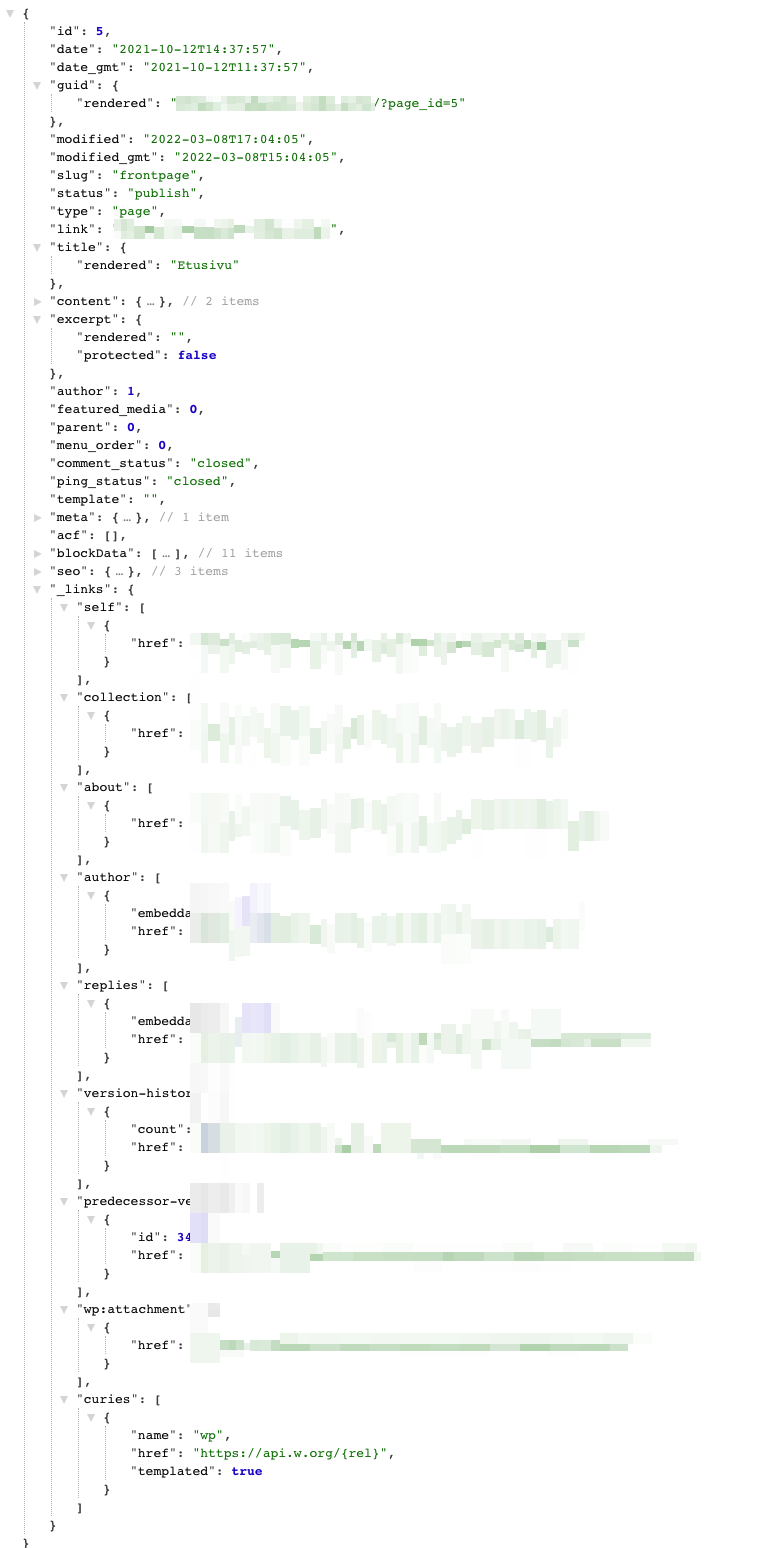
Thankfully, this will be my last WP project ever. I don't have to deal with the BS anymore.

Very
I developed a similar solution as this and placed it among my other tools in k1sul1/k1kit. I also used
blocksas the field name, because that made sense. Now, 3 years later after I wrote my code, WP update has broken it.I replaced the field name with blockData if WP >= 5.9 and the issue is gone.
Running @ 5.9.1
The thing I don't get about this; why was my custom field is breaking the editor?!
blocksdoesn't EVEN EXIST in the REST API response:
Thankfully, this will be my last WP project ever. I don't have to deal with the BS anymore.
Great!!!! Your replace solves my issue. I coud'nt figure out how to restore the gutemberg blocks in my project.

I believe I'm seeing something similar on WP 6.0.1. With the plugin activated, gallery blocks are not rendering for me.
Does this plugin somehow interact with the editor? I would have guessed that it simply interacts with the API responses that are made in a way that only appended data into those responses on the way out.
Steps to replicate:
- Activate plugin on a WP 6.0.1 instance
- Create a new post
- Add a gallery
- Add an image
- Publish
- Refresh page
- Notice gallery is gone
Disabling the plugin and coming back renders the gallery.

As a temporary workaround, I installed the "Free Soul Deactivate Plugins" plugin and I deactivated the WP Rest Blocks plugin when editing posts / using Gutenberg : https://wordpress.org/support/topic/deactivate-plugins-on-editor-gutenberg/
It's fixing the block editor, but I still have to check if the blocks are correctly queried through the API.
This was very very helpful for me!
I'm currently on WordPress 6.0.1. When trying to edit a page, all blocks I had added (both core and custom blocks) disappeared. I followed the instructions to deactivate the plugin while in editing mode and the blocks reappeared. Not the ultimate solution but surely a nice trick!

I've run into the same problem in 6.0.1. Like others, renaming the registered rest field fixed this.
This is obviously a breaking change for other installs.
For anyone this might be useful to though, the relevant code is in src/posts.php. Changing blocks -> blocksData in the register_rest_field exposes the data to the REST API and allows the blocks to be rendered in the editor.

FreeSoul Deactivate Plugins did not work to deactivate plugin in editor --
however -- switching the name of blocks to blockData in the posts.php made everything better <3 thank you!!

Sorry for my late reply this. Somehow managed miss it.
Those that are on this ticket, can you test #37 and see if that fixes your issue.

For anyone else stumbling across this months later, the solution proposed by @doingandlearning above in fact, does fixes the problem for now (renaming the registry name from blocks to blocksData or something else on line 68 in src/posts.php.
I have no idea why something like this isn't offered in WP core. It's very useful. Thanks @spacedmonkey
