
libreoffice-code-highlighter
 libreoffice-code-highlighter copied to clipboard
Published
20 hours ago •
 slgobinath
slgobinath
How to fix a "Scripting Framework error"
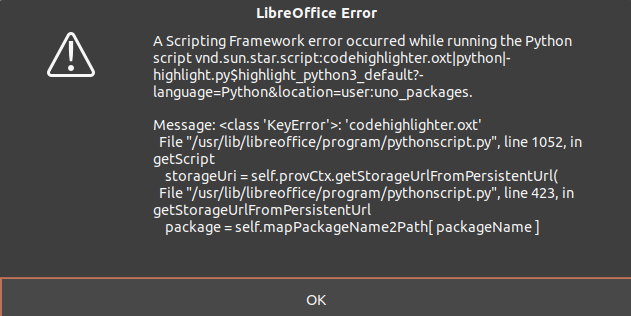
Any suggestion on how to fix this error? Can't highlight Python script.
Had installed ea4db15f_codehighlighter.oxt, which is the latest release 1.6 from https://extensions.libreoffice.org/en/extensions/show/code-highlighter.
Using LibreOffice Version: 6.4.7.2 Build ID: 1:6.4.7-0ubuntu0.20.04.4.

I had the same issue, you have to remove the extension from LibreOffice, rename the extension file to "codehighlighter.oxt" and add it again.


@JMadgwick This project is no longer maintained, use https://github.com/jmzambon/libreoffice-code-highlighter, it is a fork of this project and it has better UI and many more options.