
OpenKinect-for-Processing
 OpenKinect-for-Processing copied to clipboard
 shiffman
Could not find a library in the downloaded file
I used to have Open Kinect working fine on my computer, but I tried to install it in a new machine and it gives this error when I try to install it form the library "Could not find a library in the downloaded file.". Copying the github folder into the libraries folder does not help. Is this a broken package link perhaps? I found similar issues closed long ago for other libraries that also suggested a malformed zip file.
I tried this with the last three versions of Processing and all of them gave the same error.

Still having this issue when trying to install the libraries from inside Processing 3.3.6, but copying the latest release from https://github.com/shiffman/OpenKinect-for-Processing/releases into the libraries folder allowed me to continue working.
I just started got the openkinect library a few days ago and have been having the same issue. How are you saying you temporarily fixed it?

@dtucker3 by copying the latest release from https://github.com/shiffman/OpenKinect-for-Processing/releases into the libraries folder, instead of trying to install it through the menu/tools.
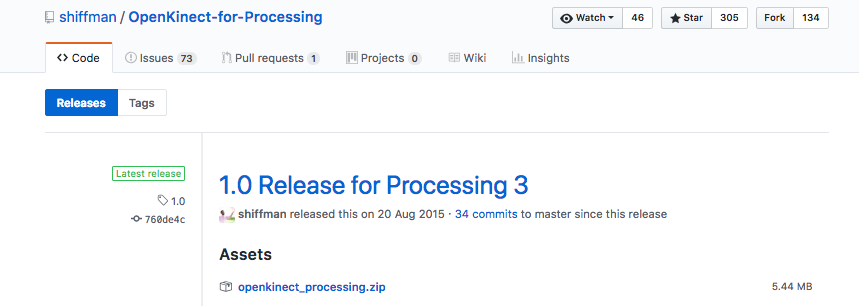 Take this first file from the releases link in my previous comment, unzip and copy it to the libraries folder.
I have problems with this as well. I did exactly the same thing as you suggested; unzipped it to the library folder but when I run for example the RGBDepthTest2 Im getting this error:
64 windows java.lang.UnsatisfiedLinkError: D:\Projekt\Processing\Programfiler\libraries\openkinect_processing\library\v2\msvc\libJNILibfreenect2.dll: Can't find dependent libraries at processing.opengl.PSurfaceJOGL$2.run(PSurfaceJOGL.java:408) at java.lang.Thread.run(Thread.java:748) A library relies on native code that's not available. Or only works properly when the sketch is run as a 32-bit application.
Did you get this to work?
Im running windows 10 64-bit and processing 3.3.7

thanks, i did this on mac a few times and it didn't work but i just tried again and now it works idk why
well I copied the library .. but but when I open one of the examples .. it does not recognize kinect or kinect2 as a class .. can someone share an basic example with open kinect for processing library ?
