azure-devops-create-pr-task
 azure-devops-create-pr-task copied to clipboard
 shayki5
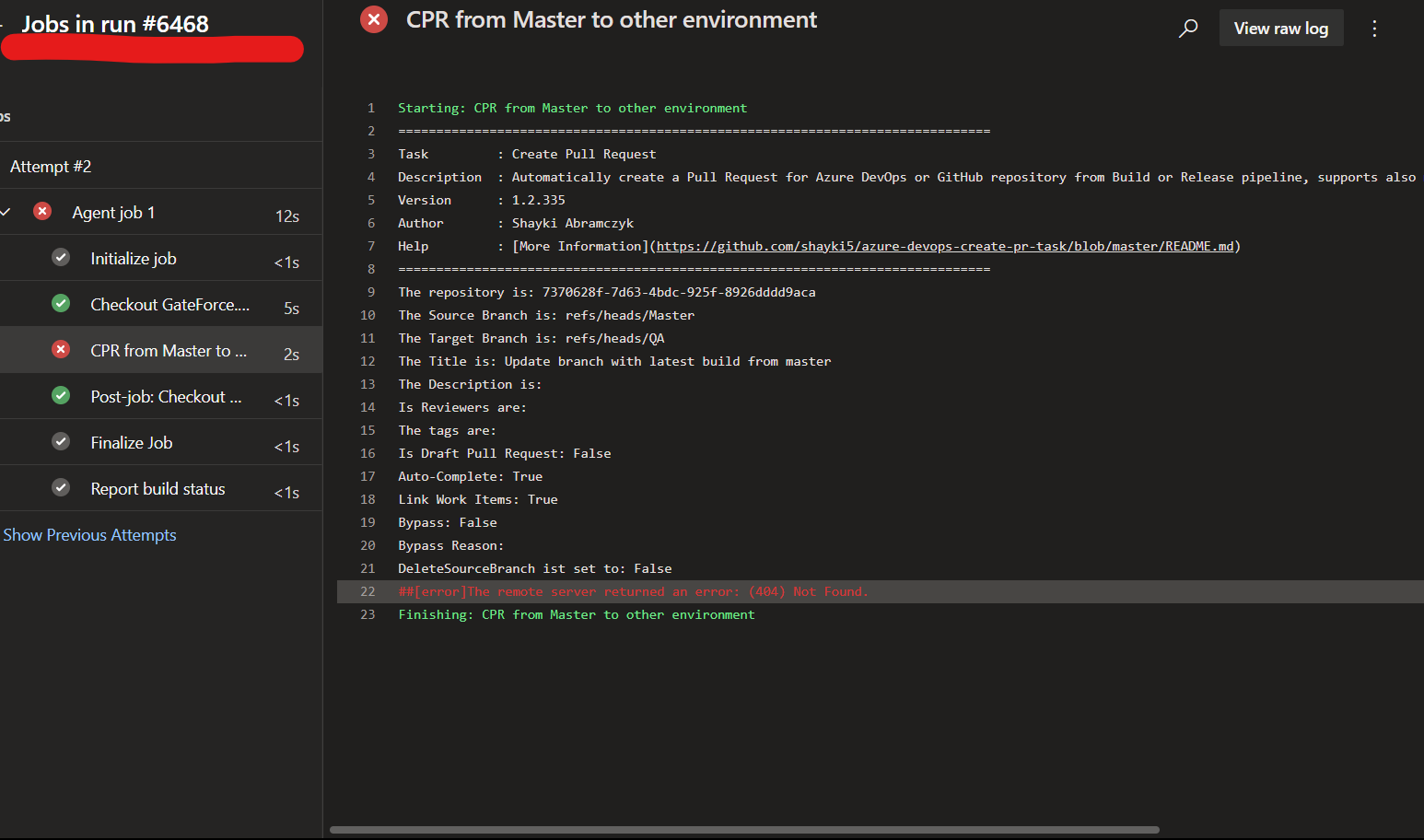
Error (404) Not Found for PR when PR-repo not same as source code
Hello,
I am get error when set parameters:
repositorySelectionMethod: select
projectId: 'CreatePR_FromOneToAnotherRepository'
gitRepositoryId: 'TargetOne'
where gitRepositoryId different from repository with source code for build
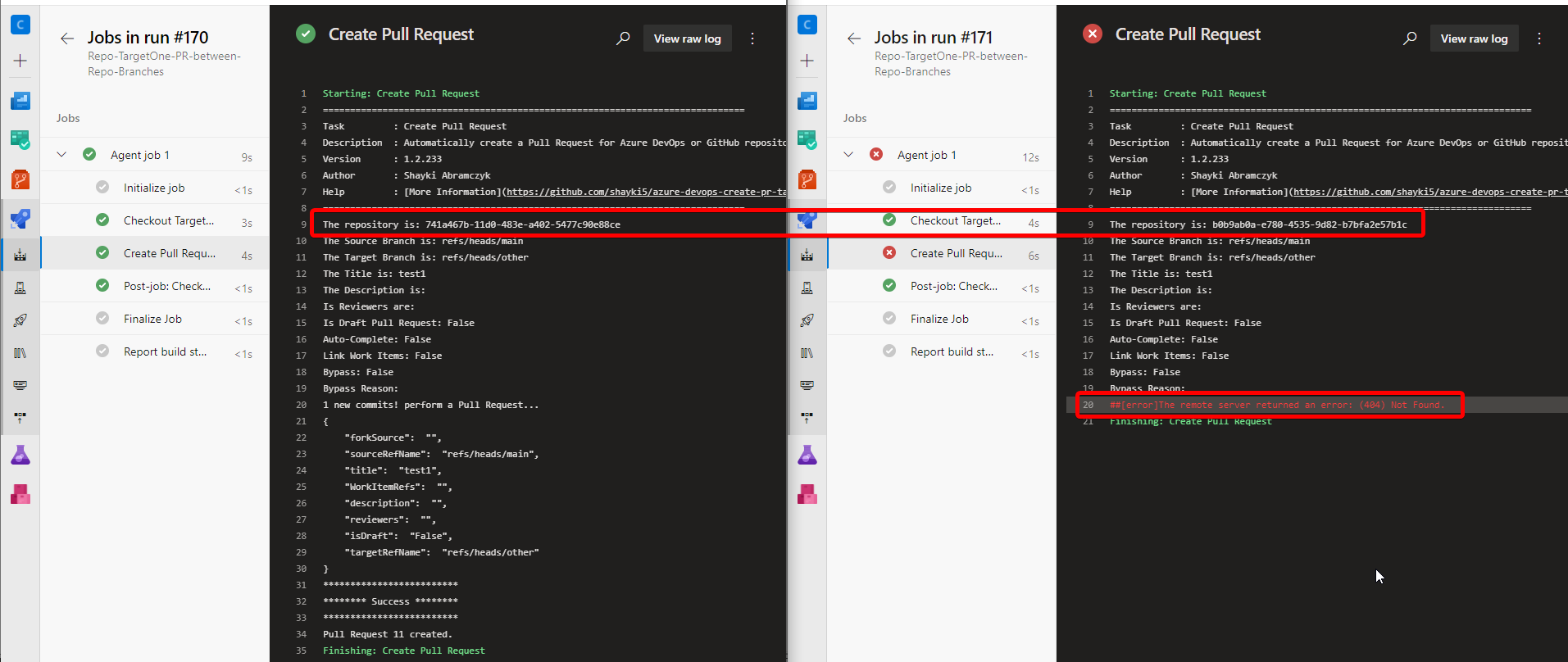
screenshot (left repo for PR same as source code, right - different)
settings task:
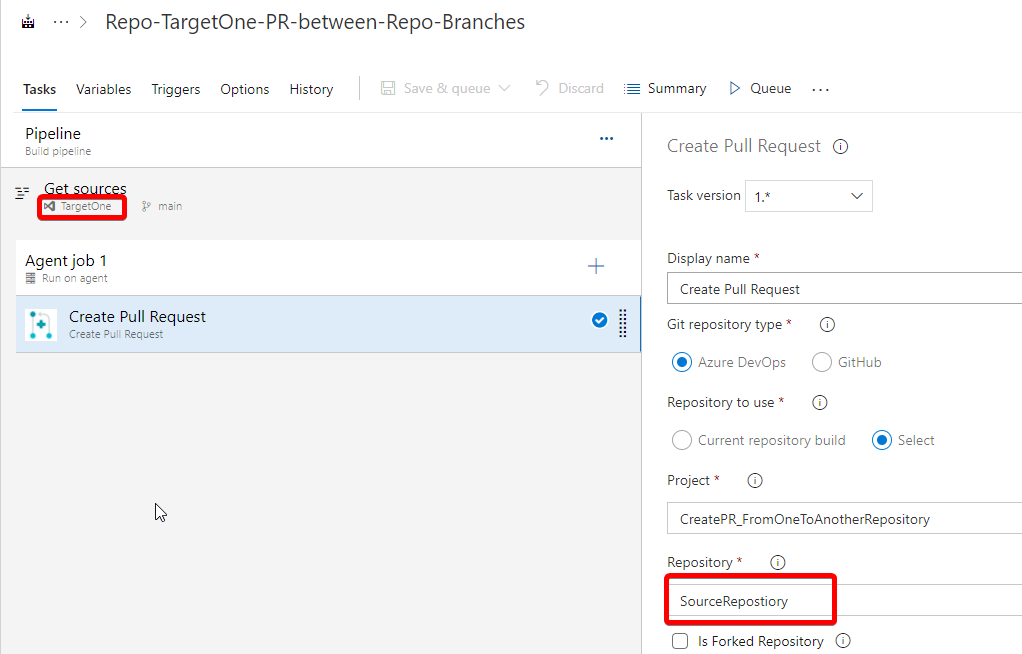
If I change repo for source code, but not change another settings - task successful runs and PR created

Hi, can you run the pipeline with system.debug = true and share here the logs?
Did you grant the permissions in the second project & repo?

debug log for task attached log.txt
permissions was set for repositories on the project level, all repository in the same project
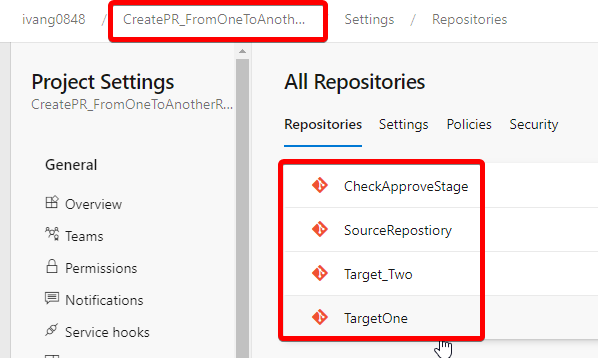
also I tried to give permissions of all types but it doesn't work
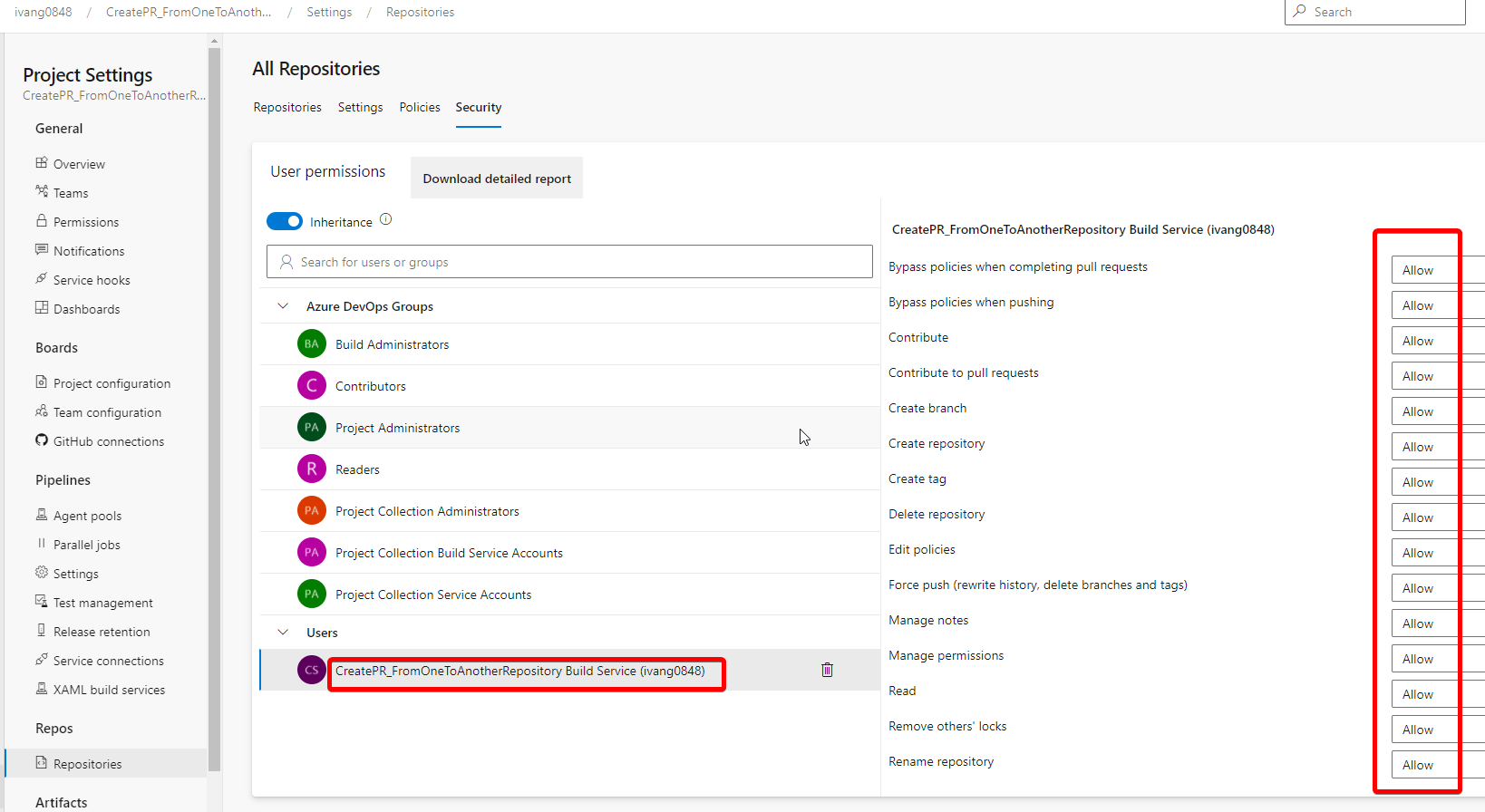
Thank you! I can reproduce the issue. Look like my code support only forks repos from the same project, I will add a support also from other projects, I hope I will have time soon :)
it is two different repos, I want copy files from first to second, then commit second and create pullrequest (for purpose update libs or shared files)
I looked code and think that token can usage without call method Get-VstsEndpoint
You can't create a PR for 2 different repos, even in the UI. this is how git works.
I know it =) , I want copy files from the source repository to the target (locally on agent), then commit copying files to the target repo and created PR with commit changes in target repo
I'm not implemented functional for copy and commit =) In this time I having trouble with creating PR for repository if build run not from him.
I tried in my organization and I succeeded to create the PR for a repo that is different then the "get sources" repo.
Can you try to give permissions also to the following groups?
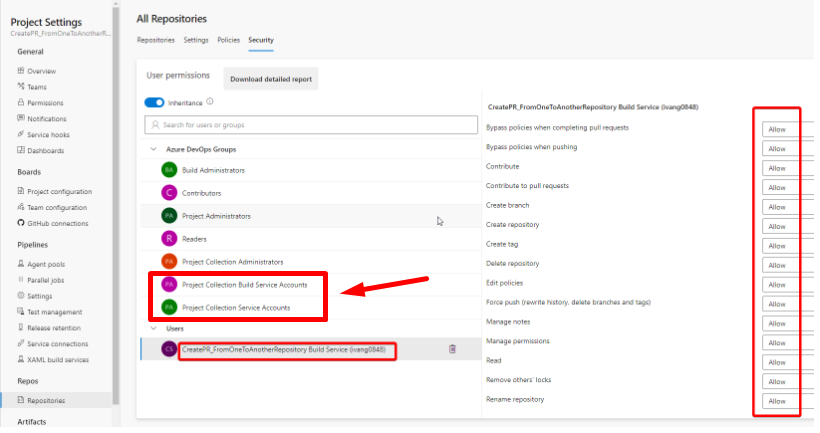
I set all permissions for these groups, also I add build service account in this group, but for me it is not working, I try it for another organization later
Thank you!
Please grant permissions also to the user Project Collection Build Service (ivang0848):
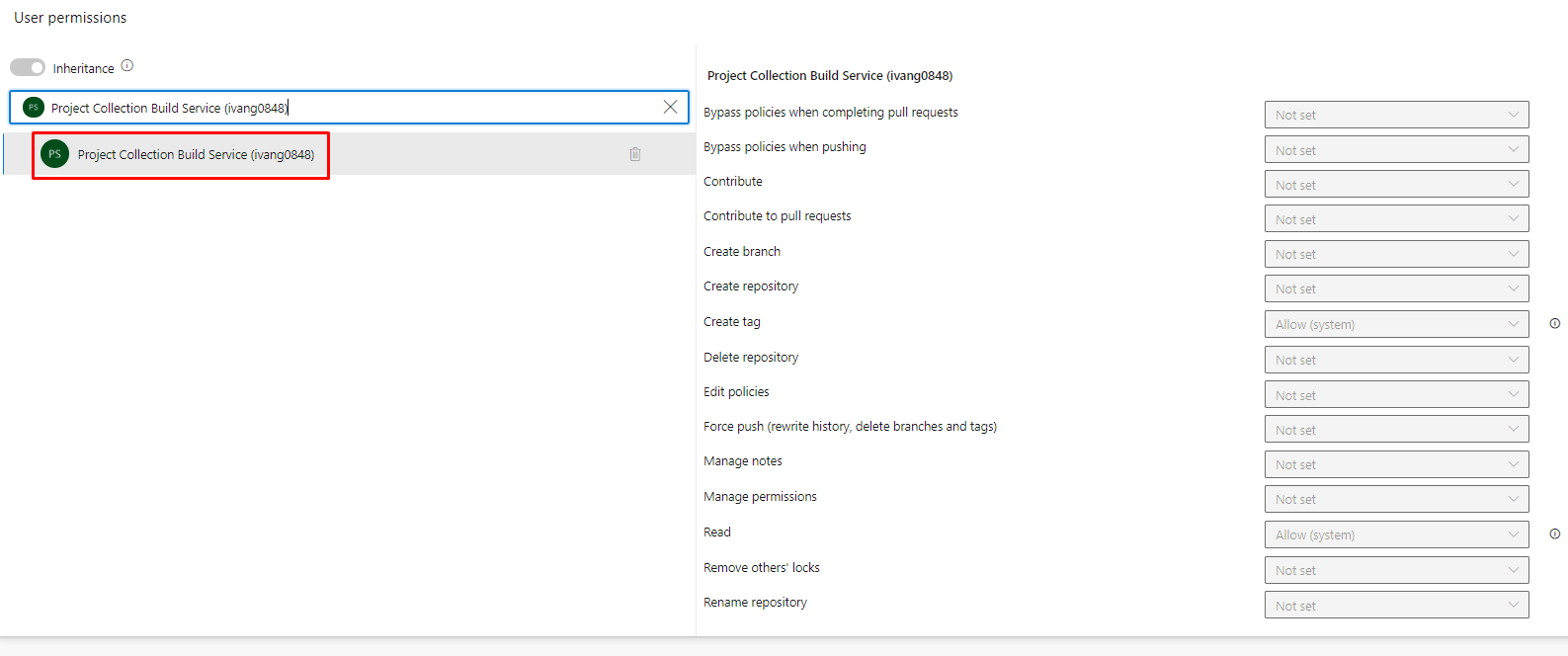
I added all permission, but previously I not seen this service account (and now I found it by search)
I see it's still filed, very strange! Can you create a new pipeline and try there? or in another project?
Try also to do this: Go to Organization _Settings-->under Security-->Permissions--> Project Collection Build Service Accounts-->Memebers-->Add -->Project Collection Build Service (ivang0848)
Have the same issue, have provided access to the Accounts as mentioned, still have 404. Trying to run the pipeline in a different Project 1. Is it possible to merge from Project 2 to Project 3(forked).

@AnshumanTripathy When it forked repos it's impossible, I will add it soon! If it is not forked repos, just repo in another project are you success?
@shayki5 I have the same issue. I've added all the needed permissions and also have a 404.
##[debug]Invoke-RestMethod : {"$id":"1","innerException":null,"message":"TF401019: The Git repository with name or identifier <GUID> does not exist or you do not have permissions for the operation you are attempting.","typeName":"Microsoft.TeamFoundation.Git.Server.GitRepositoryNotFoundException, Microsoft.TeamFoundation.Git.Server","typeKey":"GitRepositoryNotFoundException","errorCode":0,"eventId":3000}

So It should be OK, can you share a screenshot of the permissions you gave?
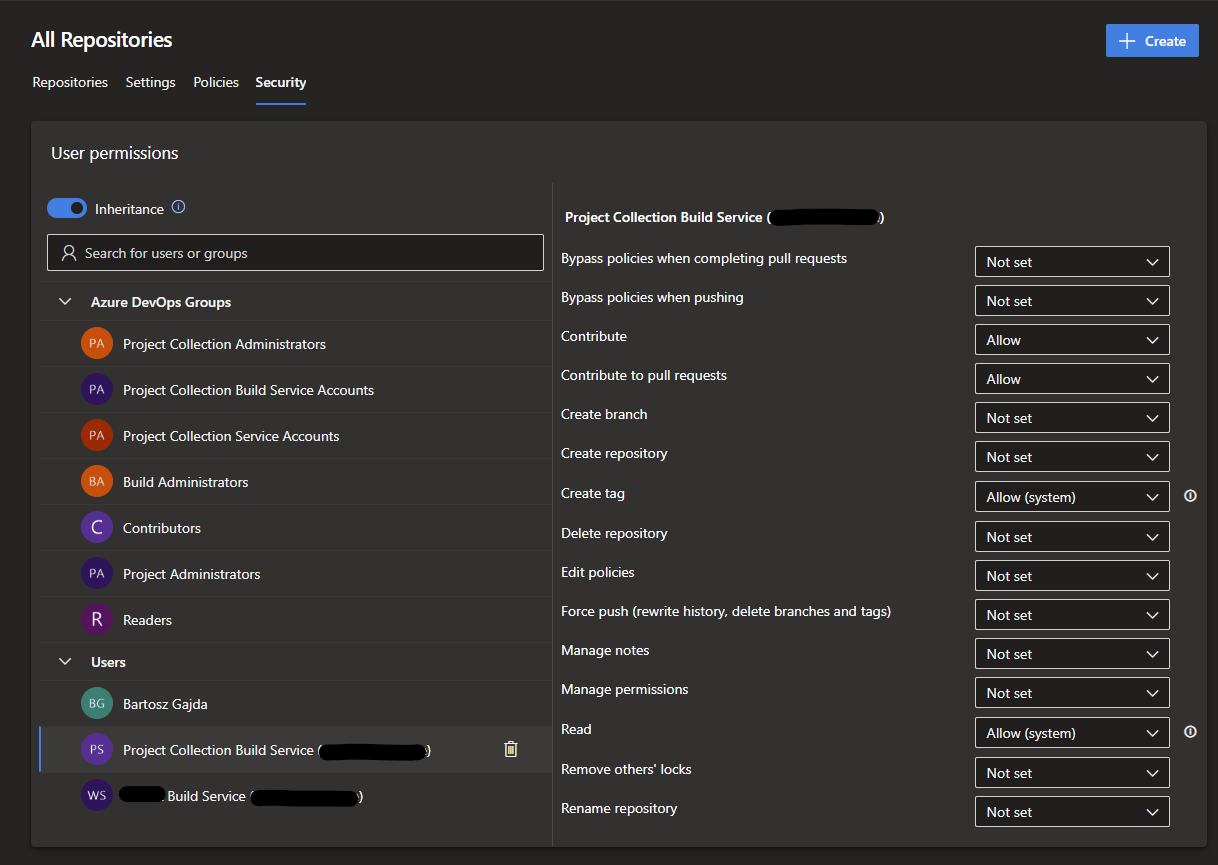
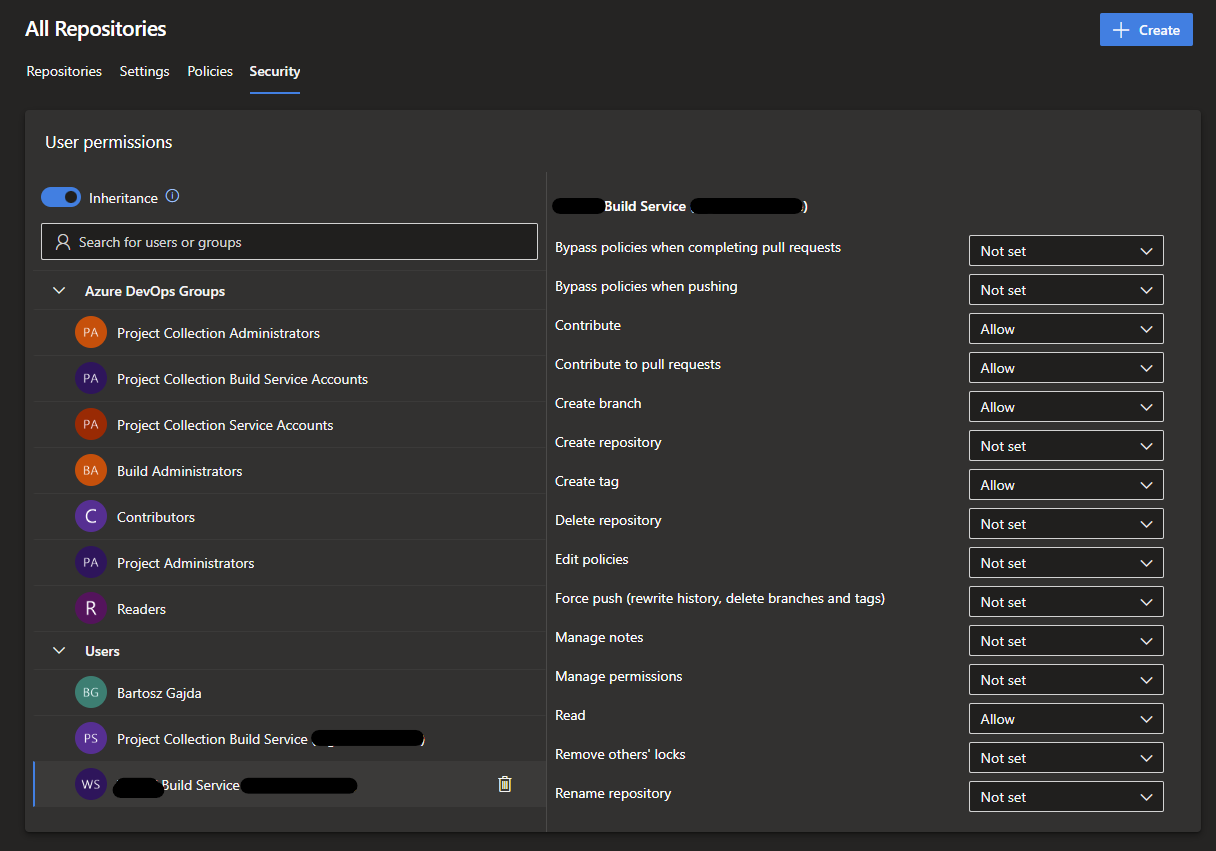

Hi @shayki5, just following up on this thread as I faced similar issue. I have followed all the necessary steps to grant permission as recommended. But, I still get 404