
RadioDroid
 RadioDroid copied to clipboard
 segler-alex
Timer not working when casting

Thank you for reporting this!
Indeed, the timer only works for playback directly in RadioDroid. However, we should make it should work with Cast and MPD; it won't work with external player though.

thanks for your reply.
my main use of radiodroid is with casting (chromecast audio and google mini)
I dont know why the experience of casting is so different with the standard way.
usually you have the cast button and you can cast at anytime instead with radiodroid it is not fluid
is it due to technical reason/choice?
Could you elaborate on what you find non-fluid? What would you want to change in current workflow?
like youtube or google music
listen to a content, click the cast button, music starts on chromecast or google mini. and the ability to revert the stream back to the phone
now i have to click cast button then click on the chromecast button that appear on the bottom wait (many seconds) and the music start then i cannot resume back to device and often radiodroid completely loose the control of the casted content without the ability to stop it
when casting with radiodroid it seem like a fire and forget procedure
There two reasons:
- Cast is one of many backends (cast, MPD, external app) and we allow mixing them as user pleases.
- I think that transition between cast and RadioDroid could be improved, but I'm not sure how it will look from UI standpoint.
- No one active here has a chromecast or a google mini, and there are no emulators of them to test.
often radiodroid completely loose the control of the casted content without the ability to stop it
And that is strange, could you report it as a separate bug?
And that is strange, could you report it as a separate bug?
yes but how could i collect some logs...
without them it would be useless
Hmmm, looking at the code, I don't even see a way to stop playback with Cast. So at the moment you could only play something, but there is no way to know if playback is active or to pause it.
Exactly! fire and forget. when you start a cast you have no control over it
Uh, I've carefully read the Google Cast documentation... And what can I say, most likely I made things even worse (with Cast) when unified playback backends.
Guidelines: https://developers.google.com/cast/docs/design_checklist/cast-basics
So, what could be done:
- Return the Cast button
- If user connects to a device via Cast button - the controls in RadioDroid should control the Cast session, notification would also control it. ExoPlayer does provide
Playerimplementation for Google Cast, so most likely it shouldn't be hard to add.
- If user connects to a device via Cast button - the controls in RadioDroid should control the Cast session, notification would also control it. ExoPlayer does provide
- User should be able to play via Cast like with MPD - from the player selection dialog. Ideally, Cast receivers should be listed in the dialog. However, we could show standard Cast dialog on a "play" button press and just have a custom handle when receiver is selected.
The only issue is that I don't have a Google Cast device and their is no emulator (WHY?).
i did some tests:
google cast is just a "play this stream" request
when you cast you just ask a google speaker/chromecast to play a stream
so you cant connect to a google device without a stream and you can control the stream from the app casting
so to cast you just start playing something then you click on the cast button, select the destination and then the destination start to play while destination plays you can control it putting in pause or going back and forward or you can stop it and then the stream continue to play back to the app
in radiodroid instead:
you need first to click on the cast button and select the destination device then you click play on the radio then 2 lower buttons appear (mpd and google) then you click on google button and then the destination start to play
then you have no control over it you can even start to play another radio on your device
if i can help in any way... let me know
i could do some testing, sadly i cant contribute in the short term
i work in c# and I also have some experience using xamarin.forms and nativescript but Im not a java/android dev
Ok, looking even more through the docs, I see that there are standard widgets available for Google Cast. The easy way out would be just using standard MiniControllerFragment in place of our mini-player. It would be out of sync in terms of design, but it's better than not working.
I hope to have prototype soon, would be great if you are able to test it.
I have one more thing to clarify, do you get a running notification with Cast controls on lock screen or when RadioDroid is in the background?
Could you try this branch https://github.com/werman/RadioDroid/tree/feature/improved-google-cast ?
When you select the playback device a new controls should appear over current mini player. And if you start playing a station it would be played via Cast. When you disconnect old controls would return. During the Cast playback when RadioDroid is in background you would see a notification with Cast controls.
If it crashes it would be good to attach logs from adb logcat.
And if it works screenshots would be useful.
I have one more thing to clarify, do you get a running notification with Cast controls on lock screen or when RadioDroid is in the background?
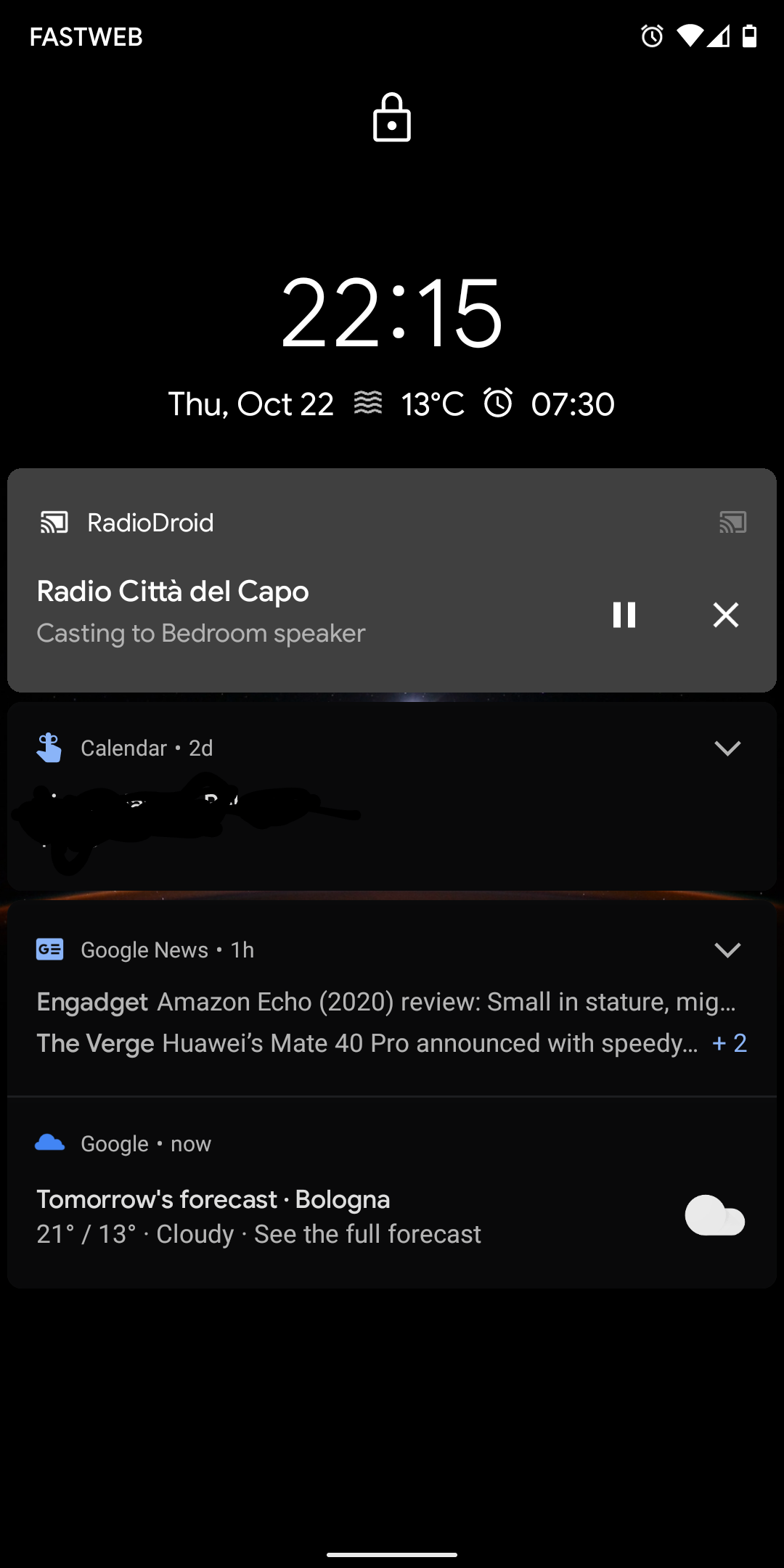
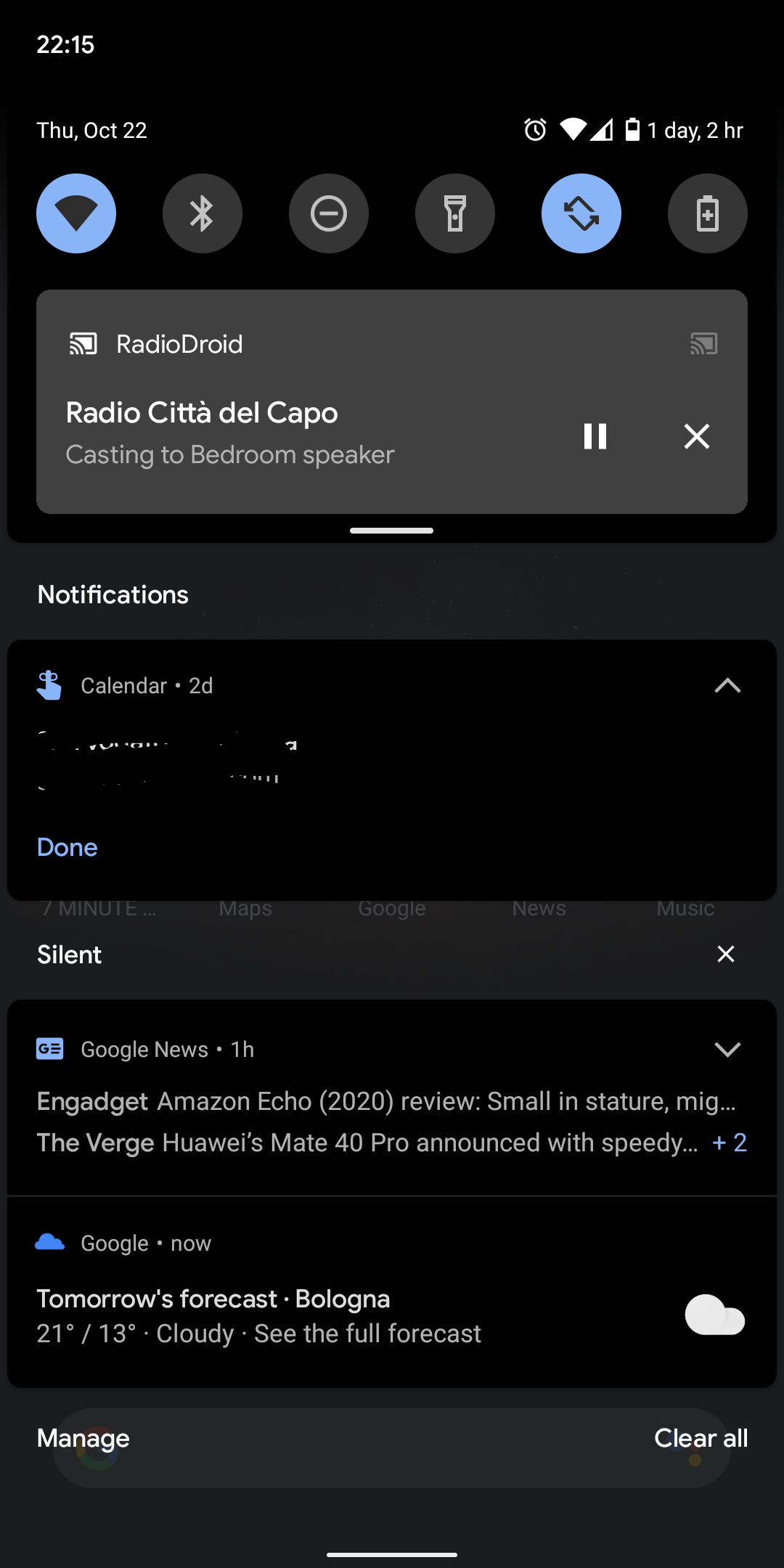
Forgot to mention, you should build "Play" build variant since "Free" doesn't include Cast sdk.
If you will have troubles building, I could provide the apk.
ill try to build tonight and let you know
anyway making more tests i think you should: display the cast button only when some radio is going after selecting the speaker music should start instead of displaying the MPD buttons
bypass the MPD choice should be enough (and show the radio logo or stream info if you have some - look at the screenshot)
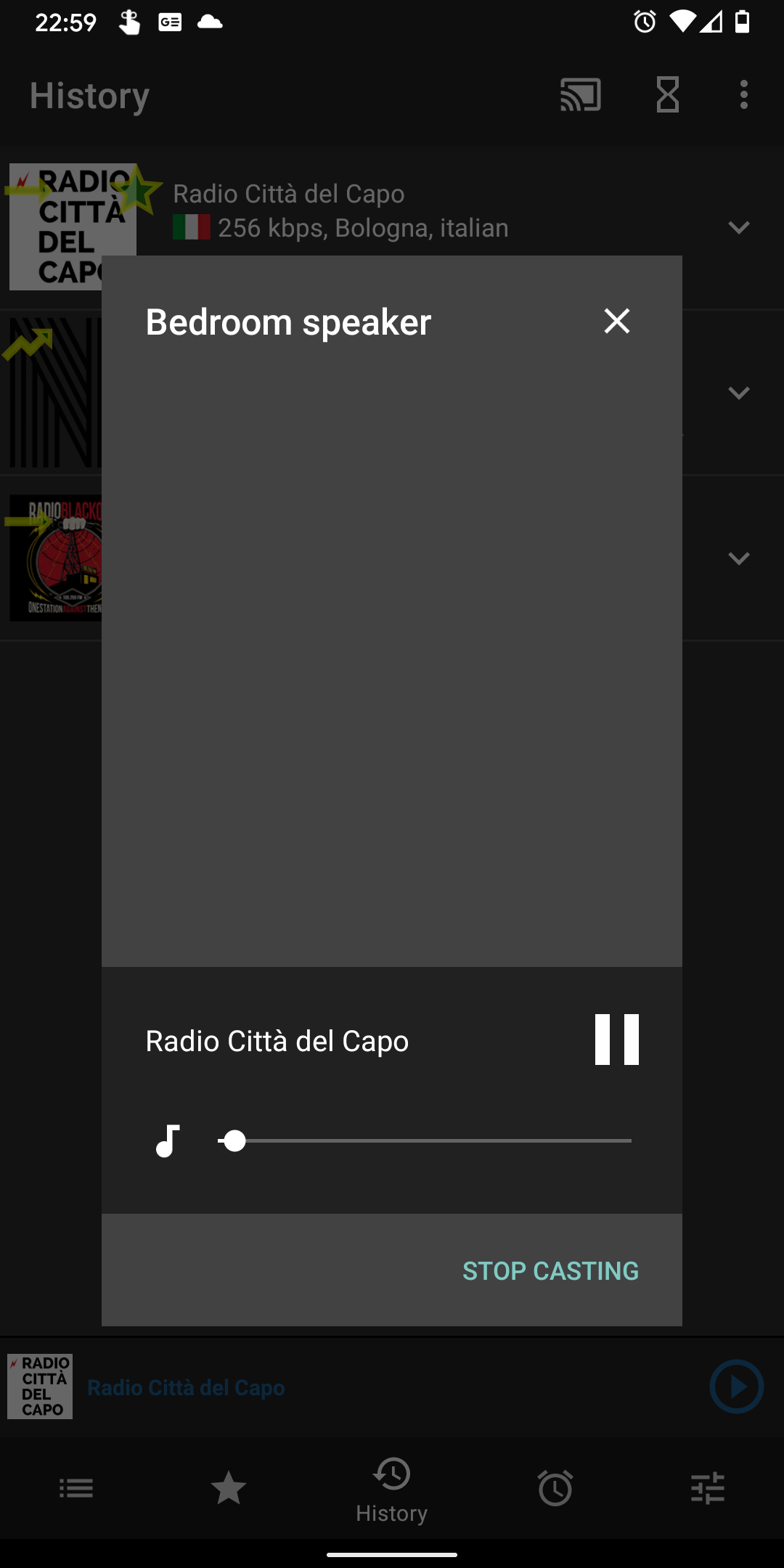
ill try to build tonight and let you know
Thank you!
anyway making more tests i think you should: display the cast button only when some radio is going
Per documentation cast button should be displayed when Cast is available. The idea that user should see that application provide this functionality and be able to play directly on cast without starting playback on the phone first.
after selecting the speaker music should start instead of displaying the MPD buttons
That's would be the next change I will make.
bypass the MPD choice should be enough (and show the radio logo or stream info if you have some - look at the screenshot)
Yes, I made the change to play in Cast if cast receiver is connected, without any dialogs.
Also the mini player at the bottom would be replaced with Cast mini player (I cannot test if this myself).
HI, sorry for the late reply.. i was quite busy
Could you try this branch https://github.com/werman/RadioDroid/tree/feature/improved-google-cast ?
When you select the playback device a new controls should appear over current mini player. And if you start playing a station it would be played via Cast. When you disconnect old controls would return. During the Cast playback when RadioDroid is in background you would see a notification with Cast controls.
If it crashes it would be good to attach logs from
adb logcat.And if it works screenshots would be useful.
i tried the branch but I don't see any difference... the experience/aspect is the same.
the only difference is in the notification that persist also after stopping casting
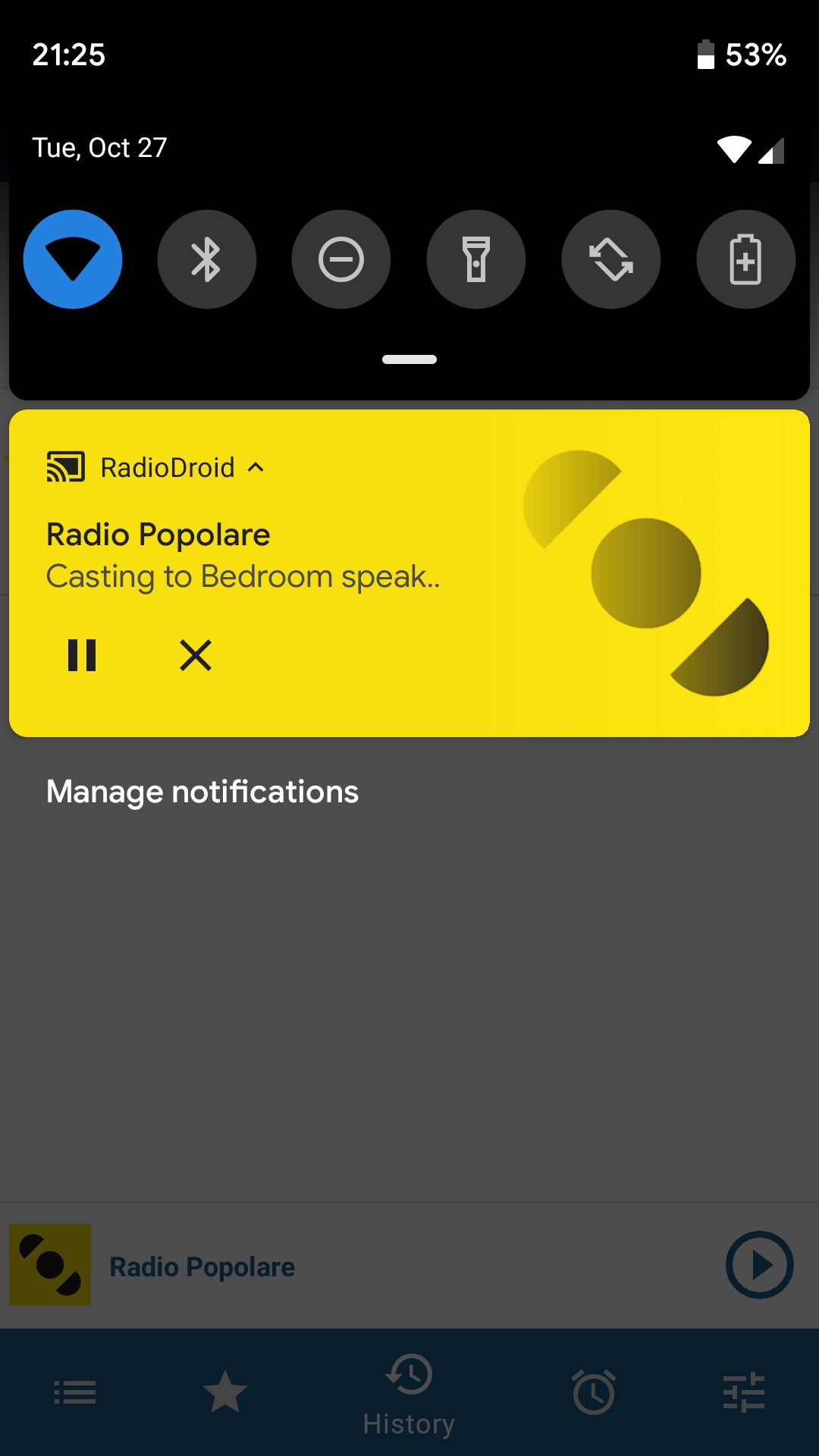
what i notice with the standard and branch version is that casting takes about 10 second to start (at least the first time) and this is very slow compared to other apps
another problem is the modal that control the cast: with some radio station the image is not shown
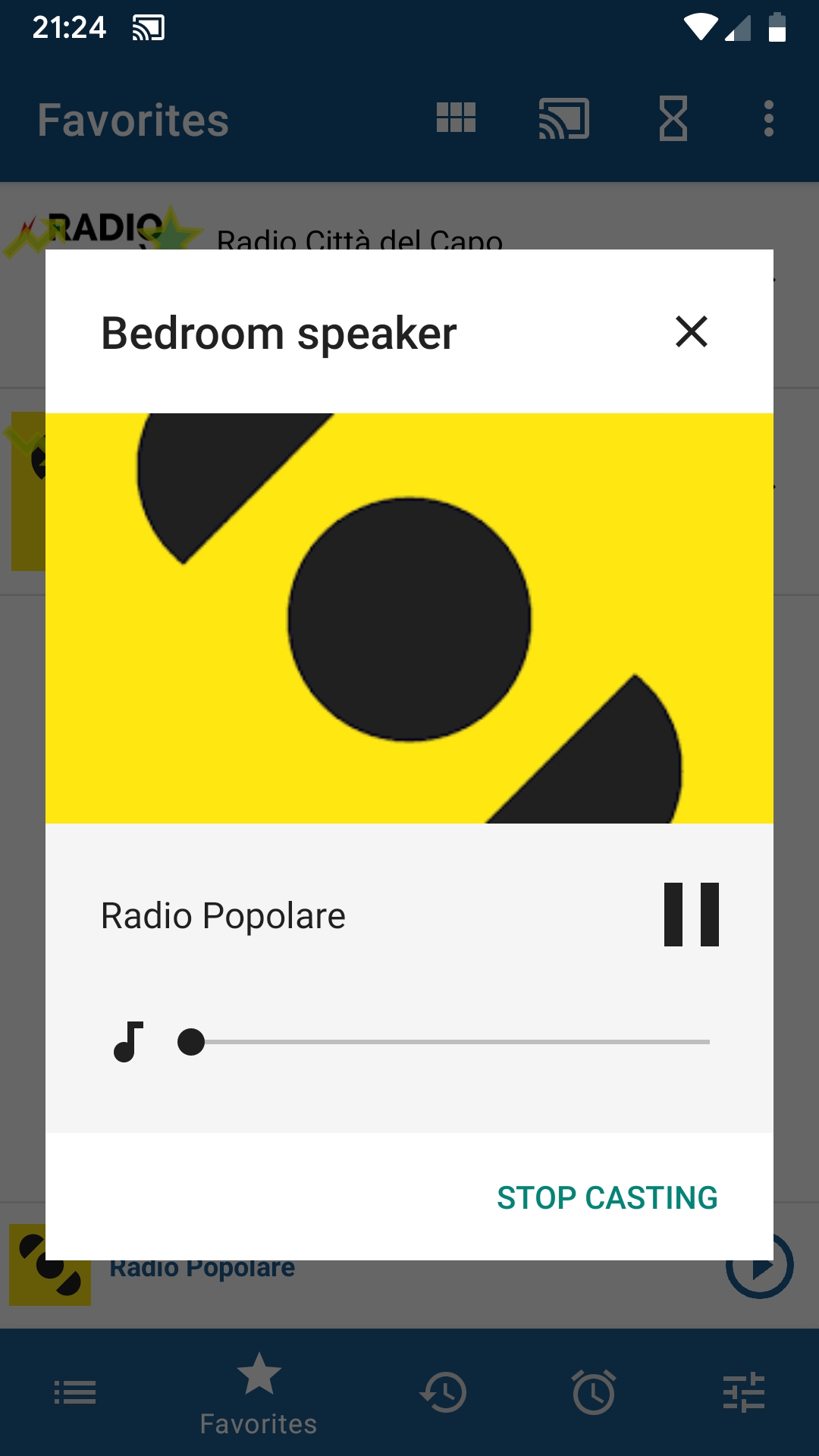
the branch version at some point crashed. this are the logs: 2020-10-27-21-20-59.txt
HI, sorry for the late reply.. i was quite busy
Could you try this branch https://github.com/werman/RadioDroid/tree/feature/improved-google-cast ? When you select the playback device a new controls should appear over current mini player. And if you start playing a station it would be played via Cast. When you disconnect old controls would return. During the Cast playback when RadioDroid is in background you would see a notification with Cast controls. If it crashes it would be good to attach logs from
adb logcat. And if it works screenshots would be useful.i tried the branch but I don't see any difference... the experience/aspect is the same.
the only difference is in the notification that persist also after stopping casting
what i notice with the standard and branch version is that casting takes about 10 second to start (at least the first time) and this is very slow compared to other apps
10 seconds is an abnormal delay, does the playback in RadioDroid itself start with such delay? I don't see where additional delay can come from. Currently we ask the radiobrowser server for the actual station playback url and then play it, so we depend on latency to both radiobrowser server and station's server.
another problem is the modal that control the cast: with some radio station the image is not shown
So there is a station icon in RadioDroid but there is no in the cast popup? We just pass the icon url to Cast...
the branch version at some point crashed. this are the logs: 2020-10-27-21-20-59.txt
Unfortunately I don't see anything specific about why it crashed.
I have updated the branch, could you test the changes? The are two:
- I did try to make Cast's mini player visible (it would look different from ours)
- If you are already playing a station and select Cast device - the playback will move to it
awesome, it works as expected!
10 seconds is an abnormal delay, does the playback in RadioDroid itself start with such delay? I don't see where additional delay can come from. Currently we ask the radiobrowser server for the actual station playback url and then play it, so we depend on latency to both radiobrowser server and station's server.
no delay when not casting
it happens only with some radio station like this:
http://www.radio-browser.info/gui/#!/history/afcd1176-123a-11e8-ae97-52543be04c81
other starts immediately
awesome, it works as expected!
Great!
10 seconds is an abnormal delay, does the playback in RadioDroid itself start with such delay? I don't see where additional delay can come from. Currently we ask the radiobrowser server for the actual station playback url and then play it, so we depend on latency to both radiobrowser server and station's server.
no delay when not casting
it happens only with some radio station like this:
http://www.radio-browser.info/gui/#!/history/afcd1176-123a-11e8-ae97-52543be04c81
other starts immediately
Uh, maybe it's an issue with Cast device then...
Also, do you see a cast mini player? It should look like this:
https://developers.google.com/cast/images/a/sender-persistent-control1_a.png
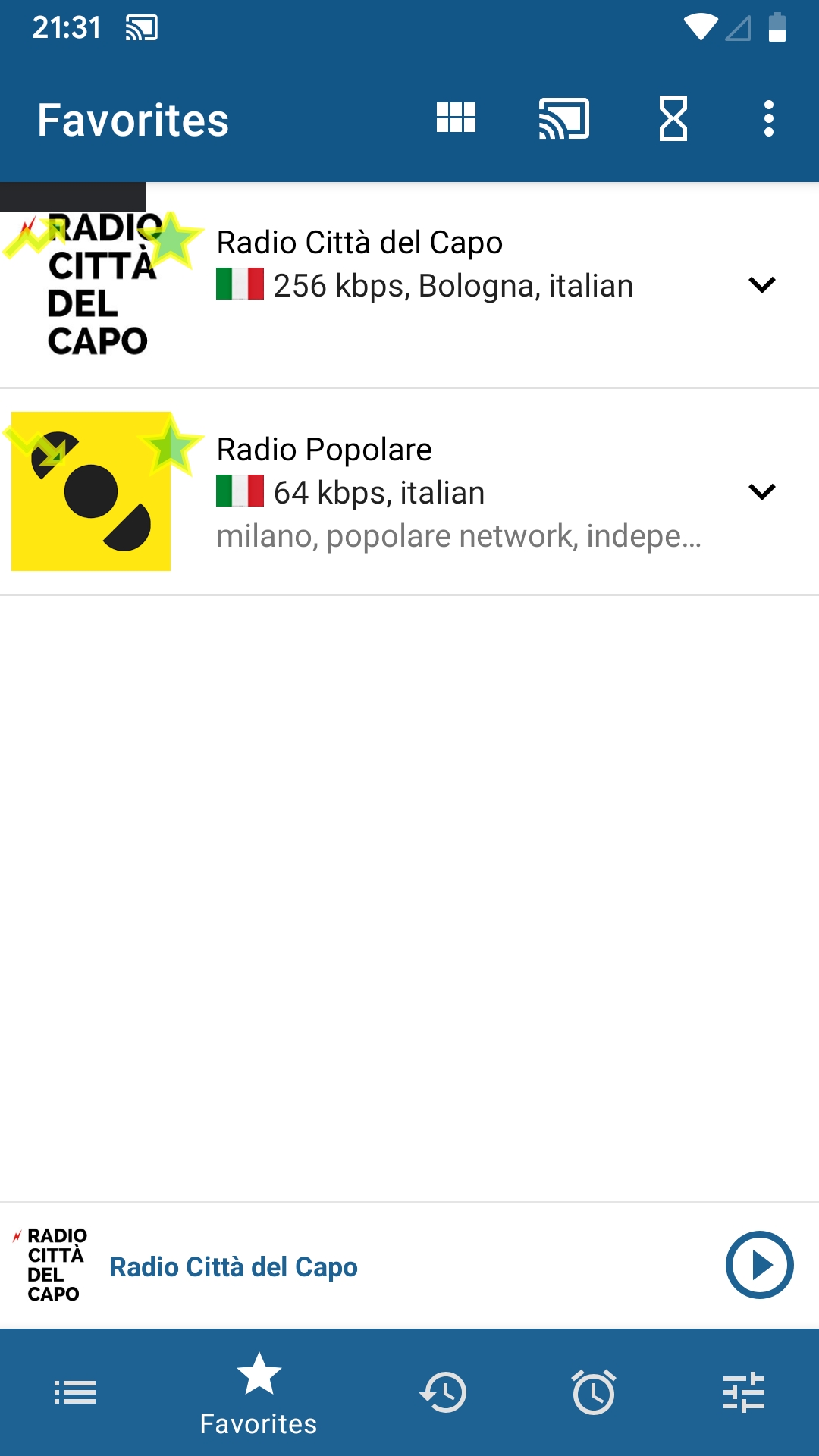
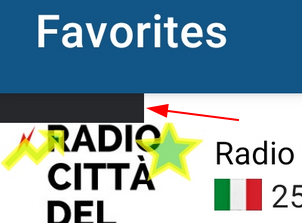
Giammin wrote:
what i notice with the standard and branch version is that casting takes about 10 second to start (at least the first time) and this is very slow compared to other apps
10 seconds is an abnormal delay, does the playback in RadioDroid itself start with such delay? I don't see where additional delay can come from.
After reading your comments, I took a test with some station stations, for example
https://www.radio-browser.info/#!/byname/Lounge.FM%20-%20100%25%20Austria
With Chromecast audio, it takes about 20s to start casting. The range lies between 15s and 35s.
Usually I am too impatient and therefore I pause and restart the stream
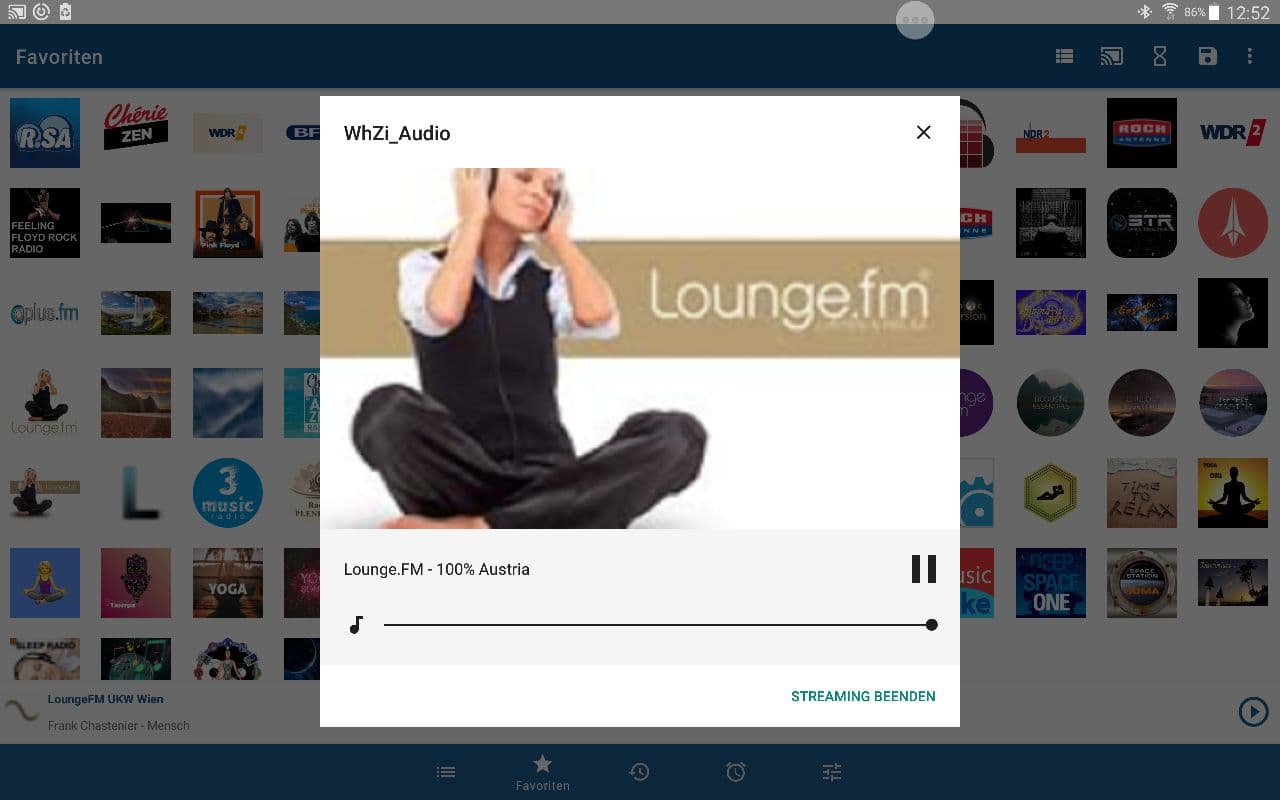
In this case casting starts immediately after restarting. This process takes as a whole less than 5s.

Bug or Feature?
Differences in casting streams with the Radiodroid app or the VLC app.
Referring to Giammin description 'when casting with radiodroid it seem like a fire and forget', I want to point out some differences between casting radio streams with Radiodroid and the VLC app.
google cast is just a "play this stream" request when you cast you just ask a google speaker/chromecast to play a stream so you cant connect to a google device without a stream and you can control the stream from the app casting so to cast you just start playing something then you click on the cast button, select the destination and then the destination start to play while destination plays you can control it putting in pause or going back and forward or you can stop it and then the stream continue to play back to the app
in radiodroid instead: you need first to click on the cast button and select the destination device then you click play on the radio then 2 lower buttons appear (mpd and google) then you click on google button and then the destination start to play then you have no control over it you can even start to play another radio on your device
I did some tests: I have used the VLC app to cast a stream. When the chromecast audio device starts playing, I disconnect the mobile from WiFi. After a short while, the audio device stops playing the radio station.
If I start to cast a radio stream with Radiodroid and disconnect the mobile from WiFi, the chromecast audio device keeps playing the radio stream.
I appreciate this behaviour of the Radiodroid app, since it means a lower power drain for my mobile device.