
react-facebook
 react-facebook copied to clipboard
 seeden
Can't perform a React state update on an unmounted component
I am using react-facebook to embed in my website. But I get an error below. Tell me how I can fix it
This's warning message: Can't perform a React state update on an unmounted component. This is a no-op, but it indicates a memory leak in your application. To fix, cancel all subscriptions and asynchronous tasks in the componentWillUnmount method.
I'm using React v16.4.0
const FanpageFacebook = () => (
  <>
    <BoxTitle title="Fanpage" showViewMoreButtom={false} />
    <div className="bg-white flex p-2.5 mb-2px">
      <FacebookProvider
        appId="469469066915707
"
      >
        <Page
          href="https://www.facebook.com/khotailieumienphi.tk"
          tabs="timeline"
        />
      </FacebookProvider>
    </div>
  </>
);


Same Propblem here
I have fixed that issue with adding this._isMounted flag in componentDidMount (set true) and unmount(set false). Before widget invoke I check this state in component.
Still getting this error when doing a specific flow.
I am opening a Facebook modal by clicking on my Login With Facebook button.
Navigating to a new page, and closing the modal. It's then trying to update state on the page where the modal was originally created.


I have the same issue. After experimenting I have noticed it happens when I pass an onCompleted handler to the LoginButton, but not when I pass an onSuccess handler.
My limited stacktrace is below:
index.js:2178 Warning: Can't perform a React state update on an unmounted component. This is a no-op, but it indicates a memory leak in your application. To fix, cancel all subscriptions and asynchronous tasks in the componentWillUnmount method. in Process (created by ForwardRef) in ForwardRef (created by LoginButton) in LoginButton (created by ConnectedAccounts)


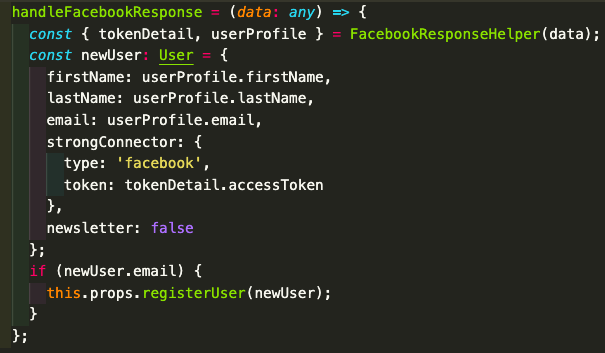
I'm still getting this warning after updating to version 8.1.4. It appears #125 is supposed to fix this, but I still get the warning. Any suggestions? It only happens when I navigate to the route directly, rather than being routed to it from the homepage.
Here's my button:
const FacebookButton = ({ appId, version, scope, onSuccess, children }) => {
  return (
    <FacebookProvider appId={appId} version={version}>
      <Login
        scope={scope}
        onCompleted={handleResponse}
        onSuccess={() => onSuccess(result)}
        onError={handleError}
      >
        {({ loading, handleClick, error, data }) => (
          <div onClick={handleClick}>
            {children ? children : <DefaultButton loading={loading} />}
          </div>
        )}
      </Login>
    </FacebookProvider>
  );
};
Here it is used on my login page:
class LoginPage extends Component {
  onSuccess = data => {
    this.props.actions.User.login(data);
  };

  render() {
    if (this.props.isLoggedIn) return <Redirect to="/dashboard" />;
    return (
      <div>
        <h1>Login Page</h1>
        <FacebookButton {...btnConfig} onSuccess={this.onSuccess} />
      </div>
    );
  }
}
Here's a screenshot of the console warning:


I solved it by rendering the component conditionally. I added a condition so that only if the object to which the component is used for (in my case a song) is returned from the server and is not empty the <FacebookProvider> component will be rendered. Not sure it's the best practice but it works.
