
scipy.org
 scipy.org copied to clipboard
 scipy
scipy
Most API reference internal links go to an internal link that skips the top of the page.
It looks like most of the internal links within the SciPy API reference page include a link to an id within the page using a # reference that skips the heading of the page. This means information that I would expect to see is not visible unless I scroll up to see the heading.
For example, start at the SciPy API page, and scroll down to the list of the subpackages, and click on the the scipy.signal link. The URL for that link is actually https://scipy.github.io/devdocs/reference/signal.html#module-scipy.signal; note the internal id #module-scipy.signal. Here's a screen shot of that page (using Firefox 96.0.3):
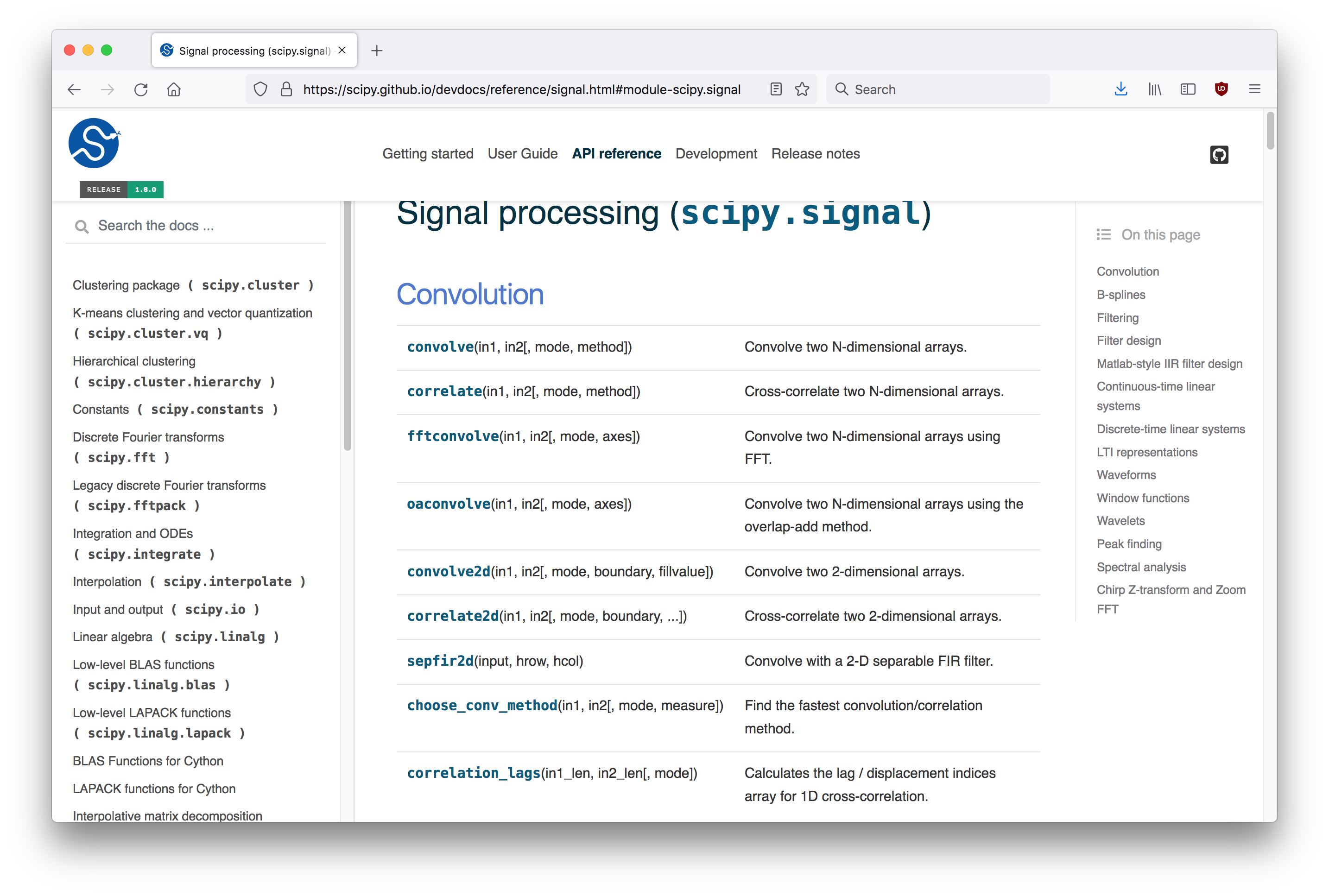
You can see that the top of the heading is clipped. If you remove the #module-scipy.signal id from the URL, you'll see the full heading.
That is a minor nuisance; it is the behavior of the web pages for functions where the problem becomes more signficant. In that scipy.signal page, scroll down and click on, say, filtfilt. The actual URL of the link is https://scipy.github.io/devdocs/reference/generated/scipy.signal.filtfilt.html#scipy.signal.filtfilt; note again the (redundant) reference id #scipy.signal.filtfilt. Here's a screenshot:
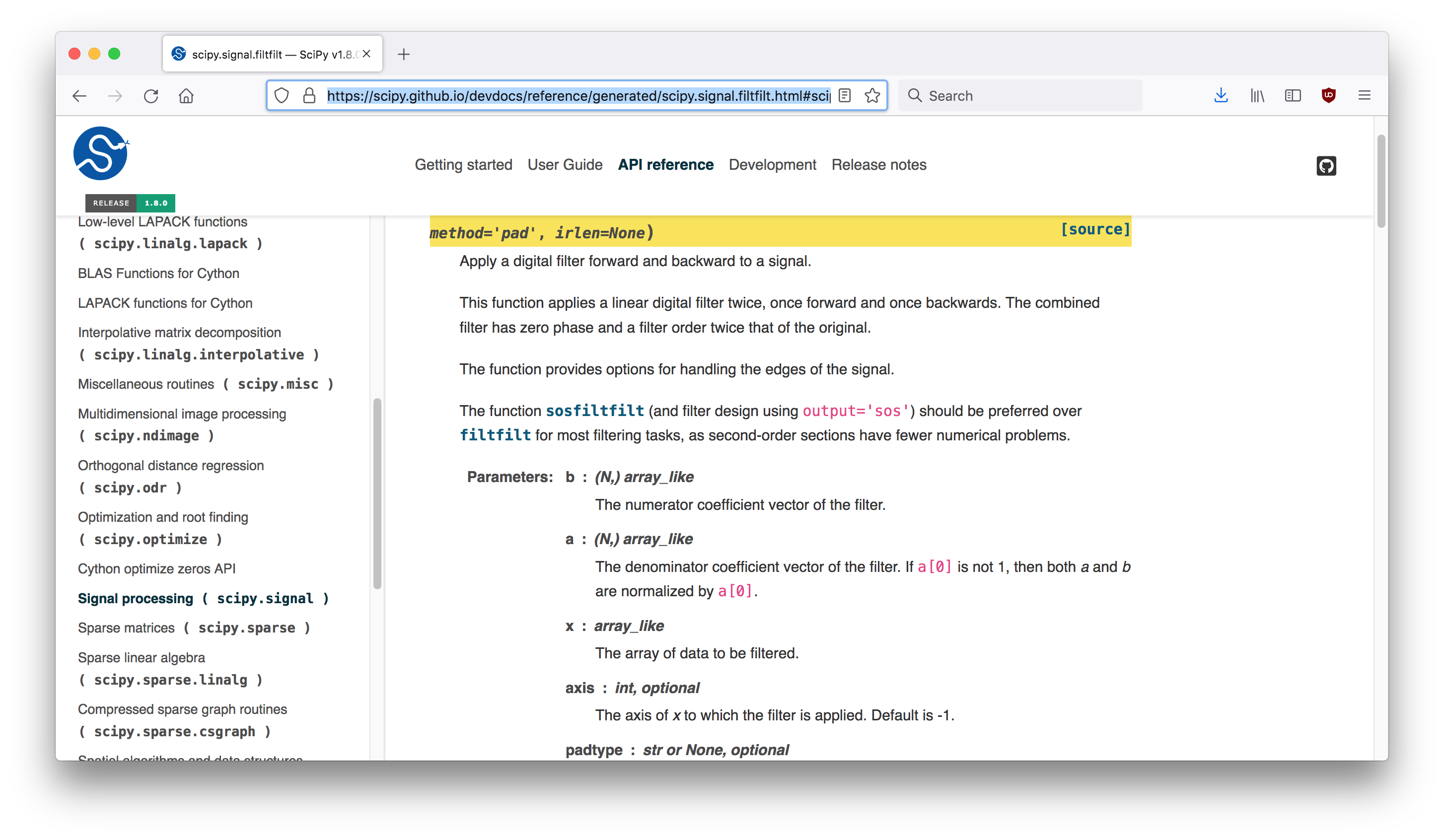
Most of the signature has been cut off; all we see is the last two parameters, method='pad', irlen=None). If we scroll up, or if we remove #scipy.signal.filtfilt from the URL, we see what we should have seen when we clicked the link:
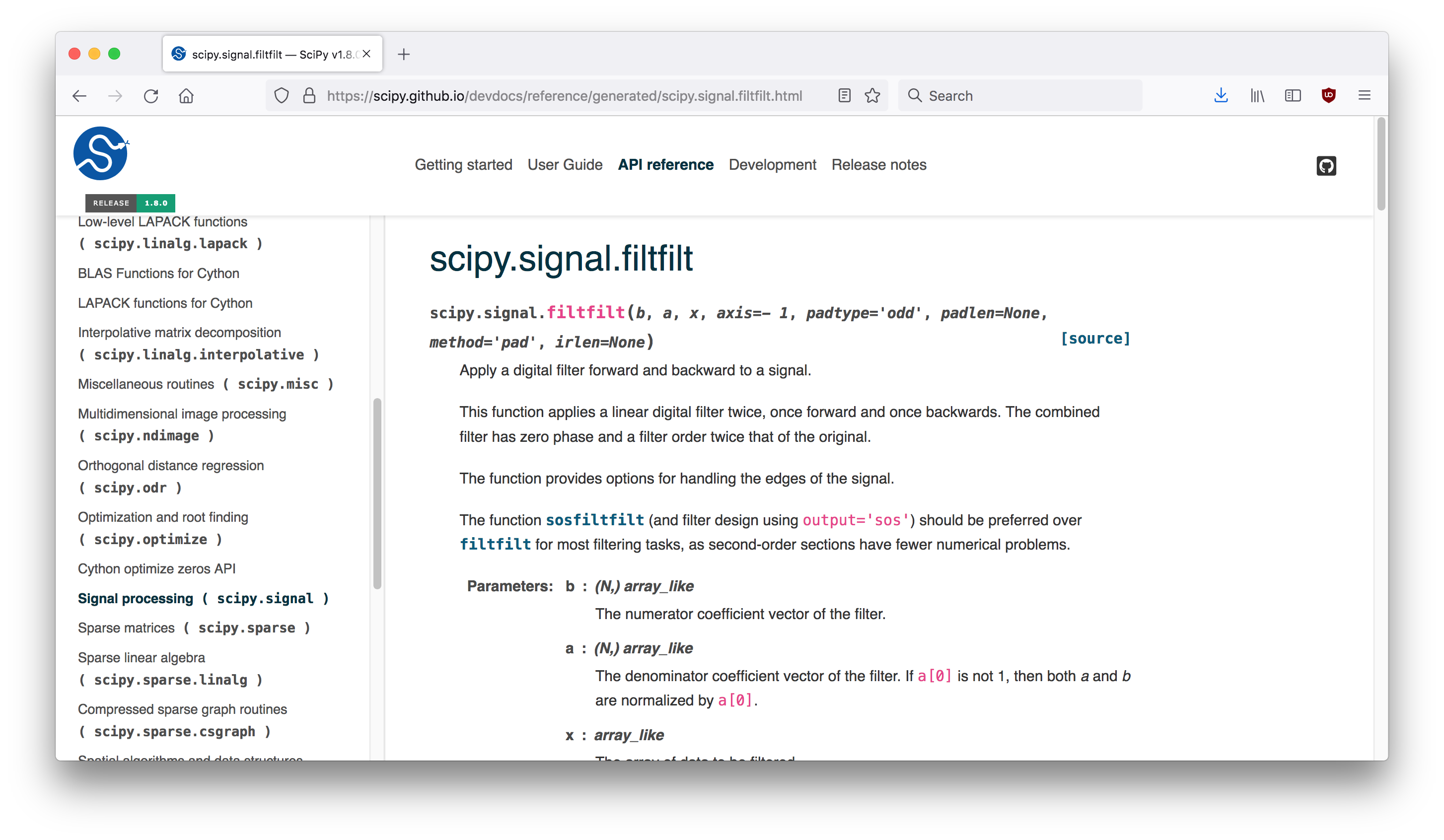
The docs have had this behavior for a long time. Any chance this can be fixed? Or is this one of those Sphinx quirks that seems like it should be easy to fix, but attempting to do so leads down a rabbit hole of twisty little passages...
(I usually remove the extraneous # id when I include a link in, say, a Stackoverflow comment or answer, to avoid the little bit of confusion that can occur when the page shows a clipped heading.)
