
SourceCodeSyntaxHighlight
 SourceCodeSyntaxHighlight copied to clipboard
 sbarex
App does not function on Catalina all options greyed out
I've removed the quarantine, uninstalled, re-installed, it does not work. Thanks for any help.


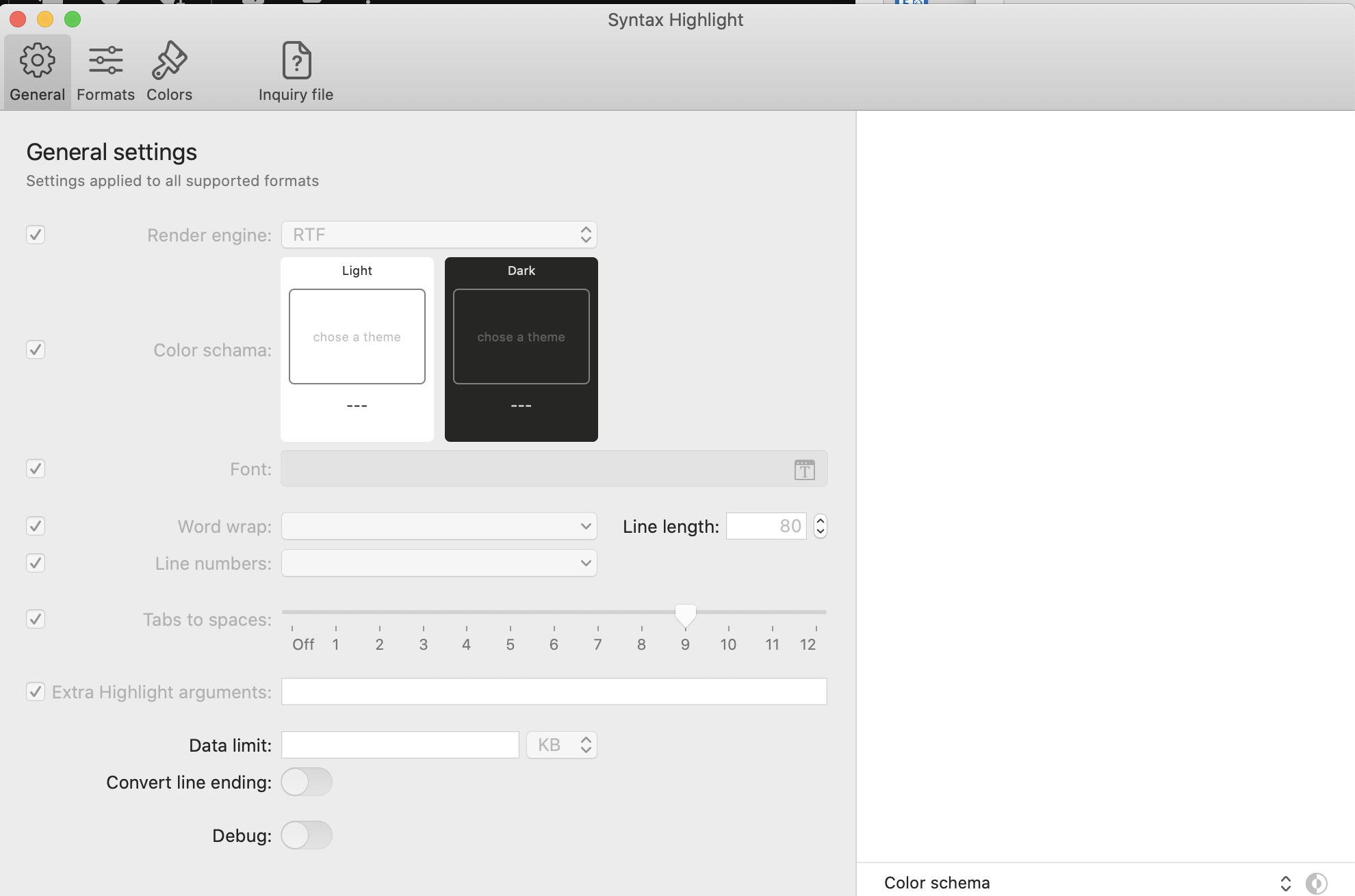
Note once Finder was restarted then it worked. However, in my case I rebooted the machine, so I can't verify that only restarting finder will do the trick.
killall Finder didn't do it for me, nor the fact I logged out nor rebooting (Big Sur 11.3). Any solutions, so far?

I think it depends on some problem in accessing preferences.
Try to manually download the release 2.0.3 beta that offers better error handler in accessing preferences.
Alternatively, you could try deleting the preferences file from the terminal:
defaults delete ~/Library/Preferences/org.sbarex.SourceCodeSyntaxHighlight.plist
defaults delete ~/Library/Preferences/org.sbarex.SourceCodeSyntaxHighlight.plist
^^^ did it, thank you ❤️
For brevity it works for SH 2.0.2 (34), what I currently use.
Thanks again, and also many thanks for adding Elixir to the list ;)
defaults delete ~/Library/Preferences/org.sbarex.SourceCodeSyntaxHighlight.plist
I am using 2.0.3 (35) and its still greyed out. But deleting the plist file with your provided command worked fine for me.

defaults delete ~/Library/Preferences/org.sbarex.SourceCodeSyntaxHighlight.plist
I'm using 2.0.6 on macOS 11.4, and I can confirm that everything remains greyed out after restarting Finder, logging out, rebooting. However, deleting the preferences plist with the above command fixed it (no need to restart or log out after). Thanks!

Problem still exists in version 2.0.11 on macOS 11.4 and deleting the preferences plist as mentioned above fixes it.
