

 sanity-io
Dark images with transparency renders low contrast
We use several image assets with dark or black graphics with transparency, in the media manager these assets become almost illegible due to low contrast. Especially when containing text this becomes an issue, an example is a client logo which contains the company name and is impossible to read. Here's a slightly more legible example which demonstrates the issue (I can't share client logos unfortunately):

A couple of suggested solutions
a) In the above instance a solid background-color (e.g. --card-muted-fg-color would look good as it is used for the asset title) would render a better contrast. However, it would fail with images that contain a similar color to --card-muted-fg-color). b) Another option would be to adapt the checkerboard to use two grays instead of the background color which is so close to black. Again this might fail with gray foregrounds. c) An option for a light mode? (Maybe this is an option already but I can't find it). A light mode would work better with these assets, however you could foresee someone running into the same type of issue with transparent assets with white foregrounds.

I think a dark / light mode toggle is something that should probably be added regardless of this issue, and is something that's been requested in the past!
Perhaps the answer lies in analysing color palette information that Sanity provides for each image in metadata.palette, e.g.
{
  "_type": "sanity.imagePalette",
  "darkMuted": {
    "_type": "sanity.imagePaletteSwatch",
    "background": "#474d36",
    "foreground": "#fff",
    "population": 3.13,
    "title": "#fff"
  },
  "darkVibrant": {
    "_type": "sanity.imagePaletteSwatch",
    "background": "#201f0b",
    "foreground": "#fff",
    "population": 0.87,
    "title": "#fff"
  },
  "dominant": {
    "_type": "sanity.imagePaletteSwatch",
    "background": "#d7cfb9",
    "foreground": "#000",
    "population": 4.25,
    "title": "#000"
  },
  "lightMuted": {
    "_type": "sanity.imagePaletteSwatch",
    "background": "#d7cfb9",
    "foreground": "#000",
    "population": 4.25,
    "title": "#000"
  },
  "lightVibrant": {
    "_type": "sanity.imagePaletteSwatch",
    "background": "#e5d49f",
    "foreground": "#000",
    "population": 0.21,
    "title": "#000"
  },
  "muted": {
    "_type": "sanity.imagePaletteSwatch",
    "background": "#4c8490",
    "foreground": "#fff",
    "population": 0.01,
    "title": "#fff"
  },
  "vibrant": {
    "_type": "sanity.imagePaletteSwatch",
    "background": "#bdb741",
    "foreground": "#000",
    "population": 0,
    "title": "#fff"
  }
}
It's not something I've looked into extensively, but there might be enough information in the above to quickly determine the overall luminance / brightness of an image, after which we dynamically adjust that checkboard pattern to adjust.
It won't be perfect and I'm not yet sure how it'd work with complex, multi-colour SVGs – but might be a step-up from what we have now

Just to chime in and say that I haven't forgotten this! I did have a play with metadata.palette a while back, but predictably you get really wonky results on assets with any form of transparency. The solve will most likely involve adding an additional toggle on assets with transparency that toggle between white / black + checkboard backgrounds
I'm having this exact problem with black illustrations on a transparent background. Having a light theme would solve the problem, especially as the rest of the dashboard is light. Any way of doing this? This issue aside the plugin is wonderful, thank you for all your hard work!

Such a lovely plugin ❤️
Also wondering if we can get a light/dark mode to match your studio V3 settings:
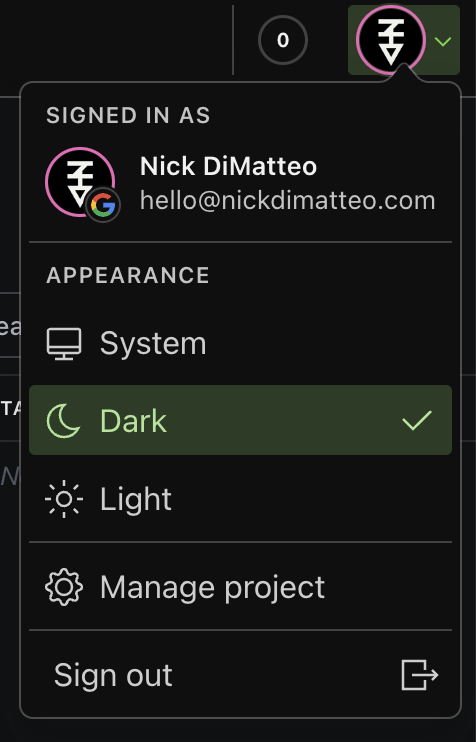

As of 2.2.2 this plugin should now use colours appropriate to the colour mode in use by the studio.
This also affects checkerboard backgrounds on transparent images, e.g: