LaunchyQt
 LaunchyQt copied to clipboard
 samsonwang
Launchy not reading custom icons
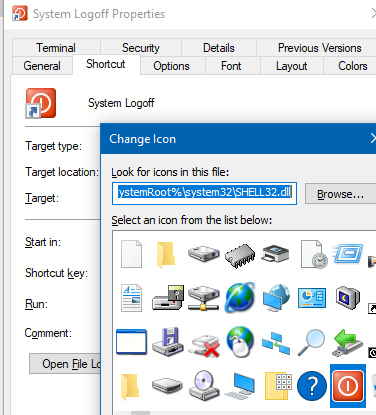
Describe the bug When Launchy finds a shortcut which has a custom icon assigned, Launchy doesn't use that icon -- it uses the icon of the application the shortcut points to. For example, the shortcuts in launchy/utilities/system power point to command line applications in the system32 folder, but they are all assigned custom icons from shell32.dll. Launchy doesn't display the custom icons; it displays the ordinary icon for a CLI app. This worked correctly in v2.6beta
To Reproduce Steps to reproduce the behavior:
- Bring up Launchy
- Type 'logoff' to bring up the 'System Logoff' item
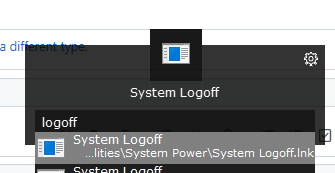
- Launchy displays the CLI icon instead of the assigned icon
Expected behavior Launchy should display the icon assigned to a shortcut.
Screenshots
Properties for System Logoff
Icon displayed by Launchy
Desktop (please complete the following information):
- Operation System: Windows 10 version 20H2
- Launchy Version: 3.1.2
Additional context Note that this doesn't happen just with shortcuts to CLI apps. I noticed it first with a shortcut to a Windows app that happens to have a different custom icon assigned.

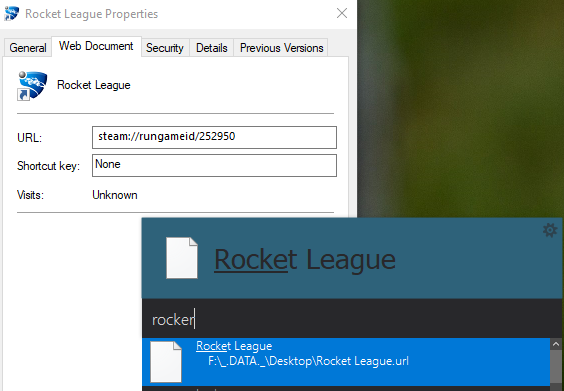
I wanted to second this, I have a related, likely the same, issue with Steam game shortcuts: