
rrweb
 rrweb copied to clipboard
 rrweb-io
iFrame content getting zoom in while replaying.
Hi,
try to find this issue in the list but could not.
While the recording of dom changes on the client-side, iframe for same-origin is working fine, but when we are trying to replay that events and when replayer's control comes to iframe content, it's getting zoomed in and not returning to the parent window (only iframe content is visible).
does anyone have faced this issue?
Thanks

Hi Code-Crash, thank you for your bug report. Could you share an example using https://rrwebdebug.com ?

Hi @Juice10 .
Please find the link you can see it's getting zoomed at 00:47 second:
https://rrwebdebug.com/play/index.html?url=https%3A%2F%2Fgist.githubusercontent.com%2FCode-Crash%2Fac5cf552ad8fe02b08866880eab9eb11%2Fraw%2Fa0f7defd88fc85554e950202422c8ee3b48fcbc2%2Fiframe-zoomed-in-issue.json&version=0.7.14&play=on
Also, found one more issue, attaching a different links for this issue, the issue is as below:
- All action/events which I did, I did on the parent window (which contains the iframe), but it looks like, I'm doing everything inside the iframe.
- I just scroll a little bit inside the iframe, and in this file's replay, looks like, I did scroll nested iframe (iframe within an iframe)
Link: https://rrwebdebug.com/play/index.html?url=https%3A%2F%2Fgist.githubusercontent.com%2FCode-Crash%2Fba8649b29190192621fc6adca0407e2e%2Fraw%2F70b60c6db008c673d0e4548edfab2f69261a9396%2Frrweb-events.json&version=0.7.14&play=on
Hi @Juice10 @Mark-Fenng
Is this a known issue or any update on the issue?
[
    {
        "type": 4,
        "data": {
            "href": "https://iframe-poc-react-app.vercel.app/",
            "width": 1728,
            "height": 969
        },
        "timestamp": 1651496475382
    },
    {
        "type": 4,
        "data": {
            "href": "https://iframe-poc-react-app.vercel.app/",
            "width": 554,
            "height": 180
        },
        "timestamp": 1651496522626
    },
    {
        "type": 4,
        "data": {
            "href": "https://iframe-poc-react-app.vercel.app/",
            "width": 554,
            "height": 180
        },
        "timestamp": 1651496548830
    },
    {
        "type": 4,
        "data": {
            "href": "https://iframe-poc-react-app.vercel.app/",
            "width": 554,
            "height": 180
        },
        "timestamp": 1651496678080
    }
]
@Code-Crash I think in your session, there is some event point you jump/refresh to the URL again and the original wdith/height is 554*180, so it zooms.

Thanks, @Yuyz0112 for your response.
Yes, I think I understood the issue, also, if we are using the same CSS classes inside iframe DOM and normal DON, it will affect it somehow.
Also, closing the issue, if required we can open it again.
Thanks, Pravin
Hi @Yuyz0112 and @Juice10 ,
I'm facing the same issue again, please find the link for example:
https://rrwebdebug.com/play/index.html?url=https%3A%2F%2Fgist.githubusercontent.com%2FCode-Crash%2F9c6d8ac2e1e993c310d8476dfe7f3f7c%2Fraw%2F24a7b3dba353c62d4b961e94d1e724d9d27fe99e%2Fiframe-zoomed-in-issue-vercel.json&version=0.7.14&play=on
Now, I think, our player is not able to stitch the events properly when it's dealing with iframe.
Please verify the same.
Thanks.
Hi @Yuyz0112, @Juice10 @Mark-Fenng,
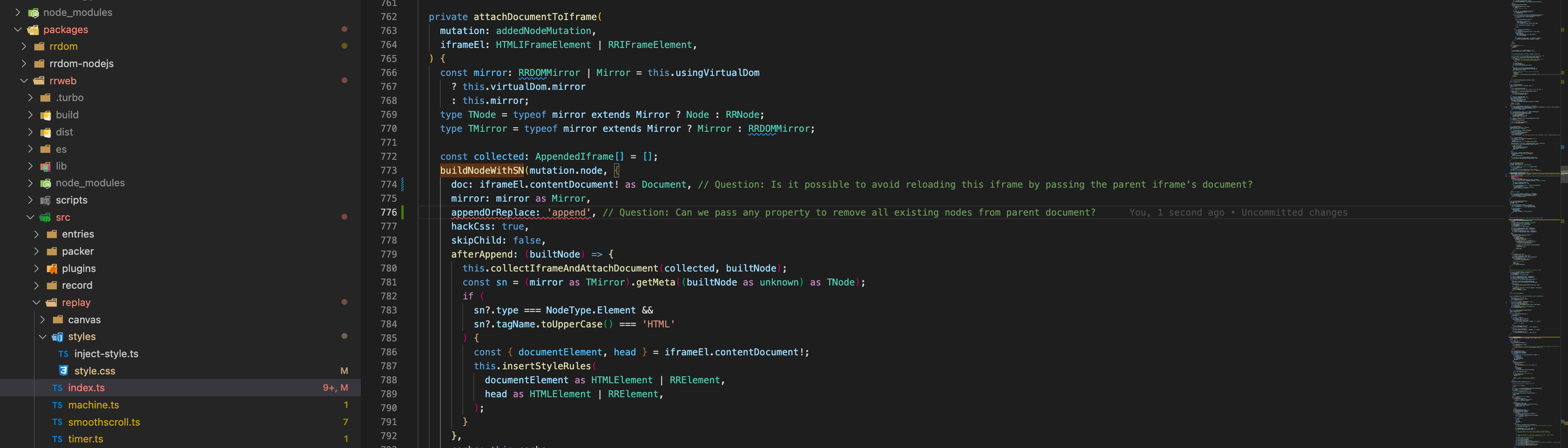
After some debugging, understood the issue, please see the attachment, the issue which got is in rrweb-snapshot .
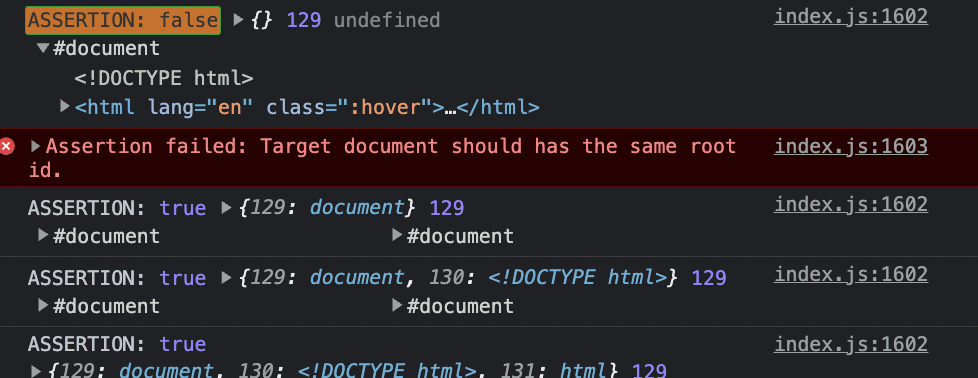
Also, Is there any way to avoid replacing the previous parent DOM? Please look into below attached image and see the question comment.
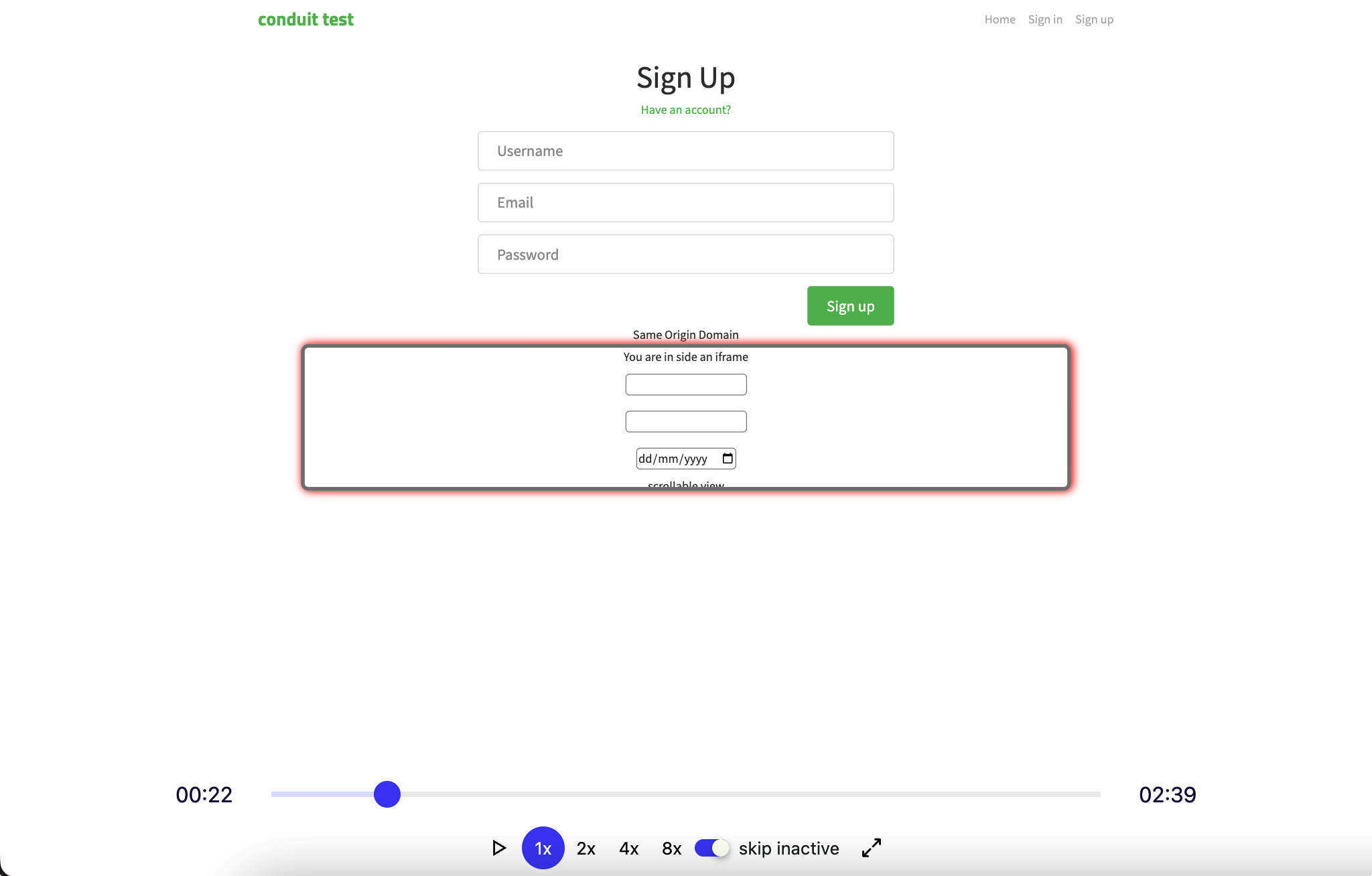
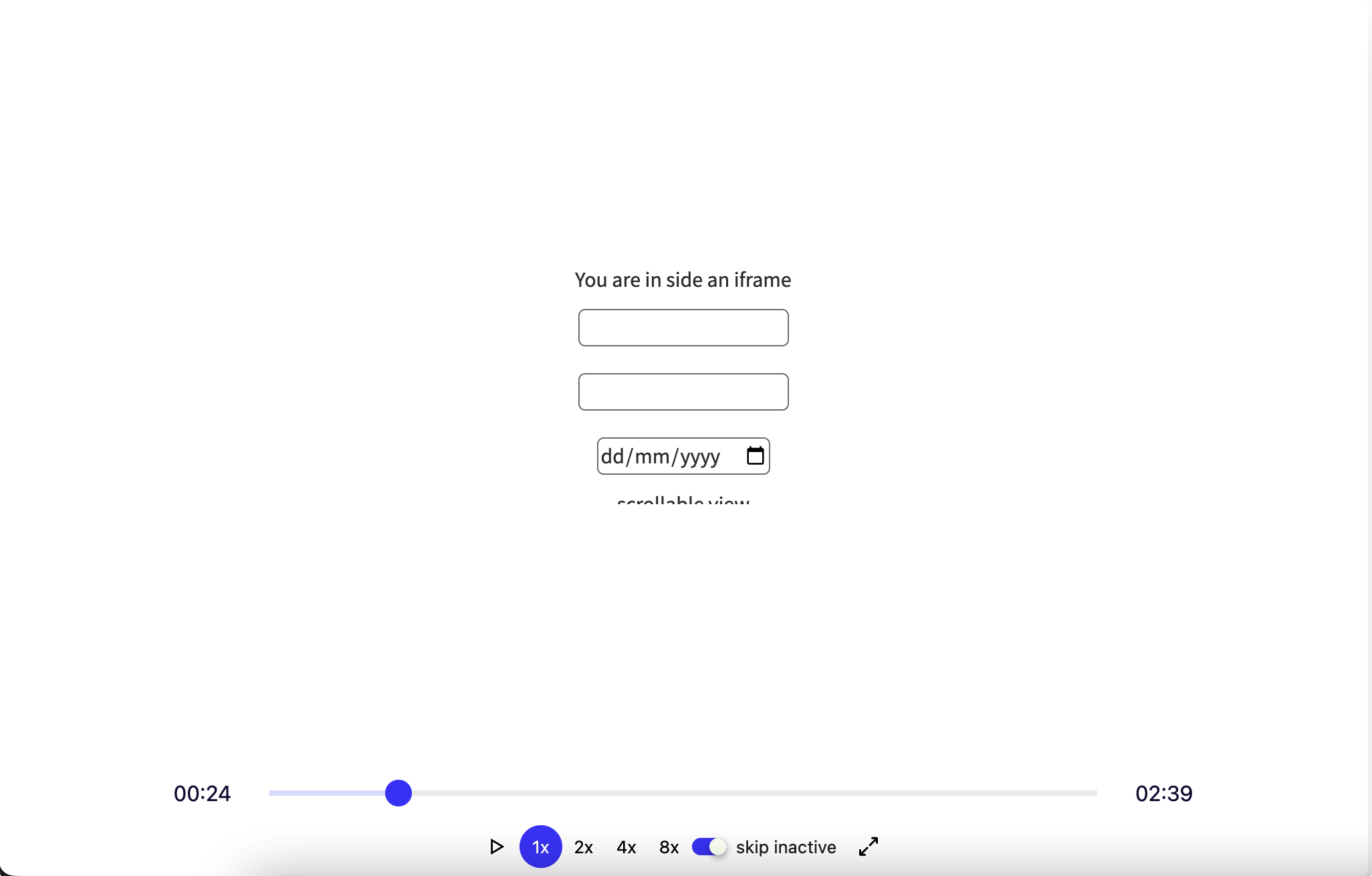
@Code-Crash Sorry, I don't understand which part of the uploaded events doesn't meet your expectation.
the former screenshot or the later one?
 or
or

Hi @Mark-Fenng , Thanks for the reply.
This second screenshot doesn't look right, because in the browser view there is an iframe within the main document like we see in the first screenshot. However, in the replay only the iframe is visible but in reality, the entire screen with the iframe is visible.
How can I see the entire DOM including the iframe when the user is interacting within the iframe as we can see in your first screenshot.
@Code-Crash I saw a meta event
{
  type: 4,
  data: {
    href: "https://iframe-poc-react-app.vercel.app/iframe",
    width: 989,
    height: 180,
  },
  timestamp: 1657093553420,
  v: "v1",
},
and a full snapshot event of establishing an IFrameElement after this. So the main document in the first screenshot must be replaced. This is the primary mechanism of how our replayer works.
I'd like to ask whether the events (meta and full snapshot) I mentioned were generated by the rrweb recorder or added by yourself after the recording.
Hi @Mark-Fenng ,
Thanks for the details, it was generated by rrweb recorder, I was trying to reproduce but not able to, once I find something will post here.