
ngx-virtual-scroller
 ngx-virtual-scroller copied to clipboard
 rintoj
Update to 4.0.3 doesn't work
No tables will be shown anymore after updating from 4.0.2 -> 4.0.3. So I guess that something went wrong in the update... When rolling back to 4.0.2 everything is working fine again.

Can you give some more info or create a stackblitz? The demo still seems to be working here: https://rintoj.github.io/ngx-virtual-scroller/samples

Can you give some more info or create a stackblitz? The demo still seems to be working here: https://rintoj.github.io/ngx-virtual-scroller/samples
A stackblitz would be a bit to difficult but the code-fragments are looking like this:
		<perfect-scrollbar #pScrollbar>
			<virtual-scroller #scroll
						[items]="filteredSkaterlist"
						[enableUnequalChildrenSizes]="false"
						[useMarginInsteadOfTranslate]="true"
						[parentScroll]="pScrollbar.directiveRef.elementRef.nativeElement"

						class="full-scroller-height"
						>
				<table class="table table-hover mb-0 line-height-2">
					<thead #header>
						<tr>
							<th class="w50 text-center">
I wonder if it has something to do with perfect-scrollbar or useMarginInsteadOfTranslate. The demos don't use either of those features.
The main change with 4.0.3. is using scaleX/scaleY instead of width/height for the invisible padding inside the scrollbar. The invisible padding is necessary to stretch the scrollbar to the full length of all items even though only a few of them are rendered. Switching to scaleX/scaleY functionally is equivalent, but it fixes a bug if there are millions of records in the dataset.
I'd like to troubleshoot a bit & see if we can find a fix. It doesn't seem to be a widespread problem as no one else has reported this issue with 4.0.3. Can you try without useMarginInsteadOfTranslate/perfect-scrollbar & see which of the 2 is causing the issue?
If we can't fix it, maybe we can add a setting in 4.0.4 which reverts back to width/height.
I'd like to troubleshoot a bit & see if we can find a fix. It doesn't seem to be a widespread problem as no one else has reported this issue with 4.0.3. Can you try without useMarginInsteadOfTranslate/perfect-scrollbar & see which of the 2 is causing the issue?
If we can't fix it, maybe we can add a setting in 4.0.4 which reverts back to width/height.
I will try your suggestion tomorrow and let you know. Thx for your help!
If we can't fix it, maybe we can add a setting in 4.0.4 which reverts back to width/height.
I tried your suggestion but it failed. After that I played a bit arround and could find a "fix". When setting "position:inherit !important" it works and shows me the table again.
.scrollable-content {
    top: 0;
    left: 0;
    width: 100%;
    height: 100%;
    max-width: 100vw;
    max-height: 100vh;
    /* position: absolute; */
}
It would be great to have a permanent fix :-) Thx a lot.
BTW: do you have any idea or solution for this topic too #396?
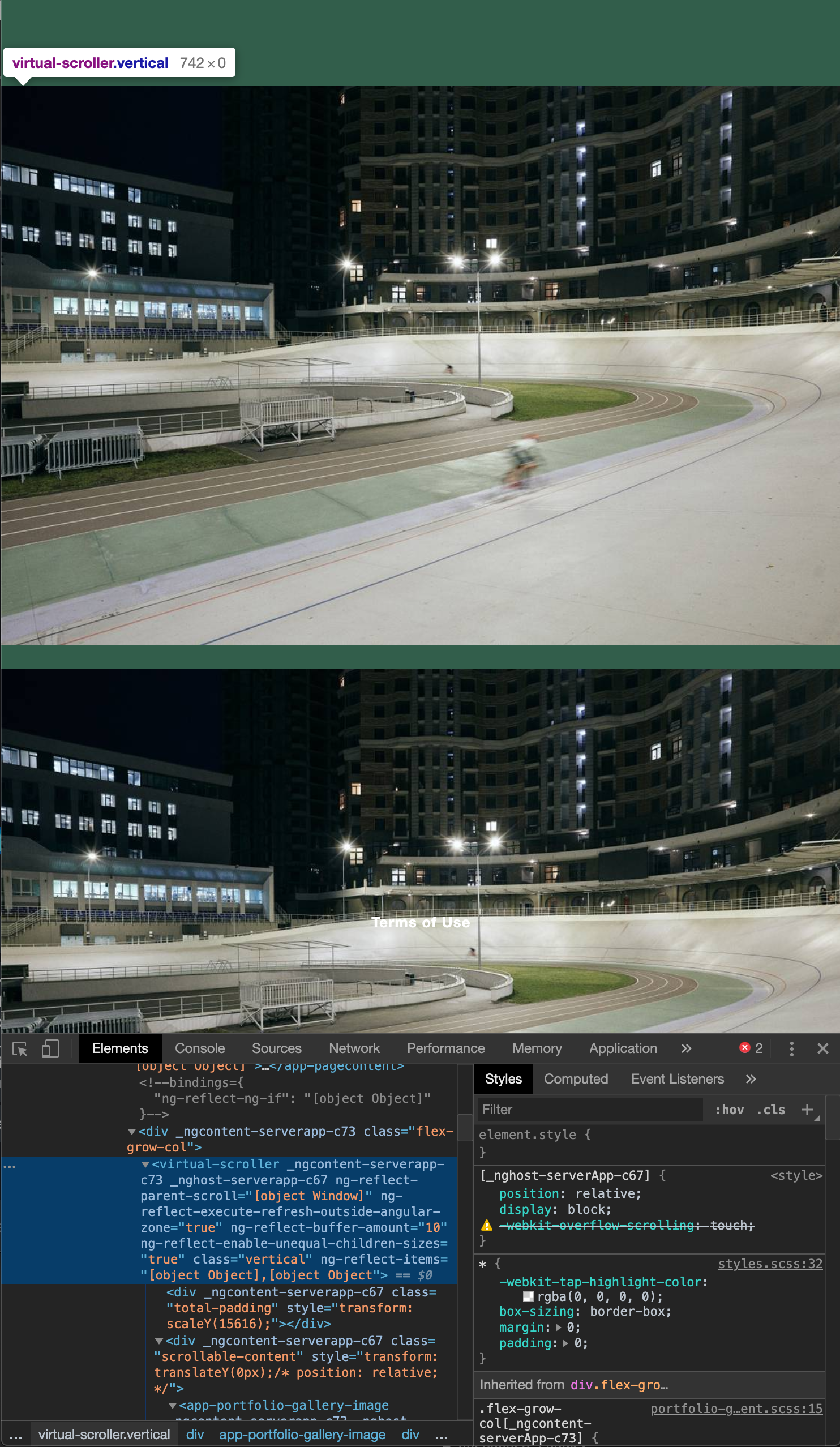
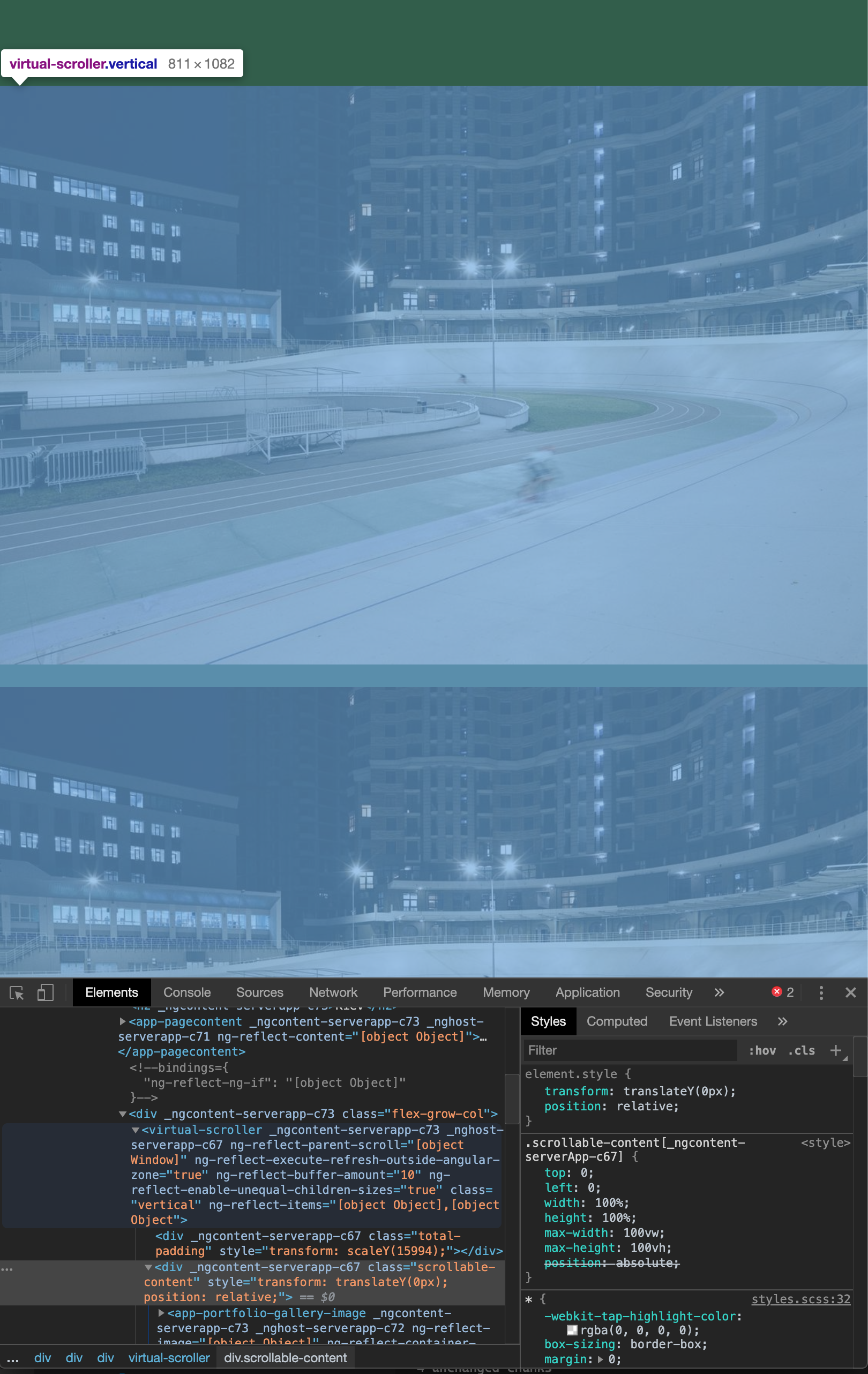
I have the same issue with my flex scrolling container that should grow with the content. But since you have set position: absolute; to the scrollable-content the content will be set out of the document flow and the virtual scroller height will be 0. (as shown in the screenshots) Setting the position of .scrollable-content to position: relative; fixes the issue and should be the default setting.
position: absolute;
position: relative;

@elementalPRESS @JulianBerger It sounds like you may have a proposed solution to the problem. Would you mind submitting a pull request? Thanks!

I agree, there is something broken with v4.0.3 (total-padding doesn't have any height and with a weird transform: translateY attribute) v4.0.2 is working fine though 👍
