
redux-devtools
 redux-devtools copied to clipboard
 reduxjs
[feat][inspector-monitor] add noop and rtk action filters - issue #753 #717
Description
This PR adds 3 toggle buttons to filter the actions displayed in the ActionList section.
A demo of the standalone monitor is available here.
Noop filter
When active hides actions that haven't caused state updates. Closes #717 .
RTKQ filter
When active filters out RTKQ actions. Closes #753 .
Invert Search
When active reverse returns all the actions that do not match the current search.
It behaves like the -v --invert-match flag of grep.
Related PR #476 .
Other changes
Moves Commit and Sweep buttons below the input element.
Note that they are visibile only when hideMainButtons is set to false.
Showcase
Standalone Demo
- https://redux-devtools-filter-buttons-demo.netlify.app/?dark
Extension pics
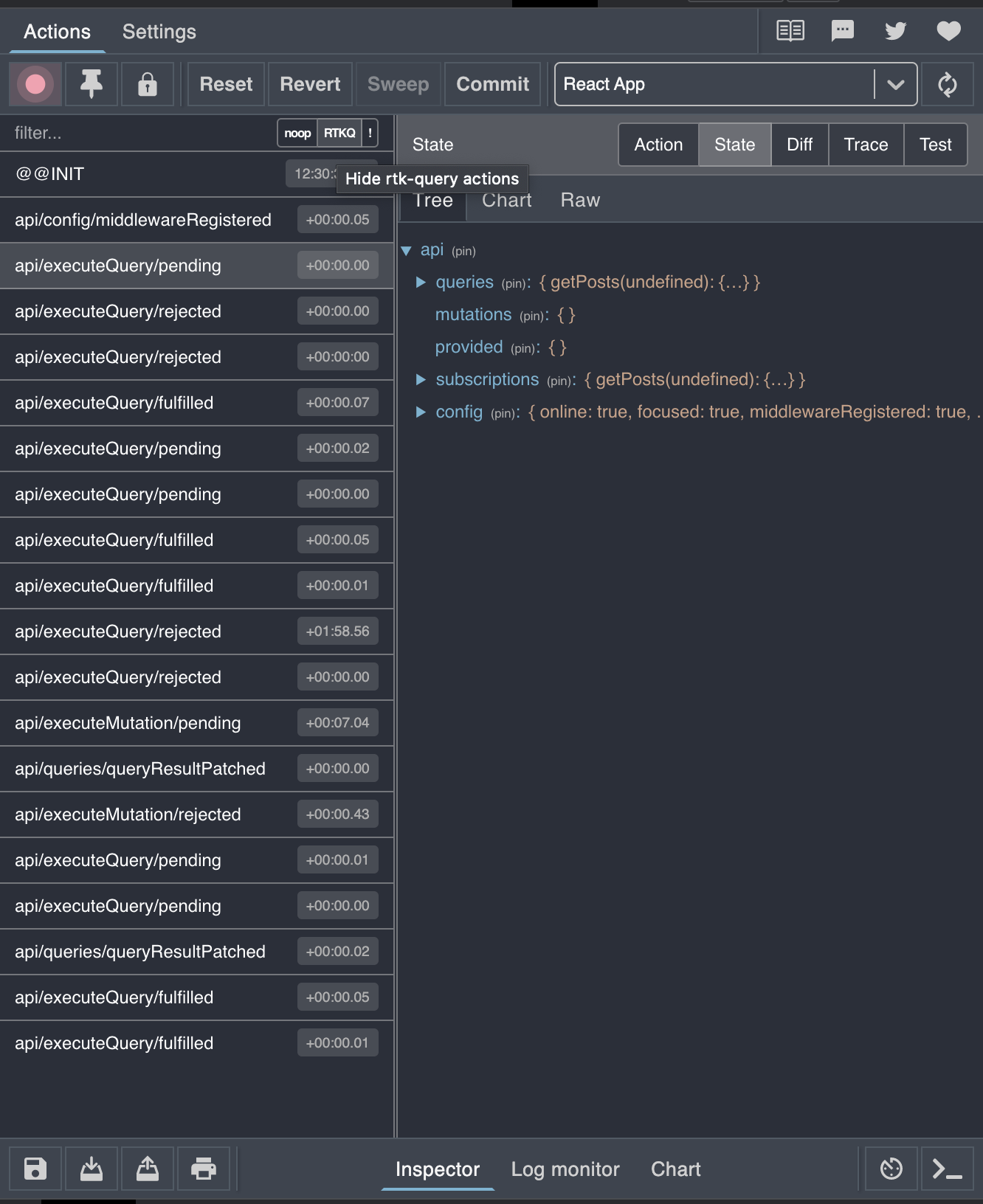
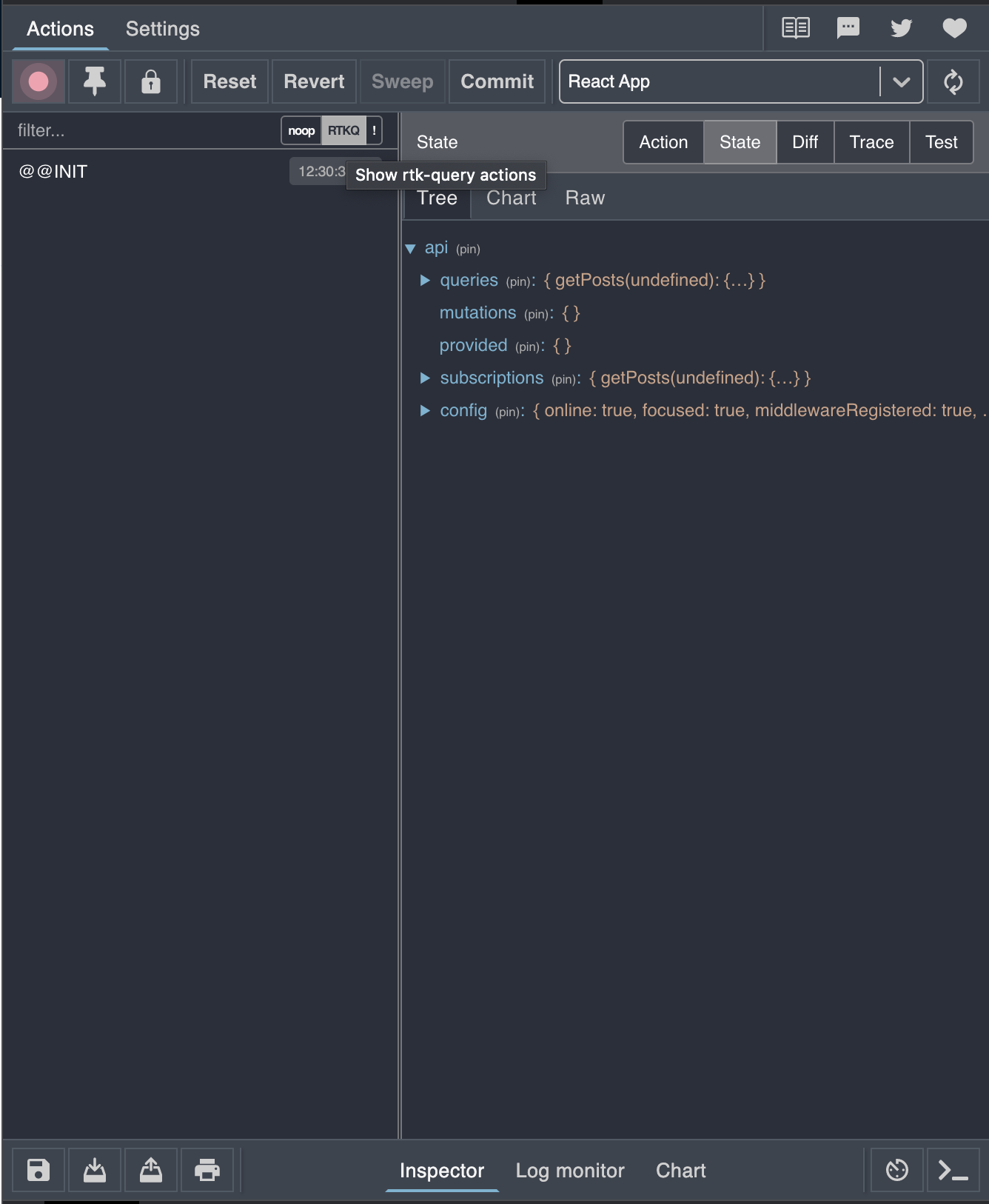
Acknowlegments
Thanks to @phryneas and @markerikson for the original ideas #753 #717.
Related Issues and PR
Closes #753 #717 Related PR #476 #750

I like the idea in principle, but I think we might want to take a different approach here.
Having hardcoded buttons for "Noop", "RTKQ", and "!" seems a little too overly-specific to me.
Instead, I'm going to suggest that we swipe an idea from the React DevTools. I think it might be worth adding a more dynamic set of filtering options that can be toggled on and off, with a sort of "query builder"-style UI:
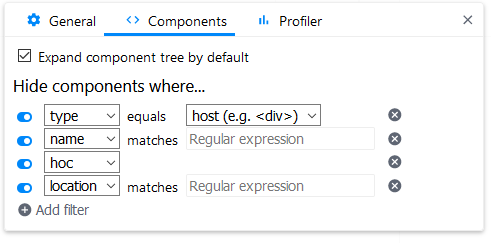
Can we make something like that for filtering out Redux actions?
I'm also not sure that "Noop" is sufficiently clear here. The term is well known in general, but I'm wondering if there's a better phrasing we can use to clarify that it means "actions that did not result in a new state being calculated".

Hi @markerikson,
Thanks for the feedback.
I'm not opposed to the idea of an advanced search form in another view but I'm not sure If strictly following the react devtools UX is a good idea.
Toggle buttons
Having hardcoded buttons for "Noop", "RTKQ", and "!" seems a little too overly-specific to me.
RTKQ filter
RTKQ filter is implemented using a regex generated at runtime that is roughly /^(api1|api2|...)/(executeQuery|executeMutation|...)/
I do not think that it would be wise to replace that with a generic regex filter:
it's rather tedious to write that regex by hand.
Moreover what I've implemented is basically what was asked here.
I might convert that to a checkbox/toggle with a clear label but I do not believe that's better to write everytime a regex rather than clicking a button once.
Noop Action
I agree that I unfortunately that button label it is not clear enough but I hoped that good [title] and [aria-label] would have sufficed.
In a wider form it could be replaced by a checkbox with a proper label.
Advanced Search Form
Can we make something like that for filtering out Redux actions?
I can create an advanced search view that is rendered over the ActionList.
I'm not really sure that kind of features we could add tho.
I believe that this advanced search form should keep rtkq and noop actions,
converted to checkboxes/switches with clearer labels.
Form widgets
- search/regex search
- an hasIn property path
is FSAcheckbox (maybe)- Invert search.
Have you got a specific widget in mind? Feedback?
I'm fine with having a generated set of RTKQ regexes, I'm just proposing that it be one of the selectable things in a filter menu that can then be toggled on and off.
Like, in that React DevTools filter example, have "RTK Query" be one of the selectable options in the dropdown on the left, with no further options on the right. I could actually see the potential for maybe even having "RTK Query" in the left dropdown, and the right would let you further filter on specific API endpoints or types ("api1", "fulfilled", etc), although that could be done later.
I still like the React DevTools filter UI approach: the ability to add multiple filters that get combined together, and each filter can be defined using several pre-existing options.