intellij-openshift-connector
 intellij-openshift-connector copied to clipboard
Published
20 hours ago •
 redhat-developer
redhat-developer
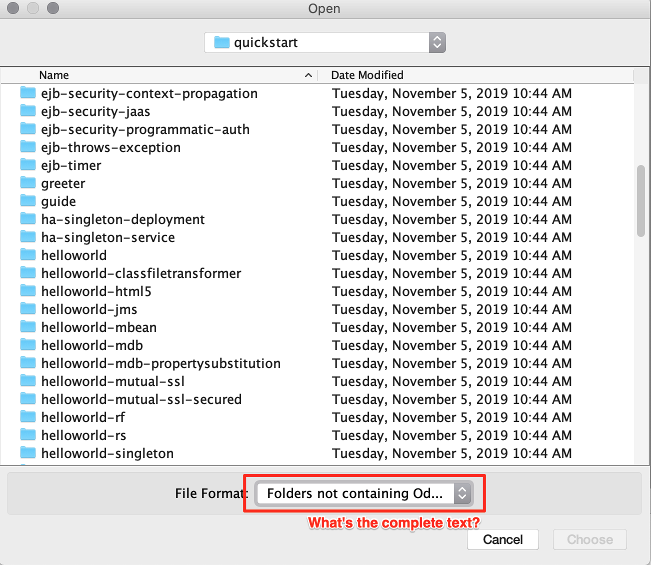
Create Component: Choose Folder: cannot read the full text of the filter
Steps:
- ASSERT: OpenShift Explorer: have an cluster with a project shown
- EXEC: select project and pick "Create Component" in the ctx menu
- ASSERT: "Create Component" dialog pops up
- EXEC: for the "Context" hit the button "Choose Folder"
- ASSERT: Directory chooser shows up.
- EXEC: try to read the text of the filter
Result:
I cannot read what the filter is saying. I am guessing that it says "Folders not containing Odo component" but I dont know for sure since I can only read "Folders not containing Od..."