
react-docgen
 react-docgen copied to clipboard
Published
20 hours ago •
 reactjs
reactjs
[TS] parse returns props without type field.
the input code
import React from 'react';
import './button.css';

export interface ButtonProps {
  /**
   * Is this the principal call to action on the page?
   */
  primary?: boolean;
  /**
   * What background color to use
   */
  backgroundColor?: string;
  /**
   * How large should the button be?
   */
  size?: 'small' | 'medium' | 'large';
  /**
   * Button contents
   */
  label: string;
  /**
   * Optional click handler
   */
  onClick?: () => void;
}

/**
 * Primary UI component for user interaction
 */
export const Button: React.FC<ButtonProps> = ({
  primary = false,
  size = 'large',
  backgroundColor,
  label,
  ...props
}) => {
  const mode = primary ? 'storybook-button--primary' : 'storybook-button--secondary';
  return (
    <button
      type="button"
      className={['storybook-button', `storybook-button--${size}`, mode].join(' ')}
      style={{ backgroundColor }}
      {...props}
    >
      {label}
    </button>
  );
};
the parse code
     const rawReactDocs = parse(context.code, null, null, {
            filename: context.fileName, //path.resolve(),
            babelrc: false,
        });

        console.log("rawReactDocs", rawReactDocs)

        const rawProps = rawReactDocs.props || {};

        const props = Object.keys(rawProps)
            .filter(name => name !== "children")
            // .filter(name => rawProps[name].type || rawProps[name].tsType || rawProps[name].flowType)
            .map(name => ({ name, value: rawProps[name] }));
        console.log("props", props)


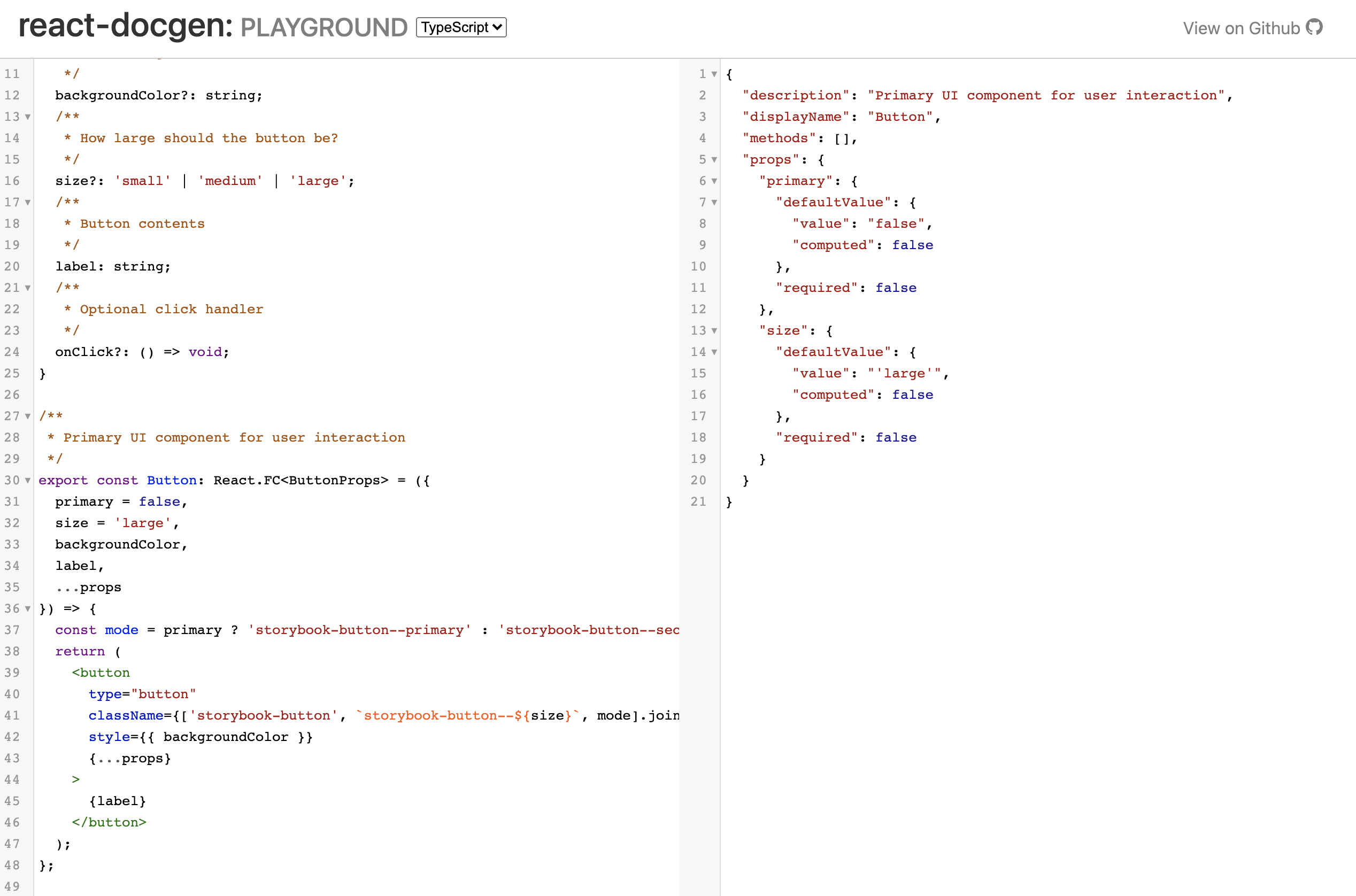
which JS works fine. (above is ts, running on official web, returns no type)

Note that if you remove the React.FC and declare a plain function the types work fine. I don't recommend using React.FC anyway.

Here (https://react-typescript-cheatsheet.netlify.app/docs/basic/getting-started/function_components) it is mentioned that
React.FC is discouraged, although I didn't read all the conversations about it.
So in the light of this I wonder if this should be even supported.
