
datetimepicker
 datetimepicker copied to clipboard
 react-native-datetimepicker
IOS 15 - cannot influence touch-zone with use new Native calendar
Bug report
Steps to reproduce
- Launch any IOS 15 simulator
- Create date picker component
- Try increase component's width to increase touch zone
- Set mode like this - display="default"
- Verify default behaviour
- IOS < 15 = touch zone increased and you can type on bigger zone
- IOS === 15 = touch zone only lands on Date field and you cannot influence that
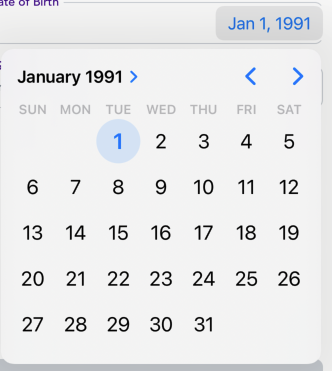
IOS 15 behaviour
THERE I cannot tap on full input zone

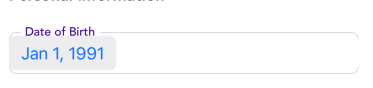
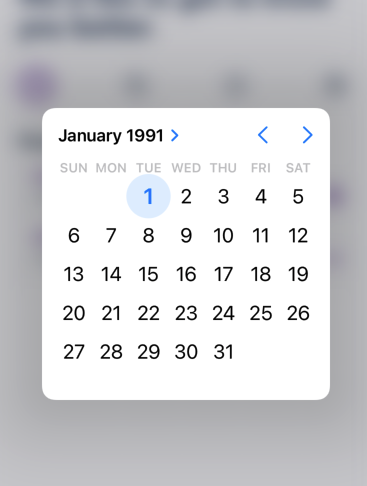
IOS <=14
THERE I can tap on full input zone
Describe what you expected to happen:
- I expect to increase touch zone with increase width and height of component - IOS 15
"react-native": "0.64.2", datetimepicker version: 3.5.2
iOS version: 15.0
EXTRA point: On real device with ios 15 - behaviour vice-reverse. I can tap on input zone to open the calendar but cannot do it by tapped on calendar button (with date).

Bug report
Steps to reproduce
- Launch any IOS 15 simulator
- Create date picker component
- Try increase component's width to increase touch zone
- Set mode like this - display="default"
- Verify default behaviour
- IOS < 15 = touch zone increased and you can type on bigger zone
- IOS === 15 = touch zone only lands on Date field and you cannot influence that
IOS 15 behaviour THERE I cannot tap on full input zone
IOS <=14 THERE I can tap on full input zone
Describe what you expected to happen:
- I expect to increase touch zone with increase width and height of component - IOS 15
"react-native": "0.64.2", datetimepicker version: 3.5.2
iOS version: 15.0
EXTRA point: On real device with ios 15 - behaviour vice-reverse. I can tap on input zone to open the calendar but cannot do it by tapped on calendar button (with date).
I also need like this. did you fix it?

Along the same lines, I would love if the touch zone is fully customizable.
