

 react-grid-layout
fix(callbacks): ensure onDragStop always fires if onDragStart did
Fixes #1341 Fixes #1401
This PR, rewritten on March 10, ensures that onDragStart (and thus onDragStop) do not fire unless an actual drag (1px or greater) occurs.
This makes it a lot easier to use the handler, as you don't have to ignore simple clicks on your grid items.
As this is a breaking change, it is behind the prop ignoreClickOnly until we increment the major version.
cc @djmisterjon @breautek @piltorious @DNosralla

Alternatively we could wait until the first actual drag to call the callback (rather than mousedown). I'm interested in hearing pros/cons to this if anyone has any.
In my use this, I think this would be better and I don't think this quite solves the problem with #1341 I'll provide an example. In my use case we have a widget that has two actions, a click action and the drag action.
The problem I face (and the same as the OP of https://github.com/react-grid-layout/react-grid-layout/issues/1341 I believe) is that when you do a click, the drag initiates on mouse down, creating a move effect like shown in the attached gif. We would like to only initiate a drag once the mouse starts moving so the widget only is "grabbed" when the user moves the mouse, not when they do a click. This is the premise of the threshold proposal I laid out in https://github.com/react-grid-layout/react-grid-layout/issues/1341#issuecomment-789014024
This way, on click the widget won't move until the mouse actually starts moving.
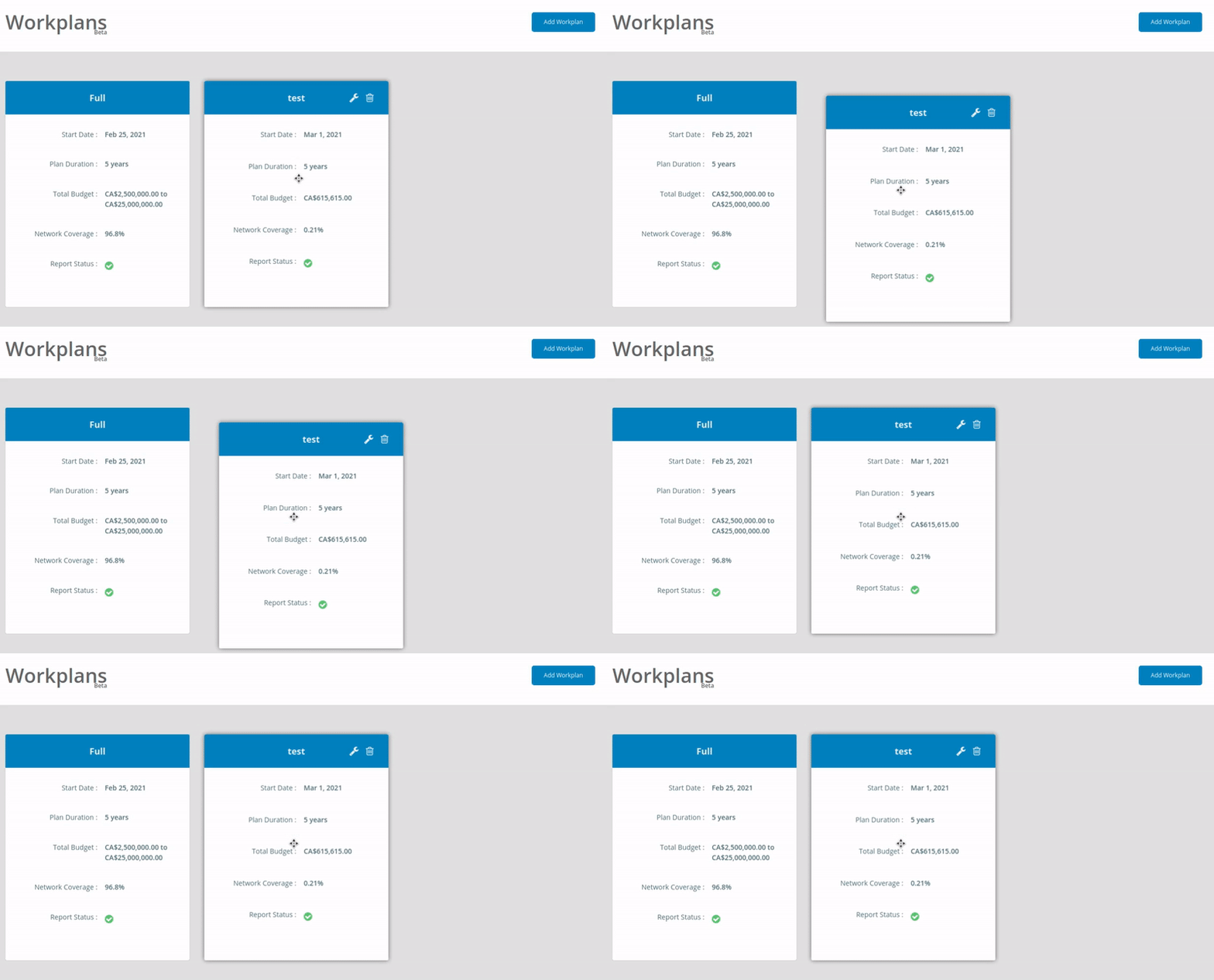
If there is anything I could do to help, do let me know.

Both solution suite me. But i do not have enough experimental cases to tell what will be the better way. Maybe provide a high API settings to offer the two fix behaviors.
To appeal to everyone, sometime it a good idea to provide a small Config API with flag at high level to allowing different behavioral. ex:
//user
import GridLayout,{RGLConfig} from 'react-grid-layout';
RGLConfig._FORCE_DRAG_STOP_ =true;

//core RGL
 if (RGLConfig._NO_DRAG_POINTER_DOWN_ ) {
   // ... stuff
 }
if (!this.state.activeDrag && RGLConfig._FORCE_DRAG_STOP_ ) {
   // ... stuff
 }
example libs gsap do this for allow people to manage breakchange and also cover all scenario usage. https://greensock.com/docs/v3/GSAP/gsap.config()
Alternatively we could wait until the first actual drag to call the callback (rather than mousedown). I'm interested in hearing pros/cons to this if anyone has any.
yep i also remember facing the issue @breautek showed upper.
It can happen from first calculations when we customize the height, compact and use useCSSTransforms={false} behavior.
mouse click can be see left with yellow circle and right by red and greed log
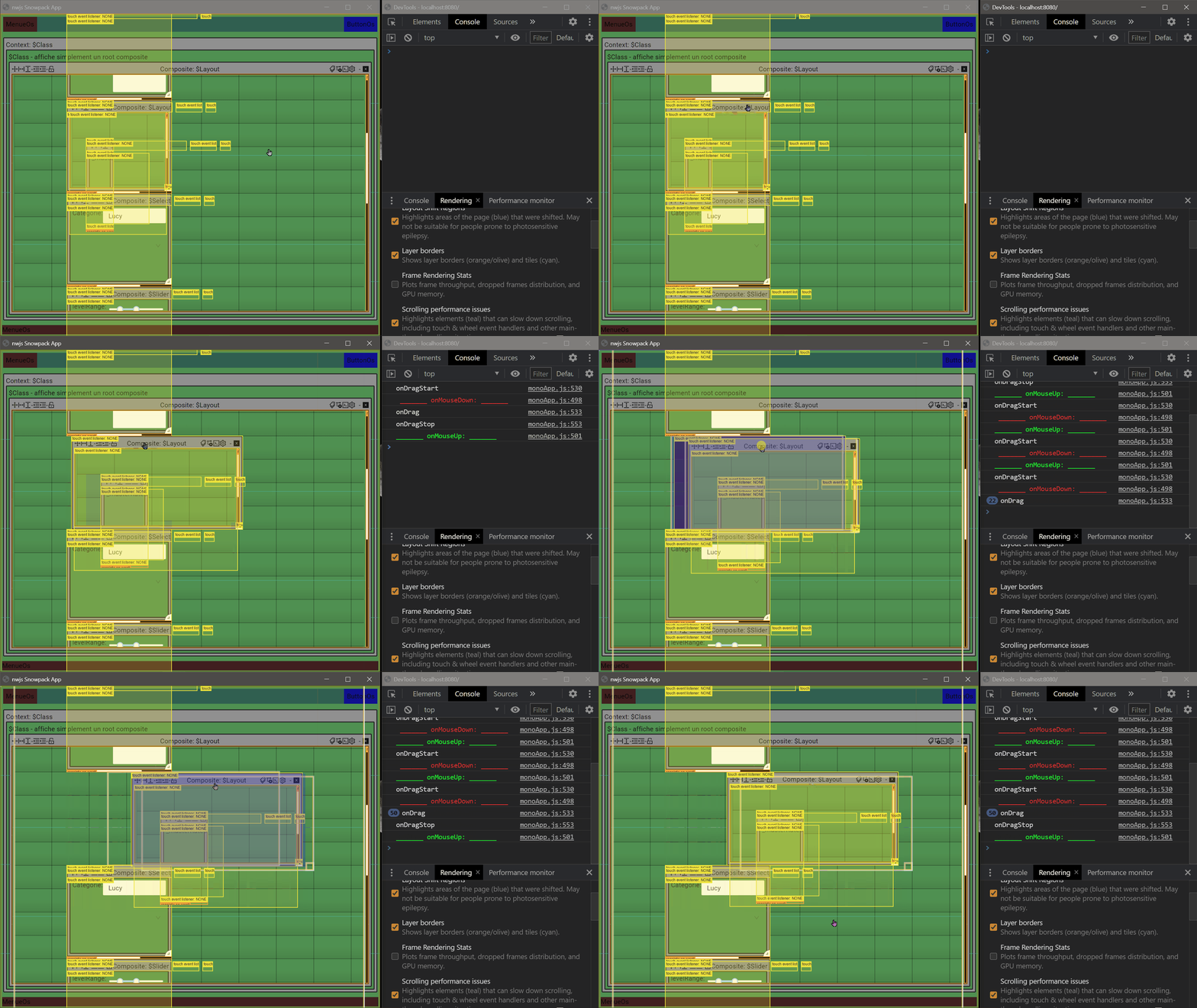
the issue are not present with useCSSTransforms={false} because calculation seem ok the first rendering.
But the fast click also fires onDragStart without onDragStop.
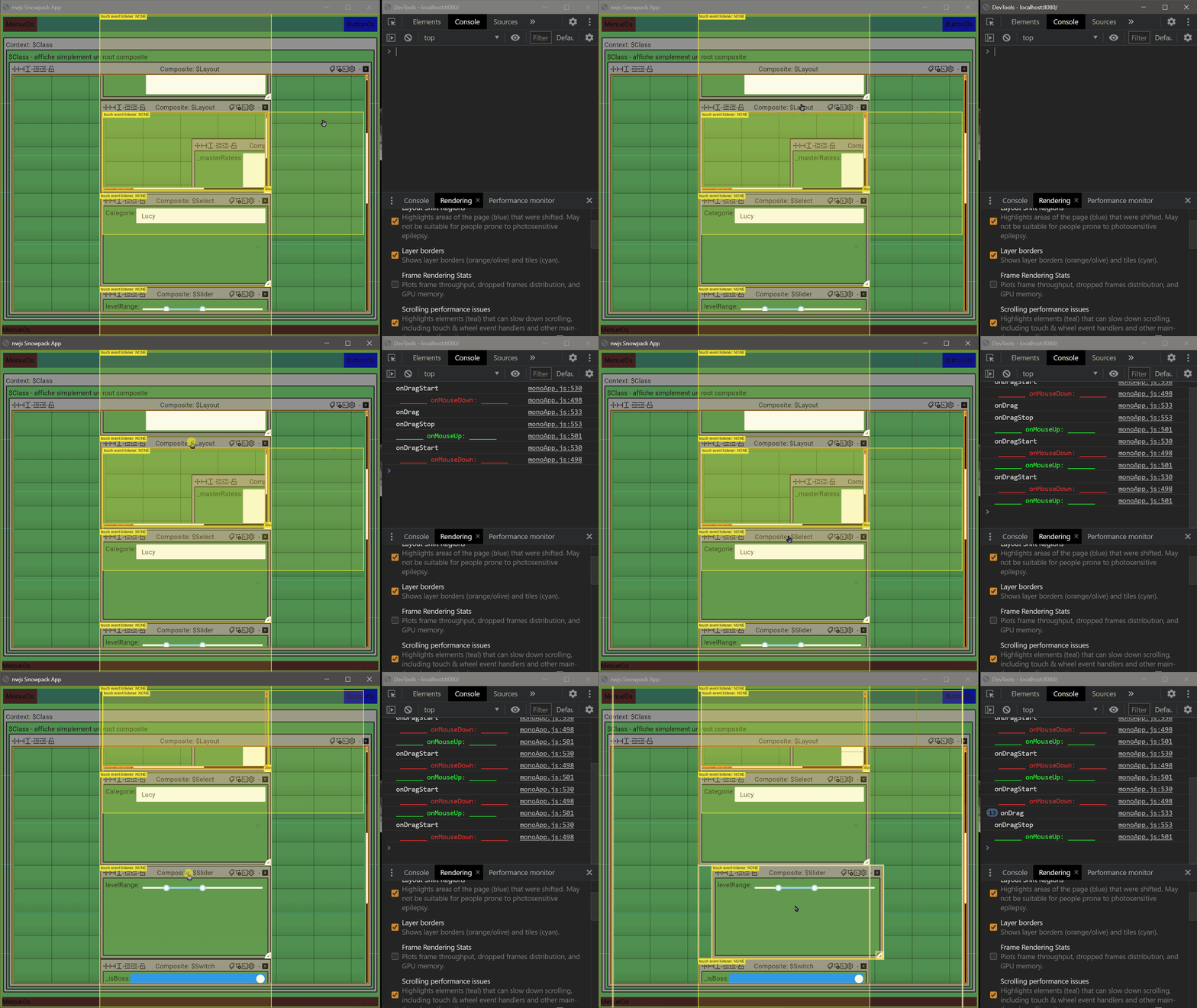
conclusion
- force fires
onDragStopwhenonDragStartemitted is a good solution for me. - emit only
onDragStartwhen first drag is detecting can be also a good solution for me , but can be problematic if the mouse down make small move of the elements.
both could be offered with a high level API settings. GridLayout.RGLConfig
or if no API setting can be made, i will have a preference for the first solution, because I already know behavior.
This is my personal opinion for my personal use.
thanks for all @+
EDIT: oups sorry, i realise to late i use onMouseDown instead onMouseDownCapture.
So it why you see onDragStart before _______ onMouseDown: _______. inside gif. it just a visual issu.
`
here with onMouseDownCapture
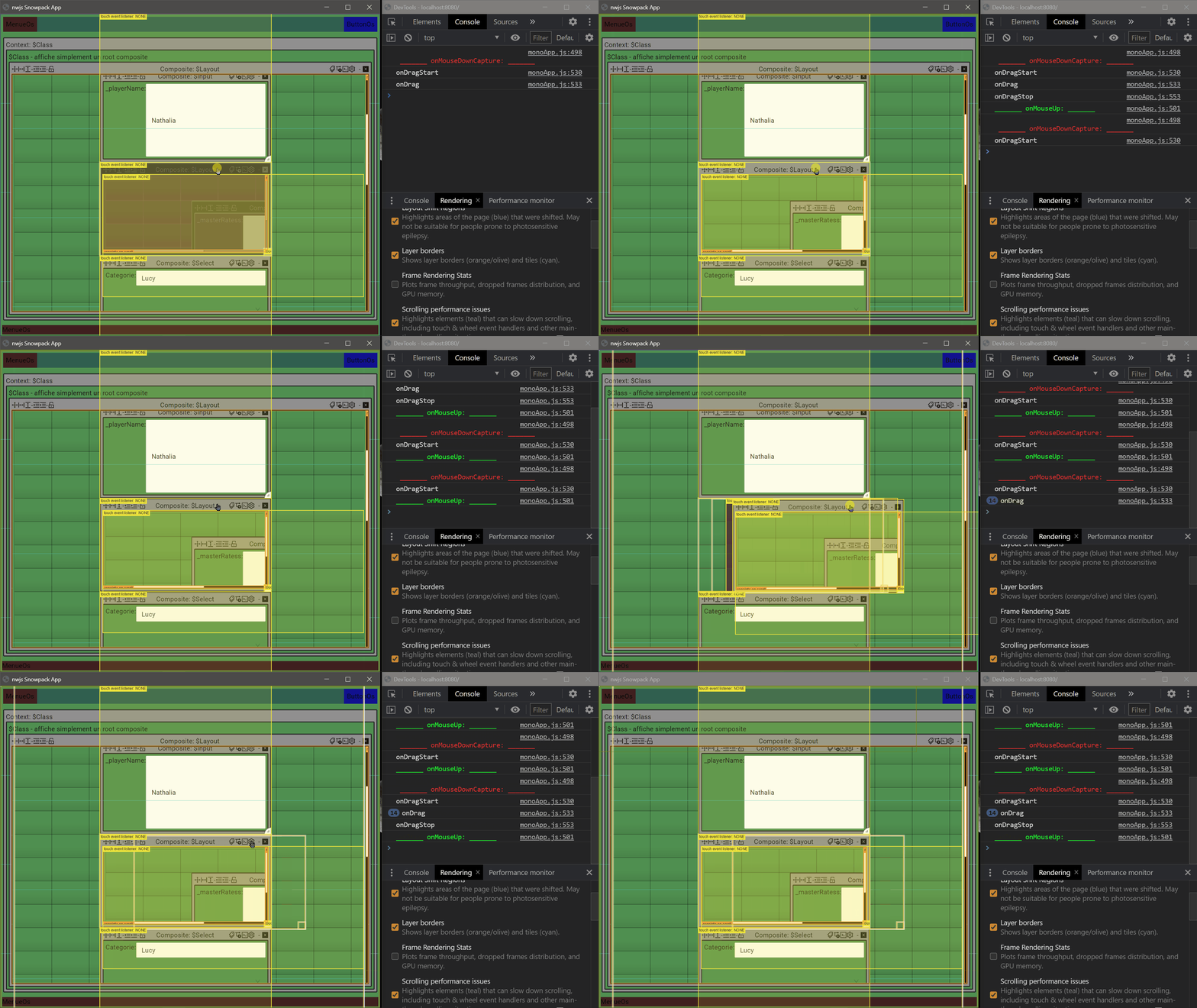

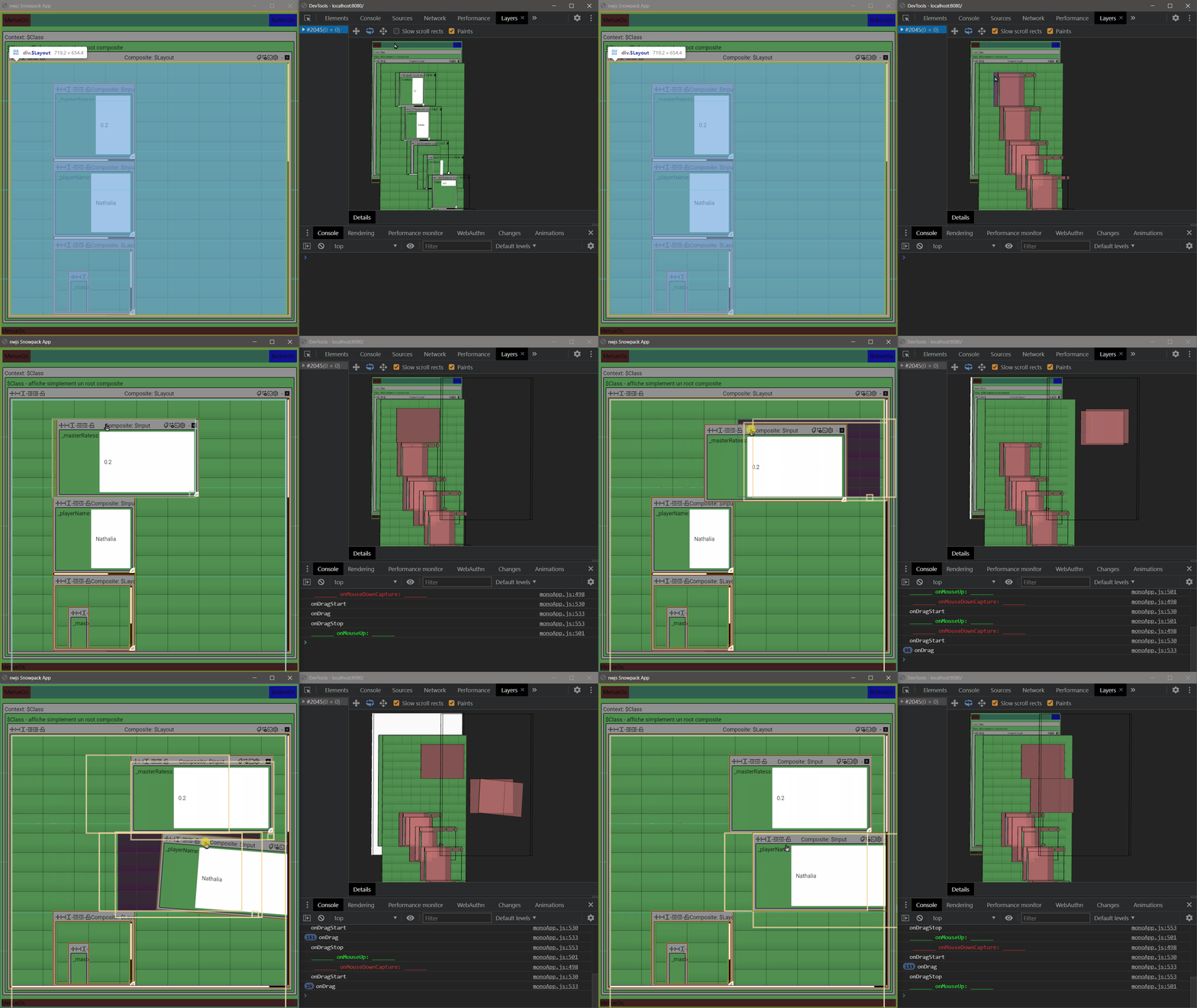
To bring this back to the original issue. onDragStart should not fire until the user is actually moving the widget. A click should not start that process alone. A click and some minimum pixel movement x or y should. The stackblitz that I put on the original post highlighted it well, both moving and just clicking the widget resulted in onDragStart firing.

Firstly, thank you @STRML for maintaining this library. It is extremely solid and I am enjoying it tremendously.
I do have a solid functioning work around that uses a few react hooks (useEffect and useContext) to maintain the state of if a widget is actually moving. I'm using GridLayout's onDrag and onDragStop events to set my context value. In onDrag I had to setup a function to determine if a widget was moving.
const [isWidgetMoving, setIsWidgetMoving] = useState(false);
return (
        <IsWidgetMovingContext.Provider value={isWidgetMoving}>
            <GridLayout
                className="layout"
                cols={12}
                isDraggable={props.draggable}
                isResizable={false}
                layout={gridLayout}
                margin={[15, 15]}
                onDrag={(layout, oldItem, newItem, placeholder, event, element) => isLayoutChildMoving(event) ? setIsWidgetMoving(true) : null}
                onDragStop={() => setTimeout(() => setIsWidgetMoving(false))}
                onLayoutChange={(gridLayout: GridLayout.Layout[]) => handleGridLayoutChange(props.layout, gridLayout)}
                rowHeight={125}
                width={1392} >
                {gridLayoutChildren}
            </GridLayout>
        </IsWidgetMovingContext.Provider>
    );
function isLayoutChildMoving(event: MouseEvent): boolean {
    return !!(event.movementX || event.movementY);
}
I then check the useContext hook value (IsWidgetMovingContext) to check if a widget is moving before allowing a click even on specific widgets.
@STRML Are there other contributors to this library that will review the PR or am I it?
Looking forward to getting this fix out. Any chance of getting someone on the team to review this soon? Thank you.

This PR is stale because it has been open 30 days with no activity. Remove stale label or comment or this PR will be closed in 7 days
![github-actions[bot] avatar](https://avatars.githubusercontent.com/in/15368?v=4 "Published by a pub.dev verified publisher")


This PR is stale because it has been open 30 days with no activity. Remove stale label or comment or this PR will be closed in 7 days
Can we have an estimation on when can this PR be delivered? ignoreClickOnly seems like would be very helpful :)


Unfortunately this needs a pretty big rebase and I don't have time for it. If anyone else does, please ping me and I'll pull the changes in.
@STRML I just rebased the code, but 2 tests still fail. I think simulateMovementFromTo function isn't working properly so GridItem.moveDroppingItem returns earlier than expected, but I don't know what is the correct way to mock it. Would you like to take a look?

