
jigsaw
 jigsaw copied to clipboard
 rdkmaster
Jigsaw七巧板 provides a set of web components based on Angular5/8/9+. The main purpose of Jigsaw is to help the application developers to construct complex & intensive interacting & user friendly web...


## 用法 ``` ``` ## 输入 - `progress: number` 当前的进度值,需要根据`min` / `max` 换算成比例,取小数点后1位。换算出来的比例取值范围恒为 [0 ~ 100] - `min: number` 最进度小值,默认是0 - `max: number` 最大进度值,默认是100 - `labelFormatter: string` 文本格式,默认值是 `"$p %"`,其中`$p`是一个占位符,表示当前的进度值,清空则表示不显示文本...

## 界面原型 
# JigsawMenu组件 用于在界面上显示一个菜单。需要支持多级菜单。 ## 难度系数1.3 Jigsaw已经有多个基础组件可以用于完成这个功能,完成这个赛题需要做的事情是恰当的组合这些功能,并提供良好的封装和API。需要熟熟练用Jigsaw的`PopupService`来控制弹出组件的位置等信息。 ## 演示 交互方面请参考下面这个图上的效果(无视这个图上的css)。 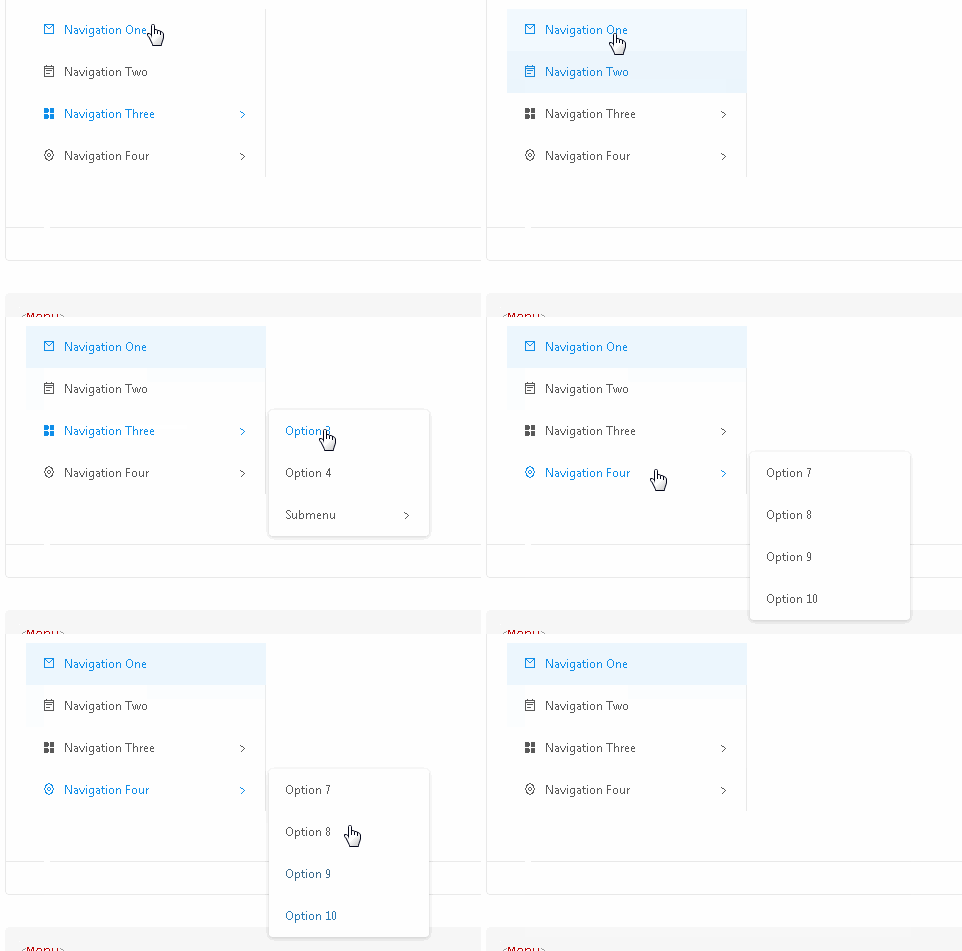 使用我们为赛题专门准备的样式即可,如下 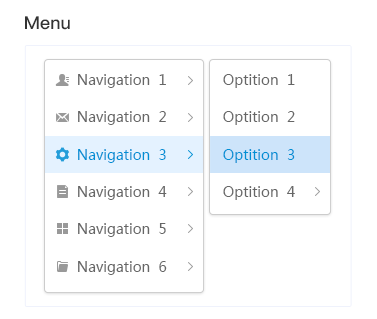 ## 使用方法 应用有两种典型的使用方式: - 上下文菜单。应用在ts代码中直接将菜单弹出在某个dom元素附近: ```typescript const menuData=[ {label: 'item1'}, {label: 'item2'}, { label: 'item3', children: [ {label:...