
userscripts
 userscripts copied to clipboard
 quoid
quoid
Update the app will reset the script closure state
System Information:
macOS or iOS version: latest Userscripts version: v4.2.0, v.1.2.0 Safari version: latest Is this issue related to script injection? not related Did the test script (pasted above) successfully run on your machine? not related
When I updated the Userscripts App, some scripts that were closed (greyed out) were all opened.
The ideal situation should be that the previous state can be preserved after the update, which is useful for a long script list.

some scripts that were closed (greyed out) were all opened.
Can you give more detail about this? What does greyed out / closed mean in this context?

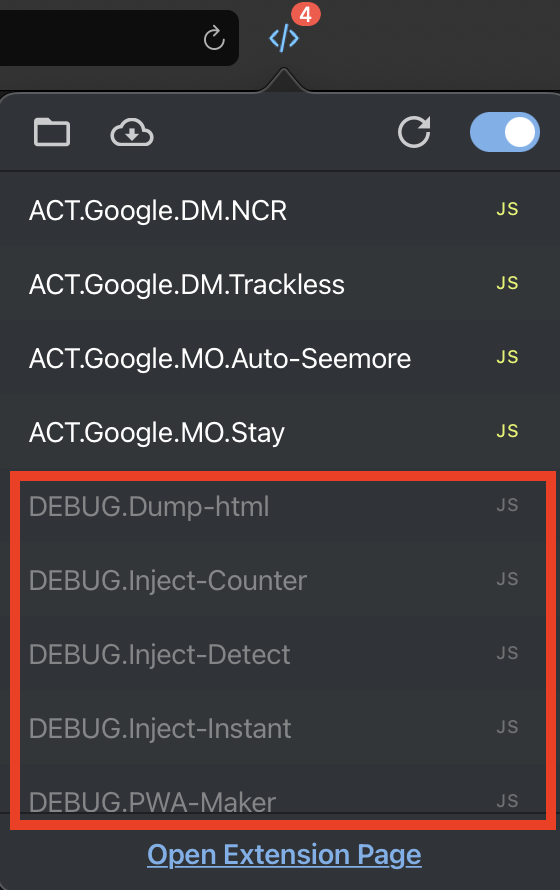
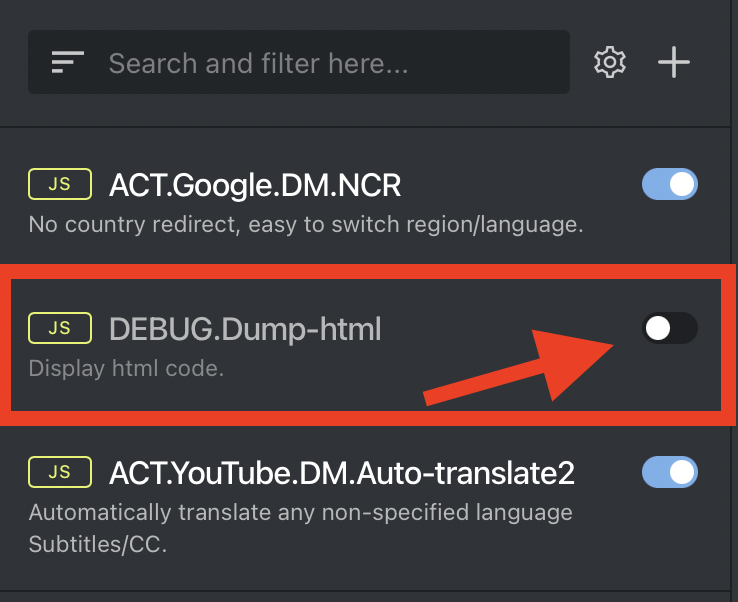
Thanks for clarifying @ACTCD
The state for whether or not a userscript is disabled is stored in the extensions manifest.json file (different from the webextension manifest). That file really shouldn't be deleted during the update, unless there was a change to the manifest format. This past update did change the manifest format, which subsequently created a new file to overwrite the existing one.
I do not think Apple typically deletes an app's Data folder during updates and this shouldn't happen in future updates unless the manifest format changes again.
That file is stored here: ~/User/Library/Containers/Userscripts/Data/Documents/manifest.json
And the key for that state is disabled.
Another note on this:
The paradigm of using that manifest file was created before the WebExtension API was supported and before the extension was re-written to utilize that API. It would probably be a good idea, at some point in the future, to fold that manifest logic into the background script and use browser.storage instead - or at the very least investigate whether or not it would be beneficial.
@quoid
Maybe when the manifest format changes, we shouldn't overwrite it directly, but try to extract valid data from the old manifest and convert it to the new manifest to preserve user settings.
Although losing this data may not be critical, it will always cause some trouble for the user, such as the need to re-close some scripts after the update as I said. It's a bad experience.
Maybe when the manifest format changes, we shouldn't overwrite it directly, but try to extract valid data from the old manifest and convert it to the new manifest to preserve user settings.
I think that is the way to go.
Historical updates have not been able to fix it. Future updates will avoid this issue. Close this issue.