
vscode-plantuml
 vscode-plantuml copied to clipboard
 qjebbs
Preview randomly stops working
Version 2.13.17
Using local preview, periodically it will just stop responding and I have to reload VSCode to get it working again. Unfortunately, the extension doesn't seem to do any logging, so that's all I have to go on at the moment, but it happens very reliably, so let me know if I can help debug.

This is happening with me as well while updating puml file it work just fine for couple of updates and then preview dies and i have to restart the VSCode in order to get updated preview. :( I have latest PUML plugin and using latest VS Code
Version: 1.52.1 (user setup) Commit: ea3859d4ba2f3e577a159bc91e3074c5d85c0523 Date: 2020-12-16T16:34:46.910Z Electron: 9.3.5 Chrome: 83.0.4103.122 Node.js: 12.14.1 V8: 8.3.110.13-electron.0 OS: Windows_NT x64 10.0.17763

Same here. Have to close VS code and launch it anew. How can I enable logging so that I can troubleshoot what's going on?

It happens me too. I realized that, in my case, when I use newpage, it happens.

Also having this issue. I also think it maybe correlated with newpage.
plugin version 2.17.0
Version: 1.63.2 (user setup) Commit: 899d46d82c4c95423fb7e10e68eba52050e30ba3 Date: 2021-12-15T09:40:02.816Z Electron: 13.5.2 Chromium: 91.0.4472.164 Node.js: 14.16.0 V8: 9.1.269.39-electron.0 OS: Windows_NT x64 10.0.19043

The is a great plug-in. I used it for a couple of days and it worked fine until I rebooted my windows PC. I have the same issues. I did notice a "write EPIPE" error in the plugin runtime status; uncaught errors each time I attempt to update the preview. Restarting vscode had no effect. I tried the embedded JAR and the server. Both did not work. I would be happy to instrument my setup and provide more details.

My current installation in vscode is failing with this message in the extension section
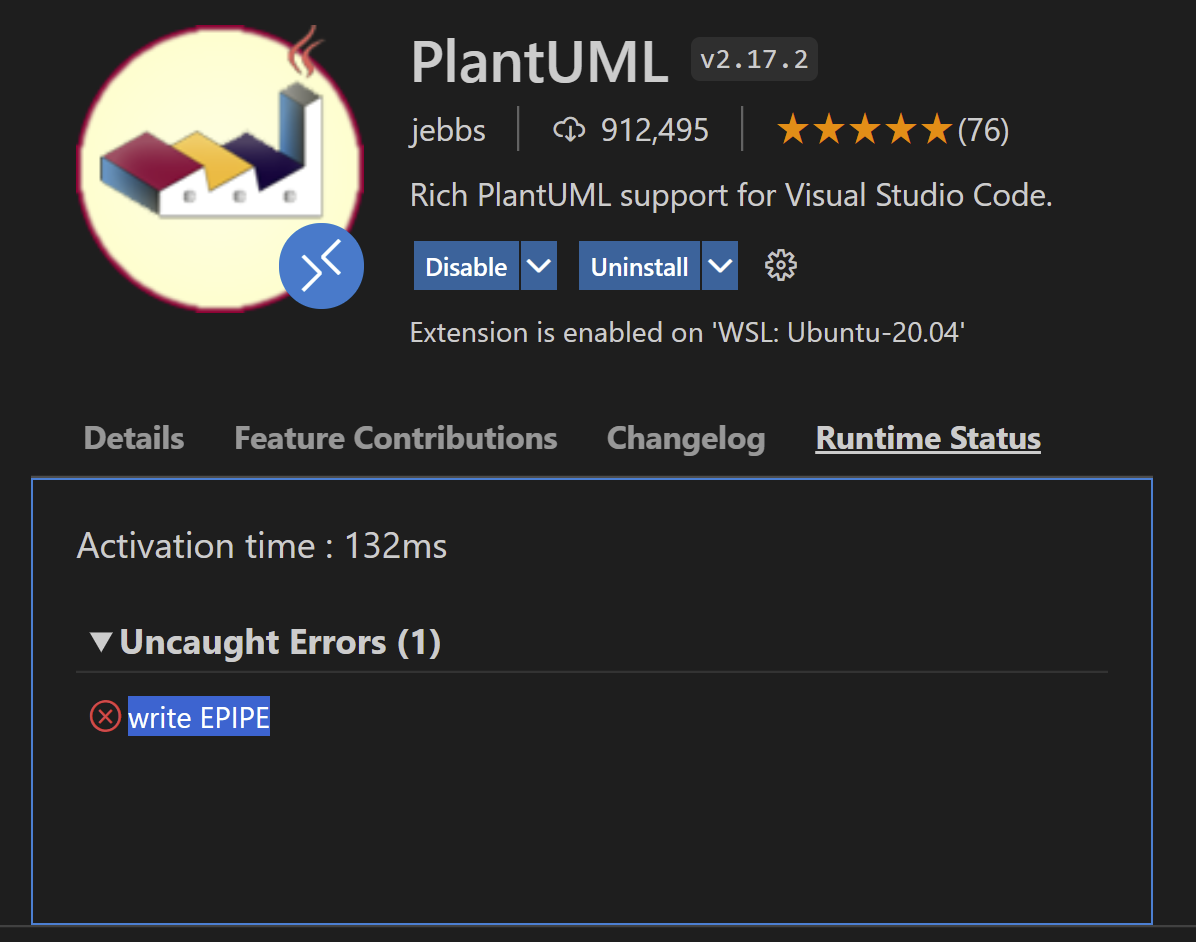
In the output of PlantUML there is not a single message.
Vscode: Version: 1.64.2 (system setup) Commit: f80445acd5a3dadef24aa209168452a3d97cc326 Date: 2022-02-09T22:02:28.252Z (6 days ago) Electron: 13.5.2 Chromium: 91.0.4472.164 Node.js: 14.16.0 V8: 9.1.269.39-electron.0 OS: Windows_NT x64 10.0.22000
I configured PlantUML to use a docker container running on my system via the described method in the readme using
    "plantuml.server": "http://localhost:4444",
    "plantuml.render": "PlantUMLServer"
My docker container maps port 4444 on 8080 using the jetty container from PlantUML. Looking at the container logs no request is getting in
❯ docker logs plantuml-server
2022-02-16 16:33:02.000:INFO:docker-entrypoint:jetty start from /var/lib/jetty/jetty.start
2022-02-16 16:33:03.246:INFO :oejs.Server:main: jetty-11.0.7; built: 2021-10-06T19:59:39.004Z; git: 389a3587725d94cc2470ed06aa184c6e57fe9ce8; jvm 11.0.14+9
2022-02-16 16:33:03.281:INFO :oejdp.ScanningAppProvider:main: Deployment monitor [file:///var/lib/jetty/webapps/]
2022-02-16 16:33:04.292:INFO :oejss.DefaultSessionIdManager:main: Session workerName=node0
2022-02-16 16:33:04.326:INFO :oejsh.ContextHandler:main: Started o.e.j.w.WebAppContext@1573f9fc{PlantUML,/,[file:///tmp/jetty/jetty-0_0_0_0-8080-ROOT_war-_-any-14968503851232223194/webapp/, jar:file:///tmp/jetty/jetty-0_0_0_0-8080-ROOT_war-_-any-14968503851232223194/webapp/WEB-INF/lib/codemirror-5.63.0.jar!/META-INF/resources],AVAILABLE}{/var/lib/jetty/webapps/ROOT.war}
2022-02-16 16:33:04.338:INFO :oejs.AbstractConnector:main: Started ServerConnector@4748a0f9{HTTP/1.1, (http/1.1)}{0.0.0.0:8080}
2022-02-16 16:33:04.363:INFO :oejs.Server:main: Started Server@433d61fb{STARTING}[11.0.7,sto=5000] @1547ms
I realized that the settings provided in the README are not recognized by the extension schema, so did they maybe change?

Ok, as often the problem is in front of the keyboard. After having a detailed look, I realized that I was configuring the wrong settings.json file. As I'm using WSL2 and just installed the extension there I need to provide that configuration settings inside the WSL2 settings.json configuration for VSCode. Now everything works as expected.
Hi, everyone, please help to confirm if v2.17.4(#510) fixes your problem, Thanks to @kristopher-pellizzi

Not sure this is related to #510 but I haven't faced the issue in quite a while.