QGIS-Documentation
 QGIS-Documentation copied to clipboard
 qgis
qgis
Add new authentication method that supports HTTP headers (Request in QGIS)
Request for documentation
From pull request QGIS/qgis#45452 Author: @Cumminsc9 QGIS version: 3.24 (Feature)
Add new authentication method that supports HTTP headers
PR Description:
Description
This intends to add a new authentication method that supports a custom HTTP header.
For example
An WMS supplies an API key that is to be used in a HTTP header with the header key being X-API-KEY and the header value being a string, without this authentication method we are unable to authenticate against the WMS endpoint.
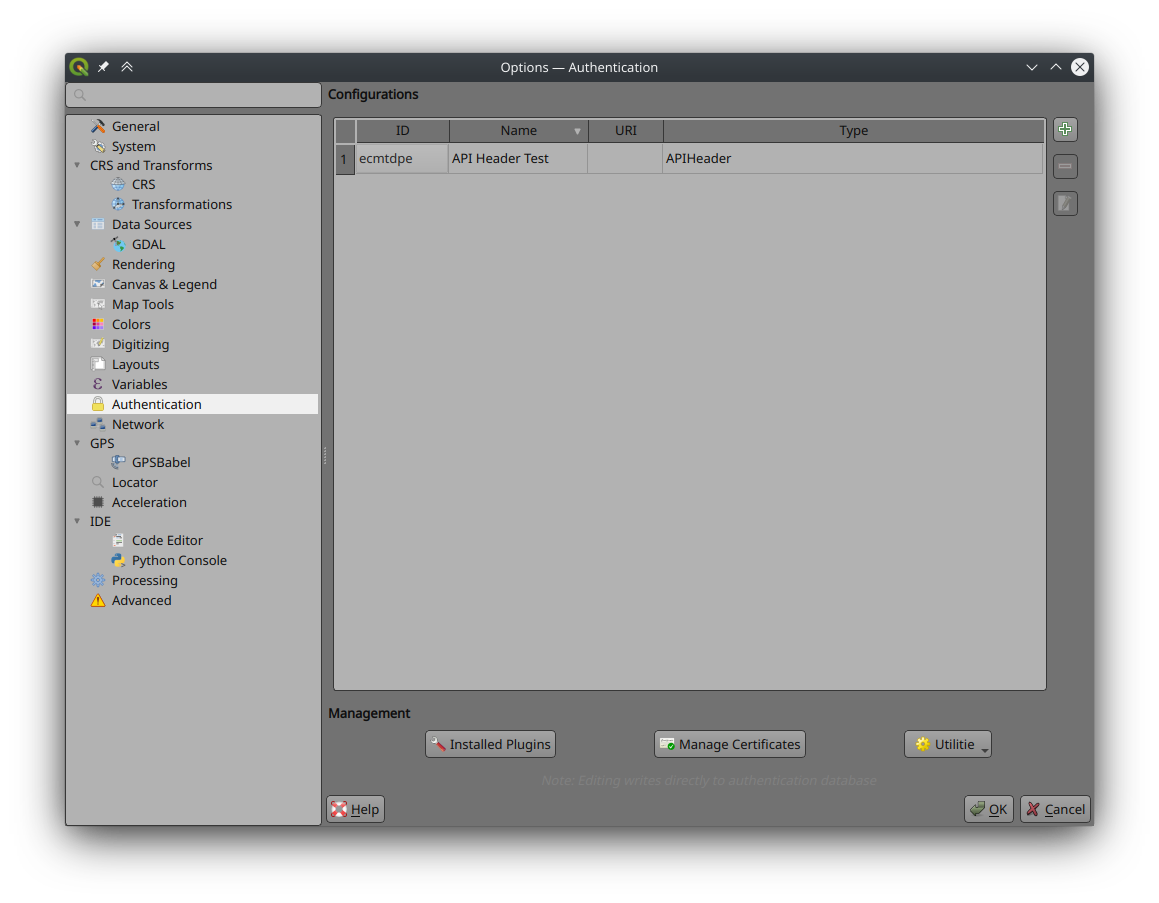
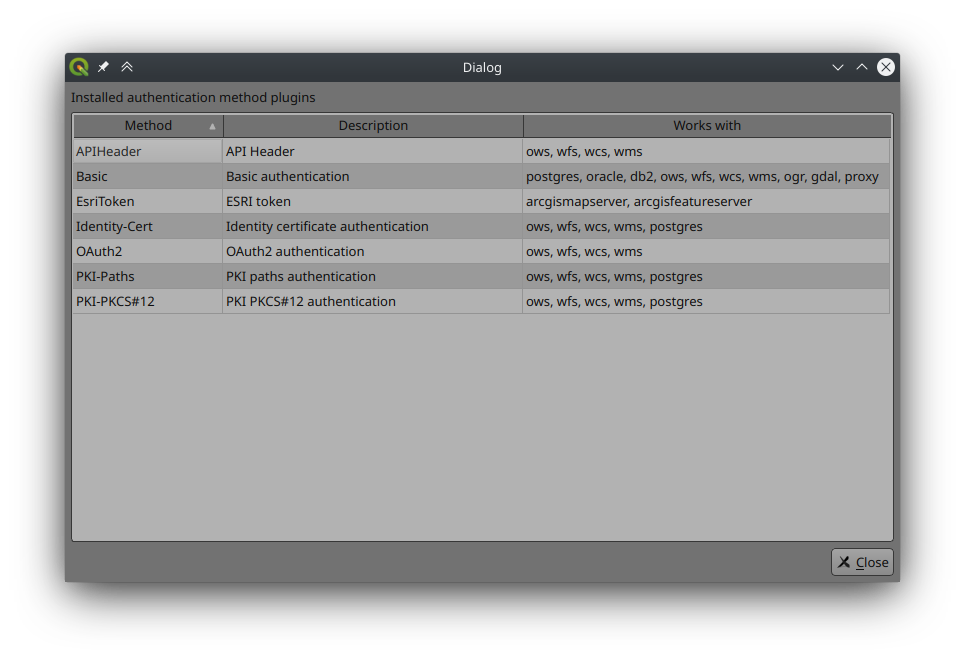
The first screenshot shows a list of all authentication method, which includes the new APIHeader authentication method plugin as a possible authentication method for WMS only currently.

Adding a new authentication method for the API Header is the same flow by clicking on the + Icon and selecting "API Header" from the authentication options. Once selected you can enter values into the two present input fields, with the Header key being a required field.
 (the header value string is a random string and not a real token)
As it is based on the authentication method plugins, the flow remains the same, with clearing the forms, deleting the authentication method configuration and selecting it on the required WMS authentication connection.

Feedback is welcome, and if any further details are required just ask away! :)
Commits tagged with [need-docs] or [FEATURE]
"[FEATURE] Add new authentication method that supports a HTTP header"

This adds a new Authentication method plugin to support the adding of HTTP headers on OWS, WFS, WCS and WMS requests for authentication purposes.
Adding the authentication method remains the same, clicking the '+' icon on the Authentication options page and then selecting 'API Header' from the dropdown list.
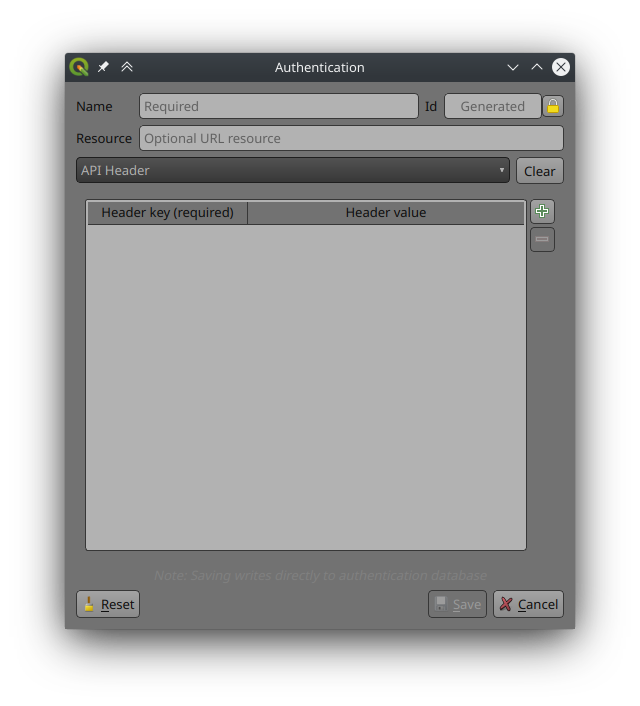
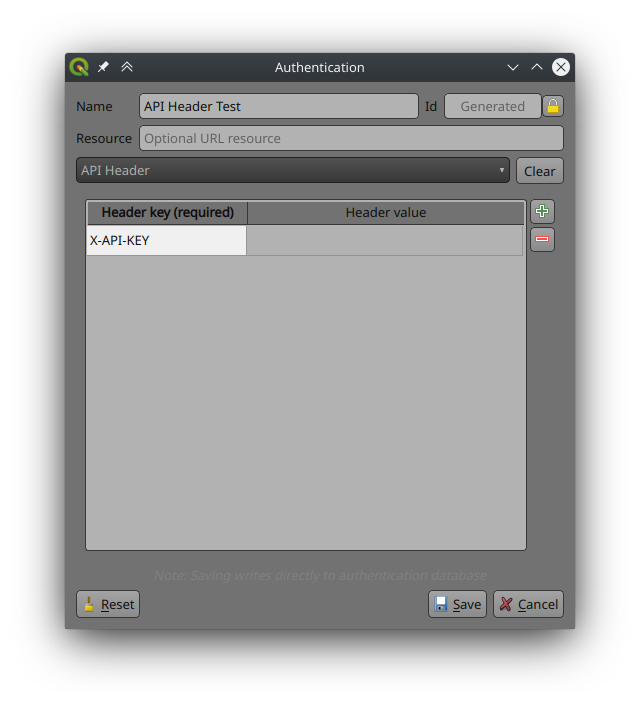
Once you've selected 'API Header' you need to enter the authentication method name as it is a required field, and an optional resource URL.
To add a new header key value, click the green '+' icon on the right side of the dialogue, which will create a new table entry to enter the header key and value.
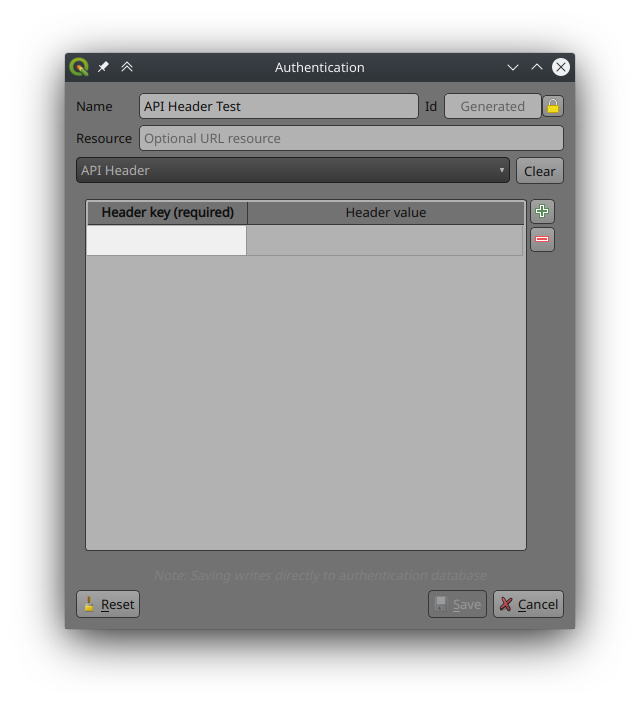
At least one header key is required before the authentication method can be saved, with the header value being optional.
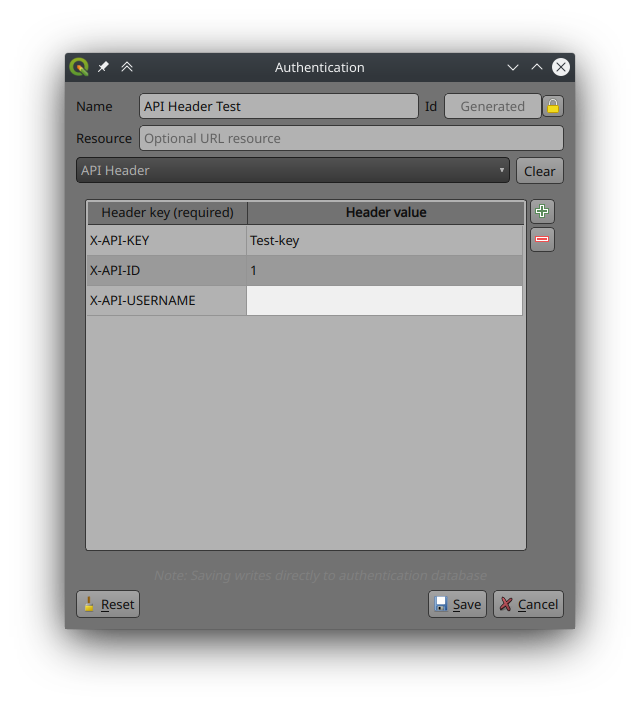
Adding additional headers can be achieved by clicking the green '+' icon the required amount of times, though each entry requires a header key otherwise you will not be able to save the authentication method.
Any header entry can be removed from the table by selecting the header entry and selecting the '-' icon on the right, this will remove the selected entry.
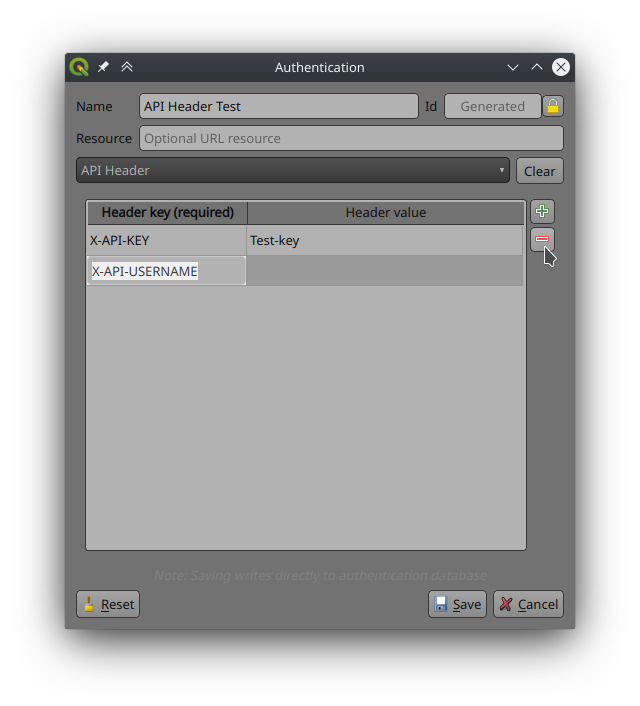
If no entries are selected before clicking this button, then the entries will be removed from the bottom up each time the button is clicked.
Clicking the clear button next to the dropdown list will clear the entire header table, removing all entries
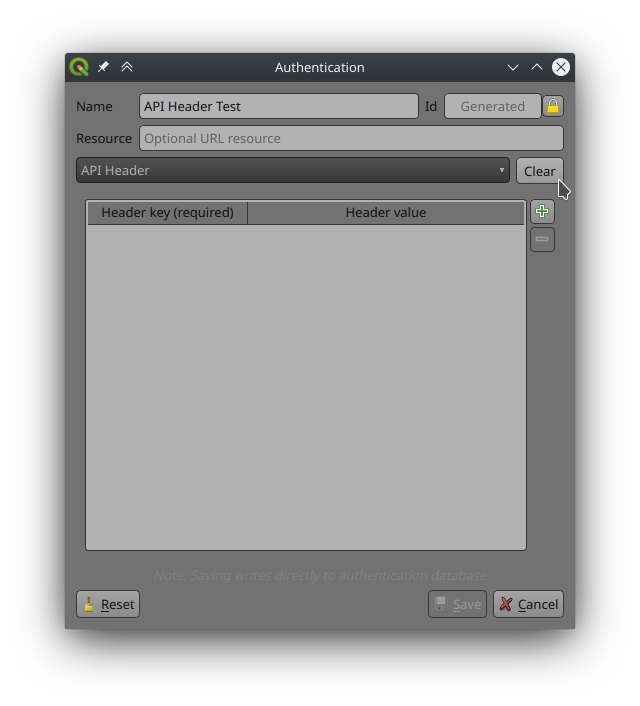
Once the required headers have been added and configured you can save the authentication method by click 'Save'
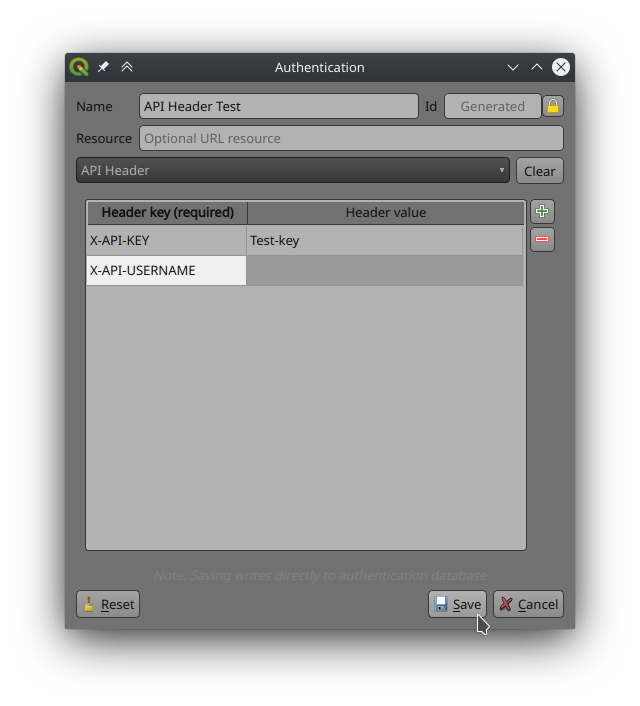
Once saved it will show up in the list of Authentication Configurations and can be used as required on new and existing supported connections.