

 qbittorrent
UI Hangs but keep seeding files
qBittorrent & operating system versions
qBittorrent: 4.4.1 x64 Operating system: Windows 10 21H2/ Windows Feature Experience Pack 120.2212.4170.0
What is the problem?
With 1400+ torrents active after application start UI hangs and completely unresponsive, one core load stuck at 100%.
Screenshot from Process Explorer.
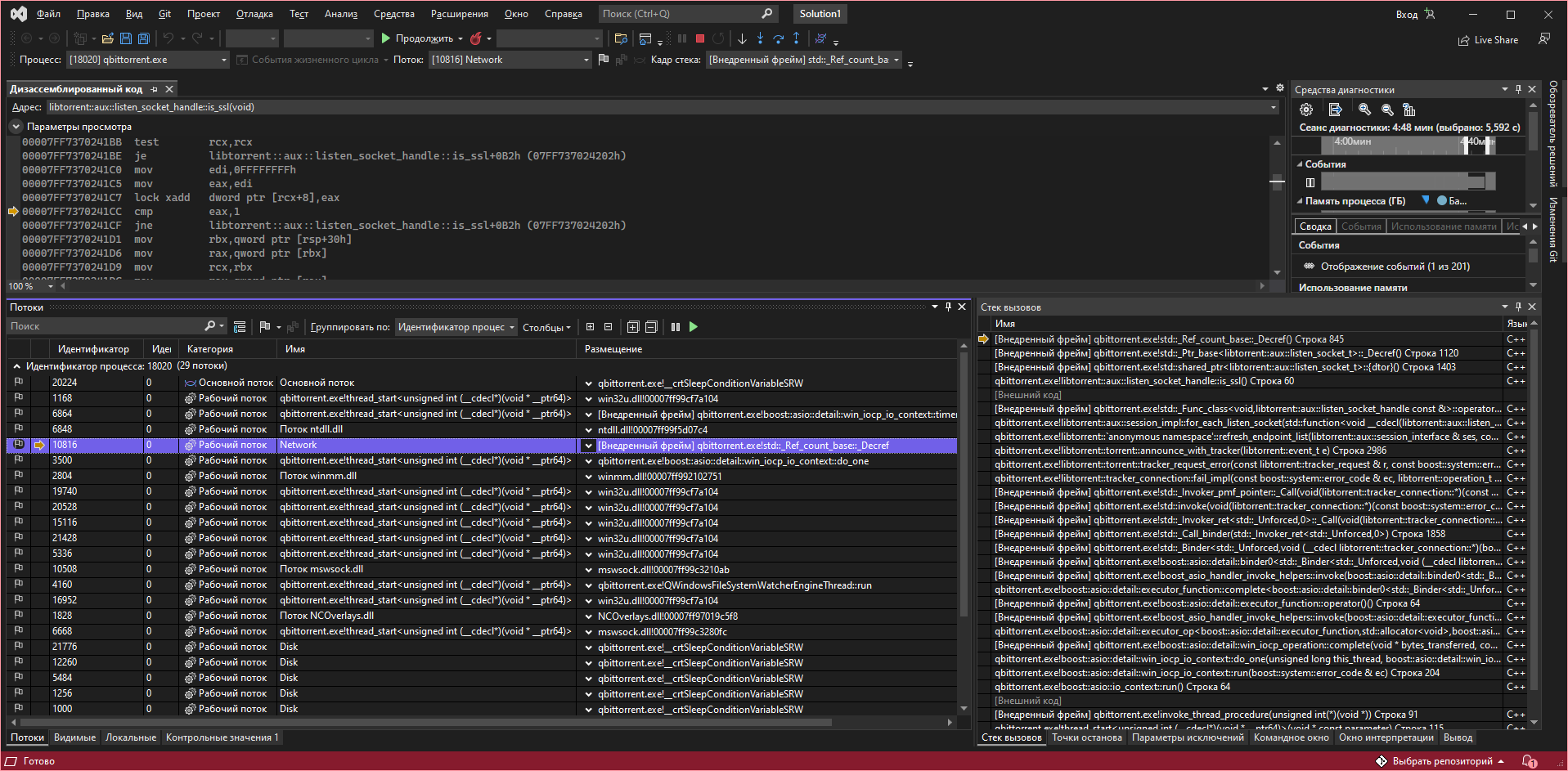
 After attaching with debugger seems like Network thread stucked in infinite loop in libtorrent::tracker_connection::fail_impl function.
Steps to reproduce
- Start application.
- UI hangs.
Additional context
No response
Log(s) & preferences file(s)
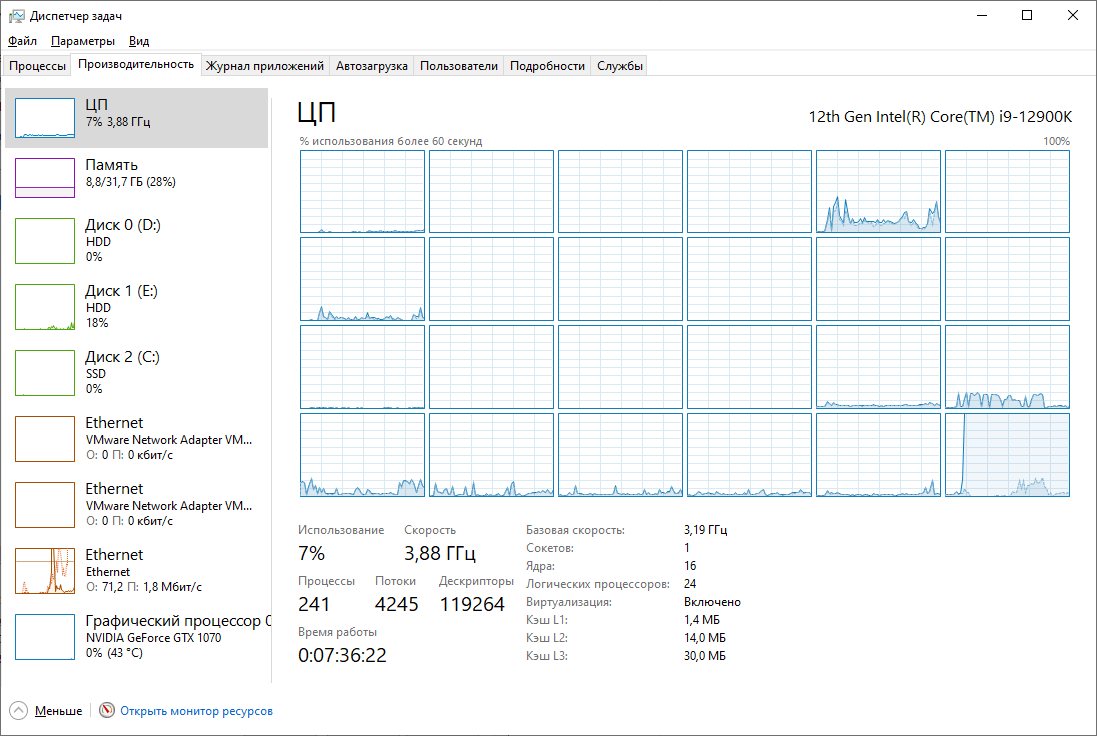
Task manager screenshot (24 cpu E-core at 100%)

How long is this hang, or how long have you waited on it? Typically the client will take a few hours to become responsive for me with ~140k torrents when I first open it. Once the initial load is done it performs fine.


@hrgve Recently tracker handling has been optimized on master branch, you can check through these build https://github.com/qbittorrent/qBittorrent/actions/runs/1874347480 (download from artifacts section)
Too really see the performance bottleneck use the profiler, Alt + f2 in visual studio, select the qbittorrent running process, select the cpu usage and click start, wait and browse the qbittorrent window and the stop the profiler.

Does qbittorrent run libtorrent::tracker_connection::fail_impl in the main thread? I would think that running it in the background would not hang the UI, only slow down the seeding.
