
pyvista-support
 pyvista-support copied to clipboard
 pyvista
Geodesic picking and PolyData's line, Creating a tube
Hi, I'm trying to create a tube with geodesic picking callback.
I managed to create a tube but by pressing P, but after the second press the line closes and i can't select a point any more.
Here's the sample
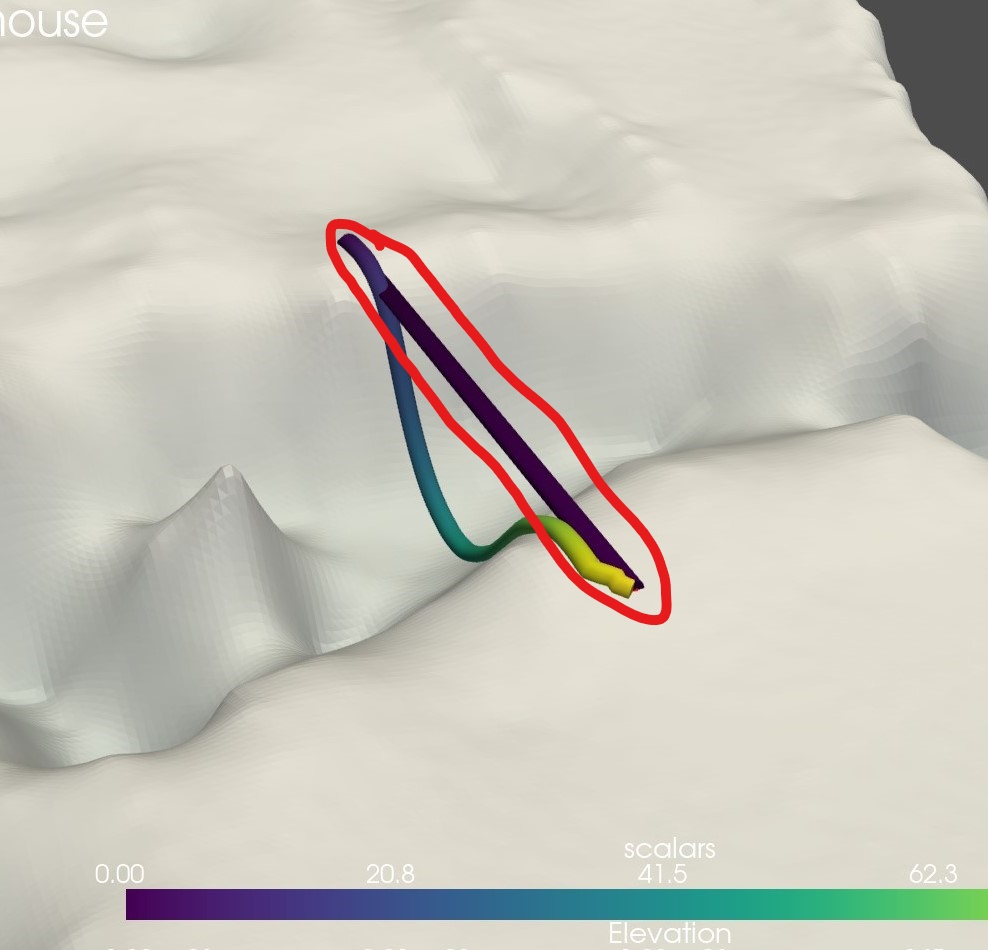
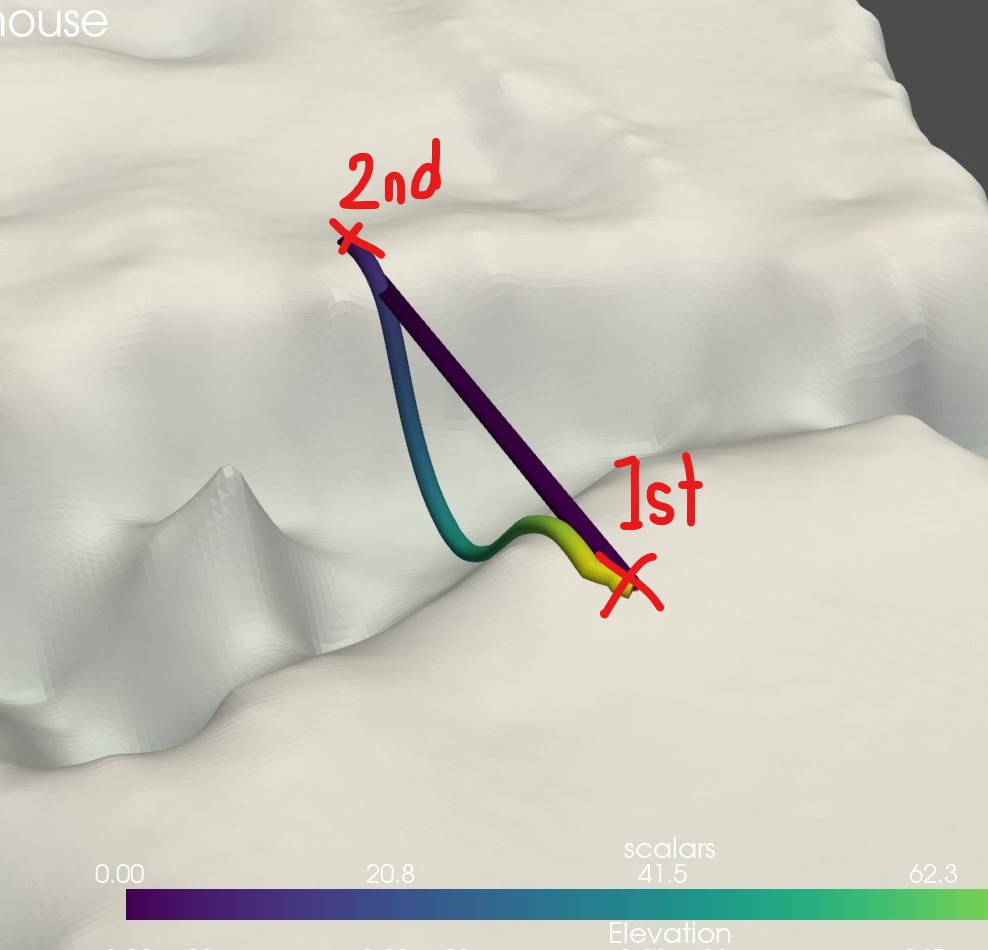
Here's the code
def polyline_from_points(points):
        poly = pv.PolyData()
        poly.points = points
        the_cell = np.arange(0, len(points), dtype=np.int_)
        the_cell = np.insert(the_cell, 0, len(points))
        poly.lines = the_cell
        return poly

def callback(mesh):
        line = polyline_from_points(mesh.points)
        line["scalars"] = np.arange(line.n_points)
        tube = line.tube(radius=14)
        plotter.add_mesh(tube, smooth_shading=True)

plotter = pv.Plotter()
plotter.enable_geodesic_picking(callback=callback,show_message=True, font_size=18, color='red', point_size=10, line_width=0, tolerance=0.2, show_path=True)

The superficial issue seems to be that you're adding a new mesh to the plotter with each callback (each new selected point), and after a few clicks you start trying to pick points from these tubes which fails. You can fix this most imminent error by making your tubes non-pickable:
import numpy as np
import pyvista as pv
from pyvista import examples

mesh = examples.download_st_helens().warp_by_scalar()

def polyline_from_points(points):
        poly = pv.PolyData()
        poly.points = points
        the_cell = np.arange(0, len(points), dtype=np.int_)
        the_cell = np.insert(the_cell, 0, len(points))
        poly.lines = the_cell
        return poly

def callback(mesh):
        line = polyline_from_points(mesh.points)
        line["scalars"] = np.arange(line.n_points)
        tube = line.tube(radius=14)
        plotter.add_mesh(tube, smooth_shading=True, pickable=False)

# add example mesh
plotter = pv.Plotter()
plotter.add_mesh(mesh)

plotter.enable_geodesic_picking(callback=callback,show_message=True, font_size=18,
                                color='red', point_size=10, line_width=0, tolerance=0.2,
                                show_path=True)
plotter.show()
However there's a deeper issue here: with each point you're creating a new tube (first with 0 geodesic segments that can't even be plotted, then 2, then 3, ...). Each of these will be added to the plotter. This sounds like a bad idea: you're creating a series of overlapping tubes with each picked point.
It seems to me the design should be rethinked. You should first gather the entire geodesic path, then create and add the mesh to the plotter once at the end. Do you have to create the tube on the fly while it is being picked? If not, you could just do something like this:
import numpy as np
import pyvista as pv
from pyvista import examples

mesh = examples.download_st_helens().warp_by_scalar()

def polyline_from_points(points):
        poly = pv.PolyData()
        poly.points = points
        the_cell = np.arange(0, len(points), dtype=np.int_)
        the_cell = np.insert(the_cell, 0, len(points))
        poly.lines = the_cell
        return poly

def tubify_path(path):
        line = polyline_from_points(path.points)
        line["scalars"] = np.arange(line.n_points)
        tube = line.tube(radius=14)
        return tube

# add example mesh
plotter = pv.Plotter()
plotter.add_mesh(mesh)

# first round: pick points
plotter.enable_geodesic_picking(callback=callback,show_message=True, font_size=18,
                                color='red', point_size=10, line_width=0, tolerance=0.2,
                                show_path=True)
plotter.show(auto_close=False)

# second round: plot tube
path = plotter.picked_geodesic
tube = tubify_path(path)
plotter.add_mesh(tube, smooth_shading=True)
plotter.show()

Sorry for late response @adeak , Yes i have to create the tube on the fly while it is being picked, or just not let the loop close.
I tried the code that you sent, but the mesh is still closing. i picked four points then i plotted the tube, the problem is it closes the "tube's loop" and it looks like this. Look at the lines going backand fourth the tube.
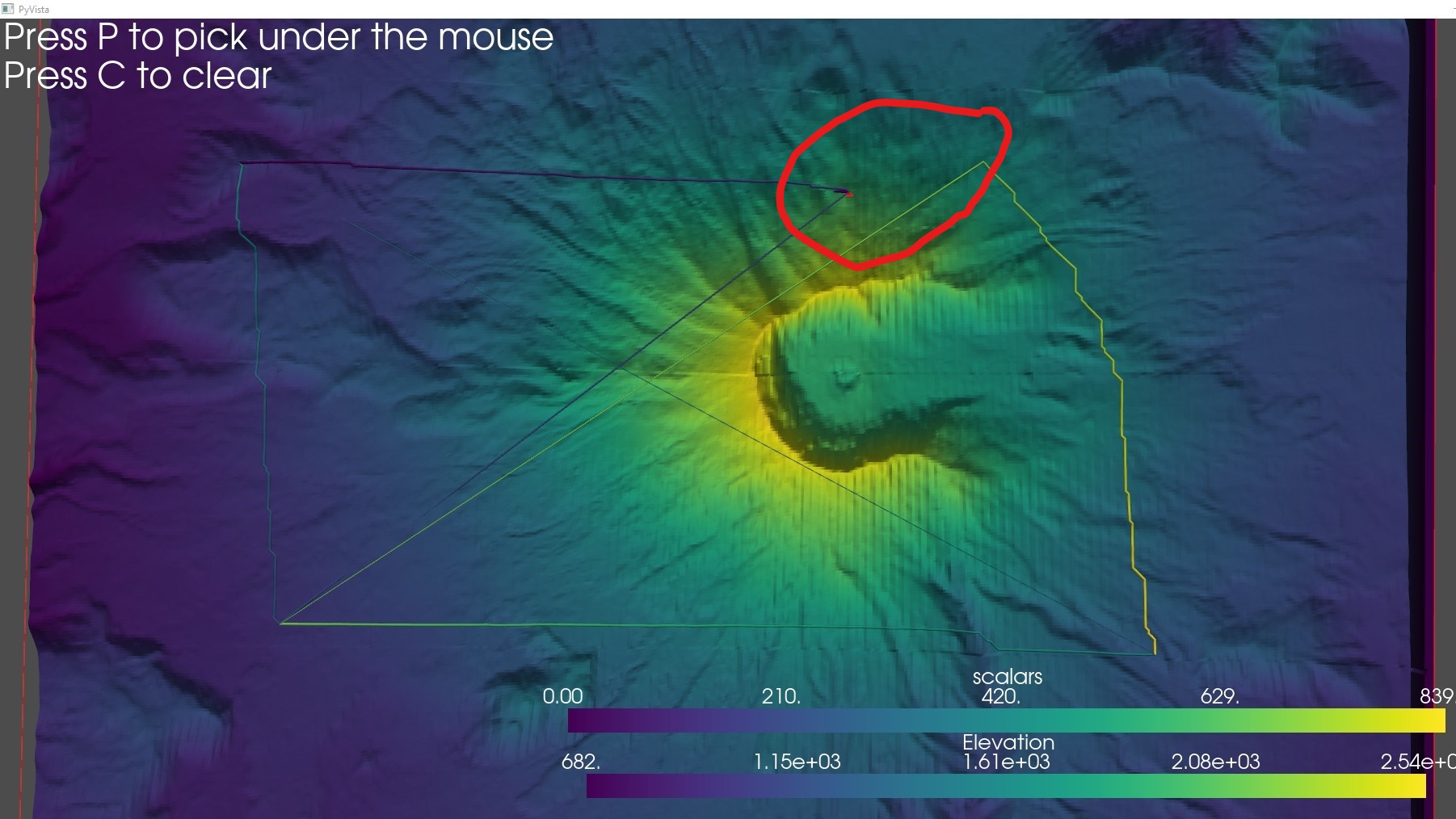
Thank you :)
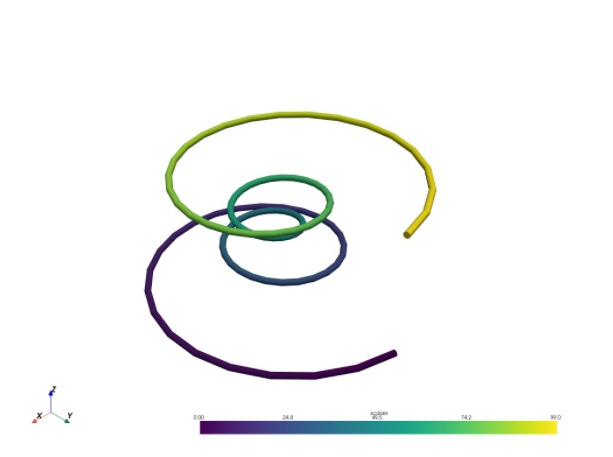
I'm aiming for this look, but the tube is on the points selected.
With further investigation, i think the enable_geodesic_picking is pickingthe back side of the mesh, is that a thing? @adeak
I think there are multiple things that are off here...
- The second code block in my last message is off, it uses both
callbackandtubify_pathbut only defines the latter. I think I forgot to remove thecallback=callbackargument fromadd_mesh... - For some reason each section of the geodesic path does seem closed somehow. This is probably a bug in how we construct the path in this code snippet, but I'll have to take a closer look at this to figure out what's going on.
- Yes, points at the back of a surface can also be picked, but this is a different issue and I don't think this is what's going on here with the Mount St. Helens example. But see for example discussion around https://github.com/pyvista/pyvista/issues/4880
It seems to me that the line sections returned from the geodesic point picking are all listed in reverse order. This leads to the apparent jumps in the final tube. I'm not sure if this is expected, but for the time being you can work around this by reversing each line segment back again:
import numpy as np
import pyvista as pv
from pyvista import examples

mesh = examples.download_st_helens().warp_by_scalar()

def polyline_from_points(points):
    poly = pv.PolyData()
    poly.points = points
    the_cell = np.arange(0, len(points), dtype=np.int_)
    the_cell = np.insert(the_cell, 0, len(points))
    poly.lines = the_cell
    return poly

def tubify_path(path):
    points = np.concatenate([path.extract_cells(cell).points[::-1, :] for cell in range(path.n_cells)])
    line = polyline_from_points(points)
    line["scalars"] = np.arange(line.n_points)
    tube = line.tube(radius=14)
    return tube

# add example mesh
plotter = pv.Plotter()
plotter.add_mesh(mesh)

# first round: pick points
plotter.enable_geodesic_picking(show_message=True, font_size=18,
                                color='red', point_size=10, line_width=0, tolerance=0.2,
                                show_path=True)
plotter.show(auto_close=False)

# second round: plot tube
path = plotter.picked_geodesic
tube = tubify_path(path)
plotter.add_mesh(tube, smooth_shading=True)
plotter.show()
I think the resulting polyline has duplicate points where segments meet, but I haven't had time to handle this too.
@adeak yes you're right there are duplicates.
plotter = enable_geodesic_picking plotter.picked_geodesic
this returns overlapping points (Plotter().picked_geodesic)
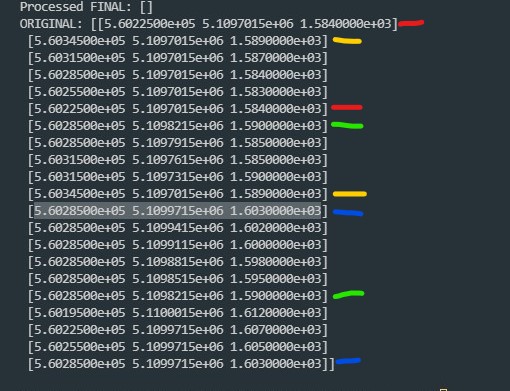
i color coded which point is the duplicate, and looks like it's over lapping with each other, but it doesn't make any sense, i picked four points.
I don't have time for a detailed investigation right now, but if my hunch is correct then the duplicates are where line segments meet. So by throwing away the first point in each segment we can probably remove the duplicates. I think you can just change
path.extract_cells(cell).points[::-1, :]
to
path.extract_cells(cell).points[:0:-1, :]
(note the added 0 as second index in the slice). Can you check this?
"I don't have time for a detailed investigation " it's okay, thanks for still replying tho.
path.extract_cells(cell).points[:0:-1, :]
okay i'll check this one.
@adeak Thanks! it works now, i'm really sorry i didn't saw that you change the tubify function This fixed the issue
def tubify_path(path): points = np.concatenate([path.extract_cells(cell).points[::-1, :] for cell in range(path.n_cells)]) line = polyline_from_points(points) line["scalars"] = np.arange(line.n_points) tube = line.tube(radius=14) return tube
Yes, sorry, that's why I posted the code block again. I should have been more explicit where the changes are.
That version is the one that probably still has duplicates, but those duplicates should be right next to one another, so they shouldn't show up in the result. But I'll try to check this properly later to see if we can improve geodesic picking on the pyvista side.
@ZandreeTresvalles we've added a new keyword argument to enable_geodesic_picking, keep_order which will be True by default. This should automatically order and clean the selected path, and it should be in the next version of PyVista.