
pyvista-support
 pyvista-support copied to clipboard
 pyvista
Problem with mesh selection from a closed path
Description
Hello,
Thanks for this great toolbox. I have a couple of questions and I would appreciate it if you can help. Let's say I have a surface mesh (PolyData). I am interested in selecting a portion of that surface based on the user input to do further analysis. I tried achieving this by using enable_geodesic_picking to receive a closed path which gives the perimeter of my region of interest (ROI). Then I want to use this selected path to extract the part of the mesh (cells and points) that is enclosed in this path. But I have two problems with this.
1)
My main problem is that I can't do the last part. I think I can select the path correctly but when I try to use the following code, it doesn't work correctly. The selected region doesn't include all the selected parts or a lot of times, it's just empty.
path = plotter.picked_geodesic
mask = mesh_surf.select_enclosed_points(path)
roi = mask.threshold(0.25, scalars="SelectedPoints")
It seems the second line is the culprit. I tried improving it and the following code works better but still not correctly:
path = plotter.picked_geodesic
mask = mesh_surf.select_enclosed_points(path.delaunay_2d(), check_surface=False)
roi = mask.threshold(0.25, scalars="SelectedPoints")
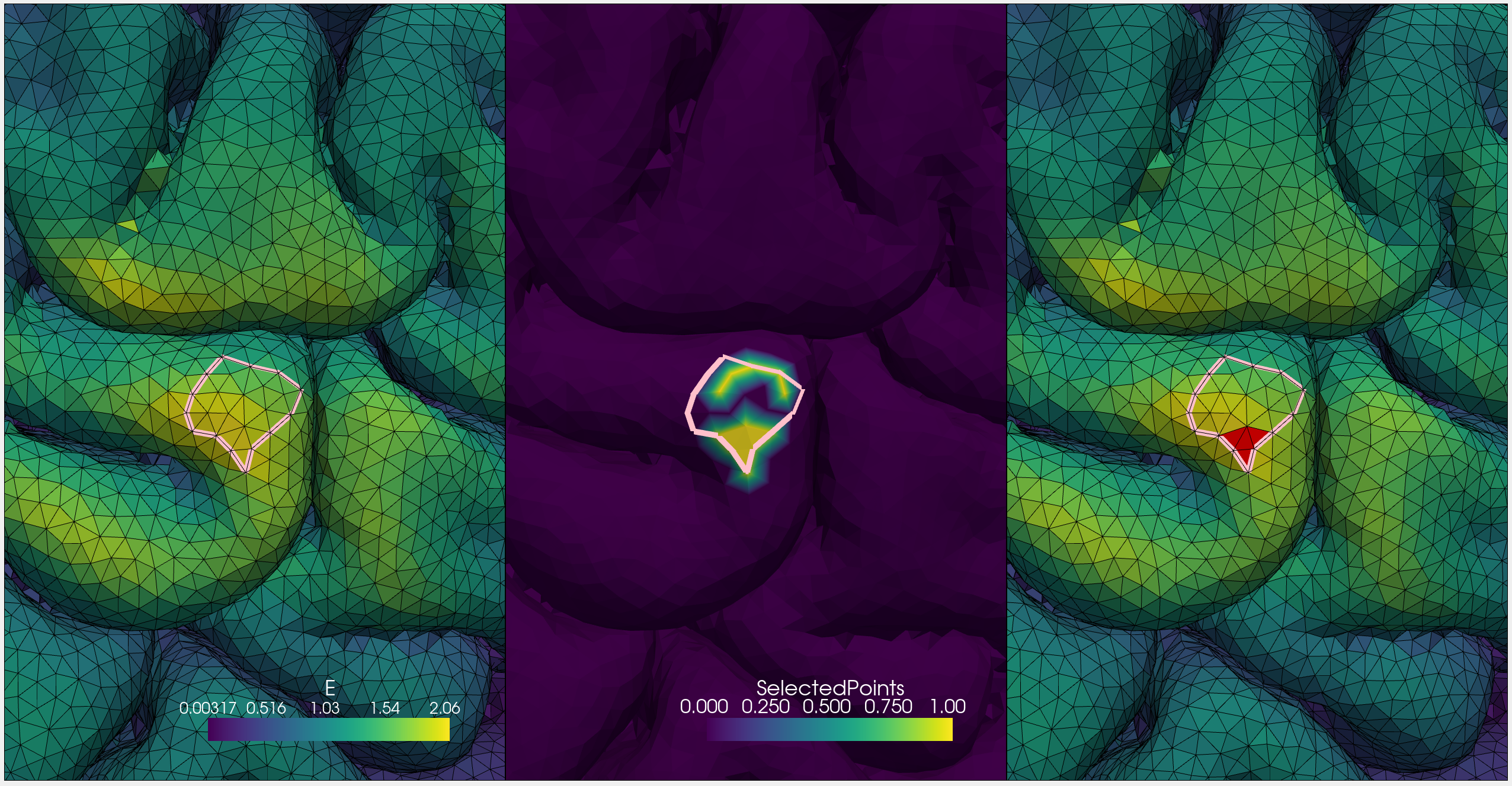
See below for a figure. The left fig is the selected path (perimeter). The middle fig is the mask from the second line of code. The last fig is the resulting ROI from thresholding. Do you have any idea why this is happening or do you have a solution?
2)
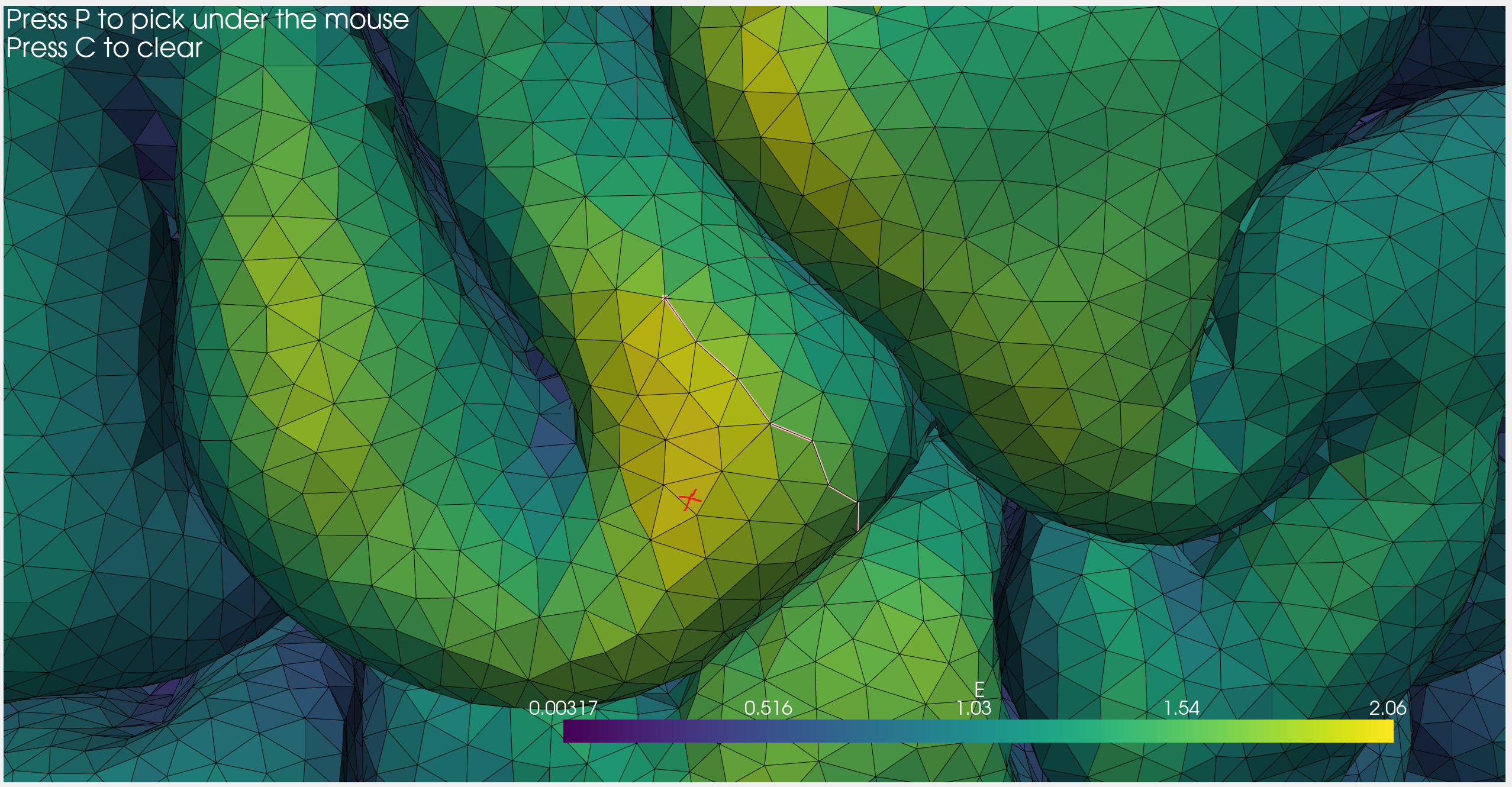
This is a smaller issue I encountered. I noticed that during point selection using enable_geodesic_picking, sometimes weird paths are selected. I think that's because the underlying enable_point_picking selects points on the other side of the mesh. This happens more often when the mouse gets farther away from the desired point. See below for an example of when I click on the location of the red cross. Is there any easy way to limit point picking only to the visible surface?
Example Data
See below for the full code. ROI_seleciton_issue.zip Let me know if you want me to upload the dataset. I have to do it externally since the mesh file is quite large (350 MB).

It's not as pretty as your real data, but
mesh_surf = pv.ParametricSuperToroid(n1=0.5, n2=1.5).decimate(0.75).compute_normals()
mesh_surf.point_arrays['scalars'] = mesh_surf.point_arrays['Normals'][:, 0]
might be enough to demonstrate the issue. At least it's very easy to pick points that are behind the object, you just have to look at the supertoroid from the side and intentionally avoid one of the vertices on the front.

It would be nice if this is resolved in the enable_geodesic_picking() by having the option of only selecting the visible points. But I found a workaround in case anyone is interested. Basically, I use ray tracing to project the mouse location on the mesh (as explained in #239), then use find_closest_point() to pick the nearest point on the mesh. Then, I use geodesic() to find the geodesic path between consecutive picked points. If one is interested in using the same key mappings as enable_geodesic_picking() (p to pick, c to clear), it can be done by adding key events add_key_event() to the plotter.
enable_geodesic_picking is supposed to be only selecting visible points using underlying VTK tools (I wouldn't be surprised if that's where the issue lies)
As for the closed loop extraction, this should be doable. Here is a minimal example.
You'll want to make sure the path is a closed then and then extrude the loop (with the extrude() filter) before performing the select_enclosed_points filter
I haven't had a chance to try it, but HTH
This might help: https://docs.pyvista.org/examples/01-filter/extract-cells-inside-surface.html

select_enclosed_points is best suited when the selection geometry is a closed, manifold surface
There is also clip_surface:
- https://docs.pyvista.org/examples/01-filter/clipping-with-surface.html
- https://docs.pyvista.org/core/filters.html#pyvista.DataSetFilters.clip_surface
- #116
- #50
Thanks for the follow-up. I played around with extruding the loop (extrude() filter) before using select_enclosed_points(). It works fine if the loop is fairly simple and flat. But it fails for more complex shapes. I managed to resolve the issue by writing a custom code to do a Breadth-first search (BFS) to iteratively select all the cells inside the loop.