
PrusaSlicer
 PrusaSlicer copied to clipboard
 prusa3d
Easy to cleanup skirt like brim for objects with small build plate contact area.
Is your feature request related to a problem? Please describe.
I recently tried to print out the armature models of the Lucky 13 printable figure and no matter what I tried the ball shaped objects ripped off during the print.
Describe the solution you'd like
I saw that one user had solved this problem by adding skirt like lines under the problematic parts of the objects that were anchored to flat circles outside of the objects. https://www.prusaprinters.org/prints/154760-lucky13-easy-print-without-brim
Add a functionality that lets users draw lines on the build plate to connect the problematic parts and add configurable diameter disks at the ends of those lines that function as anchors.
Describe how it would work
Those anchored, one layer high skirts are very effective and super easy and clean to remove with an exacto knife.
Describe alternatives you've considered
There are the regular brims around objects but they are a very hard to remove for complicated geometries and small parts.
Additional context
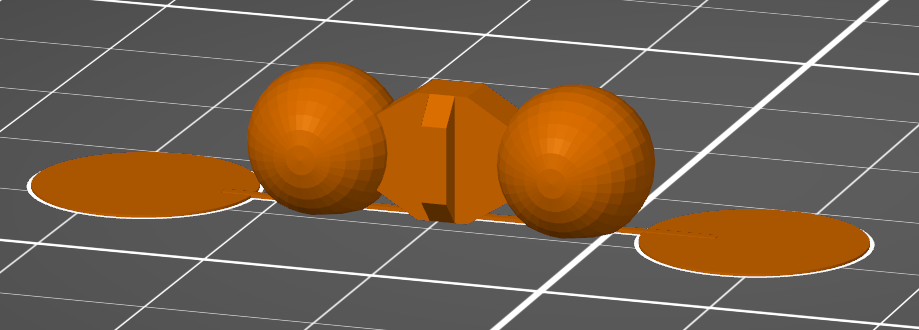
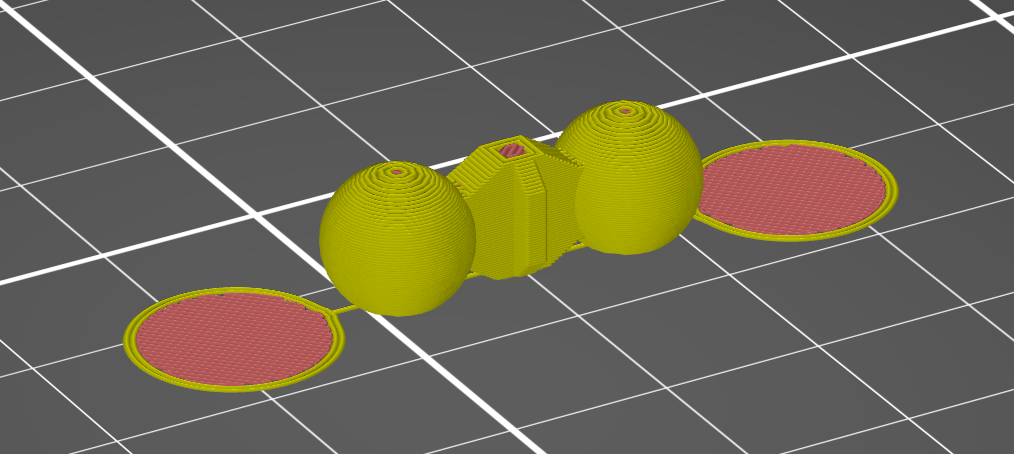
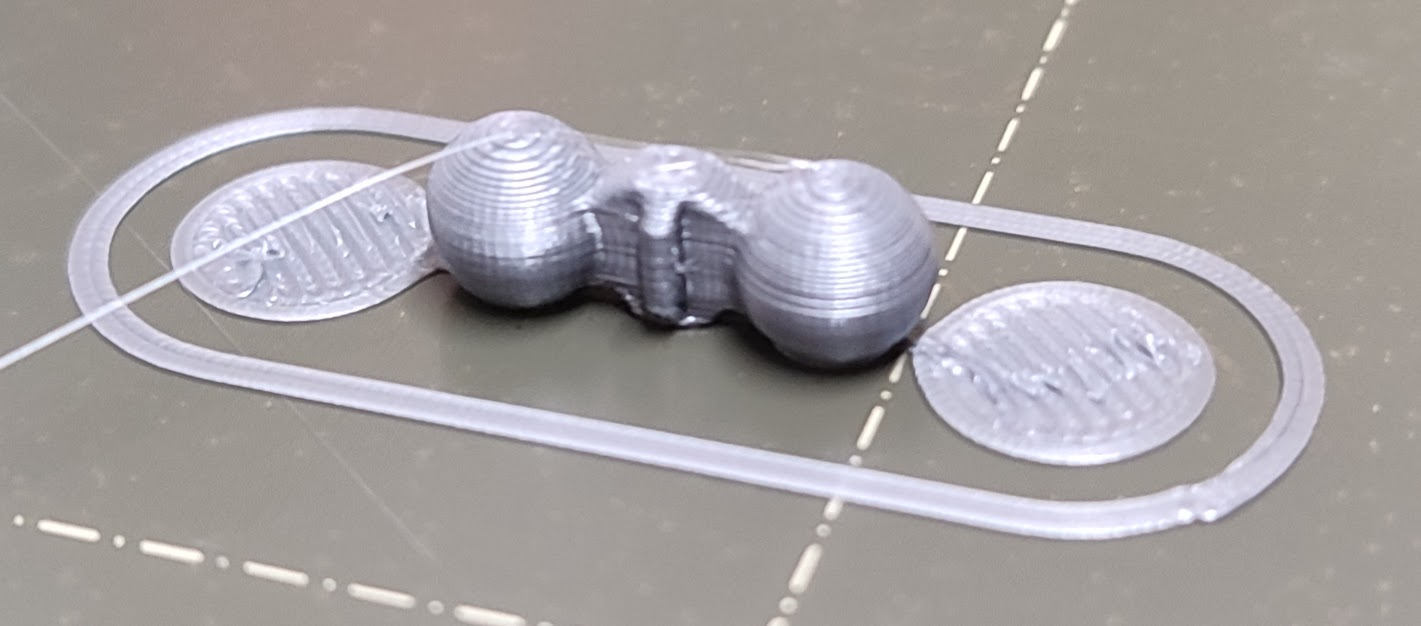

This is really a good feature, it doesn't even need to be calculated, if you can add a block that will behave like this, and you can specify the size of the line, would be already very good!

You can create a cube, adjust the size of it (X 100, Y 1, Z 0,2) then use the shape gallery and insert helper_disk to create this effect. You can even save the "line" to the shape gallery for later use.

This is quite a specific use case that can be solved using the currently available generic shapes. I don't think it is necessary to create another special tool for doing that. Will someone convince me otherwise?

I at first had the problem that the helper objects got all jumbled after I clicked the arrange button because I didn't know, that you can add shapes to an object tree and then the groups are arranged and the helper shapes stay in relative position to those objects. It still would be a nice feature but I understand that it can be manually done that way with helper shapes and there are more important issues in the pipeline :)
Perhaps this could work like the paint on support feature - but instead of painting on the model you paint on the print plate. You could easily add an extra layer to support your models by doing so. Like the idea very much, too. ;-)

Perhaps this could work like the paint on support feature - but instead of painting on the model you paint on the print plate. You could easily add an extra layer to support your models by doing so. Like the idea very much, too. ;-)
That's actually a good idea!
This is quite a specific use case that can be solved using the currently available generic shapes. I don't think it is necessary to create another special tool for doing that. Will someone convince me otherwise?
I want to add my two cents on this question:
- I don't think it's about whether this could be done any other way - in my opinion it really rarely is when is comes to software. If so we all would use a text editor to create gcode files and not a slicer at all (ok, this example is a "bit" over-exaggerated 😂). It's about whether this create a real benefit for the user, making the software more easy or comfortable to use. So in my opinion the question should be whether this could get a real user base and help people get into 3D printing and using the software.
- However I'm not really sure the statement is true. If I add simple objects the result might differ from what such a tool could do (and should do). First there is the fill pattern which might need to be different when talking about something to just help the actual model stick to the plate. It might not even be one of the patterns available (not sure if the brim is the concentric pattern) and how complicated it would be to set a different fill pattern for just this object - for the fist/last/layer.
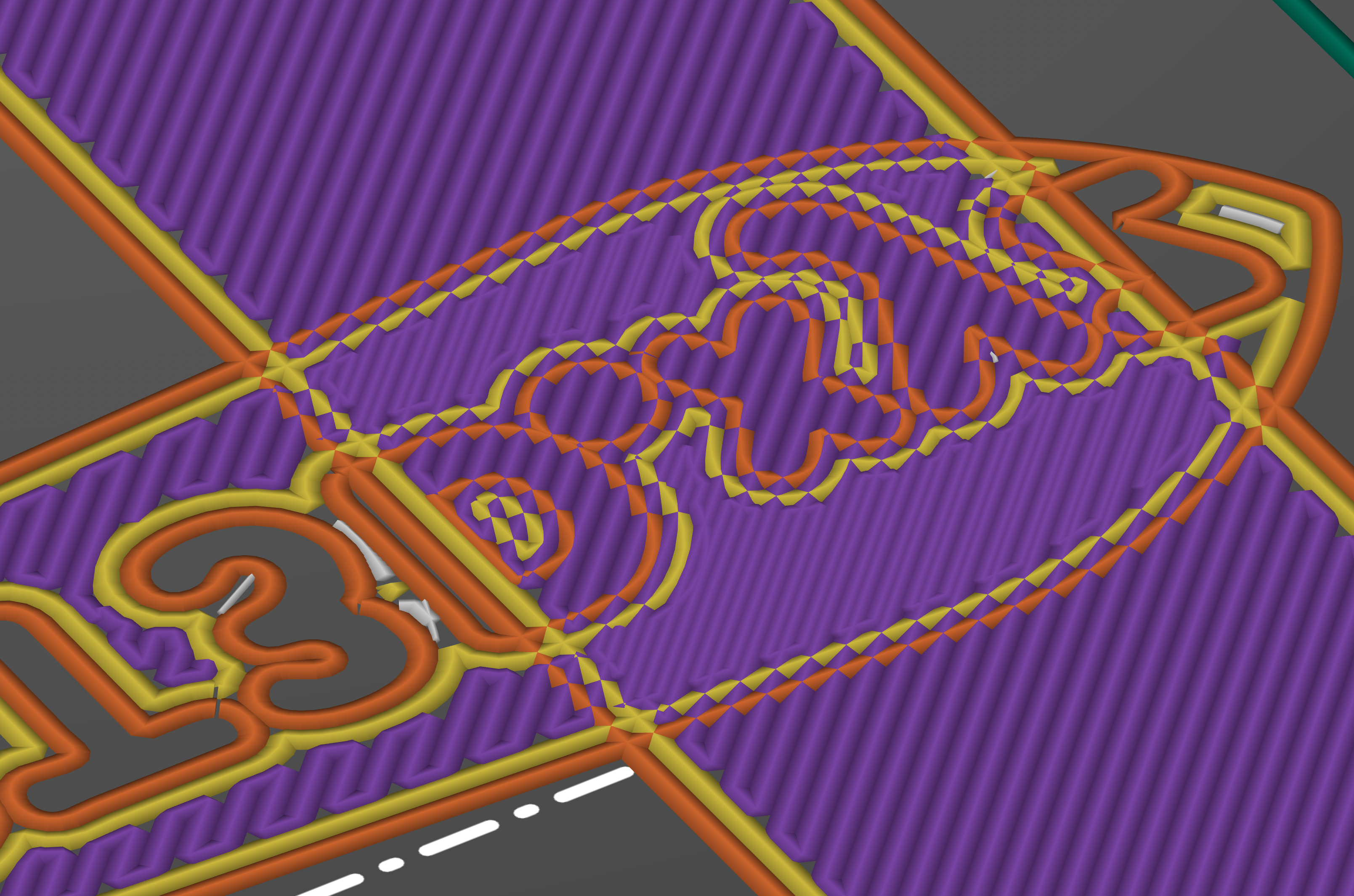
- Then if you only add the additional simple object the slicer will currently try to print the same place twice, you can see this if you look closely at the "doubled" lines drawn in the screenshot below (I added three benchy's and a box to add support through their bottom layer). Also you might see that I now ruined the text on the buttom layer of that benchy (https://www.printables.com/model/3161-3d-benchy). I'm sure you can somehow work around this - but now things really got complicated...:
So from my perspective I could see this as a nice feature addition for the reasons above. It is of course not necessary and possibly could be done in a different way - perhaps even outside of the slicer...but it could add a lot of convenience if a brim would be pretty hard to remove - especially for very small objects. But at the end the real question should be: Will this be a real benefit for users and will people use this?
The extra objects have to be added as part of the original, either by right clicking and using add part or by combining/merging together afterwards. That way they don't print over each other.

True, but this will still "remove" the text on the bottom of the benchy. Also you have to merge all models so it won't just affect one benchy - see screenshot.
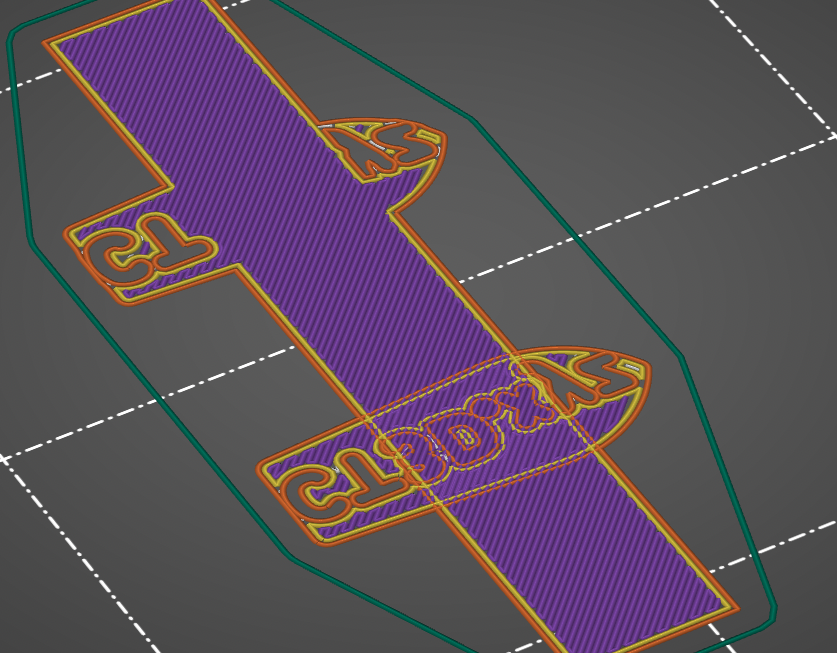
As said before - this is getting more and more complicated... ;-)
Also you have to merge all models so it won't just affect one benchy - see screenshot.
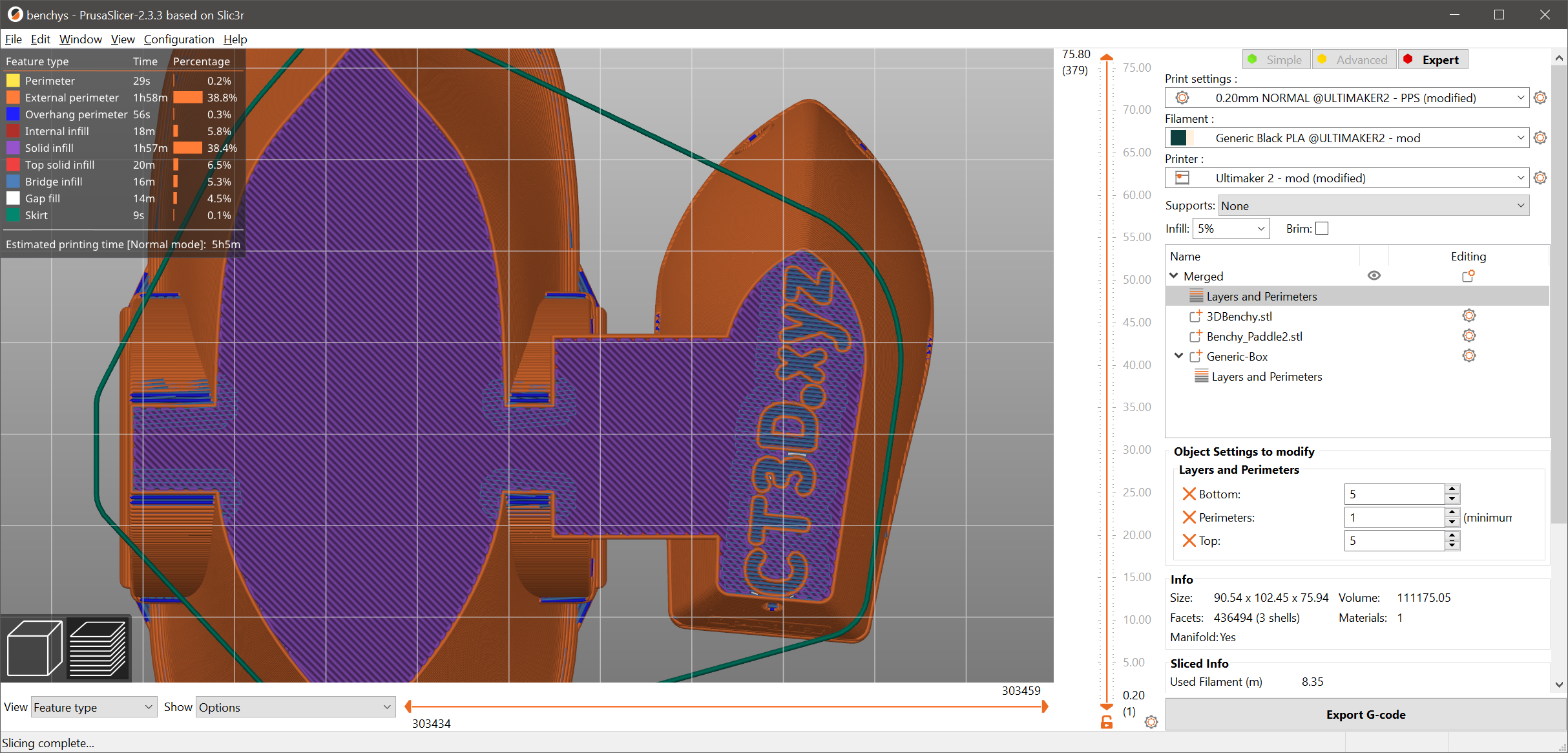
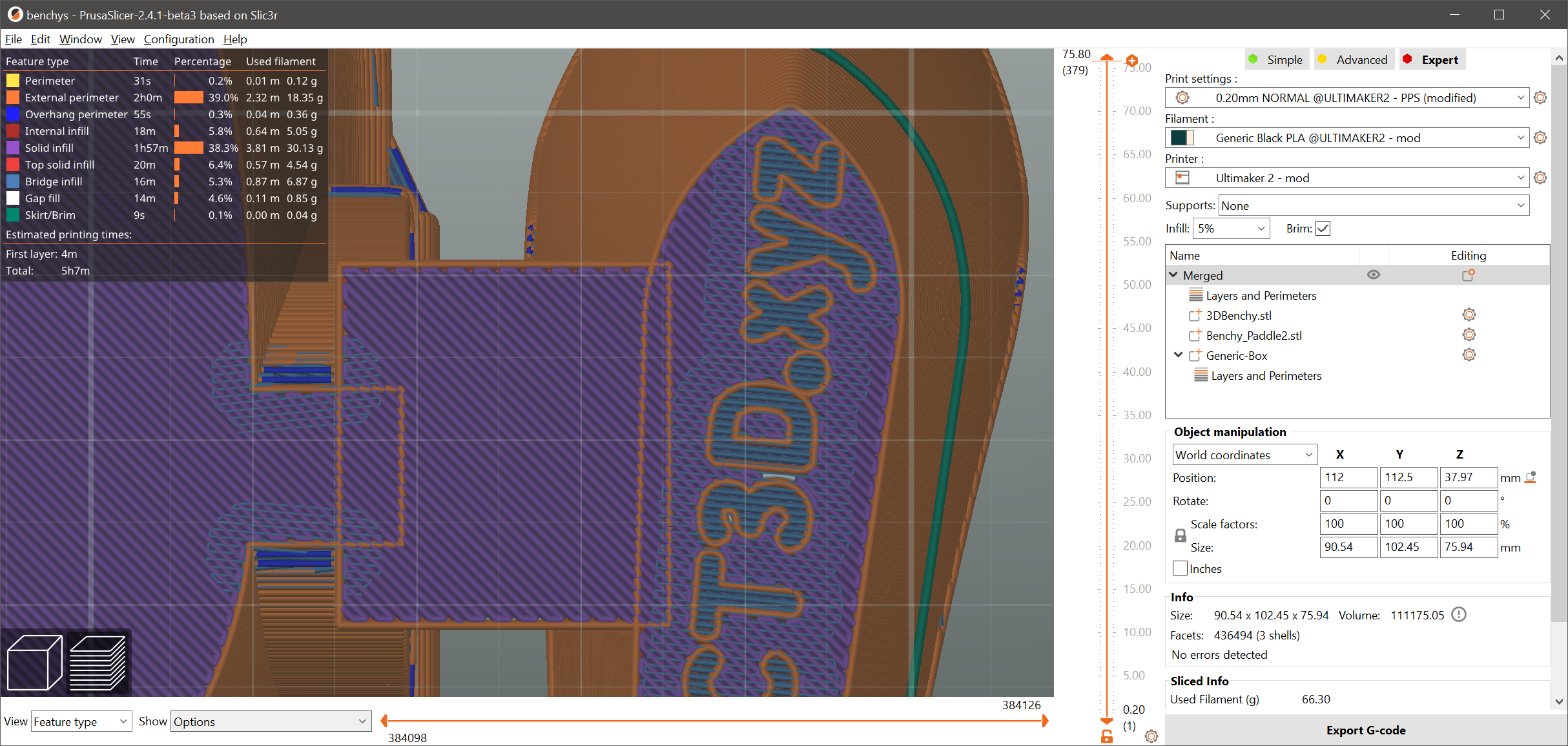
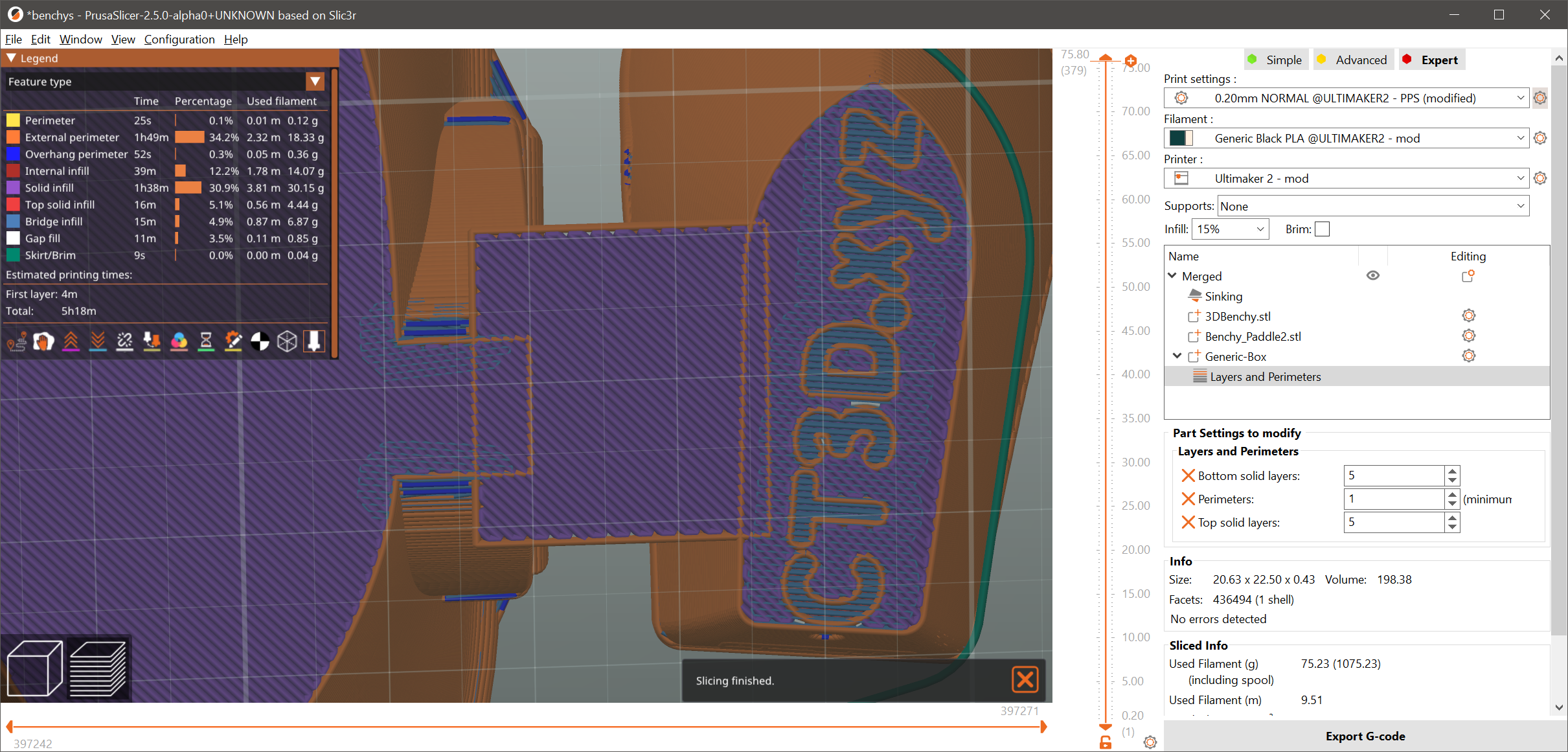
Yeah, but that only works in 2.3.3. Everything newer and it won't work anymore. Project was created in 2.5 and opened in different versions of PS.
2.3.3:
2.4.0:
2.5.0:

@foreachthing can you provide 3MF? Because adding the "brim" as a Part or merging all models together works fine in 2.4.1 for me.
@stepikovo; thanks for letting me know, that it was just me! I installed a Prusa Printer and compared the settings. It was "Clip multi-parts objects". I had it disabled. After enabling it, it sliced as it should have in the first place. I totally missed that setting!
Maybe this will help you.
https://www.youtube.com/watch?v=dhsbMmosbLU&t=1s
Good luck.
