
jekyll
 jekyll copied to clipboard
 programminghistorian
assets still on submissions repo - stylometry lesson
The .zip file in the https://programminghistorian.org/en/lessons/introduction-to-stylometry-with-python lesson under 'The Dataset' is still linked to the submissions repo rather than the live site. This is obviously a mistake and the data needs to be moved and the link updated.
Relevant sentence:
"To work through this lesson, you will need to download and unzip the archive of the Federalist Papers (.zip) containing the 85 documents that we will use for our analysis."

I've had a second error in the same lesson and couldn't finish it. Using Python 3 on a mac.
The code block:
def read_files_into_string(filenames):
    strings = []
    for filename in filenames:
        with open(f'data/federalist_{filename}.txt') as f:
            strings.append(f.read())
    return '\n'.join(strings)
I'm getting a syntax error:
[Update: Sorry the error I included was the wrong message. It was a syntax error not a file not found error]
I can make the syntax error go away by removing the first 'f' but that doesn't make the code work.

The .zip asset has been uploaded to Jekyll already. I'll update the link so that it points to /gh-pages/assets/ when I've tested this and worked out what needs to be adjusted here ^^
I have attempted to work through these steps several times, but I am encountering multiple syntax errors. I am a Python novice (so it may be that my mistakes are due to lack of contextual knowledge here) but I'm stuck.
I wonder if someone with more Python3 experience may be able to advise. @jairomelo do you have scope to take a look?
Sorry, I just saw the message 😬
Error is in this line:
with open(f'data/federalist_{filename}.txt') as f:
You have to specify if you want reading the file ("r") or writing it ("w"). Quickly solution (without testing) could be:
def read_files_into_string(filenames):
    strings = []
    for filename in filenames:
        with open(f'data/federalist_{filename}.txt', 'r') as f:
            strings.append(f.read())
    return '\n'.join(strings)

I think I found where this went wrong: https://github.com/programminghistorian/jekyll/commit/9f65856bc62c84d9aabed1e3bf88cf5dcaba06d1
You can see the update removed a warning about needing to use Python v 3.6 or newer to use the "f-string construct".
I'm looking at the version of Python I have installed and it's v 3.5 so that would explain my error. I don't know what version my students have but I suspect it's the same problem.
We can fix this as @jairomelo suggested by using the older way of opening the file.
@anisa-hawes the way I discovered this was to track down the lesson file on our Jekyll repo and then click on the 'history' tab, which showed me all of the updates to the original. Then I could click through and look at the changes made over time to see where one may have introduced this error.
Can I leave you to check if that fixes the problem?
Thank you, @acrymble. This is very useful! I've set aside time to test the solution tomorrow.
In the meantime, I will open a separate Issue to update the linked assets from ph-submissions to Jekyll.
Apologies for the delay in following up here, @acrymble. Thank you for sharing your insights too, @jairomelo! This is enormously appreciated 🙂
I am very much a Python novice, so I'm still learning. I've worked through these steps several times, in a couple of different environments during the past few days:
- via a Colab notebook (with kind help from @hawc2)
- and in BBEdit (where I have only a little experience, but feel it should work...!)
Following Adam's previous comment, I was thinking that I should be able to run through these steps without any issues – I'm using Python 3.10.2.
--
These are some notes for myself, just to document where I am with this.
Using the Check Syntax feature in BBEdit, indeed it seems that there is a syntax error in the line
with open(f'data/federalist_{filename}.txt') as f:
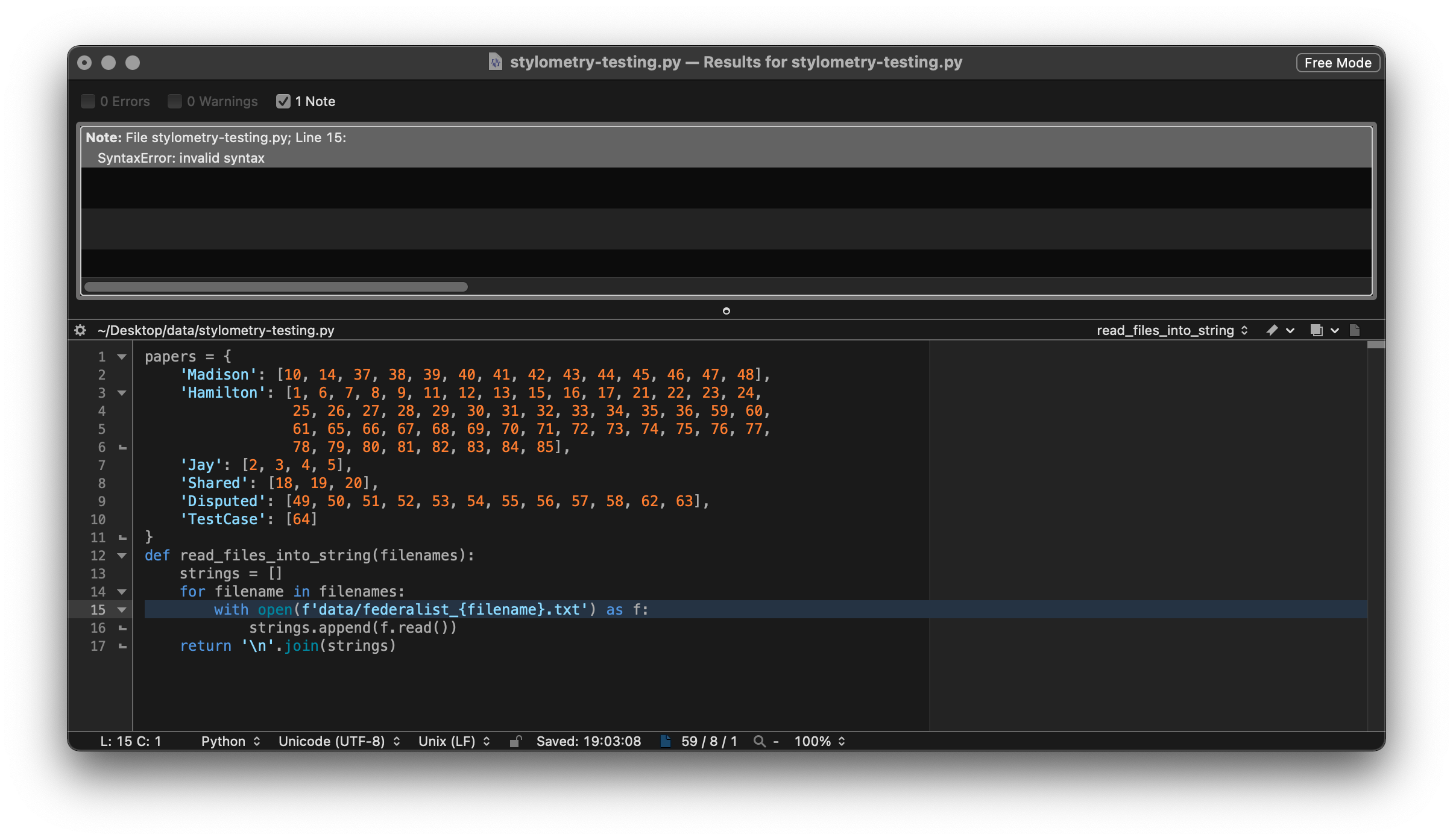
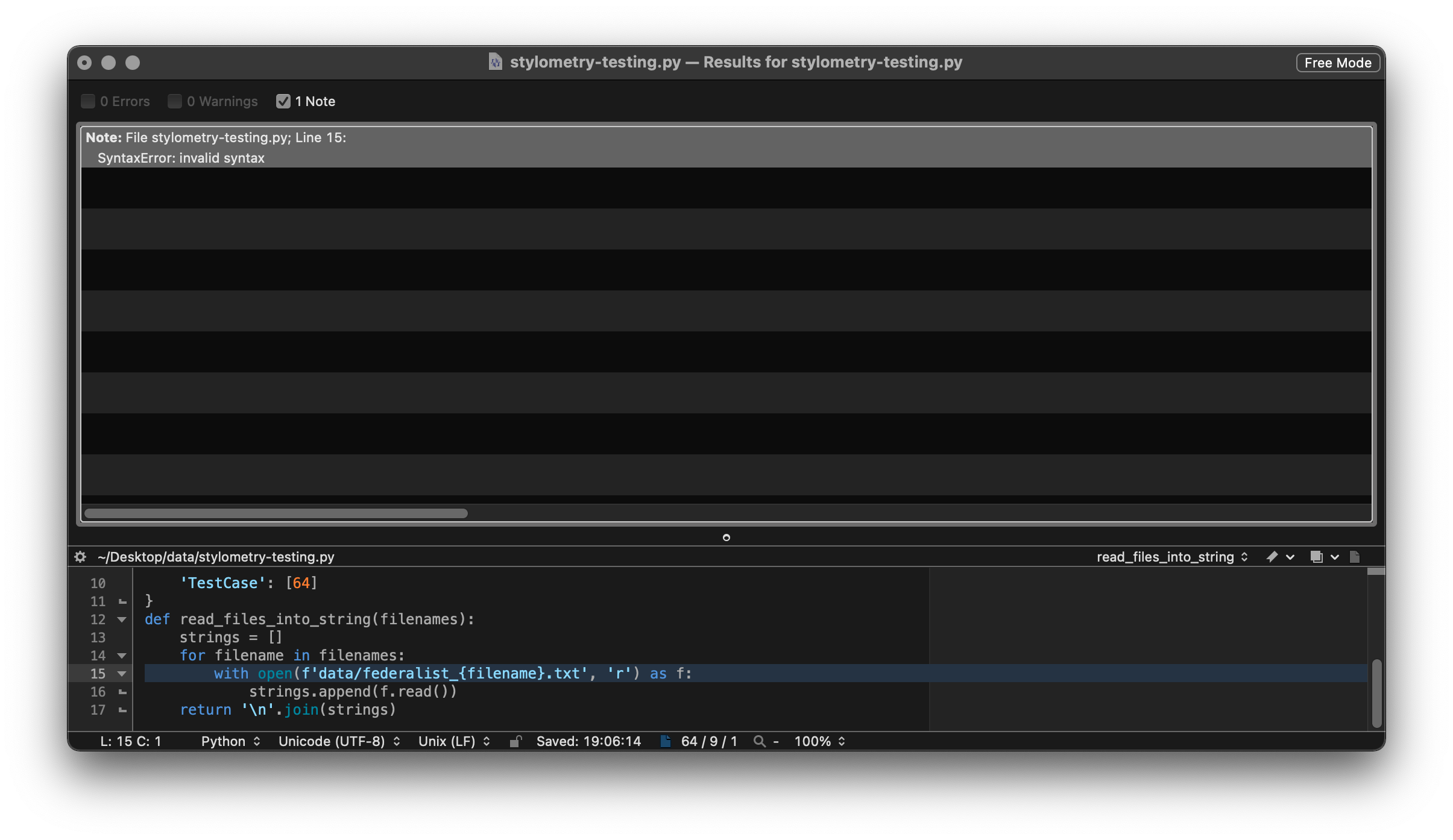
But when I try again, adding in the 'r' suggested by Jairo, I return a syntax error on the same line.
Meanwhile, in Colab this cell runs successfully using the original code ?

Moving onwards to the next code block in BBEdit, my output log draws attention to this line federalist_by_author[author] = read_files_into_string(files) and produces a FileNotFoundError: [Errno 2] No such file or directory: 'data/federalist_10.txt'. This is confusing, because there is definitely a file named federalist_10.txt in the data directory. So there, I get stuck.
--
I've been able to move further forwards in Colab, although my first attempt to # Transform the authors' corpora into lists of word tokens generated LookupError: Resource punkt not found. Colab + StackOverflow both suggested the same method to obtain the resource, so I adapted this block as follows.
import nltk
nltk.download('punkt')
%matplotlib inline
All seemed well from there, but now I've hit another error here:
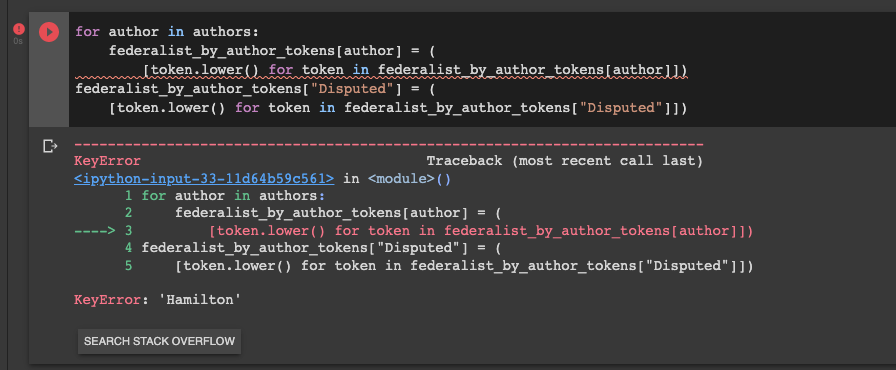
So I'll try again tomorrow! And these notes might help me.
It looks like the error is related to Python versioning. The f-string shouldn't cause an error if your version of Python is 3.6 or higher. That should be clarified in the tutorial, although it does already say: " Python 3.x https://www.python.org/downloads/ - the latest stable version is recommended."
See this stackoverflow discussion for context: https://stackoverflow.com/questions/50401632/f-strings-giving-syntaxerror
I see what happened with the Colab notebook - you broke up functions into separate cells, so they aren't being run properly. I fixed them, and the visualizations and the keyerror are both working now.
On Thu, 3 Mar 2022 at 14:41, Anisa Hawes @.***> wrote:
Apologies for the delay in following up here, @acrymble https://github.com/acrymble. Thank you for sharing your insights too, @jairomelo https://github.com/jairomelo! This is enormously appreciated 🙂
I am very much a Python novice, so I'm still learning. I've worked through these steps several times, in a couple of different environments during the past few days:
- via a Colab notebook (with kind help from @hawc2 https://github.com/hawc2)
- and in BBEdit (where I only a little experience, but feel it should work...!)
Following Adam's previous comment, I was thinking that I should be able to run through these steps without any issues – I'm using Python 3.10.2.
--
These are some notes for myself, just to document where I am with this.
Using the Check Syntax feature in BBEdit, indeed it seems that there is a syntax error in the line with open(f'data/federalist_{filename}.txt') as f:
[image: Screenshot 2022-03-03 at 19 05 39] https://user-images.githubusercontent.com/87070441/156634586-64cbaf1b-2d59-44d3-84bc-b5598465585c.png
But when I try again, adding in the 'r' suggested by Jairo, I return a syntax error on the same line.
[image: Screenshot 2022-03-03 at 19 07 09] https://user-images.githubusercontent.com/87070441/156635164-3c58c818-dd38-4706-9088-33b653ac23c9.png
Meanwhile, in Colab this cell runs successfully using the original code ?
[image: Screenshot 2022-03-03 at 19 27 10] https://user-images.githubusercontent.com/87070441/156638253-efb4112c-96d2-4dc4-a58f-84342a2e6282.png
Moving onwards to the next code block in BBEdit, my output log draws attention to this line federalist_by_author[author] = read_files_into_string(files) and produces a FileNotFoundError: [Errno 2] No such file or directory: 'data/federalist_10.txt'. This is confusing, because there is definitely a file named federalist_10.txt in the data directory. So there, I get stuck.
--
I've been able to move further forwards in Colab, although my first attempt to # Transform the authors' corpora into lists of word tokens generated LookupError: Resource punkt not found. Colab + StackOverflow https://stackoverflow.com/questions/53604895/punkt-not-found both suggested the same method to obtain the resource, so I adapted this block as follows.
import nltk
nltk.download('punkt')
%matplotlib inline
All seemed well from there, but now I've hit another error here:
[image: Screenshot 2022-03-03 at 19 38 14] https://user-images.githubusercontent.com/87070441/156640020-27f9c286-8438-4a4a-a3b9-7aef028c3a35.png
So I'll try again tomorrow!
— Reply to this email directly, view it on GitHub https://github.com/programminghistorian/jekyll/issues/2483#issuecomment-1058418351, or unsubscribe https://github.com/notifications/unsubscribe-auth/ADXF4EBFSL3BMSIP6PKCB4DU6EIVRANCNFSM5NOJCVKQ . You are receiving this because you were mentioned.Message ID: @.***>
--
*Alex Wermer-Colan, PhD *
Digital Scholarship Coordinator
Temple University, Scholars Studio

Ah! That is what Adam said too! Thank you, Alex! I'll take another look tomorrow.
Notes to myself:
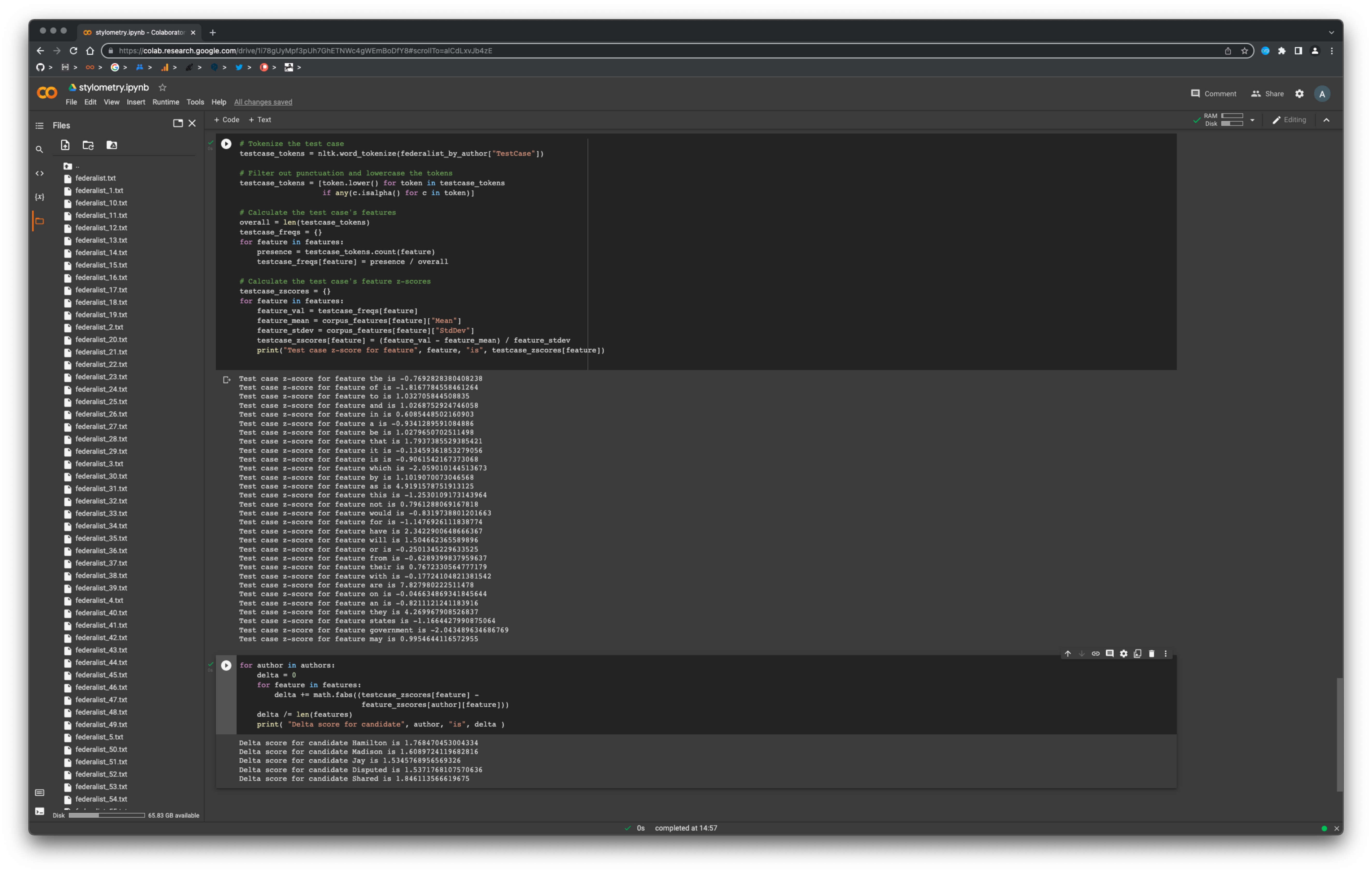
One piece of good news is that I've now worked through and finished the lesson in Colab. This is without making any changes to this line with open(f'data/federalist_{filename}.txt') as f:
Maybe it isn't necessary for me to understand this, but I would still like to unknot the following:
-
I gather that my BBEdit is accessing an earlier version of Python installed somewhere on my computer... So that's why my system was detecting the f-string error, just as Adam's students had experienced. But I'm unclear how to check which Python version BBEdit is accessing/define that I want to use v.3.
-
I've also tried these steps running Python in the Command Line... but I am still hitting errors including:
FileNotFoundError:andKeyError:. Really unsure what I am doing wrong here. Although it is a 'medium' difficulty lesson in terms of understanding (also beautifully written and interesting!), I feel I should be able to work through the code with my own intelligence. Alas, not today...
Basically, I think that the resolution to the Issue reported here, is to reinstate the alert box – which a reader suggested we remove and which I implemented (without enough knowledge 👎🏻 ) on 28.10.21. The alert box clearly expressed that:
the code in this tutorial was written using Python 3.6.4; the f-string construct in the line
with open(f'data/federalist_{filename}.txt') as f:, for example, requires Python 3.6 or a more recent version of the language.
--
Do you agree this is a good solution? Do you think any further explanation is needed? We could add the link to StackOverflow that Alex shared above.
@anisa-hawes can I help close this and other English-language lessons with maintenance issues? What remains to be changed in this case?
@anisa-hawes can we prioritise closing this ticket please? Remember the bug workflow if you're stuck.
Thank you, @acrymble. I'm sorry that I've left this one hanging. I will prioritise it this afternoon.
Notes from yesterday:
I don't 100% understand this, but I do think the difficulties I've encountered stem from the version of Python my system is using (which would make sense, because the original warning stated that python 3.6 or higher was needed).
I used the following commands to figure out which version of python my system was referencing, then choose the python environment I wanted to work in:
python --version (it was Python 2.7.16!)
ls -l /usr/local/bin/python*
ln -s -f /usr/local/bin/python3.10 /usr/local/bin/python
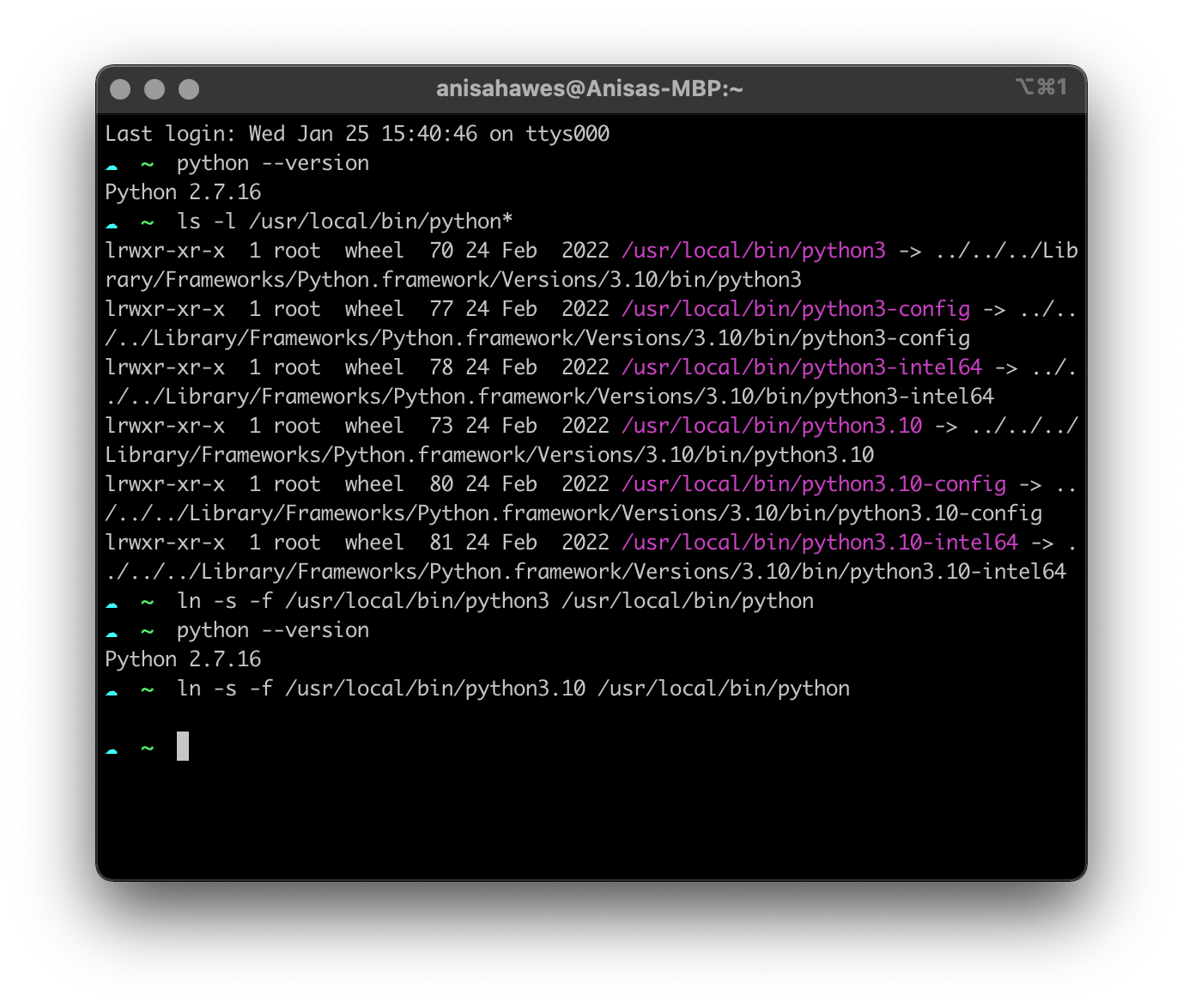
Then, I open a new terminal window, repeated
python --version
and hooray: Python 3.10.2.
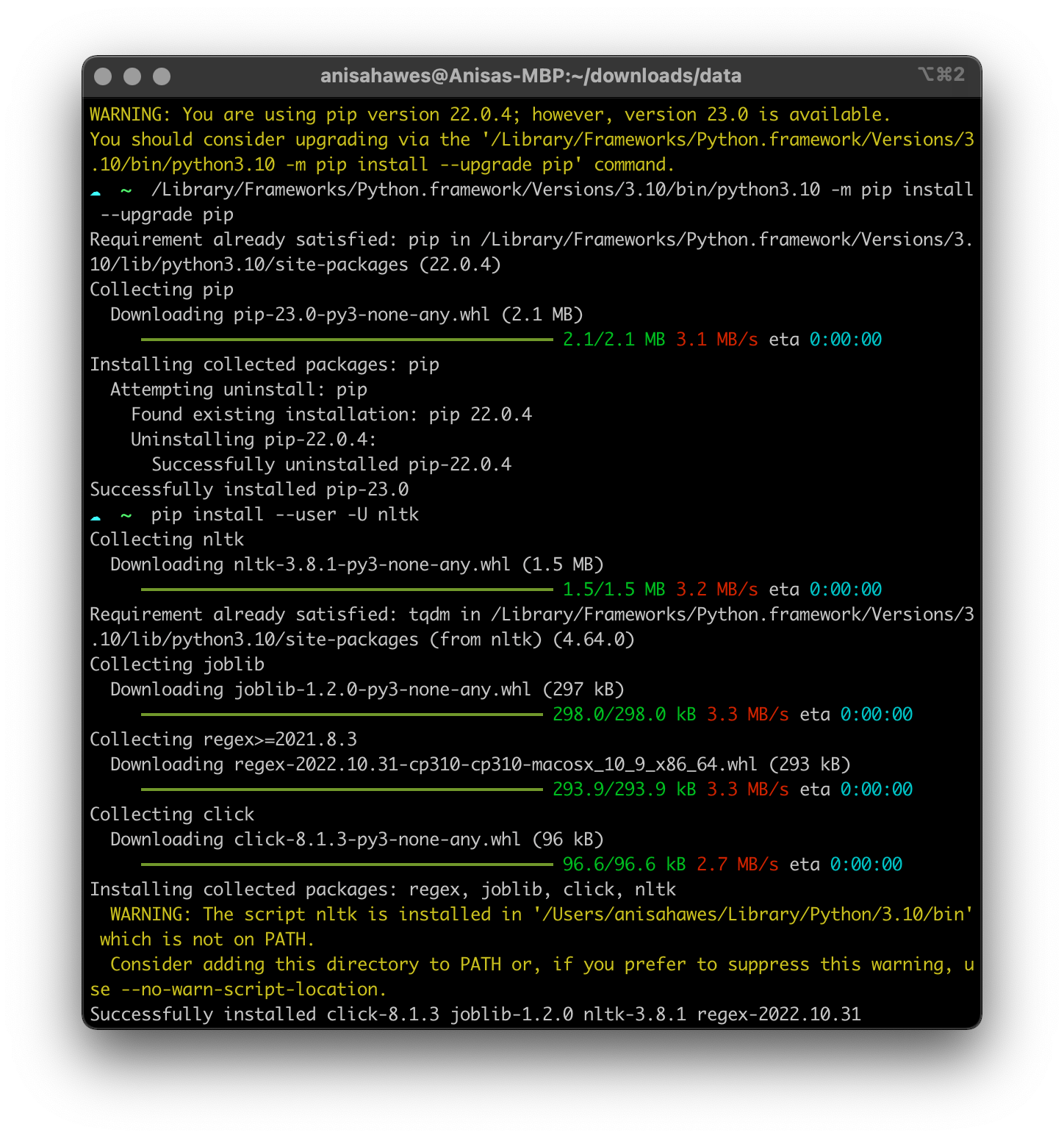
After updating pip, I successfully installed nltk
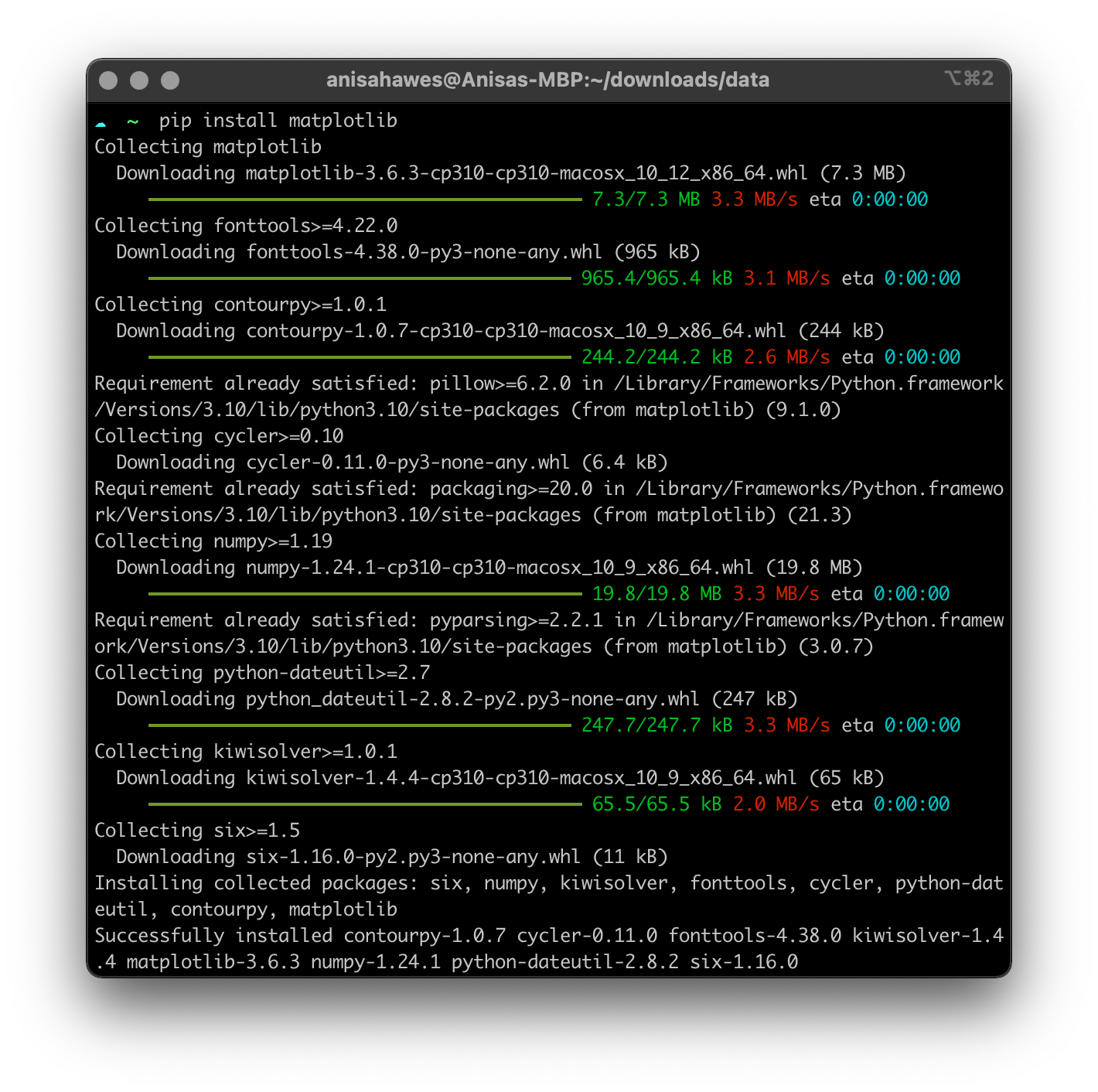
and matplotlib too
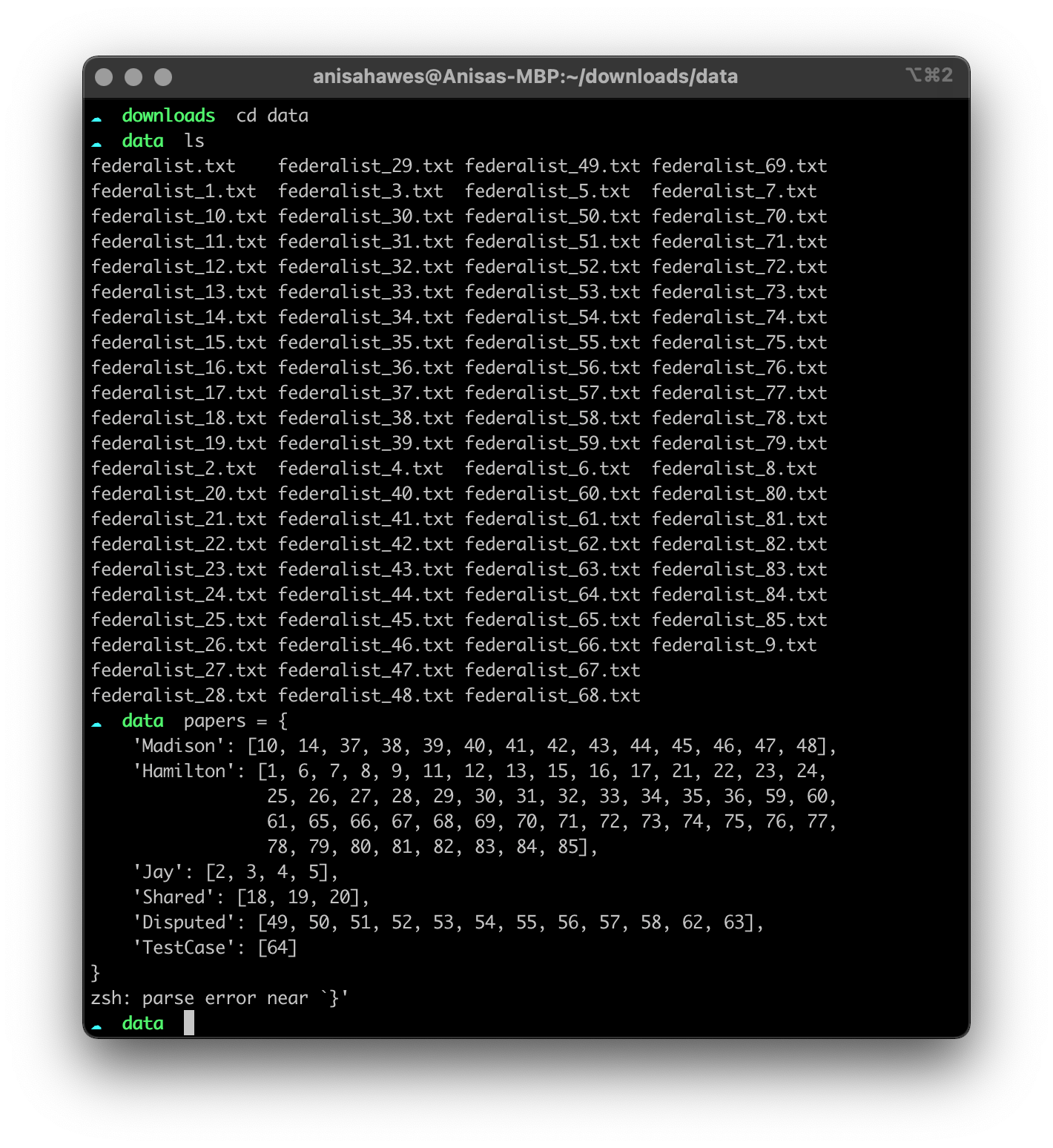
But then got stuck on something which seems ridiculous: parse error near }'
After that, I (shamefully) gave up in the command line, and moved to work in Google Colab instead (with generous help from @hawc2. Thank you, Alex.).
I made three adjustments to the code.
-
Adding
, 'r'to the linewith open(f'data/federalist_{filename}.txt') as f:so that it reads:with open(f'data/federalist_{filename}.txt', 'r') as f:(as suggested previously by Jairo)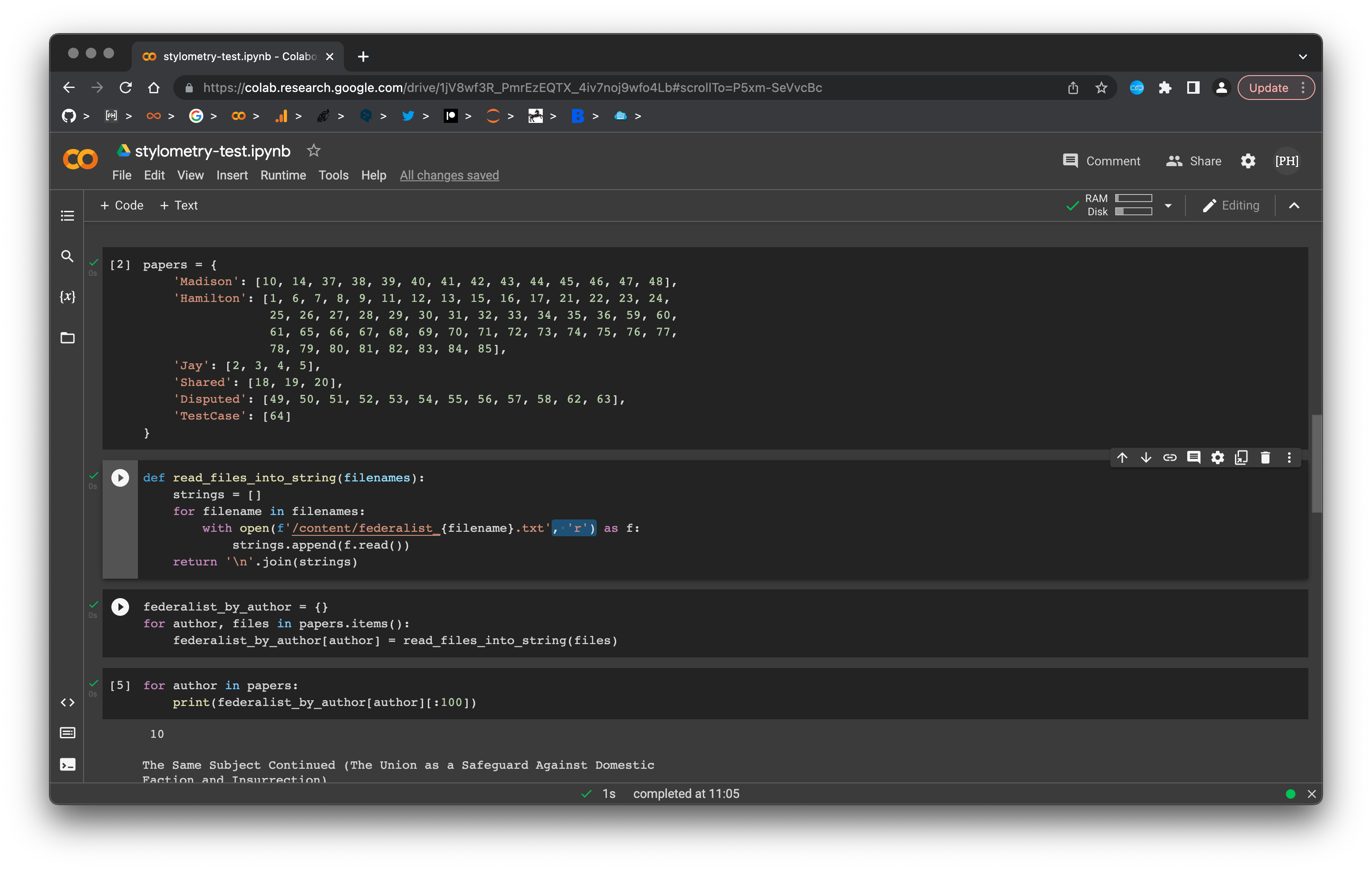
-
I was prompted in Colab to add the line
nltk.download('punkt')to followimport nltk -
I was prompted by Colab to remove the indentations which preceded the lines about token length:
federalist_by_author_length_distributions[author] = nltk.FreqDist(token_lengths) federalist_by_author_length_distributions[author].plot(15,title=author)
I think everything worked smoothly. This is the output I got:
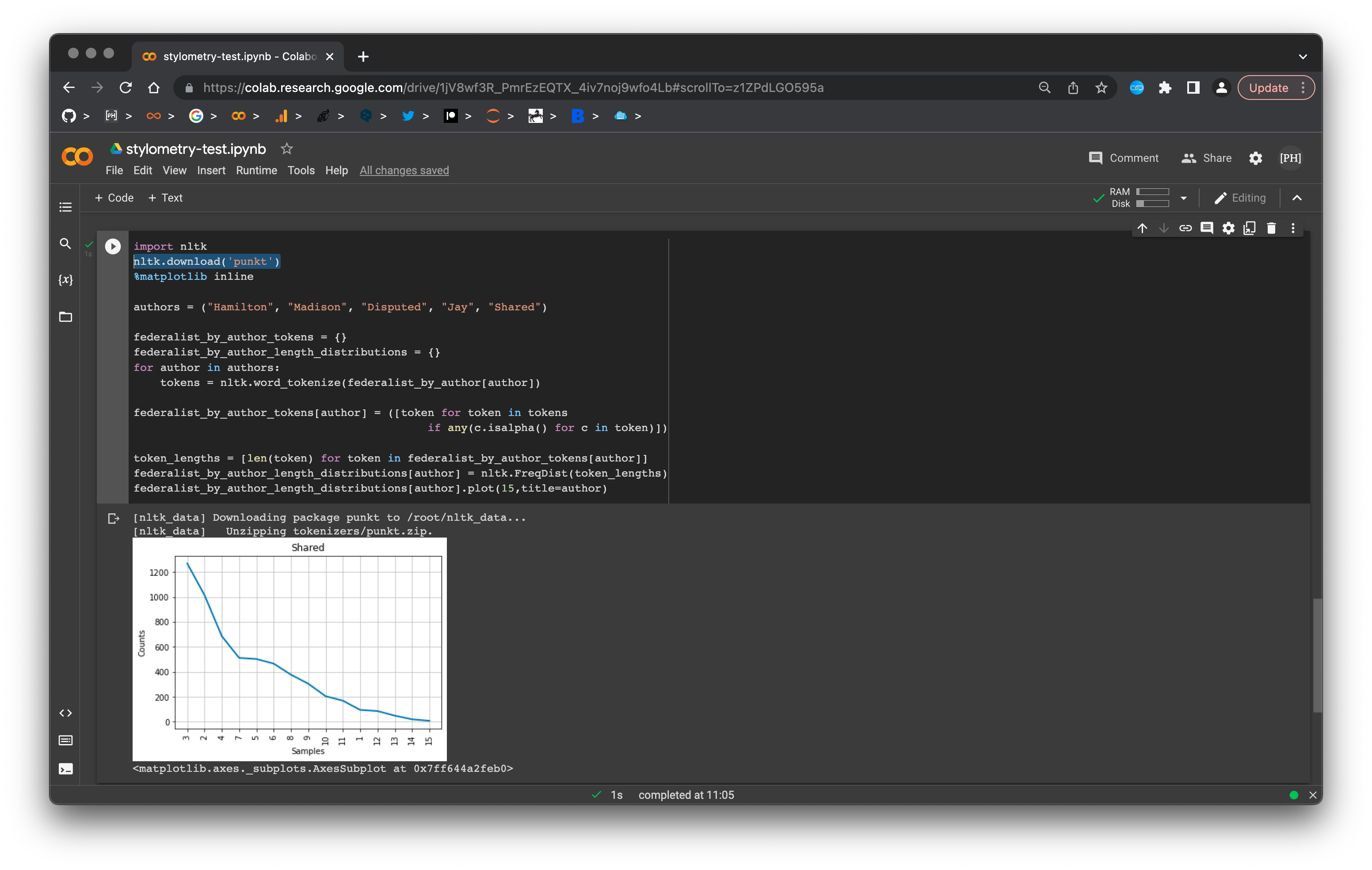
So, if @hawc2 is in agreement, I suggest:
- [x] Implementing the three adjustments to the code (described above)
- [x] Reinstating a warning box that advises readers they need to use Python v3.6 or higher