
prettier-vscode
 prettier-vscode copied to clipboard
 prettier
Line break occurs when I use prettier and save it.
Summary
I'm using prettier extension in vscode. When you save the code from a certain point, the code is pushed up one line on the screen. For example, if I write a two-line code and save the code, the code goes up one line at a time on the screen, and the first line disappears from the screen. In other words, on the screen, the second line comes up to the top. But the code that's pushed up here has only briefly disappeared from the screen, not really removed. If you scroll, there's still a backlog there.
The following steps have been taken to resolve this issue:
-
I only removed the pretier extension. -> There was no problem that the code was pushed up on the screen as above, but the code was not aligned because the pretier extension was removed.
-
After initializing all settings related to vscode (I also deleted all extention files) to determine if it was a conflict with other extensions, we tested whether the same problem occurred after reinstalling vscode and installing only the prettier extension. -> The same problem occurred when the code was pushed up on the screen as above.
-
The item "Editor: Scroll Beyond Last Line" has been unchecked. -> The problem of pushing up the code has disappeared, but it was inconvenient because it couldn't scroll after the end line of the code.
Github Repository to Reproduce Issue
x
Steps To Reproduce:
- This is step 1.
- This is step 2. All steps should start with '1.'
Expected result
I expected the code to be saved in Prettier's code alignment method without pushing the code up one line on the screen.
Actual result
The code is saved by pretier's code alignment method, but the code is pushed up one line on the screen. That is, if I have two lines of code, the second line comes up on top of the screen at the same time as I save it. But the first line only disappeared for a moment on the screen, so if I scroll up, it still exists.
Additional information
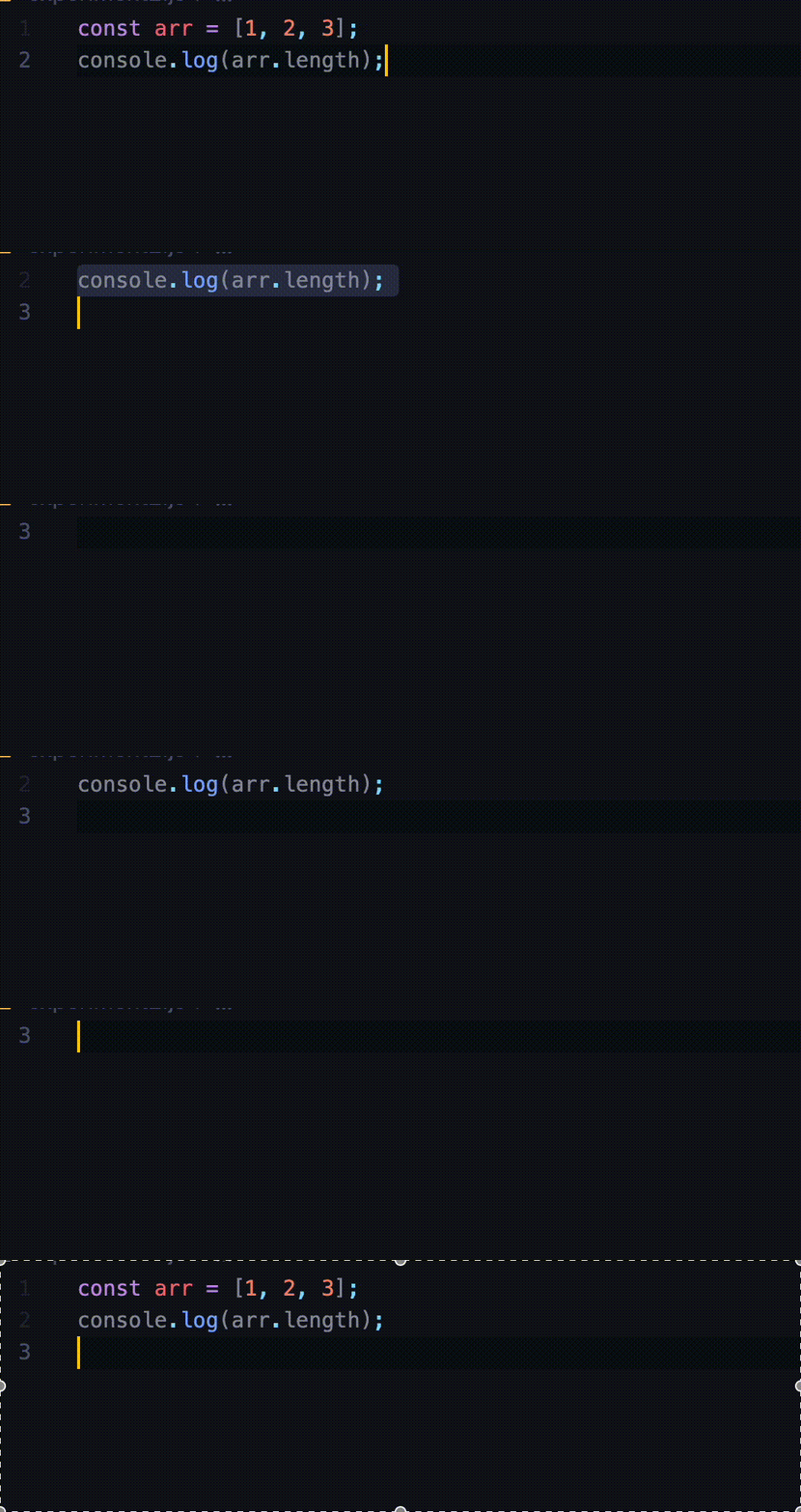
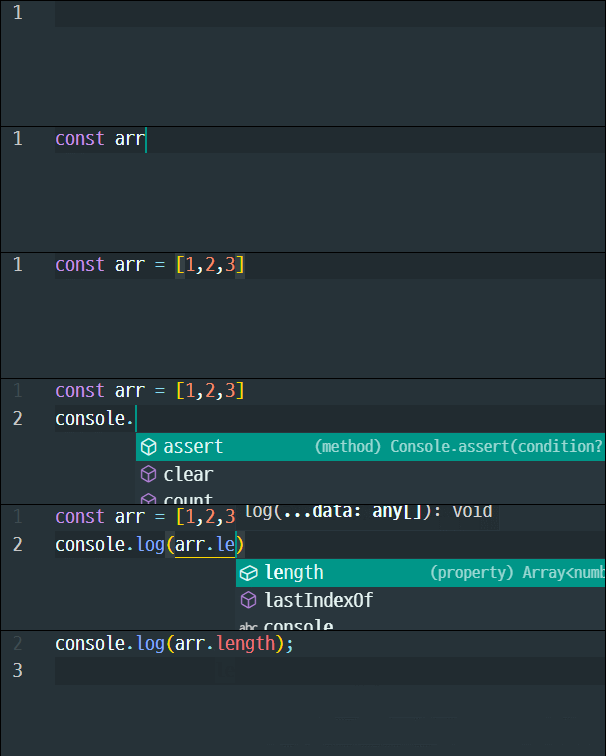
VS Code Version: Version: 1.75.1 (Universal) Commit: 441438abd1ac652551dbe4d408dfcec8a499b8bf Date: 2023-02-08T21:34:59.000Z Electron: 19.1.9 Chromium: 102.0.5005.194 Node.js: 16.14.2 V8: 10.2.154.23-electron.0 OS: Darwin arm64 22.1.0 Sandboxed: No
Prettier Extension Version: 9.10.4
OS and version: MacOS ventura 13.0.1
Prettier Log Output
["INFO" - 오전 4:29:19] Formatting completed in 34ms.
["INFO" - 오전 4:29:47] Formatting file:///Users/inguk/Desktop/%E1%84%83%E1%85%B3%E1%84%85%E1%85%B5%E1%86%B7%E1%84%8F%E1%85%A9%E1%84%83%E1%85%B5%E1%86%BCJS/experiment2.js
["INFO" - 오전 4:29:47] Using ignore file (if present) at /Users/inguk/Desktop/드림코딩JS/.prettierignore
["INFO" - 오전 4:29:47] File Info:
{
  "ignored": false,
  "inferredParser": "babel"
}
["INFO" - 오전 4:29:47] No local configuration (i.e. .prettierrc or .editorconfig) detected, falling back to VS Code configuration
["INFO" - 오전 4:29:47] Prettier Options:
{
  "arrowParens": "always",
  "bracketSpacing": true,
  "endOfLine": "lf",
  "htmlWhitespaceSensitivity": "css",
  "insertPragma": false,
  "singleAttributePerLine": false,
  "bracketSameLine": false,
  "jsxBracketSameLine": false,
  "jsxSingleQuote": true,
  "printWidth": 80,
  "proseWrap": "preserve",
  "quoteProps": "as-needed",
  "requirePragma": false,
  "semi": true,
  "singleQuote": false,
  "tabWidth": 2,
  "trailingComma": "es5",
  "useTabs": false,
  "vueIndentScriptAndStyle": false,
  "filepath": "/Users/inguk/Desktop/드림코딩JS/experiment2.js",
  "parser": "babel"
}
["INFO" - 오전 4:29:47] Formatting completed in 30ms.

This bug is missing information needed to diagnose the problem. Please see our guide on how to open a good issue and provide the missing information. Most configuration-related issues can only be resolved by providing a full repro. If you don't provide a sample to reproduce your issue, your bug will most likely be closed.
![github-actions[bot] avatar](https://avatars.githubusercontent.com/in/15368?v=4 "Published by a pub.dev verified publisher")
Having a same problem. Whenever I run Format Document current file scrolls up a line. (New line gets added, but content gets pushed to the top) I use editor.formatOnSave so it slowly pushes all the code to the top of the editor. I can't tell for sure when this bug appeared, but it might have happened sometime this year. Isn't anyone else running into this problem? Tested bunch of previous versions of Prettier & Extension itself. Couldn't pin point to the specific version easily. Issue could be originated from VSCode itself or something else ..
Edit: Just found out that when the format happens, if the file already has a newline ending, content doesn't get pushed to the top.

Do you have an .editorconfig file? This extension seems to silently load it and format lines based on that without it ever showing up even in the logs. I just pulled my hair out for hours before I figured out we have an .editorconfig file with a conflicting line length setting.
