
inky
 inky copied to clipboard
 pimoroni
Trouble displaying palletized images on Inky Impression
I’m trying to display weather icons from Weather Underground on my Inky Impression. I used Dhertz’s answer from https://github.com/pimoroni/inky/issues/85 to manually swap colors around but it’s a very hacky solution in my case since there is a different set of colors that needs to be swapped for each icon to display correctly on the Impression. Ugh.
Is there a simple set of python instructions that will get this icon, for example, to display correctly on Inky Impression?
https://raw.githubusercontent.com/manifestinteractive/weather-underground-icons/master/dist/icons/black/png/256x256/tstorms.png
Thanks!

It's best if assets are prepared specifically for Impression and all share the same 7-colour, indexed palette in the correct order but...
If you stick to 7 colours that match across all your assets then you should be able to convert them to RGB, paste them into an RGB canvas and then quantize the result to your palette using the same method that Inky users. Or just throw Inky the RGB image and hope for the best! (we might need some method of disabling dither to make that work best).
Here's an example that takes every 64x64 black Weather Underground Icon and displays it on a canvas:
#!/usr/bin/env python3


from PIL import Image
from inky.mock import InkyMockImpression as Inky # Simulator
# from inky.inky_uc8159 import Inky  # Real display
import glob


SATURATION = 0.5
ICON_SIZE = (64, 64)


def load_icon(icon):
    return Image.open(icon).convert("RGBA")

# Load all .png files from current directory
icons = [load_icon(icon) for icon in glob.glob("*.png")]

inky = Inky()

image = Image.new("RGB", (inky.WIDTH, inky.HEIGHT), (255, 255, 255))

x = 0
y = 0
for icon in icons:
    if icon.size == ICON_SIZE:
        image.paste(icon, box=(x, y), mask=icon)
        x += ICON_SIZE[0]
        if x + ICON_SIZE[0] > inky.WIDTH:
            x = 0
            y += ICON_SIZE[1]


inky.set_image(image, saturation=SATURATION)
inky.show()
inky.wait_for_window_close()
And the result is (in the Inky Simulator):
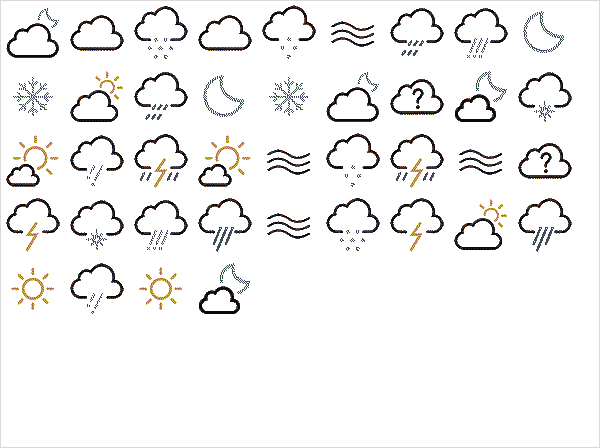

Saw this on Twitter this morning - https://github.com/rbunger/Inky-wHAT-Weather-Station/blob/main/README.md
They convert the images from SVG with a fixed palette.