
phplist3
 phplist3 copied to clipboard
 phpList
Cannot view all screen when subjects are long
Hi, when subjects are long, big portion of the screen cannot be viewed, there is no horizontal scroll.
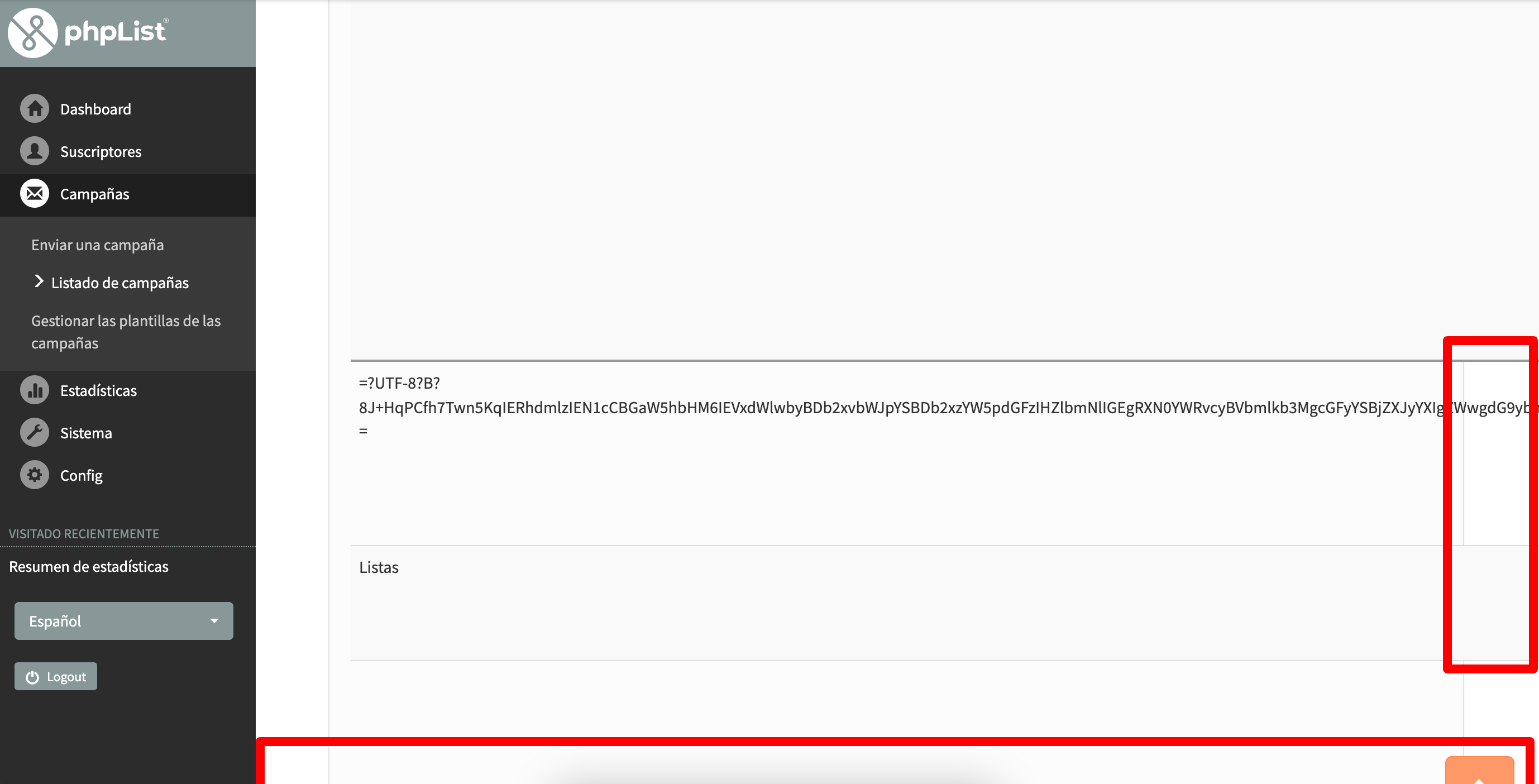

Interesting. Looks like rendering is not correct when using UTF-8 encoded subjects. Can you post the content of the subject you entered ? As in the spanish text.
Thanks

Looks to be overflow due there not being a suitable character for the browser to break the long string.
This can be handled by using word-break: break-all
https://developer.mozilla.org/en-US/docs/Web/CSS/word-break
Here's an example from the RSS Feed plugin, the long URL is broken to avoid overflow between digits 2 and 0 which would not otherwise be done.


The text was: 🇨🇴💪 Davis Cup Finals: Equipo Colombia Colsanitas vence a Estados Unidos para cerrar el torneo por lo alto
Coded: =?UTF-8?B?8J+HqPCfh7Twn5KqIERhdmlzIEN1cCBGaW5hbHM6IEVxdWlwbyBDb2xvbWJpYSBDb2xzYW5pdGFzIHZlbmNlIGEgRXN0YWRvcyBVbmlkb3MgcGFyYSBjZXJyYXIgZWwgdG9ybmVvIHBvciBsbyBhbHRv?=
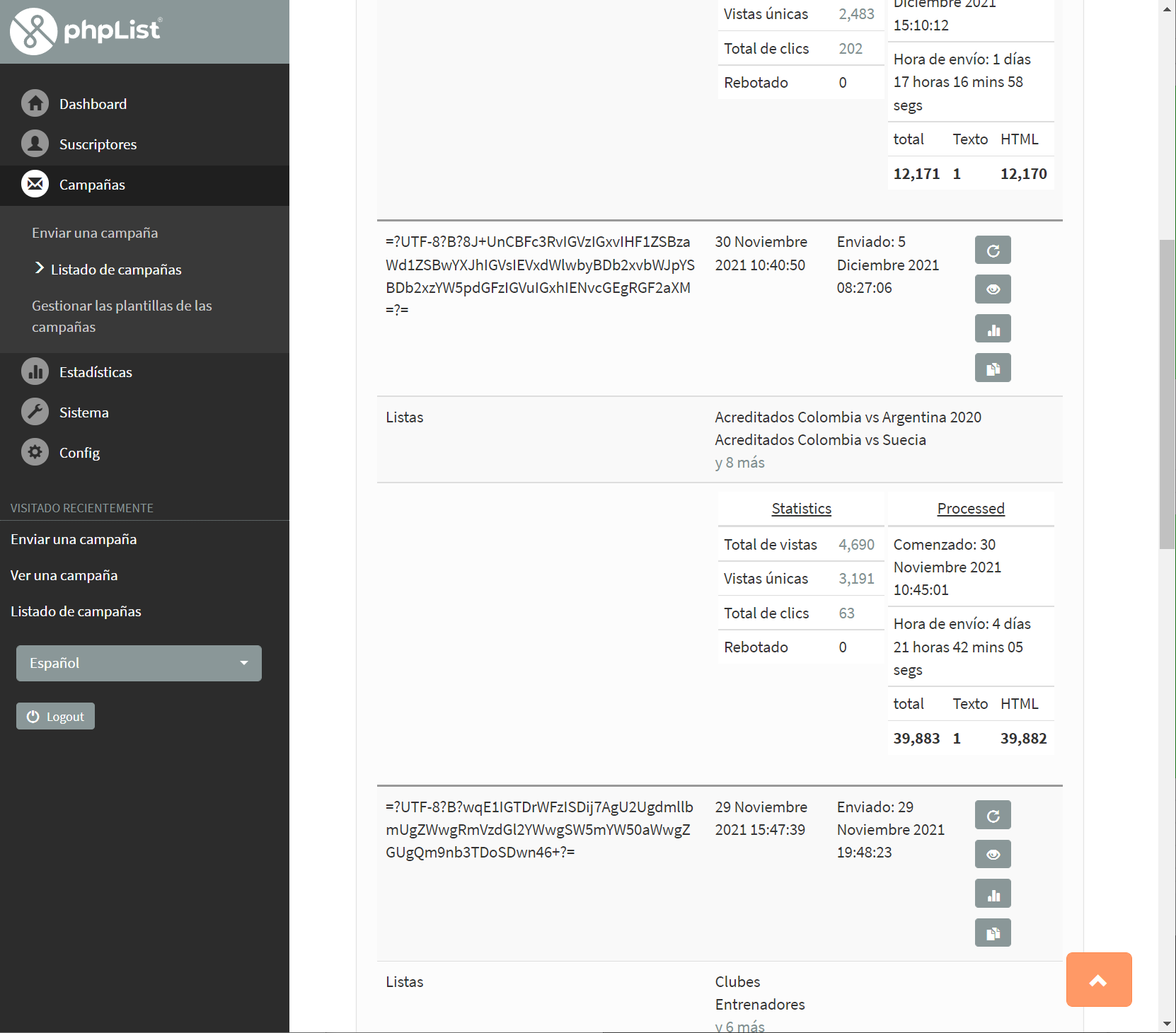

@michield I looked at the css styles for the Trevelin them and could find little specific styling for the listingname class, only a couple for the home page in phplist-ui-bootlist/less/legacy.less
body.home .custom-attribute td.listingname{padding-left:40px}
whereas the old Dressprow theme does have such general styling e.g.
td.listingelement, td.listingname, th, td.listingrowname{ text-align:center !important}
The underlying problem seems to be wanting to use characters that are not in the mysql utf8mb3 set and having to manually encode the subject as utf8. Maybe look again at how to change the database to utf8mb4.