
phplist3
 phplist3 copied to clipboard
 phpList
Unknown image format/encoding
I activated CKEditor as suggested here.
However when I try to upload an image I get the following error:
Unknown image format/encoding.
Apparently after trying a second time the editor sends a request to a non existent file:
http://lists.domain.org/admin/plugins/CKEditorPlugin/kcfinder/plugins/CKEditorPlugin/kcfinder/upload.php
any ideas? Has this anything to do with the apache mime types?

@jucajuca It looks like you have the wrong path to KCFinder on the Settings page. Unless you have moved the CKEditor plugin then the path should be left as plugins/CKEditorPlugin/kcfinder


I just checked and the path is correct.
Only the second request has a wrong URL.
The fisrt request returns:
Unknown image format/encoding.

Thanks. Can you check whether the php GD extension is enabled.
Also, for the second point, what are the values in config.php for $pageroot and PLUGIN_ROOTDIR
These are the values of the variables:
$pageroot = ''; define("PLUGIN_ROOTDIR","plugins");
Here is an animation:
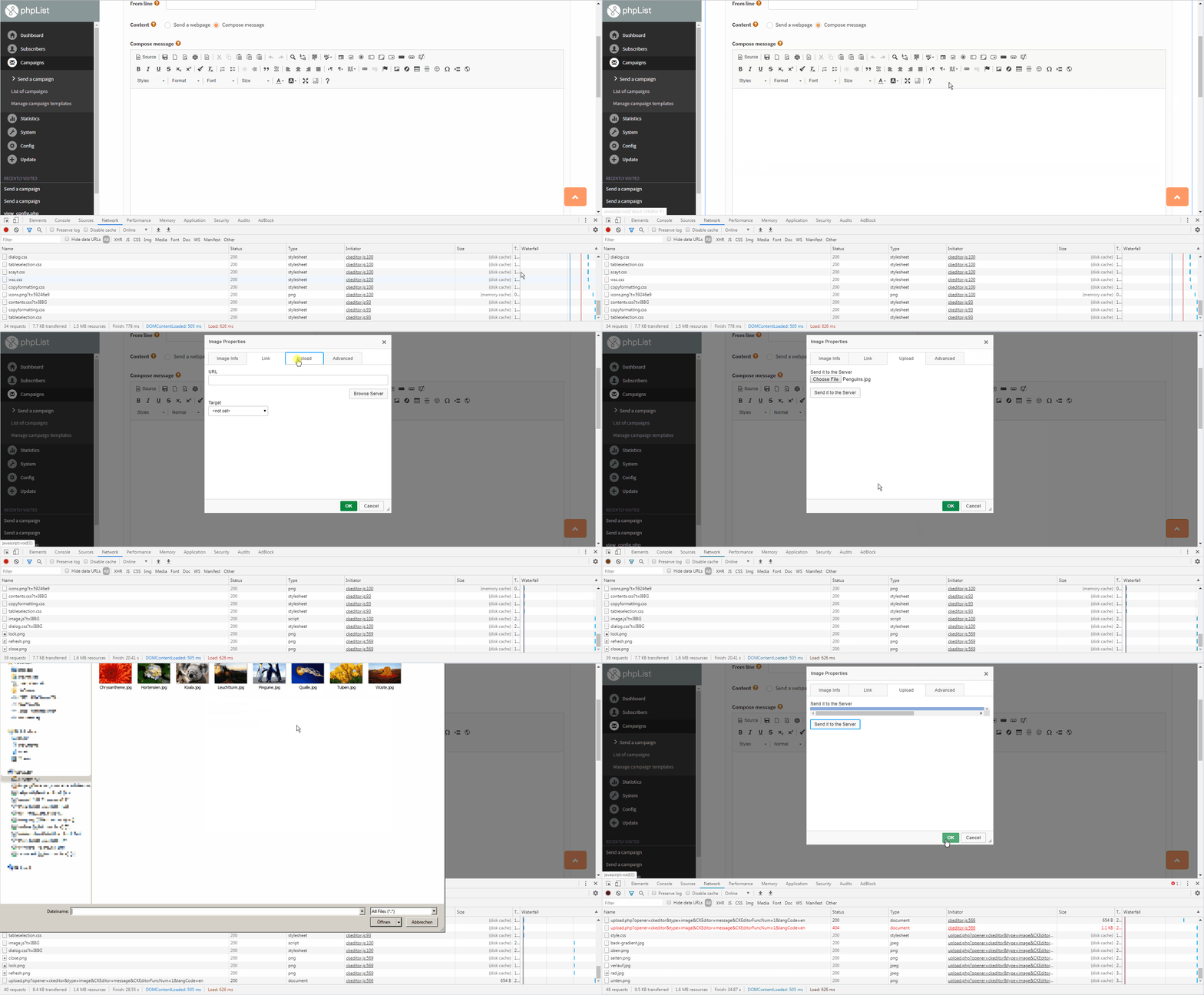
Can you try uploading from the image browser window instead to see whether that has the same problem? How do I suspend the animation, it is going too fast to look at?
after digging into it I found the problem.
in the config file of kcfinder I had to change the drivers for images. Apparently I do not have imagemagick or gmagick. I think phplist should check if the software is installed.
admin/plugins/CKEditorPlugin/kcfinder/conf/config.php
    'imageDriversPriority' => "gd", //"imagick gmagick gd"  <<< I changed this.
    'jpegQuality' => 90,
    'thumbsDir' => ".thumbs",
Thanks for looking into this. The imagick and gmagick are optional and file uploading works when they are not present. Are you sure that you didn't change anything else?
But the plugin should test whether the GD extension is installed, and not allow image upload if it is not. I will look into that.
If GD is not installed then a different error message is displayed as imagick and gmagick are not standard php extensions so will usually not be installed anyway.
Cannot find any of the supported PHP image extensions!
I'm trying to work out how the error message that you had can be produced
Unknown image format/encoding.
What is the php version and phplist release?