
eclipse-typescript
 eclipse-typescript copied to clipboard
 palantir
Error Occured while Building Workspace for using TypeScript
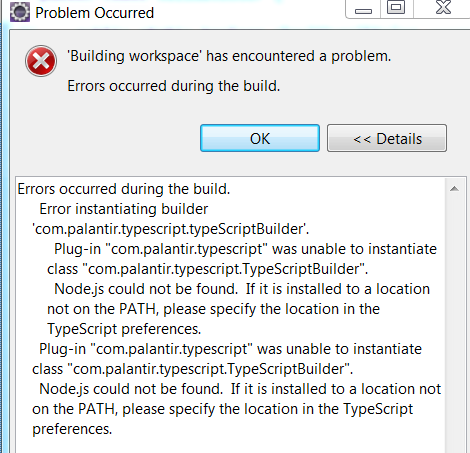
PFA - I have already installed Nodejs in my system and verified it. I have downloaded the "New Software" from Eclipse for enabling TypeScript. Now, when I right click on a Project to Enable "TypeScript", I get the attached error message:
Errors occurred during the build. Error instantiating builder 'com.palantir.typescript.typeScriptBuilder'. Plug-in "com.palantir.typescript" was unable to instantiate class "com.palantir.typescript.TypeScriptBuilder". Node.js could not be found. If it is installed to a location not on the PATH, please specify the location in the TypeScript preferences. Plug-in "com.palantir.typescript" was unable to instantiate class "com.palantir.typescript.TypeScriptBuilder". Node.js could not be found. If it is installed to a location not on the PATH, please specify the location in the TypeScript preferences.
Please help.

i am also facing the same issue.my system details: OS: ubuntu 14.04 LTS. Ecilpse: Oxygen
Please help.
