
ego
 ego copied to clipboard
 overture-stack
OAuth 2.0 authorization service that supports multiple OpenID identity providers
Ego - Authentication and Authorization Microservice




Biomedical data requires secure protocols for authenticating users and authorizing the information and applications those users can access. Ego addresses this by facilitating user registration and providing a secure permission management system. An Ego UI was also developed to make these services accessible to all collaborators.

Ego is a core component within the Overture research software ecosystem. Overture is a toolkit of modular software components made to build into scalable genomics data management systems. See our related products for more information on what Overture can offer.
Technical Specifications
- Written in JAVA
- Uses well-known single-sign-on identity providers such as Google, GitHub, LinkedIn and ORCiD.
- OAuth 2.0 and OpenID Connect compliant
- Developed with Sprint Boot and Spring Security Frameworks
- Scalable with JSON Web Tokens (JWT)
- For more information visit our wiki
Documentation
- See our Developer wiki
- For our user installation guide see our website here
- For administrative guidance see our website here
Docker Setup
This is a step-by-step guide for setting up a dockerized version of Ego.
- Set up a google oauth client app. See here for more details
- Note it may take 5 minutes to a few hours for settings to take effect
- Clone or Download the repository and update the
docker-compose-all.ymlfile with your client id and secret
spring.security.oauth2.client.registration.google.clientId : "<insert-provided-client-Id>"
spring.security.oauth2.client.registration.google.clientSecret: "<insert-provided-clientSecret>"
- Open Docker desktop and then run the following command from your CLI
docker-compose -f docker-compose-all.yml up
- Ego requires seed data to authorize the Ego UI as a client using the following command
Alternatively if you have Make installed you can run make init-db
docker exec ego-postgres-1 psql -h localhost -p 5432 -U postgres -d ego --command "INSERT INTO EGOAPPLICATION (name, clientId, clientSecret, redirectUri, description, status, errorredirecturi) VALUES ('ego ui', 'ego-ui', 'secret', 'http://localhost:8080/', '...', 'APPROVED', 'http://localhost:8080/error') on conflict do nothing"
- You can now access the Ego UI through
http://localhost:8080/ego-ui
- This will require your google sign in
- Once signed in you will have access to the admin dashboard
- The Ego swagger ui can be located at
http://localhost:8080/swagger-ui.html
Support & Contributions
- Filing an issue
- Making a contribution
- Connect with us on Slack
- Add or Upvote a feature request
Related Products
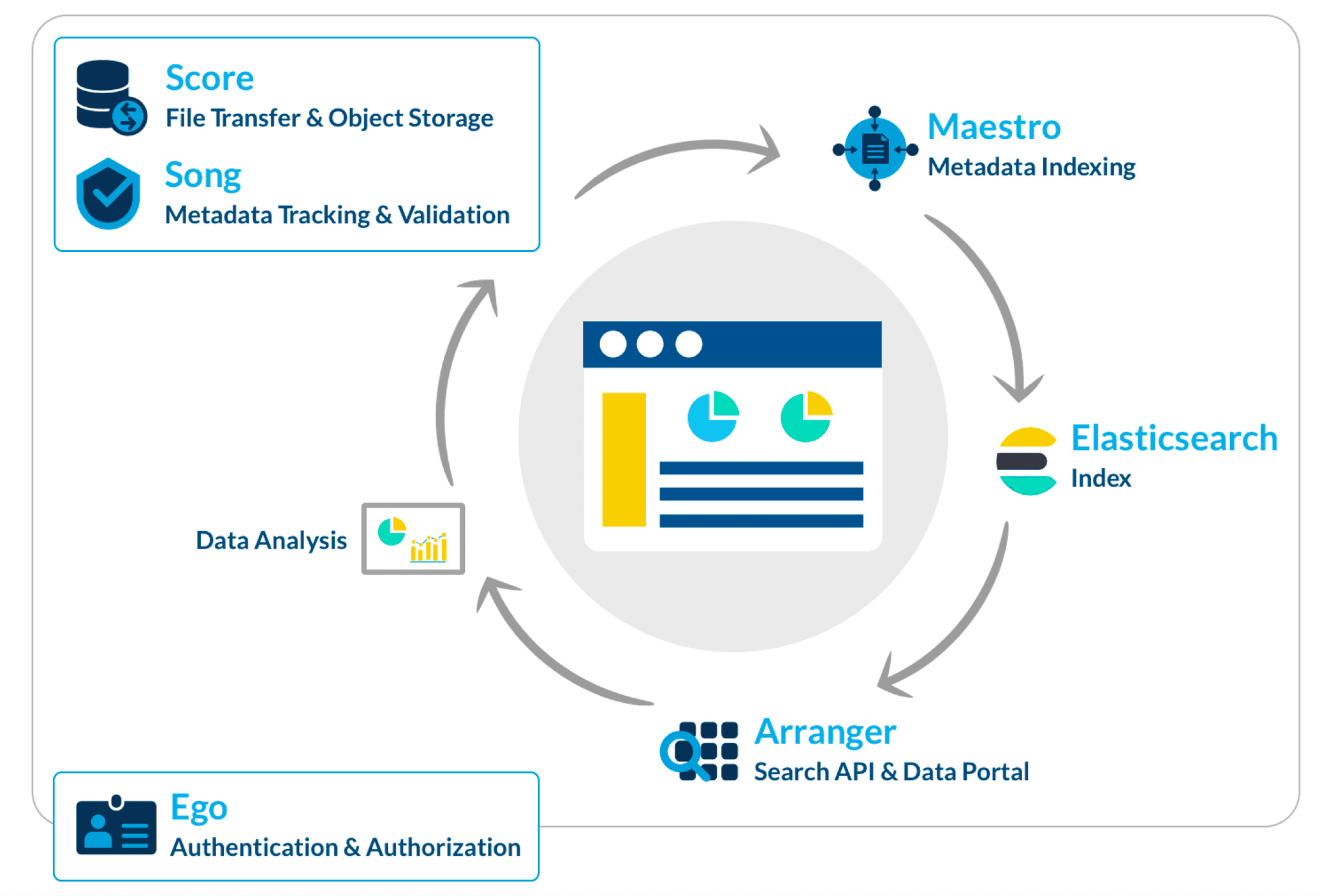
Overture is an ecosystem of research software tools, each with narrow responsibilities, designed to address the adapting needs of genomics research.
The Overture Data Management System (DMS) is a fully functional and customizable data portal built from a packaged collection of Overture's microservices. For more information on DMS, read our DMS documentation.
See the links below for additional information on our other research software tools:
| Software | Description |
|---|---|
| Ego | An authorization and user management service |
| Ego UI | A UI for managing Ego authentication and authorization services |
| Score | Transfer data to and from any cloud-based storage system |
| Song | Catalog and manage metadata associated to file data spread across cloud storage systems |
| Maestro | Organizing your distributed data into a centralized Elasticsearch index |
| Arranger | A search API with reusable UI components that build into configurable and functional data portals |
| DMS-UI | A simple web browser UI that integrates Ego and Arranger |
Metadata
Owner
 overture-stack
Metadata
OAuth 2.0 authorization service that supports multiple OpenID identity providers