bun
 bun copied to clipboard
 oven-sh
Failed to install Packages
Version
0.1.5
Platform
Darwin Ahmeds-MacBook-Pro-2.local 21.5.0 Darwin Kernel Version 21.5.0: Tue Apr 26 21:08:29 PDT 2022; root:xnu-8020.121.3~4/RELEASE_ARM64_T8101 arm64
What steps will reproduce the bug?
when you run bun install with a new project of React.
(base) ahmedsiddiqui@Ahmeds-MacBook-Pro-2 app % bun install
bun install v0.1.5
 Failed to install 8 packages
[13.00ms] done
error: Unexpected installing web-vitals
error: Unexpected installing js-tokens
error: Unexpected installing typescript
error: Unexpected installing react-refresh
error: Unexpected installing react
error: Unexpected installing react-dom
error: Unexpected installing loose-envify
error: Unexpected installing scheduler
(base) ahmedsiddiqui@Ahmeds-MacBook-Pro-2 app %
How often does it reproduce? Is there a required condition?
No response
What is the expected behavior?
No response
What do you see instead?
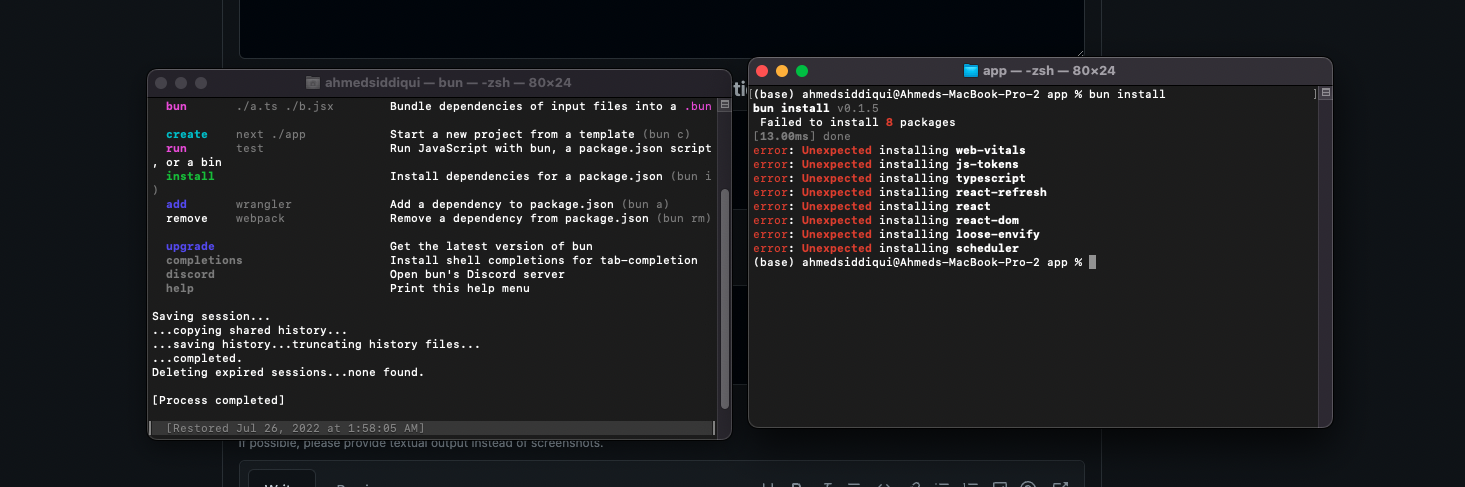
Additional information
No response

I have 2 potential fixes for this.
Try using bun add instead of bun install and see if you can update Bun with bun upgrade.
Not 100% if this would work though.

I have 2 potential fixes for this.
Try using
bun addinstead ofbun installand see if you can update Bun withbun upgrade.Not 100% if this would work though.
Unfortunately, it did not work. but I install the module with yarn. then use bun to start the app which is super fast.
As mentioned in https://github.com/oven-sh/bun/issues/362#issuecomment-1177680128
bun install --backend=copyfile
works as temporary fix for macOS external volume folders

@ArunJRK that works for me on an external volume, but bun i slows to a crawl

I just want to add why this working is important for me and I'm sure many others. I use a second APFS volume to get a case sensitive file system for code projects, something that I can't do on the primary volume (unless I want a ton of issues).
pnpm solves this by setting a separate virtual store per volume so hard links work.
bun should do the same.

As of Bun v1.0.7, we fixed the issue with macOS so you no longer need to use the copyfile workaround. If you're still running into the "Unexpected installing" errors, please feel free to re-open this issue.