score
 score copied to clipboard
 ossia
ossia
[UI] Show/hide UI fails for Surge XT when Score graphical zoom set to 150%
How to reproduce:
- Open Score and change graphical zoom to 150%.
- Close and re-open new Score project.
- Drag Surge XT VST3 plugin process into scenario.
- Press the show/hide ui button for Surge.
After doing this, the UI window for Surge opens up for a split second, seems to change size a couple of times and then immediately closes. Enabling logging in the settings and looking at the message log while doing this gives the following logs (I don't know how to copy-paste from the message logs so I only have a screenshot):
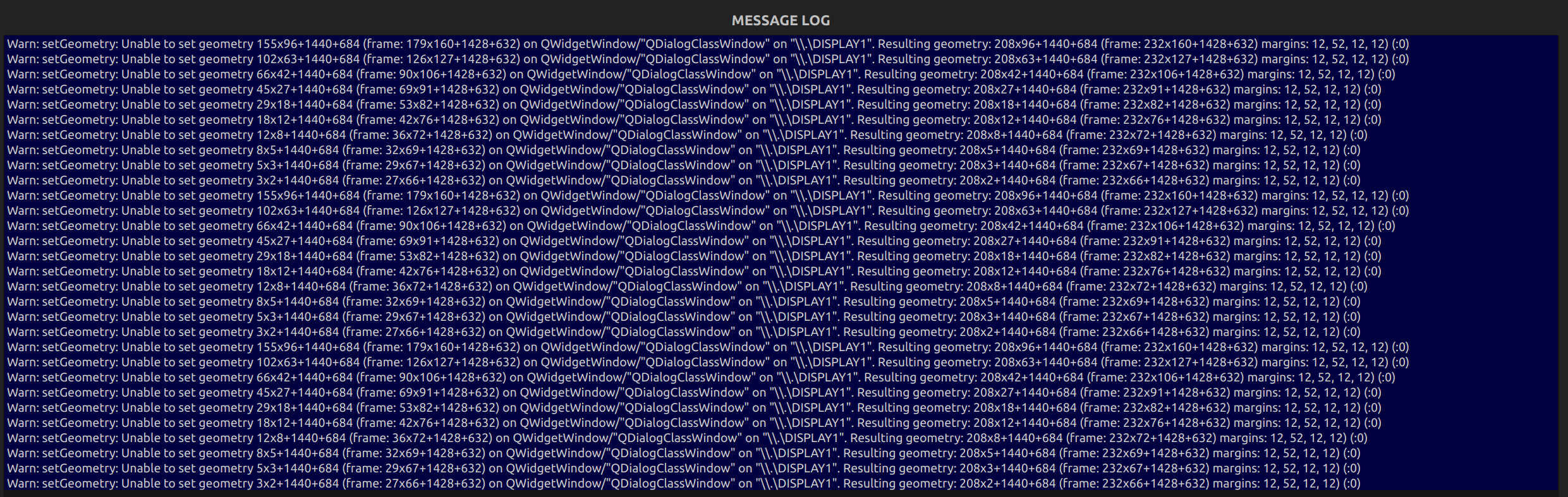
This issue does not happen for me if I have my graphical zoom set to the default of 100%. I have not tried other graphical zoom settings. I also did test the show/hide UI button for several other VSTs I have installed and none of them have this problem. In fact, Surge comes with a separate "Surge XT Effects" VST which just contains some FX packaged with the synth and this VST does not have the UI bug either. It seems to just be the main Surge XT synth.
My OS is Windows 10 version 21H2.