
javafx-maven-plugin
 javafx-maven-plugin copied to clipboard
 openjfx
Problems running with javafx:run in a project with cross-platform fat JAR settings
Hi! I'm working on a project where building a cross-platform JAR is required. This is our pom.xml: https://github.com/lielfr/lilach/blob/master/lilach-client/pom.xml
Whenever trying to run it using mvn javafx:run, maven refuses to run it on my Mac. However, when commenting out the linux javafx-graphics dependency it runs properly. Is there any way to get around that? Is it a bug?
Thanks

You don't need to add classifiers for each platform in order to build your project. Just add which dependencies you need and those that are platform-specific will be automatically referenced.
If you want to develop JavaFX applications using Maven, you don't have to download the JavaFX SDK. Just specify the modules and the versions you want in the pom.xml, the build system will download the required modules, including the native libraries for your platform.
Source: Getting Started with JavaFX

I got the same issue.
I use maven assembly to create a fat cross-platform jar. The jar is not running OS different from my macOS if i dont include os specific modules, but when i do the plugin wong start using mvn javafx:run

Since JavaFX requires platform-specific libs in order to run your app in different OSs you need to build the fat JAR for each target OS.
The problem here is the classes overlapping if you add manually many OS-specific modules.
So, my advice is: build each os-specific fat JAR from your macOS adding manually OS-specific javafx maven dependency instead generic one.
<!-- use this -->
<dependency>
    <groupId>org.openjfx</groupId>
    <artifactId>javafx-graphics-mac</artifactId>
    <version>14</version>
</dependency>

<!-- instead this -->
<dependency>
    <groupId>org.openjfx</groupId>
    <artifactId>javafx-graphics</artifactId>
    <version>14</version>
</dependency>
Thanks for you answer, That is what i'm trying to do - Having generic libraries in my dependencies, but when using maven-assembly to package the jar, all the os specific dependencies needs to be available on the classpath. How can i do that i tried with profiling, but it dit not work?
Here are my solution to generate a cross-platform JavaFX app JAR: cross-platform-app-fx.
IMPORTANT!
You cannot run the example using this plugin because it use the MODULE_PATH and the maven project is only compatible with CLASS_PATH (more details in repository's README).
You cannot run the example using this plugin because it use the
MODULE_PATHand the maven project is only compatible withCLASS_PATH(more details in repository's README).
I am wrong about the above. The plugin is able to detect if our app is modular and run it in the right way. But javafx:run fail on windows for this app (I developed it in this OS) because it cannot load the DLLs and I don't know why. In linux run without problems.
I am working on this. Wait for updates.
I have opened an issue (#72) about of the impossibility to run the application using javafx:run and added a PR (#73) that fixes it.
See the issue #72 for more details on the underlying problem.
Great work. What you did in cross-platform-app-fx with creating a launch class making the application loading the classpath modules is a great hack. I also found this on the internet, but it is good to have a repo illustrating this.
Good with the PR. Any idea when to expect this release?
So for now I am able to run the fat jar generated with maven assembly from any OS - if I include all dependencies as you did in the above repo, but javafx:run does not work, and so does the debug not work. Or am i doing something wrong?
Great work. What you did in cross-platform-app-fx with creating a launch class making the application loading the classpath modules is a great hack. I also found this on the internet, but it is good to have a repo illustrating this.
Thanks a lot
Good with the PR. Any idea when to expect this release?
It has to be approved first and I am not part of the company, so I don't know.
but javafx:run does not work
PR #73 fix that, but we have to wait for it to be included in the next release.
and so does the debug not work. Or am i doing something wrong?
For me debug work fine in IntelliJ IDEA. What are you doing?
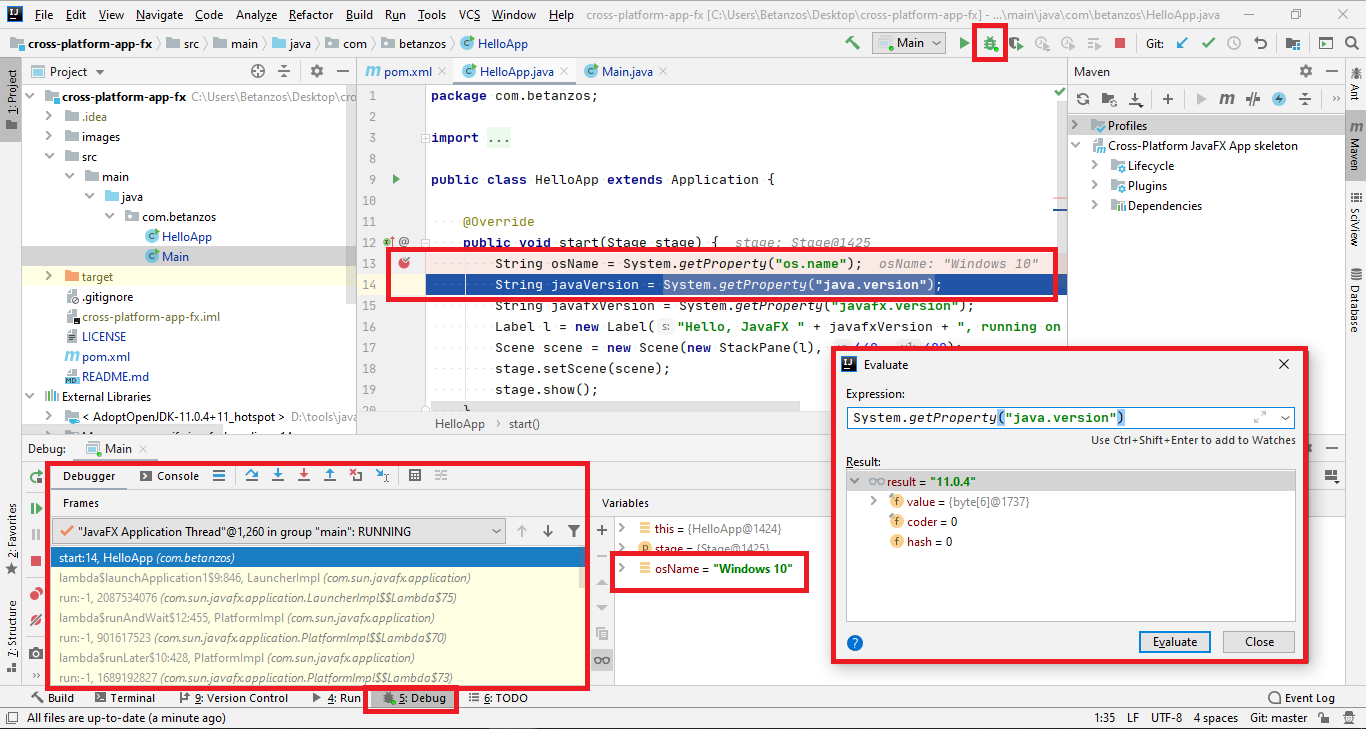
Well,
I was just using the plugin with run some options i googled:
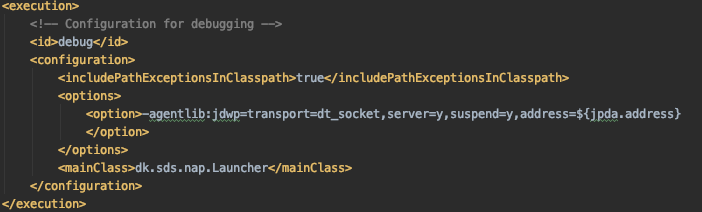 javafx:run@debug.
But from now on i do as you illustrate in your screen dump - simply just run the main class. Stupid enough i dont not think of that.
This actually fixes all my problems (thank you x 1000). But i am not utilizing the javafx-maven-plugin then?
This actually fixes all my problems (thank you x 1000). But i am not utilizing the javafx-maven-plugin then?
My answer is yes. Remember you really don't need the plugin in order to run the app from an IDE, it is useful to do it from terminal.
I've never used debugging from Maven, and I've never really needed it.
Yea it is usefull for the terminal, and a few of my co-workers swear to Visual Studio. So need to take care.
I've came upon the same problem as well. Is this a JavaFX issue or is this a plugin issue?
