
obs-studio
 obs-studio copied to clipboard
 obsproject
Screen shifted in diagonal
Operating System Info
macOS 10.15
Other OS
No response
OBS Studio Version
28.1.1
OBS Studio Version (Other)
No response
OBS Studio Log URL
https://obsproject.com/logs/IkLj7yzSb9bxS2di
OBS Studio Crash Log URL
No response
Expected Behavior
While previewing the capture, I was expecting to have a smooth image like this.

Current Behavior
Hi OBS Support,
On latest version, I have a weird behavior displaying screen content. It looks like there is a small shift on some pixels on the display
(Look at l, e and top of the g in the following capture). There is a kind of pixel shift done.

This shift looks to be a screen diagonal from top left to bottom right.
This does not happen on 28.0.3
Steps to Reproduce
- Open preview window from any source on OBS
- Check what is displayed around diagonal from Top Left to Bottom Right.
...
Anything else we should know?
No response

Can you confirm if you actually tested with multiple source types? The log file you posted shows that you're only using a capture card. Are you capturing another display with this capture card? Does this also happen with Window or Display capture? If this is only happening with the capture card, it's likely an issue with the card itself.

I have tested it only with my capture card. Why would it be an issue with the capture card since the issue is not present when using OBS 28.0.3 ?
Le 9 nov. 2022 à 18:13, Joel Bethke @.***> a écrit :
Can you confirm if you actually tested with multiple source types? The log file you posted shows that you're only using a capture card. Are you capturing another display with this capture card? Does this also happen with Window or Display capture? If this is only happening with the capture card, it's likely an issue with the card itself.
— Reply to this email directly, view it on GitHub https://github.com/obsproject/obs-studio/issues/7742#issuecomment-1309078670, or unsubscribe https://github.com/notifications/unsubscribe-auth/AFLA3LKSTUFYA2KEZUFZIALWHPLUTANCNFSM6AAAAAAR3QX6YE. You are receiving this because you authored the thread.
It would be helpful to know if this kind of artifact still remains with other source types, as it will help narrow down the issue. As far as I can see, we haven't changed anything regarding video capture devices between those versions, so it's very odd that this behavior would change.
Hi, I did some tests early today. I tried to change both the resolution or frequency, no change, issue is still present on 28.1.2, but not on 28.0.3.
I tried to change the capture source with my webcam. No problem with the webcam. So overall seems to be linked to the capture card (HD 60S+), but why is there this issue with 28.1.2 and not on 28.0.3?
I'm having the same problem. I've got a GameCube with an HDMI adapter, (GCHD-Mkii), going into an elgato HD60 S+. The problem is present with my Nintendo Switch as well, but harder to see. The problem is present on 28.0 Beta as well as 29.0.0 beta 2, (I haven't tried beta 1).
In the pictures below you can see clearly in the top left and bottom right of the first image as well as in the L and O there is some diagonal glitching. The exact same feed going into Elgato GameCapture software at the same time doesn't have the tearing.


Can confirm that I have the same problem with OBS 29.0.0 on macOS 13.1. The same capture card and source captured with QuickTime does not have this issue, see screenshots below:

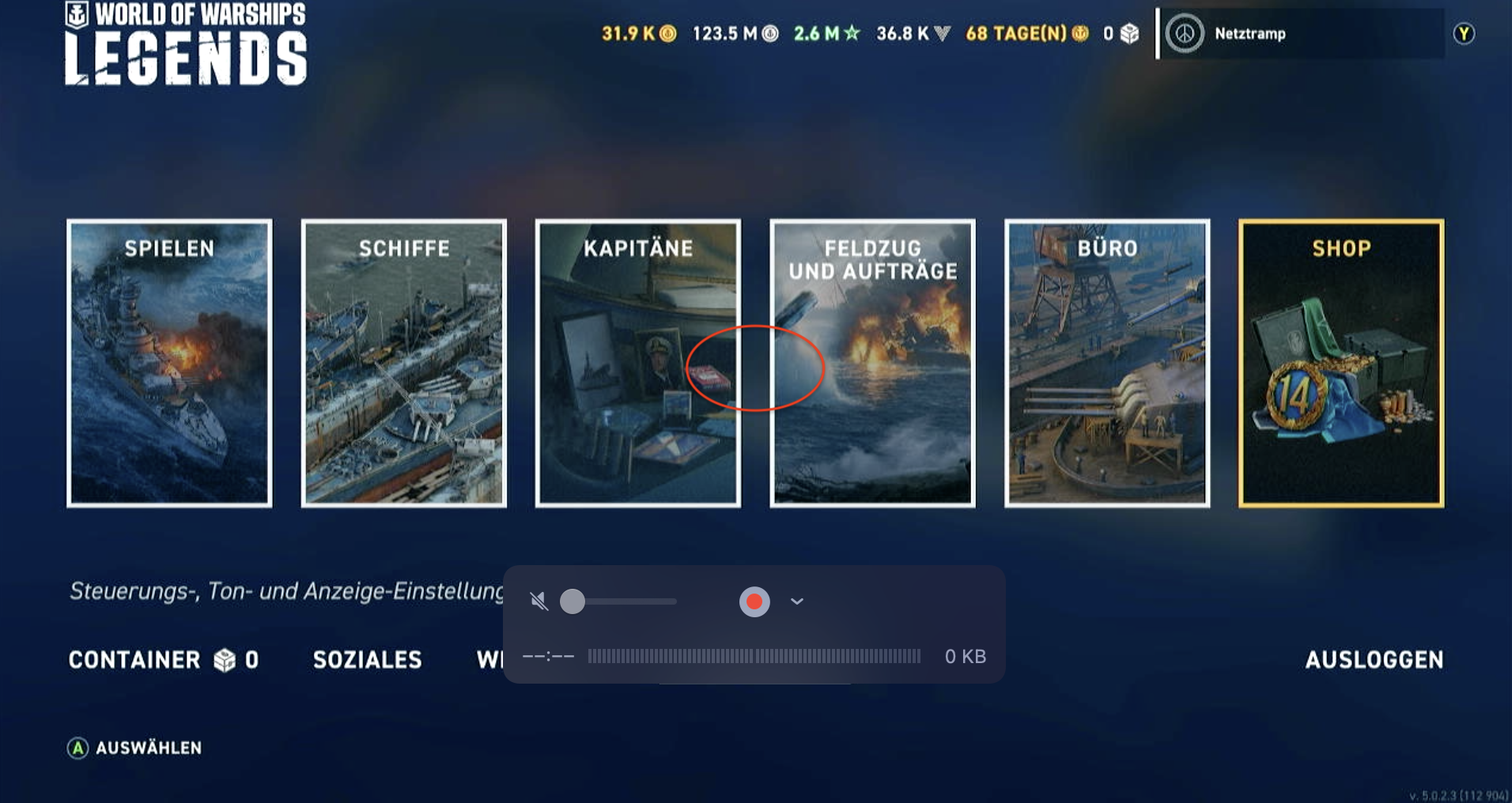

I Have the same problem with OBS 29.0.2 on mac. Tested on an external DSLR camera and the mac internal one. Every video source has that diagonal glitch.

@Crazy-Ivan @ChrKopp please provide logs and information on what capture card(s) you're using.

For those who can reproduce this, please:
- Post a full OBS log file from a session where this occurs.
- Confirm that the problem is not present in OBS Studio 28.0.3.
- Give the specific name, make, and model of your video device (capture card or video camera).
- Verify whether not the issue is present in beta/rc releases for 28.0, 28.1, and 29.0.
- Verify if the issue is visible in recordings as well as the OBS preview.
There were very few changes for macOS between 28.0 and 28.1, so this is perplexing.

I can confirm that the last version this was not present in was 27.2.4. I will try to post logs tonight.
I'm having the same problem. I've got a GameCube with an HDMI adapter, (GCHD-Mkii), going into an elgato HD60 S+. The problem is present with my Nintendo Switch as well, but harder to see. The problem is present on 28.0 Beta as well as 29.0.0 beta 2, (I haven't tried beta 1).
As said before, if you see this problem please also confirm that it's not just in the preview but also the recording, and provide the other info requested above.

Hi, same issue on four different Macs, all behave the same.
- Log File:
Log File
17:48:47.086: [macOS] Permission for audio device access granted. 17:48:47.098: [macOS] Permission for video device access granted. 17:48:47.110: [macOS] Permission for accessibility granted. 17:48:47.122: [macOS] Permission for screen capture granted. 17:48:47.122: CPU Name: Intel(R) Xeon(R) CPU X5650 @ 2.67GHz 17:48:47.122: CPU Speed: 2660MHz 17:48:47.122: Physical Cores: 6, Logical Cores: 12 17:48:47.122: Physical Memory: 49152MB Total 17:48:47.122: OS Name: macOS 17:48:47.122: OS Version: Version 12.6 (Build 21G115) 17:48:47.122: Rosetta translation used: false 17:48:47.122: Kernel Version: 21.6.0 17:48:47.123: hotkeys-cocoa: Using layout 'com.apple.keylayout.German' 17:48:47.123: Current Date/Time: 2023-04-04, 17:48:47 17:48:47.123: Browser Hardware Acceleration: true 17:48:47.123: Qt Version: 6.4.1 (runtime), 6.4.1 (compiled) 17:48:47.123: Portable mode: false 17:48:47.343: OBS 29.0.2 (mac) 17:48:47.343: --------------------------------- 17:48:47.345: --------------------------------- 17:48:47.345: audio settings reset: 17:48:47.345: samples per sec: 48000 17:48:47.345: speakers: 2 17:48:47.345: max buffering: 960 milliseconds 17:48:47.345: buffering type: dynamically increasing 17:48:47.346: --------------------------------- 17:48:47.346: Initializing OpenGL... 17:48:47.426: Loading up OpenGL on adapter ATI Technologies Inc. AMD Radeon RX 580 OpenGL Engine 17:48:47.426: OpenGL loaded successfully, version 4.1 ATI-4.8.101, shading language 4.10 17:48:47.959: --------------------------------- 17:48:47.959: video settings reset: 17:48:47.959: base resolution: 1920x1080 17:48:47.959: output resolution: 1280x720 17:48:47.959: downscale filter: Bicubic 17:48:47.959: fps: 60/1 17:48:47.959: format: NV12 17:48:47.959: YUV mode: Rec. 709/Partial 17:48:47.959: NV12 texture support not available 17:48:47.959: P010 texture support not available 17:48:47.960: Audio monitoring device: 17:48:47.960: name: Standard 17:48:47.960: id: default 17:48:47.960: --------------------------------- 17:48:47.974: No AJA devices found, skipping loading AJA UI plugin 17:48:47.974: Failed to initialize module 'aja-output-ui' 17:48:47.987: No AJA devices found, skipping loading AJA plugin 17:48:47.987: Failed to initialize module 'aja' 17:48:47.990: Failed to load 'en-US' text for module: 'decklink-captions' 17:48:47.993: Failed to load 'en-US' text for module: 'decklink-output-ui' 17:48:48.017: Decklink API Compiled version 11.6 17:48:48.017: Decklink API Installed version 11.7 17:48:48.352: [VideoToolbox encoder]: Adding VideoToolbox encoders 17:48:48.417: [obs-browser]: Version 2.19.0 17:48:48.417: [obs-browser]: CEF Version 103.0.5060.134 (runtime), 103.61.23+g2fe5a76+chromium-103.0.5060.134 (compiled) 17:48:48.459: [obs-websocket] [obs_module_load] you can haz websockets (Version: 5.1.0 | RPC Version: 1) 17:48:48.459: [obs-websocket] [obs_module_load] Qt version (compile-time): 6.4.1 | Qt version (run-time): 6.4.1 17:48:48.459: [obs-websocket] [obs_module_load] Linked ASIO Version: 101201 17:48:48.468: [obs-websocket] [obs_module_load] Module loaded. 17:48:48.479: [vlc-video]: VLC 3.0.18 Vetinari found, VLC video source enabled 17:48:48.480: --------------------------------- 17:48:48.480: Loaded Modules: 17:48:48.480: vlc-video 17:48:48.480: text-freetype2 17:48:48.480: rtmp-services 17:48:48.480: obs-x264 17:48:48.480: obs-websocket 17:48:48.480: obs-vst 17:48:48.480: obs-transitions 17:48:48.480: obs-outputs 17:48:48.480: obs-filters 17:48:48.480: obs-ffmpeg 17:48:48.480: obs-browser 17:48:48.480: mac-virtualcam 17:48:48.480: mac-videotoolbox 17:48:48.480: mac-syphon 17:48:48.480: mac-capture 17:48:48.480: mac-avcapture 17:48:48.480: image-source 17:48:48.480: frontend-tools 17:48:48.480: decklink 17:48:48.480: decklink-output-ui 17:48:48.480: decklink-captions 17:48:48.480: coreaudio-encoder 17:48:48.480: --------------------------------- 17:48:48.481: ==== Startup complete =============================================== 17:48:48.509: Switched to Preview/Program mode 17:48:48.509: ------------------------------------------------ 17:48:48.563: All scene data cleared 17:48:48.563: ------------------------------------------------ 17:48:48.829: coreaudio: Device 'BlackHole 16ch' [44100 Hz] initialized 17:48:48.829: [Loaded global audio device]: 'Desktop-Audio' 17:48:48.860: coreaudio: Device 'Built-in Line Input' [44100 Hz] initialized 17:48:48.860: [Loaded global audio device]: 'Mikrofon-/AUX-Audio' 17:48:48.906: adding 42 milliseconds of audio buffering, total audio buffering is now 42 milliseconds (source: Mikrofon-/AUX-Audio) 17:48:48.906: 17:48:48.989: Videoaufnahmegerät: Selected device 'OBSBOT Tiny 4K Camera' 17:48:48.992: Videoaufnahmegerät: Using preset 1280x720 17:48:49.131: Switched to scene 'Szene' 17:48:49.134: ------------------------------------------------ 17:48:49.134: Loaded scenes: 17:48:49.134: - scene 'Szene': 17:48:49.135: - source: 'Videoaufnahmegerät' (av_capture_input) 17:48:49.135: ------------------------------------------------
-
Confirmed: no issue with 28.0.3 and 27.2.4. Tested 28.1, 29.0, 29.0.1, 29.0.2
-
All Video Device affected: different USB Webcams, Insanity Pro 4K, Decklink Quad HDMI
-
Beta 29.1 seems not available for Mac
5)Yes, also visible in recordings
This shift isn't visible with 29.0.2 ARM Version.

Can confirm I am seeing this issue on Intel but not on ARM as well. macOS 13.3.1 with Elgato HD60S+. This is present in screenshots and recordings, not only the preview.

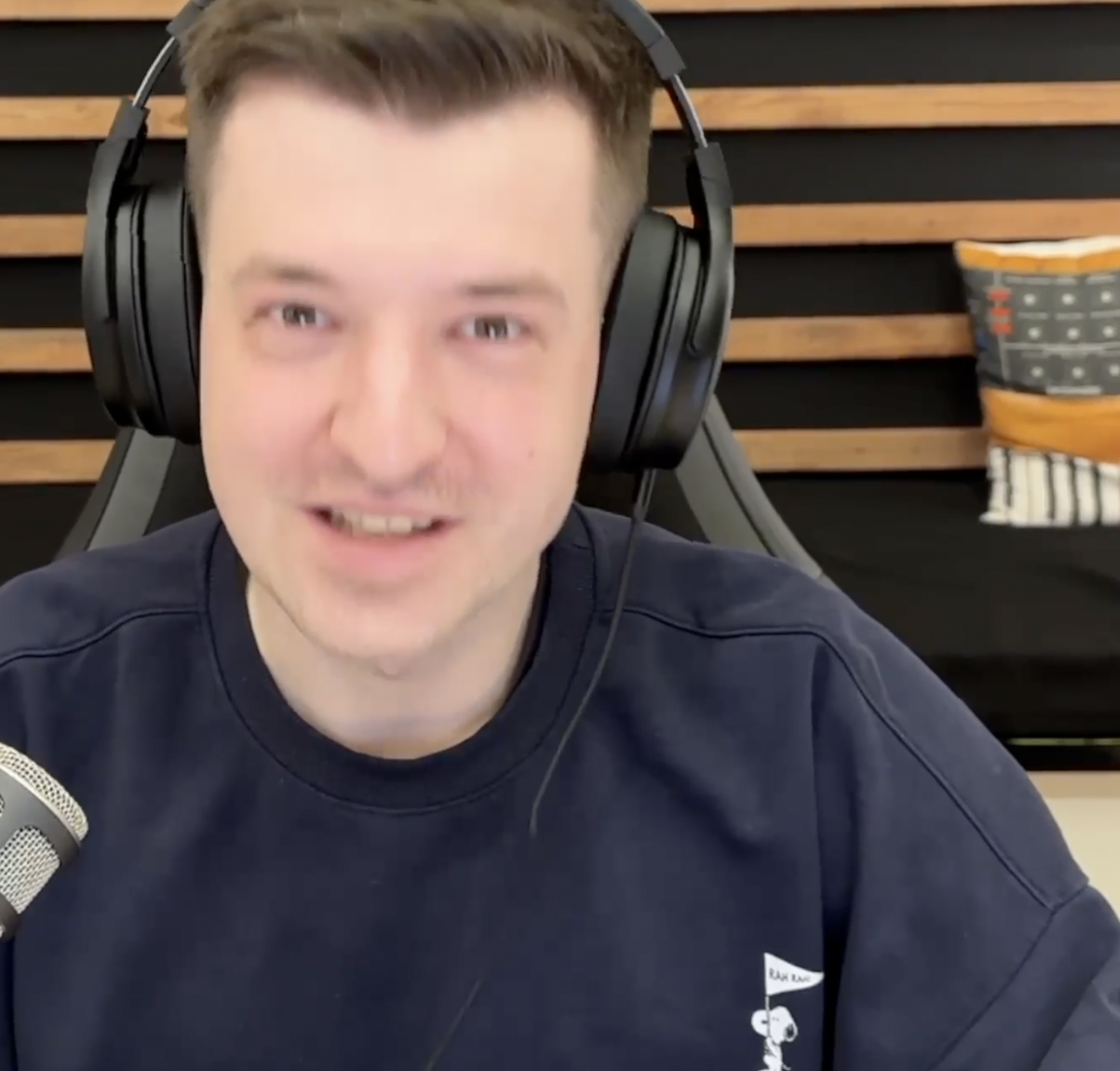
Look to my left headphone on the picture, there's the line.
I can confirm the same happens, but for me only using iPhone 14 Pro Max in Continuity Camera mode on iMac 2019 Ventura. The issue is present in recordings as well as in preview. In Zoom and other apps the camera won't have this problem. What are the solutions for this?
Here's my log file:

I think I found the solution to this - sharing here in case it helps anyone else. I'm on a Mac with Monterey.
Here is the solution to this problem that fixed it for me:
- Right click on the source in the preview and reset transform to start with the unaltered source.
- Double click on the source to open its properties.
- Change "High" to the highest available resolution in the drop down list.
- Click ok.
- Resize the source to fit onto the canvas by dragging it (not via the transform -> fit to screen option)
Diagonal glitching lines are now gone.
The issue seems to be related to choosing "High" in the source properties instead of an actual defined resolution. I initially assumed that "High" would be equivalent to the highest resolution available on the screen, but that's precisely what introduced the diagonal line.
Have fun making music! www.tissimo.co

- Right click on the source in the preview and reset transform to start with the unaltered source.
- Double click on the source to open its properties.
- Change "High" to the highest available resolution in the drop down list.
- Click ok.
- Resize the source to fit onto the canvas by dragging it (not via the transform -> fit to screen option)
Diagonal glitching lines are now gone.
At least for me this procedure does not fix the problem. I've tried different resolution settings after reseting the transformation and the glitch is visible in all of them. Even the source preview in the properties setting is showing the glitch. As already mentioned this is not a hardware problem, captures with QuickTime for example are fine.
At least for me this procedure does not fix the problem. I've tried different resolution settings after reseting the transformation and the glitch is visible in all of them. Even the source preview in the properties setting is showing the glitch. As already mentioned this is not a hardware problem, captures with QuickTime for example are fine.
I should probably mention I have an RX580 - not sure if that makes a difference.
But after resetting the sources, and changing to the highest resolution - i no longer see the diagonal lines.
I wonder - if it could also be related to the number of camera devices plugged in.
In my case I have 3: ipod touch, iphone se, ipad air.
the iphone se was the culprit.
however if I notice the diagonal lines on any of the other sources, I will keep looking to see if there is anything else that solves it in addition to what I already mentioned.
Have fun making music! www.tissimo.co
The common items in each log reported so far are:
- Apple Mac system
- Intel CPU
- AMD GPU
- OBS 28.0+ (or OBS 28.1+)
If you are experiencing this issue, please confirm these details:
- Post a full OBS log file from a session where this issue occurs.
- Confirm whether the issue is present in OBS Studio 28.0.3 on the affected system(s).
- Provide the specific name, make, and model of your video device (capture card or video camera).
- Verify whether not the issue is present in beta/rc releases for 28.0, 28.1, 29.0, and 29.1.
- Verify if the issue is visible in recordings as well as the OBS preview.
It sounds like this only affects Intel-based Mac systems. What I am mostly curious about now is verifying the oldest version of OBS where this starts occurring.
Okay, so super interestingly, running OBS 29.0.2 on my MacPro7,1 with Radeon Pro W5700X does not exhibit this issue. Will continue to dig!
although I can't post logs (given my issue has been solved) I should probably mention the Mac Pro is a 2010 (Monterey via OCLP) I have another crazy guess - could it have to do with a faulty USB/lightening cable? like for instance a slow charging cable vs a data cable. I mention this because I have never experienced the diagonal lines with an Apple original cable. But if this is way off topic and has nothing to do with it - scratch that.
Have fun making music! www.tissimo.co
Actually, it has happening on my MacPro7,1 (2019) I just couldnt see it in the same spot.
Log: https://obsproject.com/logs/rqUaekXiC4ALqIu2
Well, I tried installing OBS Studio 28.0.3, and now the line is gone!
iMac 2019 Intel i9 Radeon Pro 570X 4 ГБ
On 29.0.2 the line was visible.
it also appears like my lines are back - so my initial solution has only been temporary and was NOT the real fix. The diagonal line is now a bit smaller and in a slightly different place - but still present only on the iPhone SE using the Amazon Basics cable. I might also try installing OBS 28.0.3 until there is a permanent fix to the current or future OBS versions.
Have fun making music! www.tissimo.co
What I'd really like to confirm is:
- Does this occur in OBS Studio 28.0.1?
- Does this occur in OBS Studio 28.1.0-beta1?
Specifically those versions. That would narrow down the changes we'd have to check.
What I'd really like to confirm is:
- Does this occur in OBS Studio 28.0.1?
- Does this occur in OBS Studio 28.1.0-beta1?
Specifically those versions. That would narrow down the changes we'd have to check.
- The line didn't occur in OBS Studio 28.0.1
- The line occured in OBS Studio 28.1.0-beta1, same line as in 29.0.2
I did have the line in 28.0.1. It's more pronounced on my GameCube capture since it's 480p. It's more difficult to see with higher resolutions which is probably where the confusion is coming from. The last version this was not present in was 27.2.4.
I'm having the same problem. I've got a GameCube with an HDMI adapter, (GCHD-Mkii), going into an elgato HD60 S+. The problem is present with my Nintendo Switch as well, but harder to see. The problem is present on 28.0 Beta as well as 29.0.0 beta 2, (I haven't tried beta 1).
In the pictures below you can see clearly in the top left and bottom right of the first image as well as in the L and O there is some diagonal glitching. The exact same feed going into Elgato GameCapture software at the same time doesn't have the tearing.
update: After disconnecting one of the 3 monitors from the RX580 (Samsung TV) thus reducing to a 2 monitor setup (Cinema HD display and a Samsung monitor) the lines are once again GONE. Settings are 60 FPS. I am not entirely sure if that is related, or if it's a coincidence, but I do recall the fans of the RX580 and of the Mac Pro were quite noisy with the 3 monitor setup vs the 2 monitor setup. Still using the Amazon Basics cable for the iPhone SE (which used to produce the diagonal lines).
My guess (if I am lucky enough for the diagonal glitchy lines not to return) is that if the graphics card is working too hard (in my case outputting 3 camera sources at max resolution to 3 monitors with 60 FPS with an old RX580) OBS might not have enough power to process everything.
Something that "could" help with that - is to give OBS more CPU priority in the settings by setting to "above normal" or higher.
Will keep you posted if the diagonal lines return after making some additional test recordings and try to strain the system to the max with the 2 monitor setup.
Have fun making music! www.tissimo.co
I really cannot follow what is the sense of your doing, bacpiano.
You can clearly read here and also in other threads, that this glitch occurs with different display in different resolutions on every live camera input. Cables doesn't matter, input devices doesn't matter and so on.
Also on Decklink Output the digonal shift appears directly.
As an update here, we were finally able to reproduce the issue on our side. We were able to find where it was introduced, and a fix has been proposed (follow Pull Request #8851 for progress on that).
I really cannot follow what is the sense of your doing, bacpiano.
@staanemer This type of comment is not appreciated. As of the time of the comment you're referencing, we were still stabbing in the dark about the problem, and any and all data given to us was helpful. Telling people that what they're doing is useless is quite rude. It implies that you're of the opinion that you already had all the data available and that any other comments are wrong, which was not the case.
Installed OBS 28.0.3 and issue is gone.
@gxalpha thank you for being inclusive and also for your hard work. I would be super happy to hear when the proposed fix will be implemented. I will then be excited to return to the latest version of OBS.
Have fun making music! www.tissimo.co